Payroll Rate Expiry LintFinds payroll rate tables that still carry prior-year statutory constants or no effective date, and names the day each country resets. Installation Launch VS Code Quick Open ( Ctrl+P), paste the following command, and press enter.Copied to clipboard |

Payroll Rate Expiry Lint
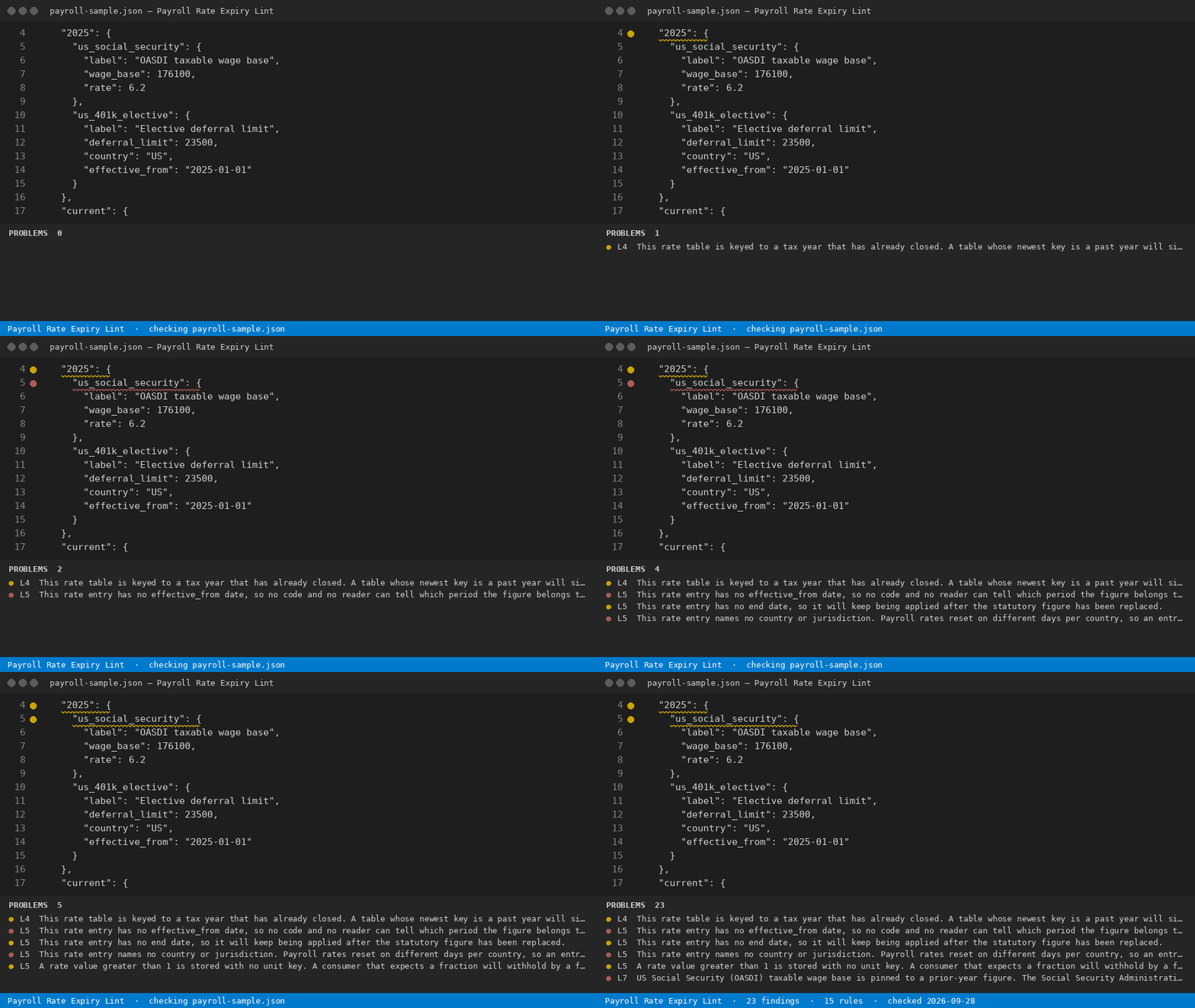
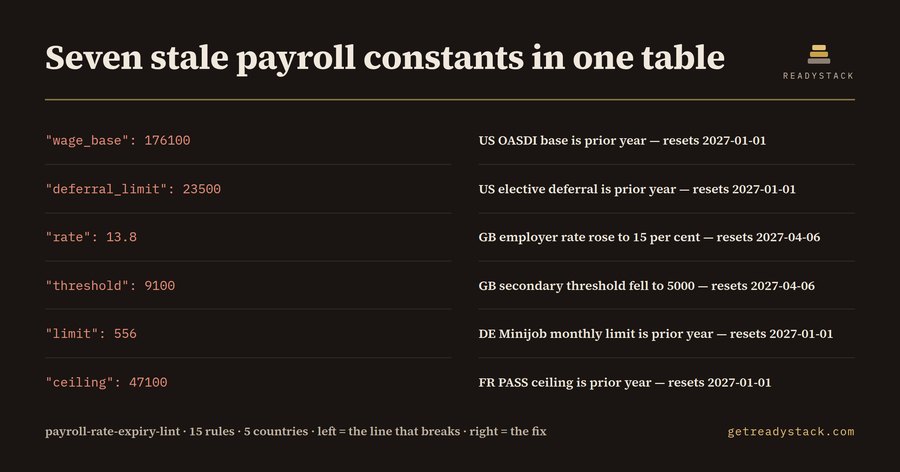
A payroll rate table is the one file in a payroll system that is wrong by default. Every figure in it — the US OASDI wage base, the UK employer secondary threshold, the German Minijob monthly limit, the French PASS, the Canadian CPP ceiling — is replaced on a fixed day by a body that does not send a pull request. The code keeps running. The table keeps answering. Nothing throws. This extension reads your rate tables (
15 rules, run on every open file and across the workspace. Measured on the shipped fixtures
Both files ship inside the extension, so you can reproduce those two numbers before you trust the tool on your own tables. The free tool is the whole checkOpen a rate table and run Payroll Rate Expiry: Check This File, or
Payroll Rate Expiry: Check Workspace. You get every finding, its line number, its severity and the
reset date that applies. Nothing is held back, nothing is blurred, no counter runs down. The same engine
runs as a single page in the browser at https://getreadystack.com/tools/payroll-rate-expiry-lint — paste
a table, get the same findings from the same The full versionThe full version writes the audit out: a dated report and a per-country renewal calendar for the whole workspace, for team and commercial use, so next year's reset is on a calendar instead of in someone's memory. One licence key per person or team seat, activated in the editor: https://getreadystack.com/api/buy/cl/polar_cl_Tdqu9vdxrn87T5MbFarHA1yN9HyELld2UyIeh3uK2Xp The yardstick: one hour of outside payroll-tax advice costs more than the full version does once. What it does not doIt does not tell you the correct figure for your jurisdiction — a published figure has a source and a date, and this tool will not invent one. It tells you which figures in your table cannot be the current ones and when each of them was replaced, so the lookup you do is short and aimed. RulesEvery rule lives in MIT licensed. Works offline; nothing in your tables leaves the machine. |