Open VSX Publish Gate - vsce & ovsx preflight for package.json
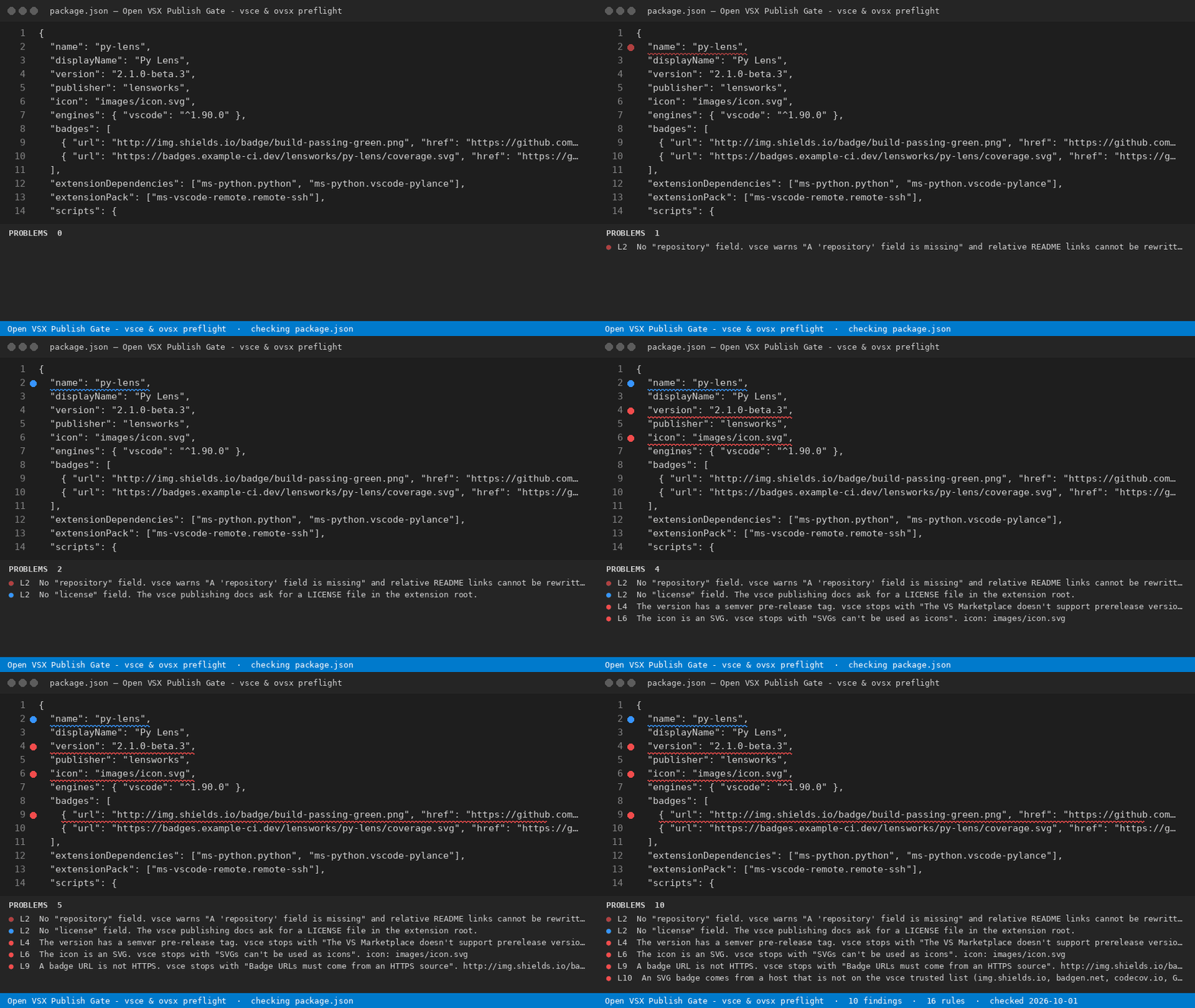
Publishing a VS Code extension to the Marketplace and to Open VSX? Open your extension's package.json (or the GitHub workflow that publishes it) and this gate lists every line that stops vsce or ovsx, every dependency VSCodium, Cursor, Windsurf and Gitpod users cannot install, and the exact replacement line for each.
Hub page and free web version: https://getreadystack.com/tools/open-vsx-publish-gate
What it catches (16 rules)
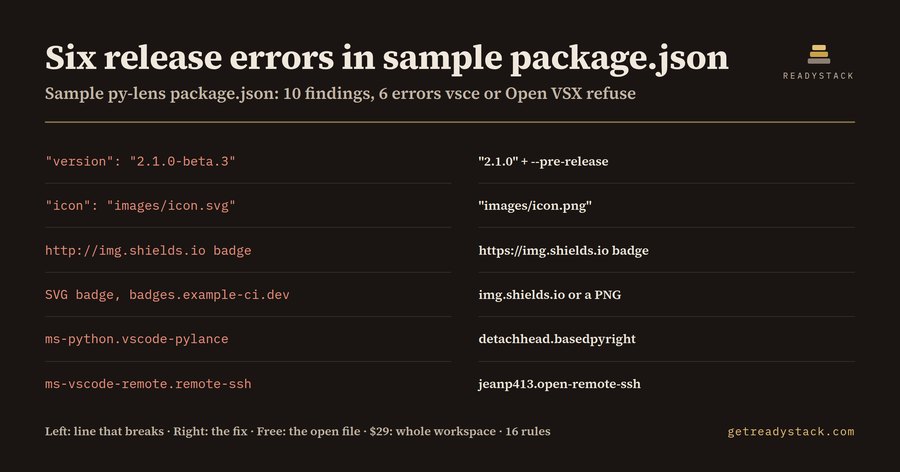
On the bundled sample package.json (an extension called py-lens) it reports 10 findings: 6 errors, 3 warnings, 1 info.
| Line in the sample |
Replace with |
"version": "2.1.0-beta.3" |
"version": "2.1.0" + vsce publish --pre-release |
"icon": "images/icon.svg" |
"icon": "images/icon.png" |
http://img.shields.io/badge/...png |
https://img.shields.io/badge/...png |
SVG badge from badges.example-ci.dev |
serve it from img.shields.io or use a PNG |
"ms-python.vscode-pylance" in extensionDependencies |
"detachhead.basedpyright" |
"ms-vscode-remote.remote-ssh" in extensionPack |
"jeanp413.open-remote-ssh" |
Warnings on the same sample: vsce publish -p $VSCE_PAT (PAT retirement), no ovsx publish script, no repository field. Info: no license field.
The 16 rules cover:
- vsce stoppers (quoted from the vsce source): missing
publisher, the vscode-samples publisher, missing engines, an SVG icon, badge URLs that are not HTTPS, SVG badges from hosts outside the 32-host vsce trusted list (GitHub workflow badges are allowed), semver pre-release versions such as 1.2.3-beta, vscode in dependencies, and enabledApiProposals.
- Open VSX install blockers:
extensionDependencies or extensionPack entries that return 404 on open-vsx.org/api (checked 2026-09-30): Pylance, C/C++, Remote - SSH, Dev Containers, Live Share, C#, C# Dev Kit, GitHub Copilot and Copilot Chat. Where an Open VSX replacement exists, the fix names it.
- Publishing path:
scripts or workflows that publish with vsce but never with ovsx, and a Personal Access Token passed to vsce.
- Hygiene: missing
repository (vsce warns) and missing license.
Why December 1, 2026 matters
The official vsce publishing page says: "On December 1, 2026, global Personal Access Tokens (PATs) in Azure DevOps are retired." The same page tells you to create the publishing PAT with Organization set to All accessible organizations, which is a global PAT. A release job that still runs vsce publish -p $VSCE_PAT after that date stops publishing. The fix is vsce publish --azure-credential (Microsoft Entra ID), and the gate prints it on the line it flags.
Why a manifest check and not just vsce
vsce package throws on the first error it meets, so a manifest with six problems takes six rounds. It also never looks at Open VSX: an extension that depends on Pylance packages fine and then cannot be installed in VSCodium. This gate reads the whole file once and prints all of them with line numbers.
Moving to Open VSX in four lines
- Sign the Eclipse Publisher Agreement on open-vsx.org and generate an access token (store it as
OVSX_PAT).
npx ovsx create-namespace <publisher> -p $OVSX_PAT - the namespace is your publisher field.- Add
"publish:ovsx": "ovsx publish -p $OVSX_PAT" to scripts.
- In GitHub Actions,
HaaLeo/publish-vscode-extension publishes to Open VSX by default; add registryUrl: https://marketplace.visualstudio.com only on the Marketplace step.
Commands
- Open VSX Publish Gate - vsce & ovsx preflight: Check this file - findings in the Problems panel, one per line.
- Sweep workspace and write report (licence) - the full version.
- The free check covers the file you have open. Full version adds a whole-workspace publish plan (every manifest and workflow in the repo), a dated migration report and a CI gate.
Sources
Yardstick: a US software developer's median wage is $65.38 an hour (BLS OEWS, occupation 15-1252, 2025 data). vsce, ovsx and the HaaLeo action are free and publish what you give them; none of them lists every blocker in one pass or checks dependencies against Open VSX.

