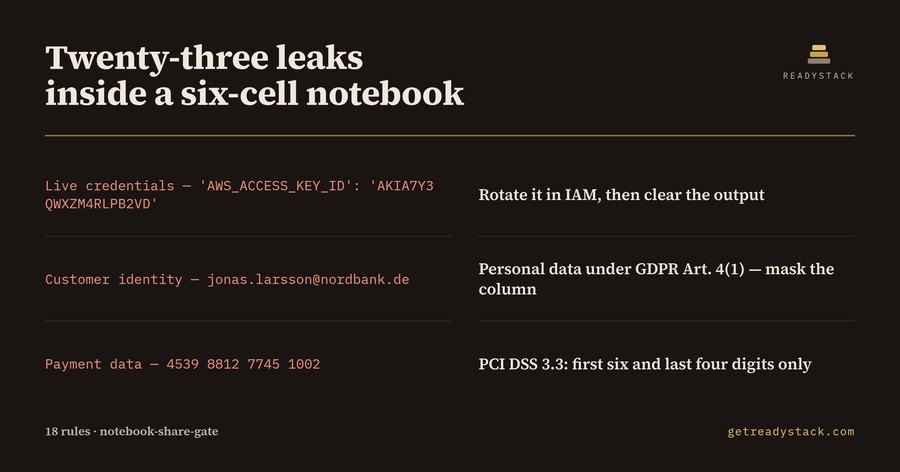
Notebook Share GateAudits saved .ipynb cell outputs for live credentials, customer personal data and internal hostnames before you share, commit or attach the notebook. Installation Launch VS Code Quick Open ( Ctrl+P), paste the following command, and press enter.Copied to clipboard |

Notebook Share Gate
A This extension reads the saved outputs, not just the code. What it checks18 rules, applied to the parts of the notebook that a code linter does not read:
Credentials covered: AWS access key ids and secret keys, Personal data covered: email addresses, IBANs, and full card numbers (PCI DSS 3.3 permits at most the first six and last four digits to be displayed), plus internal hostnames, private network addresses, and traceback paths that carry a named person's home directory. Free and paidFree, no key: audit the notebook you have open. Every leaking output is named with its rule, its severity and its line in the file, so you can jump to it and clear it. That job finishes without a key. The licensed layer works on a different axis — scope and the record. It sweeps every Reading the resultSeverity On the two notebooks shipped in The yardstickGDPR Art. 33 gives you 72 hours from becoming aware of a personal-data breach to notify the supervisory authority; Art. 83(5) caps the administrative fine for this class of infringement at EUR 20 million or 4 % of total worldwide annual turnover, whichever is higher. Secret scanners that run on a git push read the code in a diff; the saved output blob is where the notebook keeps what the code printed. Same engine on the webThe free web page runs the identical LicenceSee |