Skip to content
| Marketplace
Sign in
Visual Studio Code>Linters>Maven Central Lint - pom.xml publish requirements (sources, javadoc, GPG)New to Visual Studio Code? Get it now.
Maven Central Lint - pom.xml publish requirements (sources, javadoc, GPG)

Maven Central Lint - pom.xml publish requirements (sources, javadoc, GPG)

ReadyStack

| (0) | Free
Lint pom.xml against Maven Central Portal release rules: retired OSSRH endpoints, missing POM metadata, SNAPSHOT deps, signing and jar requirements.
Installation
Launch VS Code Quick Open (Ctrl+P), paste the following command, and press enter.
Copied to clipboard
More Info

Maven Central Lint - pom.xml publish requirements (sources, javadoc, GPG)

Maven Central Publish Gate

AI-generated build files are written from training data, and training data still describes the OSSRH staging flow that Sonatype closed to releases on 2025-06-30. This extension reads a pom.xml the way the Maven Central Portal reads it and shows you every line that will be rejected at upload — before you burn a release tag.

For Java library authors: a pom.xml missing sources, javadoc, license or GPG signing is rejected by Maven Central.

What it checks

Sixteen rules, all of them Central Portal release blockers:

Retired infrastructure

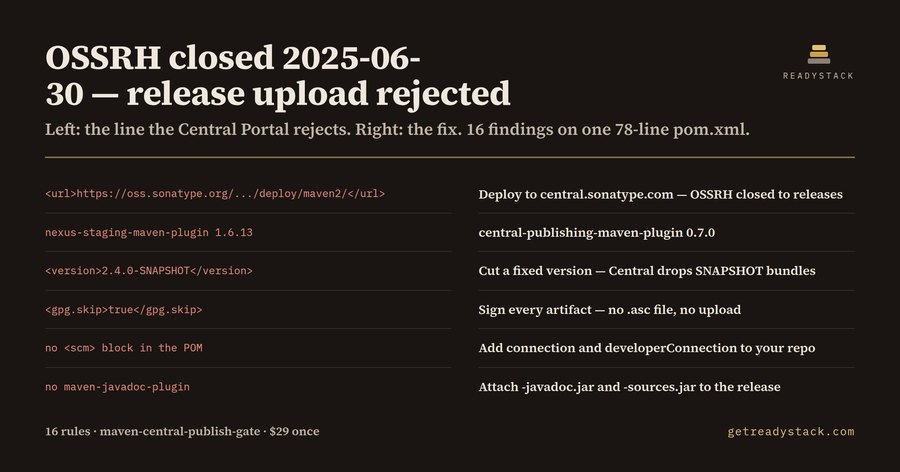
  • oss.sonatype.org / s01.oss.sonatype.org in distributionManagement or a repository URL — closed to releases on 2025-06-30, deploys go to the Central Portal now
  • nexus-staging-maven-plugin — retired together with OSSRH
  • no central-publishing-maven-plugin — the Portal publisher mvn deploy needs

Release hygiene

  • a -SNAPSHOT project version, or a -SNAPSHOT dependency in a release POM
  • a plain http:// repository URL, blocked since Maven 3.8.1
  • a system-scoped dependency pointing at a jar outside the repository

Required POM metadata

  • missing <name>, <description>, <url>, <licenses>, <developers> or <scm>

Required artifacts

  • no maven-gpg-plugin, or gpg.skip set to true — the bundle ships without .asc signatures
  • no maven-source-plugin — no -sources.jar
  • no maven-javadoc-plugin — no -javadoc.jar

Each finding carries the line number and the fix.

How to use it

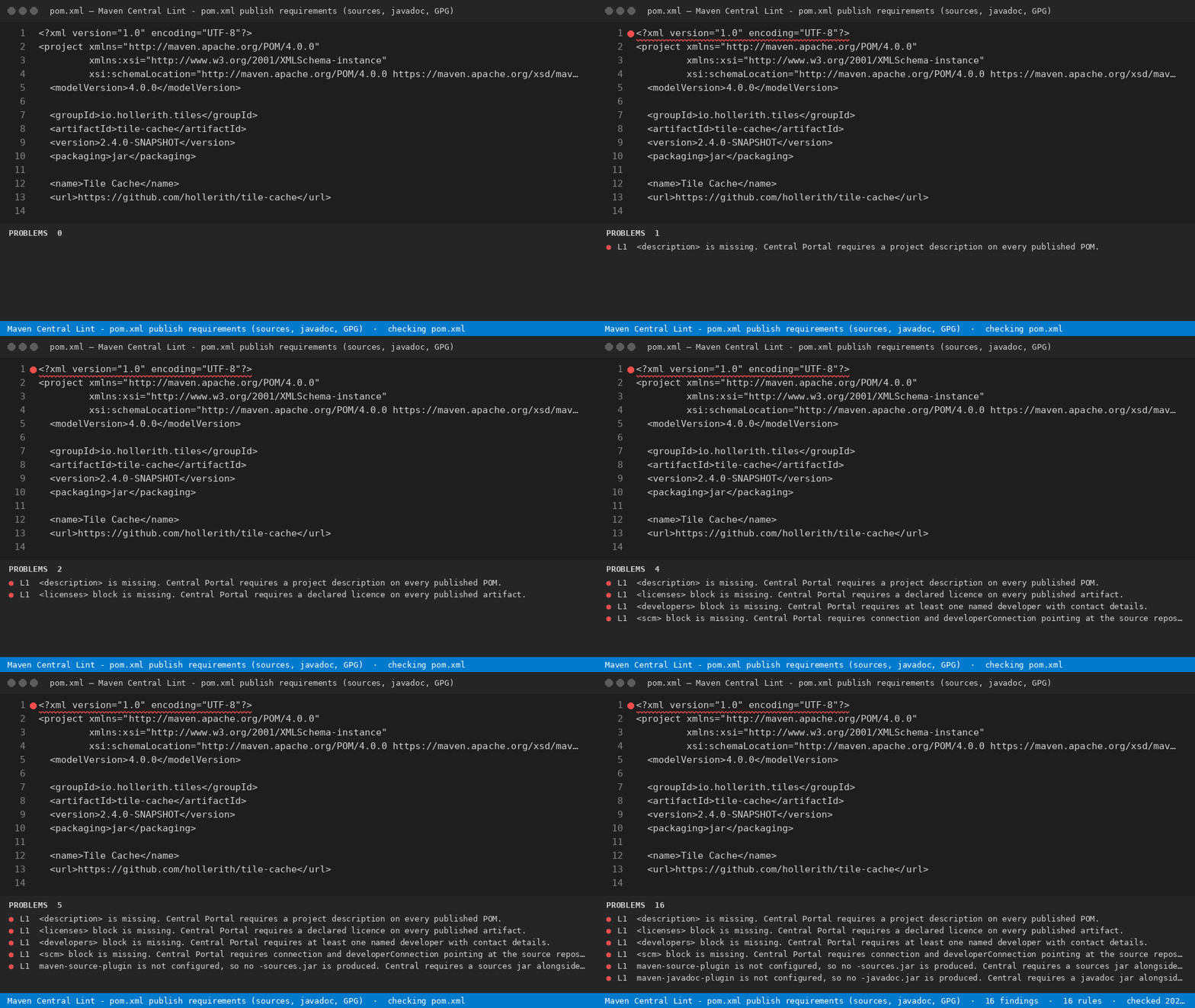
Open a pom.xml and run Maven Central Publish Gate: Check this file from the Command Palette. Findings appear in the Problems panel against the line that causes them. Rules that describe something missing from the file report on line 1.

What the numbers mean

The extension ships two fixtures. _fixtures/dirty.xml is 78 lines of a real-shaped library POM and returns 16 findings — 15 errors and 1 warning, raised by 13 of the 16 rules. _fixtures/clean.xml is 99 lines and returns 0 findings. Those two files are the yardstick for what the gate does and does not claim to see.

What it does not do

It reads the POM as text. It does not resolve parent POMs, evaluate property interpolation, contact the Central Portal, or inspect your settings.xml or your GPG keyring. A file that passes this gate can still fail on something only the Portal knows, such as a namespace you have not verified.

Free and licensed

Free, with no key: check the open pom.xml. That is a whole job — you see every blocker on that file and you can fix them and ship.

The licence key changes scope and ownership: gate every pom.xml in a multi-module repository in one command, and write the result to a REPORT.md you keep and can attach to the release.

A freelance Java release engineer bills about $80 an hour.

The same engine runs in the browser with no install: https://getreadystack.com/tools/maven-central-publish-gate

  • Contact us
  • Jobs
  • Privacy
  • Manage cookies
  • Terms of use
  • Trademarks
  • Your Privacy Choices
  • Consumer Health Privacy
© 2026 Microsoft