Lockfile Due DiligenceFlags install scripts, missing or sha1 integrity, http, git and off-registry tarballs in package-lock.json: the third-party component check behind EU CRA Art. 13(5). 8 rules, line numbers. Installation Launch VS Code Quick Open ( Ctrl+P), paste the following command, and press enter.Copied to clipboard |

Lockfile Due Diligence: npm install-script lint
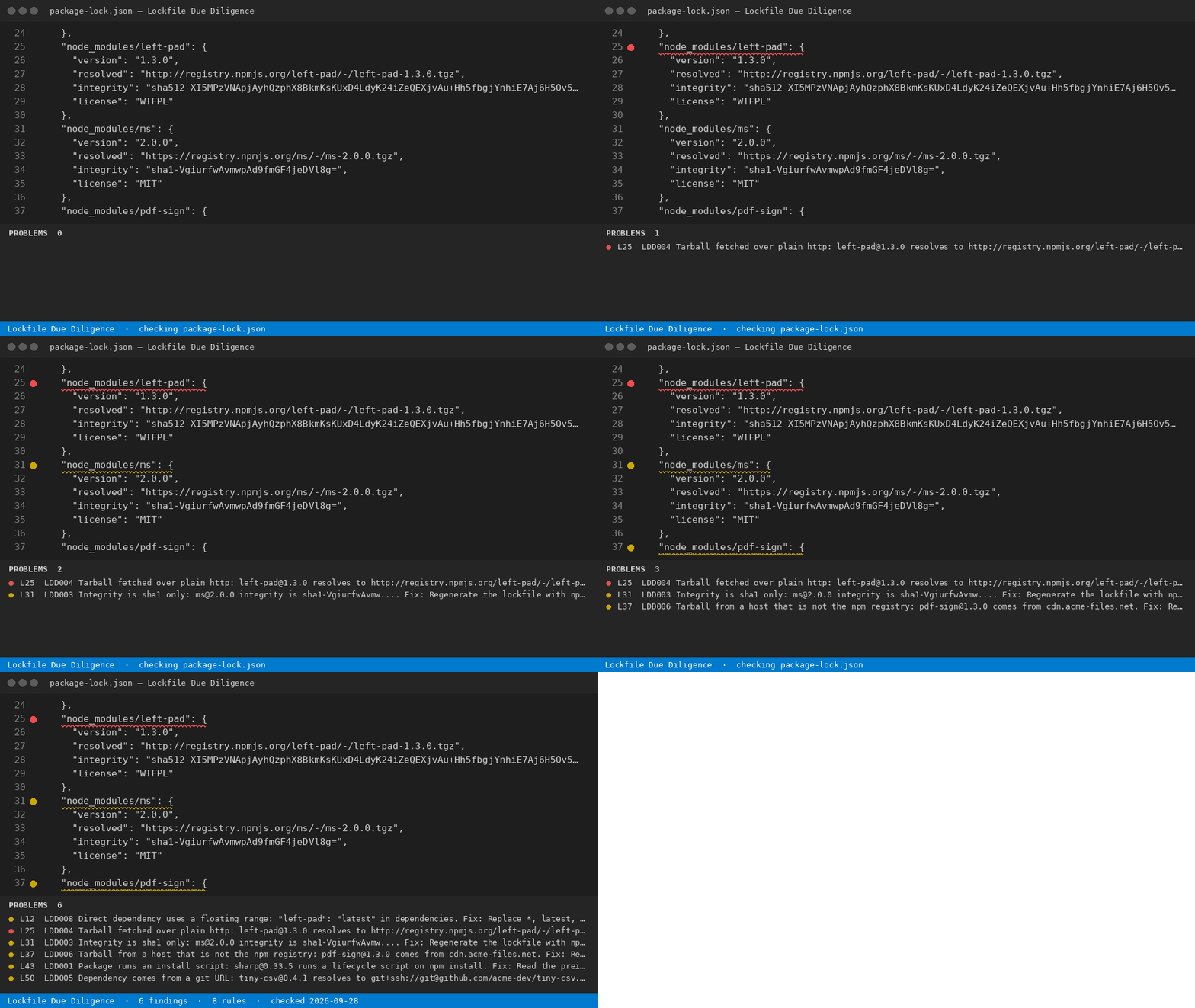
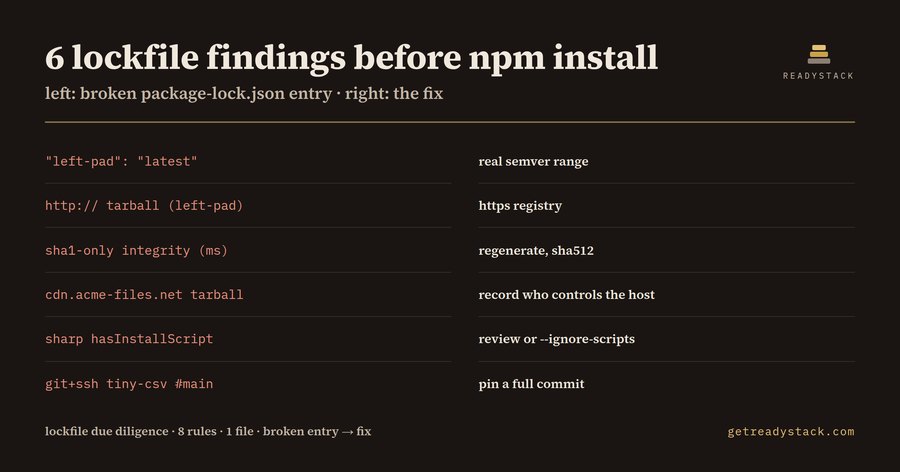
6 findings in one sample package-lock.json — an install script, a sha1-only hash, a plain-http tarball, a git dependency tracking This extension reads the Hub page and web version: https://getreadystack.com/tools/lockfile-due-diligence-lint Why nowRegulation (EU) 2024/2847, the Cyber Resilience Act, Article 13(5): manufacturers shall exercise due diligence when integrating components sourced from third parties, including free and open-source components. The main obligations apply from 2027-12-11 (vulnerability reporting under Article 14 already applies from 2026-09-11). Article 64(2) sets fines of up to 15 million euros or 2.5% of worldwide annual turnover for breaches of Article 13. Every finding message carries the number of days left until 2027-12-11.
The 8 rules
Yardstick: each rule maps to one question under CRA Art. 13(5) — do you know what this component runs, where it came from, and that the bytes are the ones you reviewed. How to use
Free and full versionFree: scan one package-lock.json: every install script, weak or missing integrity, http, git and off-registry source, with its line and the fix. Nothing is hidden and there is no limit on how often you scan. Full version ($29 once, one licence key per person or team seat): scan every lockfile in the workspace at once and export a dated due-diligence record (Markdown and CSV) for your CRA technical documentation. LimitsThis lint reads lockfile metadata. It does not download packages, read the install scripts themselves, or judge whether a script is malicious; it tells you where a human decision is due. It is not legal advice. License: see LICENSE.txt. |