gitlab-runner Compute Minutes Audit for GitLab CI
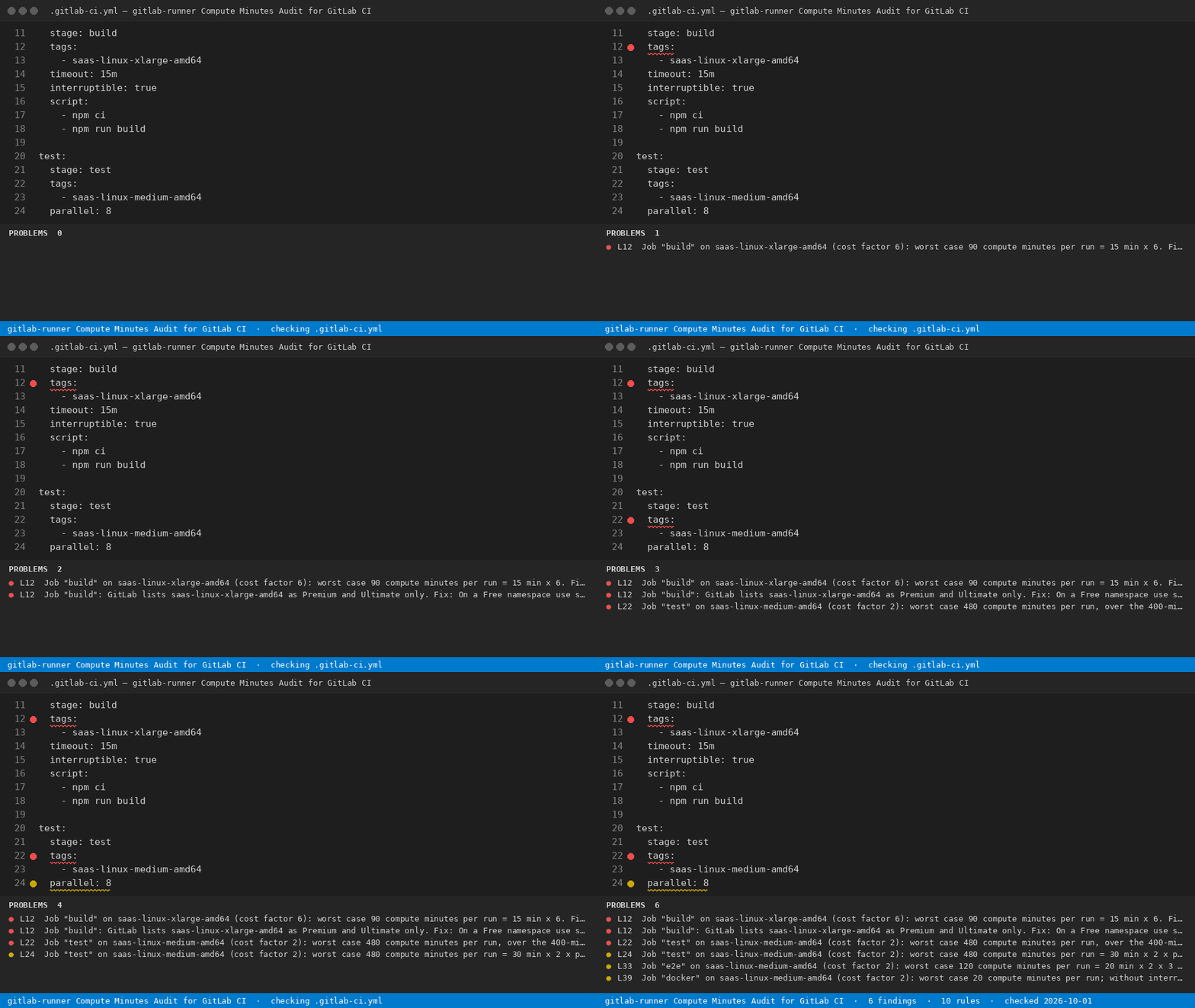
For DevOps engineers on GitLab.com Free: see which .gitlab-ci.yml job burns the 400 compute minutes your namespace gets each month, and the tags: line that moves it to your own gitlab-runner.
Tool page: https://getreadystack.com/tools/gitlab-runner-compute-minutes-audit
Yardstick: extra GitLab compute minutes cost 10 dollars per 1,000 minutes (one-time pack), and GitLab Premium is 29 dollars per user a month for 10,000 minutes.
What it checks
GitLab counts every job on an instance (hosted) runner as Job duration / 60 * Cost factor. The cost factor comes from the runner tag. A Free namespace gets 400 compute minutes a month, Premium 10,000, Ultimate 50,000; usage resets to 0 on the first day of each month. Jobs on a runner you registered yourself with gitlab-runner are not instance runners, so they are not measured in compute minutes.
The extension reads the open .gitlab-ci.yml, resolves default: and extends: for every job, and works out the worst case for one run:
timeout (or the 60-minute default) x cost factor x parallel x (1 + retry)
| Runner tag |
Cost factor |
| saas-linux-small-amd64 (untagged jobs) |
1 |
| saas-linux-medium-amd64 |
2 |
| saas-linux-large-amd64 |
3 |
| saas-linux-xlarge-amd64 |
6 |
| saas-linux-2xlarge-amd64 |
12 |
| saas-linux-medium-amd64-gpu-standard |
7 |
| saas-linux-small-arm64 / medium-arm64 / large-arm64 |
1 / 2 / 3 |
| saas-macos-medium-m1 |
6 (Beta) |
| saas-macos-large-m2pro |
12 (Beta) |
| saas-windows-medium-amd64 |
1 (Beta) |
Source: https://docs.gitlab.com/ci/pipelines/compute_minutes/ and https://docs.gitlab.com/ci/runners/hosted_runners/linux/ (read 2026-09-30).
The 10 rules
high-cost-factor — hosted runner with cost factor 6 or more.premium-only-size — large/xlarge/2xlarge amd64 and medium/large arm64 are listed as Premium and Ultimate only.default-timeout — no timeout: on a factor 2+ job, so the 60-minute project default applies.parallel-multiplier — parallel: N multiplies the minutes.retry-multiplier — retry: repeats a paid job up to 3 attempts.quota-in-one-run — one run can use the whole 400-minute Free quota.not-interruptible — a paid job without interruptible: true keeps running when a newer pipeline starts.unknown-saas-tag — a saas- tag no hosted runner carries (the job stays pending).untagged-instance-job — no tags: means the default small hosted runner.beta-runner — macOS and Windows runners, whose cost factors GitLab marks as Beta.
Trigger jobs and jobs whose tags point at your own runners are skipped: they use no compute minutes.
Example: the sample file
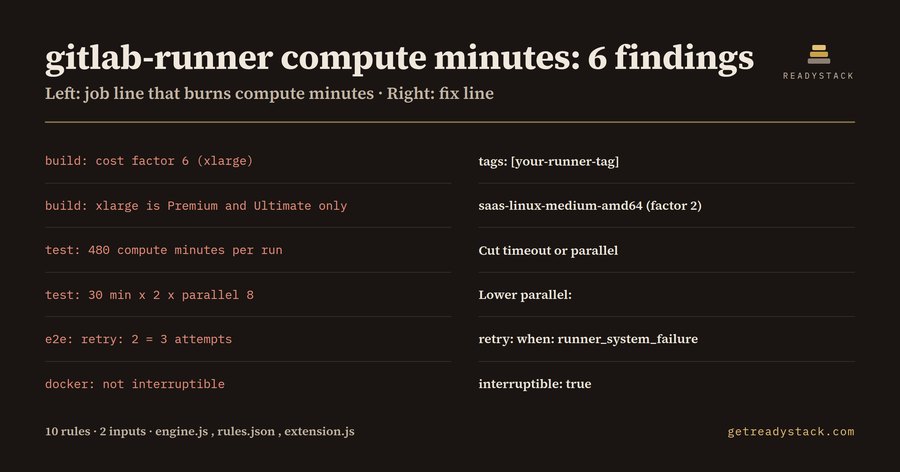
The bundled sample .gitlab-ci.yml has five jobs and gives 6 findings:
| Job line that burns compute minutes |
Fix line |
| build: cost factor 6 (xlarge) |
tags: [your-runner-tag] |
| build: xlarge is Premium and Ultimate only |
saas-linux-medium-amd64 (factor 2) |
| test: 480 compute minutes per run |
Cut timeout or parallel |
| test: 30 min x 2 x parallel 8 |
Lower parallel: |
| e2e: retry: 2 = 3 attempts |
retry: when: runner_system_failure |
| docker: not interruptible |
interruptible: true |
The test job alone (30 min x 2 x parallel 8 = 480) is more than the 400 minutes a Free namespace gets in a month. The deploy job already runs on deploy-box, a self-hosted gitlab-runner, so it costs 0.
Moving a job to your own gitlab-runner
Register a runner with gitlab-runner register, give it a tag such as build-box, and replace the hosted tag in the job:
build:
  tags:
    - build-box   # was saas-linux-xlarge-amd64 (cost factor 6)
  timeout: 15m
  interruptible: true
Every finding names the file line and the fix line. Nothing leaves your machine; the check runs locally.
Free and full version
Free: one open .gitlab-ci.yml, every hosted-runner job mapped to its cost factor and worst-case minutes, with the fix line. The full version scans every .gitlab-ci.yml in the workspace and exports one dated compute-minutes report per repository for the runner budget decision, with a licence key.

