GitLab CI/CD Migration Check for GitHub Actions
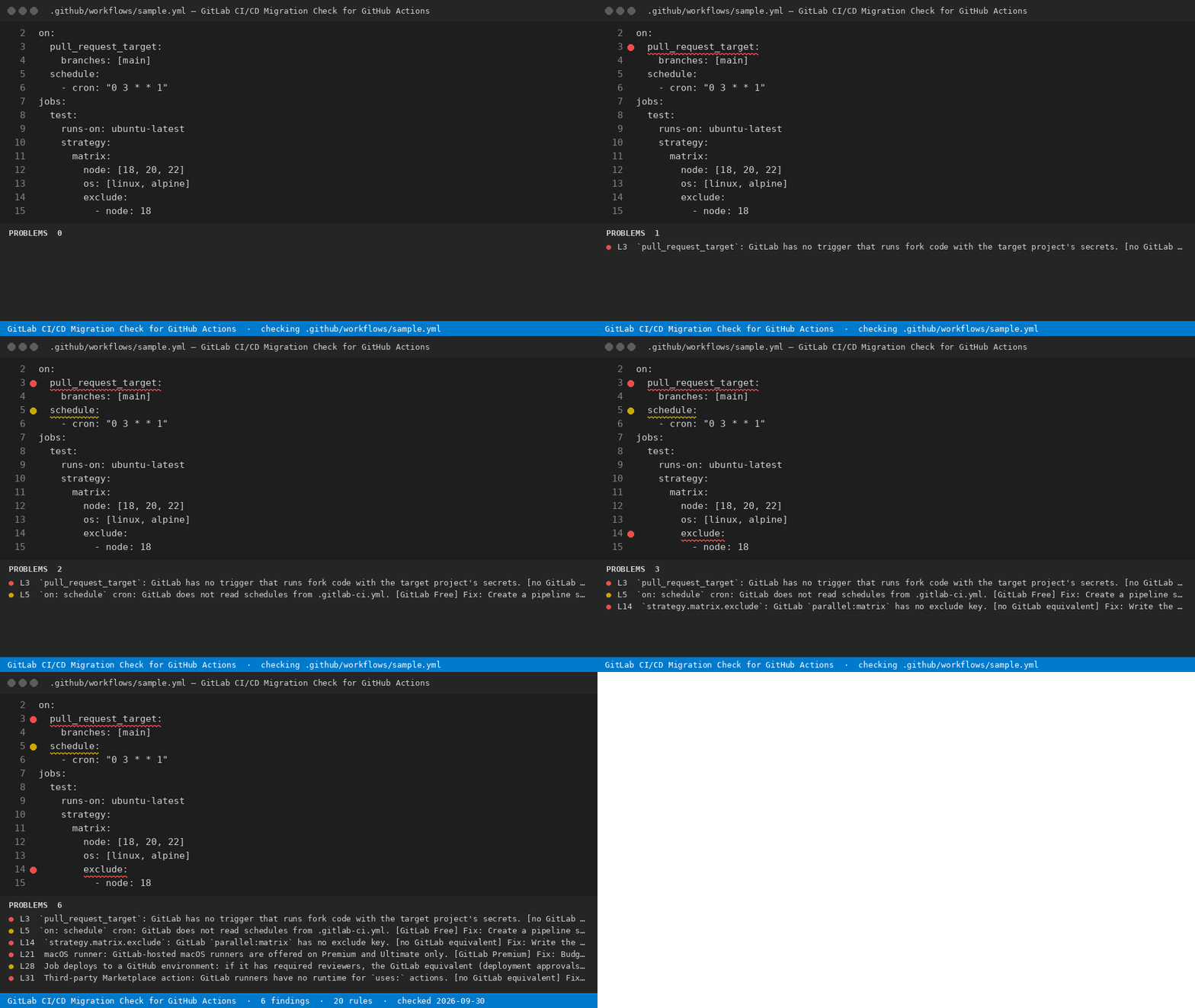
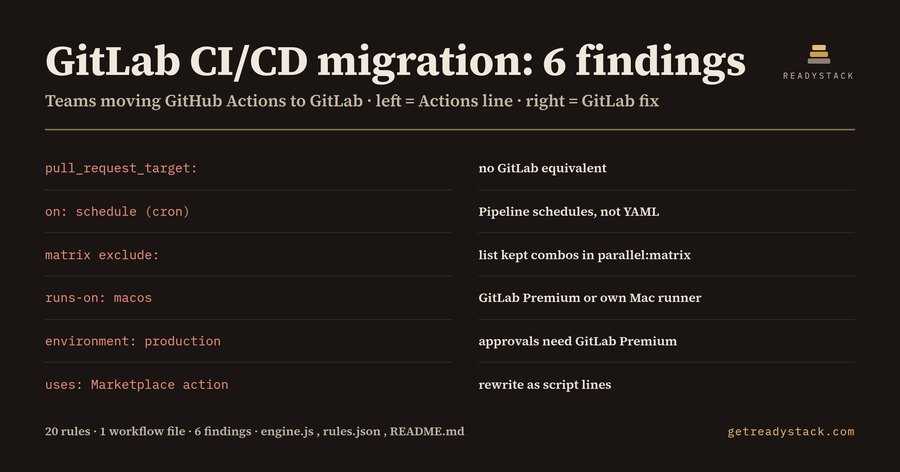
GitLab CI/CD migration: 6 findings in a 35-line release workflow, before a single job ran on GitLab. Two of them (a macOS runner and a deployment environment with reviewers) only work on GitLab Premium.
Open any .github/workflows/*.yml file. The extension lists every line GitLab CI/CD cannot run as-is, tells you the GitLab keyword to use instead, and tags each finding with the GitLab tier it needs: GitLab Free, GitLab Premium, or no GitLab equivalent.
Free web version (same engine, runs in your browser, nothing uploaded): https://getreadystack.com/tools/gitlab-ci-migration-check
Yardstick: GitLab Premium lists at 29 US dollars per user per month, billed annually. One macOS job left in a workflow decides that line for every seat on the team.
Who it is for
DevOps and platform engineers moving a company's GitHub Actions workflows to GitLab CI/CD, and the engineering lead who has to decide whether the team can stay on GitLab Free.
What a chatbot rewrite misses
A chat assistant will turn a workflow into a .gitlab-ci.yml that parses. It will not tell you that on: schedule is silently dropped (GitLab keeps schedules in the project settings, not in YAML), that strategy.matrix.exclude has no counterpart in parallel:matrix, or that the macOS job you kept needs a paid tier. Those are the lines that break after cutover.
The 20 rules
| Rule |
GitHub Actions line |
GitLab CI/CD answer |
Tier |
| marketplace-action |
uses: owner/action@v4 |
script: lines or a CI/CD Catalog component |
no equivalent |
| first-party-cache-artifact |
actions/cache, actions/upload-artifact |
cache: and artifacts: job keywords |
Free |
| setup-toolchain-action |
actions/setup-node and friends |
image: node:20 |
Free |
| reusable-workflow |
uses: ./.github/workflows/x.yml |
include: or trigger: include: |
Free |
| schedule-trigger |
on: schedule |
Build > Pipeline schedules |
Free |
| pull-request-target |
pull_request_target |
none; fork MR pipelines |
no equivalent |
| workflow-run-trigger |
workflow_run |
needs: or trigger: |
Free |
| macos-runner |
runs-on: macos-* |
GitLab-hosted macOS runners |
Premium |
| self-hosted-runner |
runs-on: self-hosted |
re-register GitLab Runner, tags: |
Free |
| environment-approval |
environment: with reviewers |
protected environment + deployment approvals |
Premium |
| permissions-block |
permissions: |
none; CI_JOB_TOKEN scope |
no equivalent |
| github-token |
secrets.GITHUB_TOKEN |
$CI_JOB_TOKEN or project access token |
Free |
| repo-secret |
secrets.NAME |
masked CI/CD variable |
Free |
| matrix-exclude |
matrix.exclude |
list kept combinations |
no equivalent |
| hashfiles-key |
hashFiles() |
cache: key: files: (max two files) |
Free |
| job-outputs |
outputs: |
artifacts: reports: dotenv: |
Free |
| github-output-file |
$GITHUB_OUTPUT, $GITHUB_ENV |
dotenv report |
Free |
| github-context |
${{ github.sha }} |
$CI_COMMIT_SHA and other CI_ variables |
Free |
| concurrency-group |
concurrency: |
resource_group: + interruptible: |
Free |
| workflow-dispatch-inputs |
workflow_dispatch |
Run pipeline + variables |
Free |
How to use
- Open a workflow file from
.github/workflows/.
- Run GitLab CI/CD Migration Check: check this file from the Command Palette. Findings appear in the Problems panel with the line number.
- Each message ends with
Fix: and the GitLab keyword. The tier tag in brackets tells you whether the line decides your GitLab plan.
Whole-workspace scans and the exported migration report ask for a licence key. Checking the open file never does.
Limits
The check reads the workflow YAML only. It cannot see settings stored on GitHub (environment reviewers, branch protection, secret values), so environment: is flagged as a Premium decision you confirm by hand. Rules follow the GitLab CI/CD YAML keyword reference and the GitLab pricing page as of September 2026.

