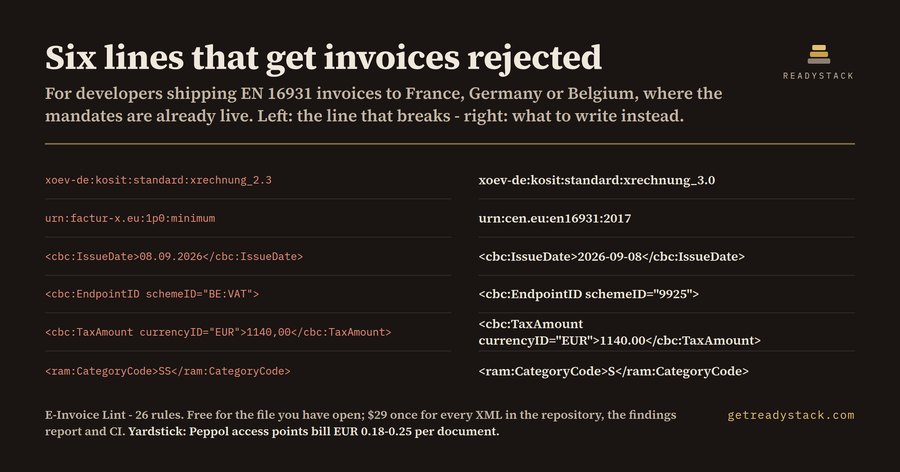
E-Invoice Lint for XRechnung, Factur-X and UBLCatches retired profile identifiers, code-list values outside EN 16931 and malformed dates in your e-invoice XML, in the editor, before an access point rejects the file. Installation Launch VS Code Quick Open ( Ctrl+P), paste the following command, and press enter.Copied to clipboard |

E-Invoice Lint
Catches retired profile identifiers, code-list values outside EN 16931 and malformed dates in your e-invoice XML, in the editor, before an access point rejects the file. What it does for free
With a licence
Get the full version - $29 - $29 once, one licence key per person or team seat. Install |