HTML Form Accessibility Lint - WCAG 2.2 AA (EAA)Flags the WCAG 2.2 AA form failures that generated HTML keeps making - paste-blocked password fields, unlabelled inputs, 24px targets - with the clause and the fix on the line. Installation Launch VS Code Quick Open ( Ctrl+P), paste the following command, and press enter.Copied to clipboard |

HTML Form Accessibility Lint - WCAG 2.2 AA (EAA)
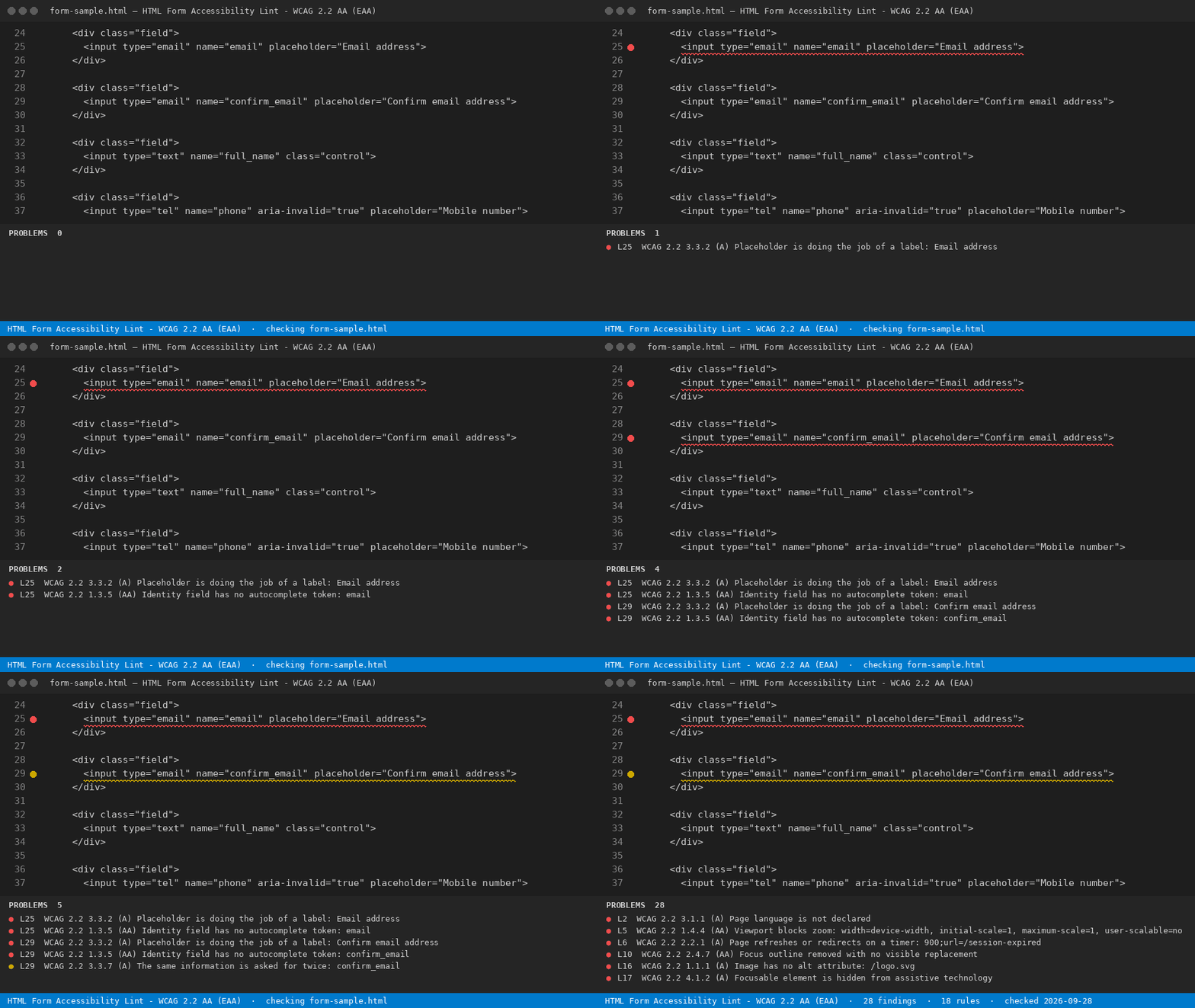
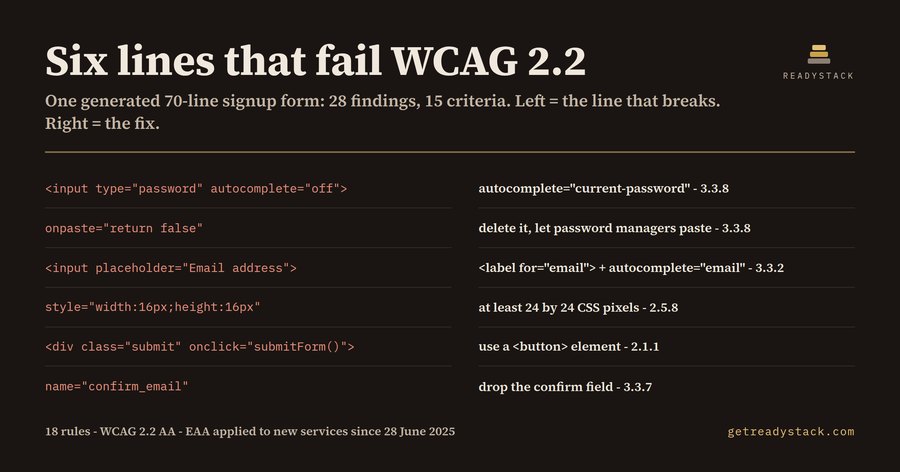
Paste or open an HTML, Vue or Svelte template and this extension names every WCAG 2.2 Level AA For e-commerce and SaaS with EU customers: the European Accessibility Act has applied since 28 June 2025, and forms are where audits fail first. form failure on its line, with the success-criterion number and the one-line fix. It exists because generated markup fails in a very predictable way. A 70-line signup form written
the way an assistant writes one — The repaired version of the same page, Why nowThe European Accessibility Act (Directive (EU) 2019/882) has applied to new consumer-facing e-commerce, banking, ticketing and e-book services since 28 June 2025 — 440 days as of 2026-09-11. Member States enforce it through national market surveillance bodies, and the technical yardstick they point at is EN 301 549, which carries the WCAG success criteria. A finding arrives as a demand to fix a live service, not as a lint warning. What the free command does
The rule table lives in That is the whole job for one file, with no key. The full version
Full workspace sweep and report: licence key. Yardstick: a WCAG audit from an accessibility vendor starts around $2,500 for one signup flow, and answers for the day it was run; this answers for every file, every time you save. One licence key per person or team seat. Scope and honestyThis is a static text linter. It reads markup, not a rendered page, so it cannot judge colour contrast, reading order on screen, or anything that needs a live DOM. It finds the machine-checkable part — which is where generated code fails — and it never claims conformance on your behalf. |