Dependency Checker — EOL DatesDependency checker for package.json, composer.json and requirements.txt: flags Angular, Express 4, ESLint 8, Vue 2, Laravel and Django versions past or near their published end-of-support date. Installation Launch VS Code Quick Open ( Ctrl+P), paste the following command, and press enter.Copied to clipboard |

Dependency Checker — EOL Dates
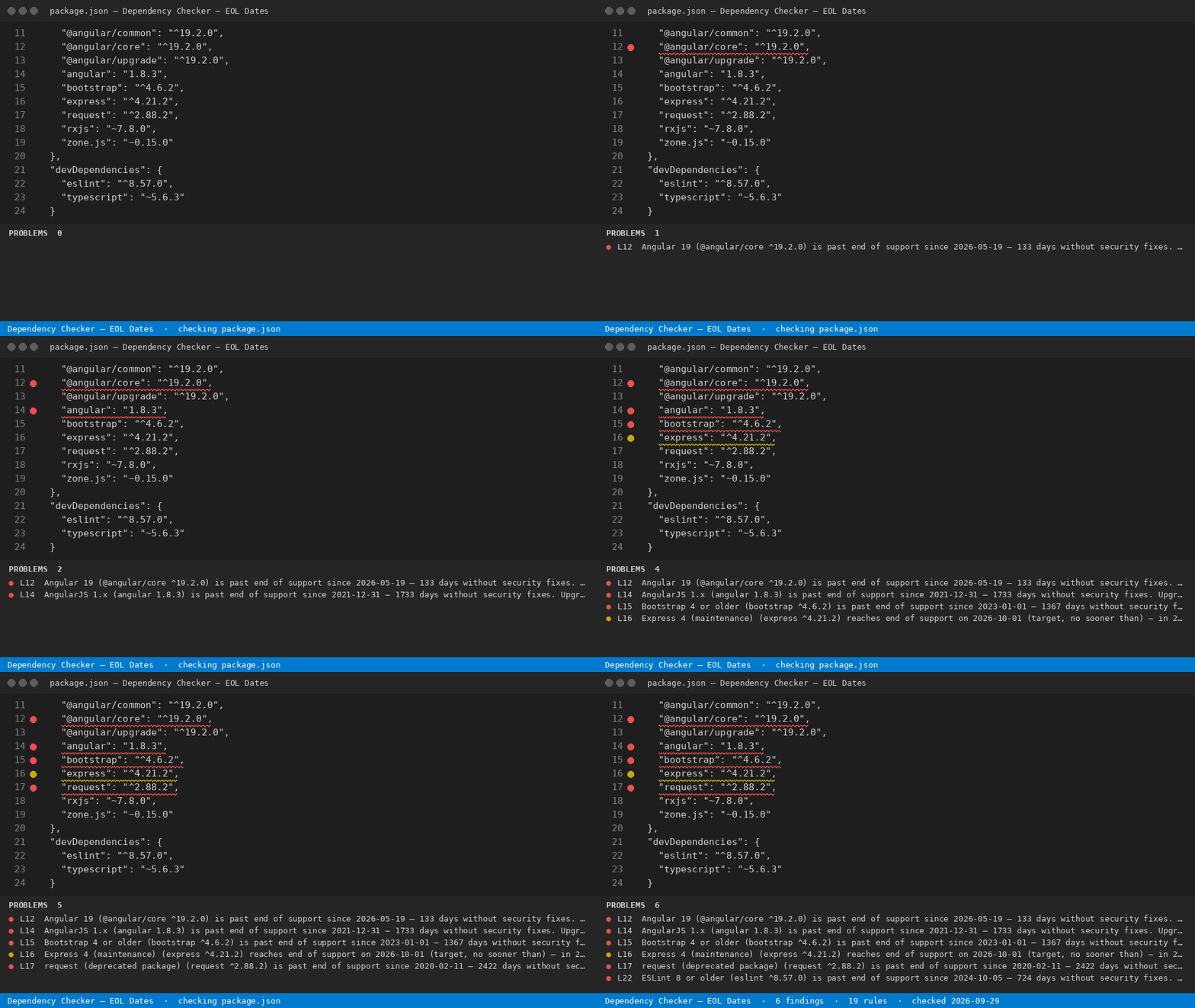
Dependency checker for Hub page: https://getreadystack.com/tools/dependency-checker-eol-dates Yardstick: Snyk Team is listed at $25 per contributing developer per month; this extension is a one-time licence. What it found in the sample fileThe sample
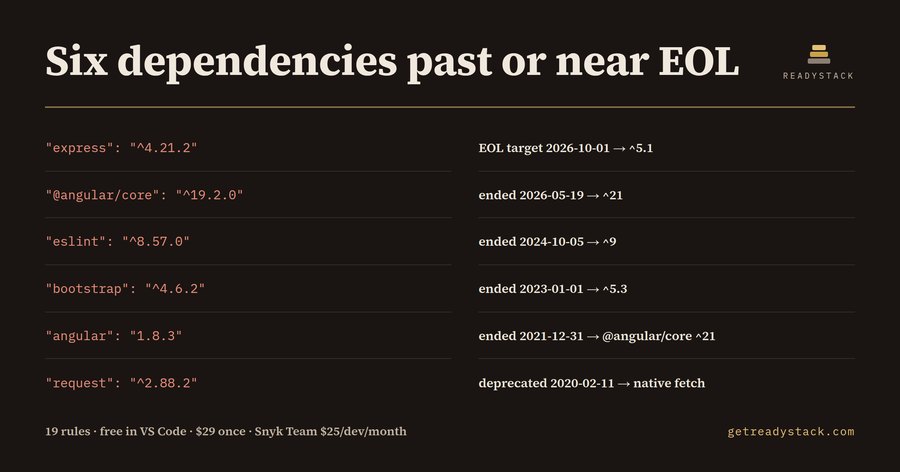
Six findings: five past end of support (errors) and one inside the 120-day window (warning). The upgraded sample ( Why a date, not a version number
The 19 rules
Every rule stores its end date and the source it came from (angular.dev, expressjs.com/en/support, eslint.org/version-support, djangoproject.com, laravel.com/docs/releases and others). The source is printed in each finding. Express marks 2026-10-01 as a target ("no sooner than"), and the finding says so. How to use it
The check runs locally. Nothing is uploaded. Free and full versionFree: checks the open manifest and lists every pinned major that is past or within 120 days of its end-of-support date, with the date and the upgrade target. Full version: scans every package.json, composer.json and requirements file in the workspace at once and exports one dated EOL report (CSV + Markdown) for a client or audit — get the full version. $29 once, one licence key per person or team seat. LimitsOnly the first version number of a range is read ( |