Crontab Lint - cron expression checker (crontab, K8s CronJob, GitHub Actions)
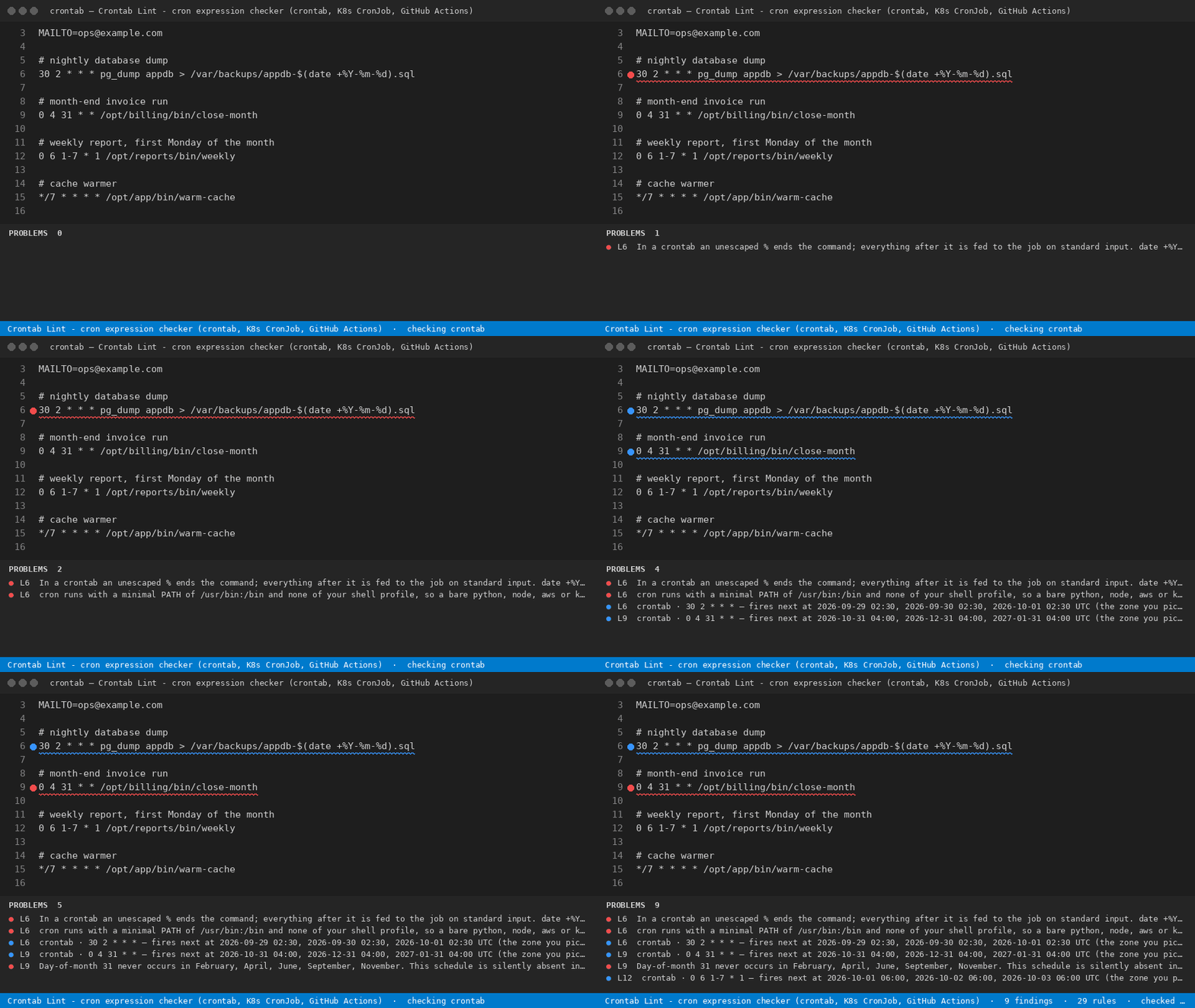
Names every schedule line in the file you have open that fires at the wrong hour, twice, or never at all - and prints the next three times each one really fires, in the zone that actually applies.
For anyone who owns a schedule: a job that fires at the wrong hour, twice, or never is found in the file you have open, with the next three real run times.
What it finds
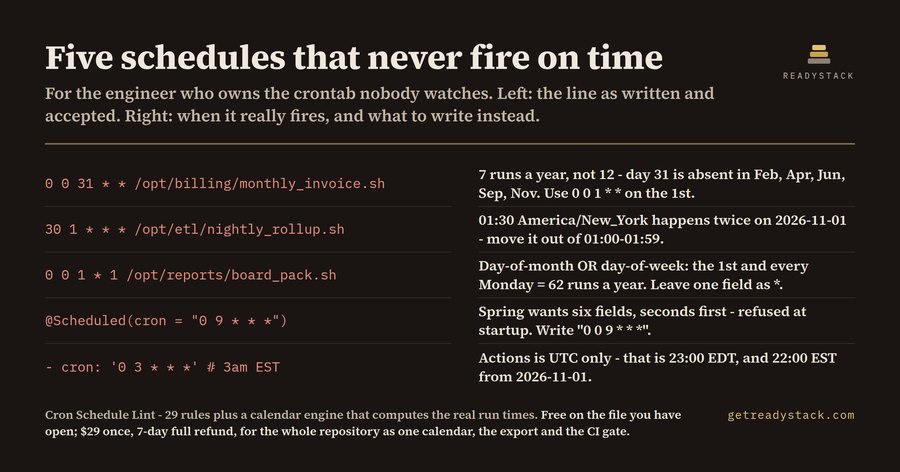
line  3  [error]  0 0 31 * *      day 31 never occurs in February, April, June, September, November - 7 runs a year, not 12
line  4  [error]  30 1 * * *      01:30 America/New_York happens twice on 2026-11-01
line  5  [error]  0 0 1 * 1       day-of-month and day-of-week are both set, so cron takes the UNION - 62 runs a year
line  6  [warn]   */7 * * * *     the step does not divide 60: the gap at the top of the hour is 4 minutes, not 7
line  7  [error]  0 2 * * *       02:00 America/New_York does not exist on 2027-03-14
line  8  [error]  date +%Y        an unescaped % ends the command; the filename comes out empty
line 10  [error]  0 0 30 2 *      this schedule never fires
--- 18 findings over 29 rules plus the calendar engine ---
What it does for free
- The file you have open, checked against every rule that ships inside
- The next three instants each schedule really fires at, and how many times it fires in a year
- The exact dates in the next twelve months when that wall-clock time does not exist, or happens twice
- The zone is taken from the file itself - spec.timeZone, CRON_TZ, or UTC where the platform allows nothing else
With a licence
- Every schedule in the repository merged into one calendar instead of the single file you have open — walks the whole workspace - crontabs, CronJobs, workflow files, timers, beat schedules - and reports them together, so two heavy jobs sitting on the same minute are visible
- The whole calendar as CSV, JSON or HTML for a change review — writes the merged findings into the workspace in the format set in the settings
- Machine output that exits non-zero so a pipeline can stop a merge that adds a schedule which never fires — writes a JSON report a CI step can read and fail on
Healthchecks.io Business, the ordinary cron monitor, is $20 every month for 100 jobs - and by design it can only tell you after a run was already missed.
Get the full version - $29 - $29 once, one licence key per person or team seat.
Full workspace sweep and report: licence key.
Where the zone comes from
Not from a setting you forgot to change. It is read from the file itself: spec.timeZone on a
Kubernetes CronJob, CRON_TZ at the top of a crontab, and UTC where the platform allows nothing
else - GitHub Actions, Vercel and Cloudflare Workers all run schedules on UTC only.
The same 29 rules and the same calendar engine run in the free one-page web version, byte for byte.
Install
ext install cron-schedule-lint

