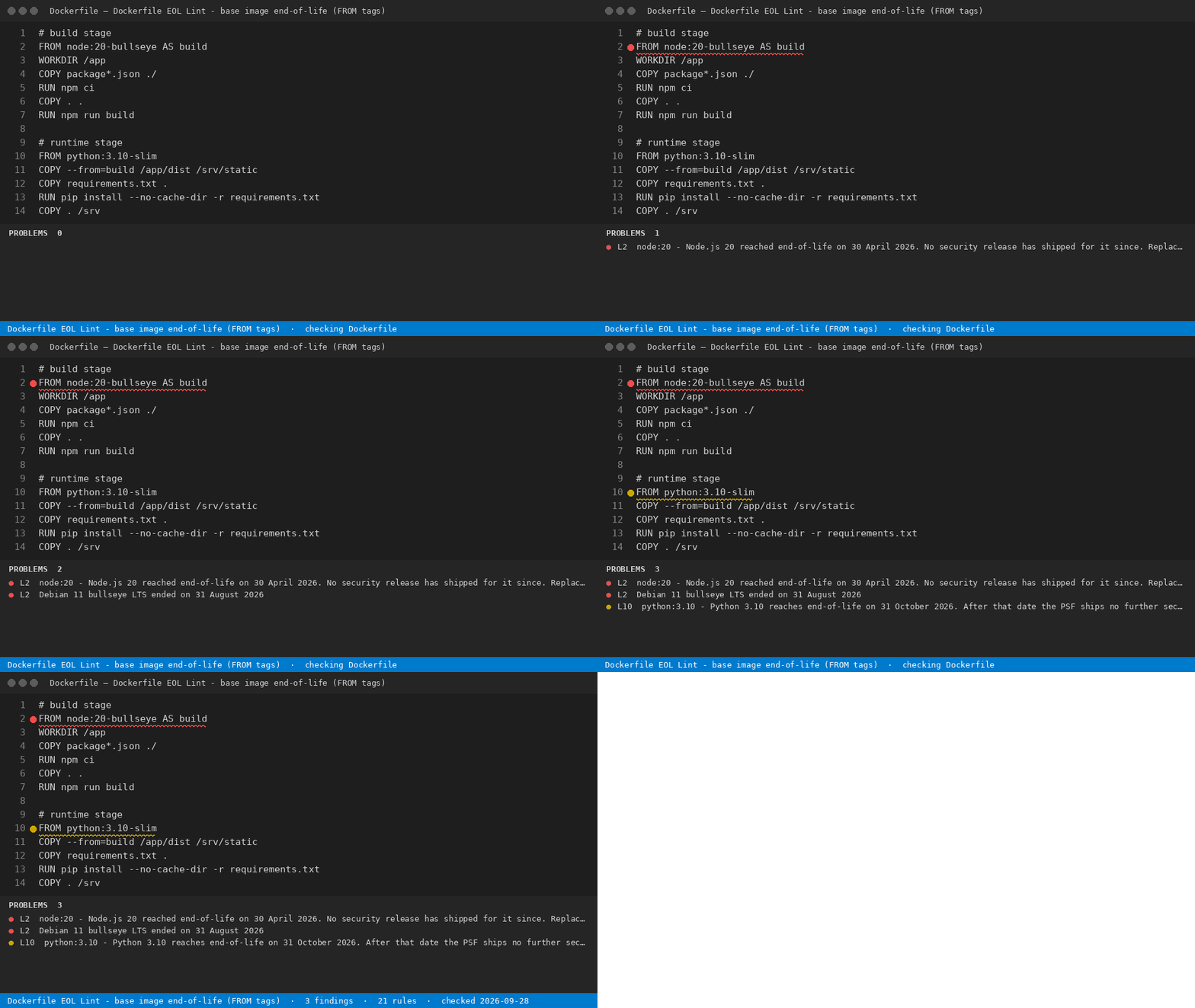
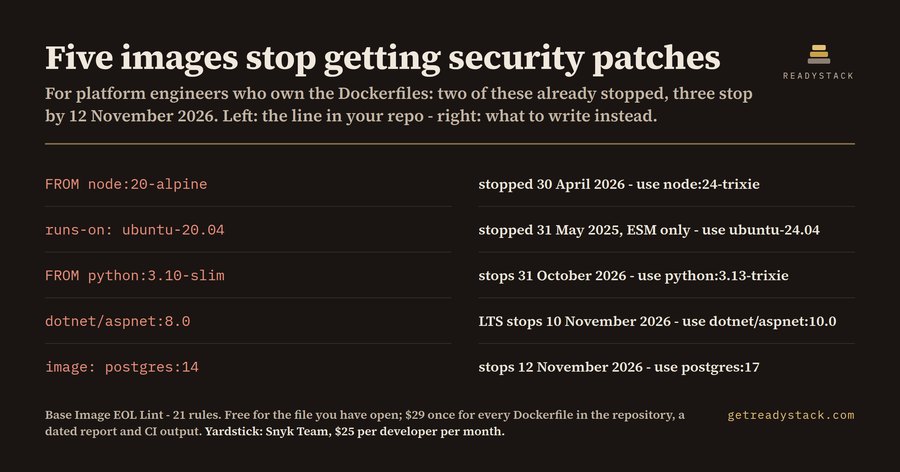
Dockerfile EOL Lint - base image end-of-life (FROM tags)Marks every base image in your Dockerfiles, compose files and CI workflows whose security patches have already stopped - or stop before 13 November 2026 - and prints the tag that replaces it. Installation Launch VS Code Quick Open ( Ctrl+P), paste the following command, and press enter.Copied to clipboard |

Dockerfile EOL Lint - base image end-of-life (FROM tags)
Marks every base image in your Dockerfiles, compose files and CI workflows whose security patches have already stopped - or stop before 13 November 2026 - and prints the tag that replaces it. For anyone with a Dockerfile: an end-of-life base image stops getting security patches, and scanners fail the build on day one. What it findsWhat it does for free
With a licence
Get the full version - $29 - $29 once, one licence key per person or team seat. Full workspace sweep and report: licence key. Install |