Agentforce Action Audit
Reads a Salesforce Agentforce topic file — *.genAiPlugin-meta.xml, *.genAiPlannerBundle, or any agent metadata XML — and reports 13 defects with line numbers, before sf project deploy and before a customer ever talks to the agent.
Hub: https://getreadystack.com/tools/agentforce-action-audit
Why a schema check is not enough
sf project deploy start validates XML against the metadata schema. A topic can pass that validation and still be broken in the ways that matter:
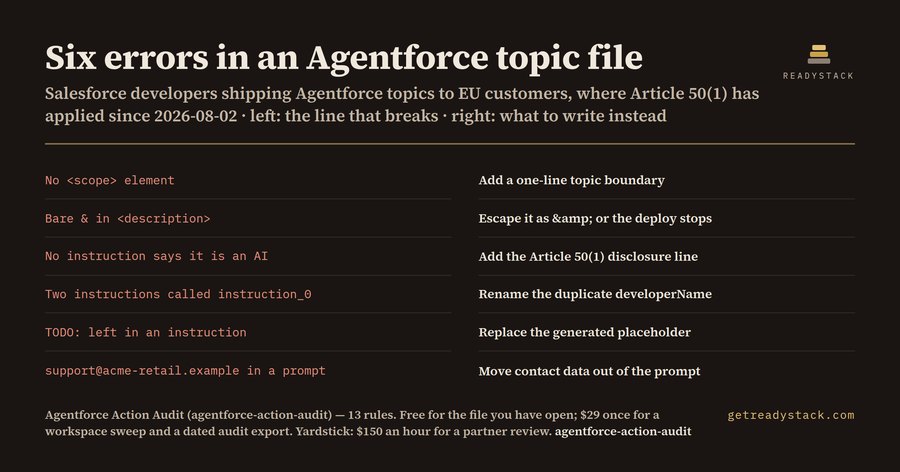
- it has no
<scope>, so the planner lets the agent answer anything;
- two instructions share one
<developerName>, so the deploy stops on a name collision;
- a generated
TODO: is still sitting in an instruction the agent will read out loud;
- an instruction carries a mailbox or a phone number, and that text is sent to the model on every turn;
- no instruction anywhere tells the person that they are talking to an AI.
That last one stopped being a style question on 2026-08-02, the date EU AI Act Article 50(1) began to apply: a system that interacts directly with natural persons has to be designed so those persons are informed they are interacting with an AI. The Article 99(4) ceiling for that class of breach is 15 million euro or 3 percent of worldwide annual turnover, whichever is higher.
The 13 rules
| # |
Rule |
Severity |
| 1 |
missing_master_label — no top-level <masterLabel> |
error |
| 2 |
missing_description — the planner routes on this text |
error |
| 3 |
missing_scope — nothing bounds the topic |
error |
| 4 |
scope_too_short — under 40 characters |
warn |
| 5 |
no_instructions — the topic carries no behaviour |
error |
| 6 |
duplicate_instruction_name — deploy-stopping name collision |
error |
| 7 |
instruction_placeholder — TODO, FIXME, lorem ipsum, [insert |
error |
| 8 |
function_not_referenced — a <functionName> no instruction names |
warn |
| 9 |
no_ai_disclosure — Article 50(1), applying since 2026-08-02 |
error |
| 10 |
pii_in_instruction — contact or identity data inside a prompt |
error |
| 11 |
insecure_endpoint — a plain http:// address in an instruction |
warn |
| 12 |
unescaped_ampersand — a bare & that is not an XML entity |
error |
| 13 |
stale_api_version — <apiVersion> below 62.0 |
warn |
Measured on the shipped fixtures (2026-09-20)
_fixtures/clean.xml returns 0 findings. _fixtures/dirty.xml, a 30-line topic file, returns 8 findings — 6 errors and 2 warnings: missing scope, apiVersion 59.0, a bare & in the description, Cancel_Order never named in any instruction, no AI-disclosure line, two instructions both called instruction_0, a TODO: left in an instruction, and a mailbox inside a prompt.
Free and full
Free: the file you have open, all 13 checks, every finding with its line number. That audit finishes on its own — nothing is hidden, blurred, timed or counted down.
Full version: sweeps every agent metadata file in the workspace in one run and exports a dated AGENTFORCE-AUDIT.md you can attach to a change request — https://buy.polar.sh/polar_cl_cItF01AndFQi4JGgKXw93gpuOPFIXq4LLR70d42siAL
Yardstick: a Salesforce partner bills metadata review at about $150 an hour, and one topic file takes roughly 20 minutes to read by hand.
Same engine in the browser
ext/engine.js is the whole brain. It loads ext/rules.json under Node and window.AFA_RULES in a page, so the one-page web edition runs the identical 13 rules with no server.
Licence
MIT for the extension source. See LICENSE.txt.

