Accessibility Statement Checker (EU model, EN 301 549)Lints a published accessibility statement against the EU model statement: compliance-status wording, non-accessible content with reasons, preparation and last-review dates, feedback and enforcement se Installation Launch VS Code Quick Open ( Ctrl+P), paste the following command, and press enter.Copied to clipboard |

Accessibility Statement Checker (EU model, EN 301 549)
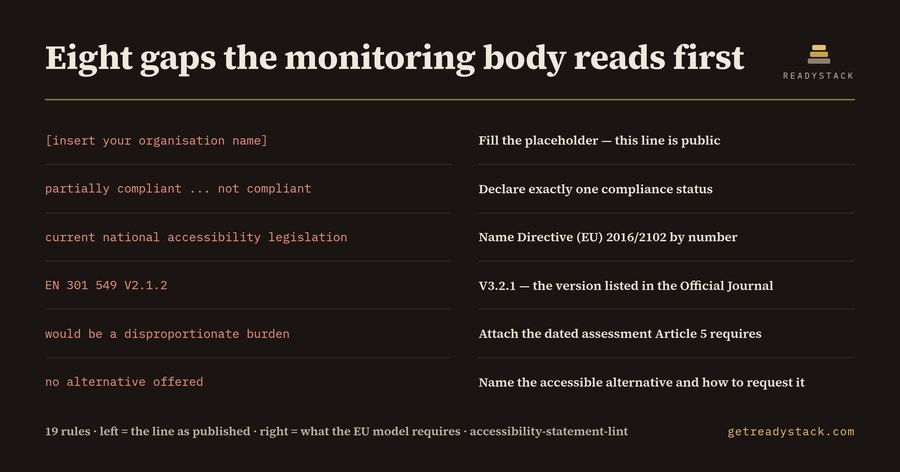
An accessibility statement is a public legal document. Under Directive (EU) 2016/2102 every For web agencies and public-sector sites: a missing or stale accessibility statement is the first thing an EAA / EN 301 549 review flags. public sector website in the EU must publish one, and the Commission's model statement fixes what has to be in it: a commitment sentence, the legal basis, a scope, exactly one compliance status, a list of non-accessible content sorted into three reason categories, a date of preparation with the method used, a date of last review, a feedback channel and an enforcement procedure. Directive (EU) 2019/882, the European Accessibility Act, pushed the same habit onto private-sector services. Monitoring bodies sample published statements. They do not read your code first — they read this page, and the fastest thing to check on it is a date. This extension reads the statement file you already published and reports what the model statement asks for and your file does not have. What it checks19 checks run over the open file:
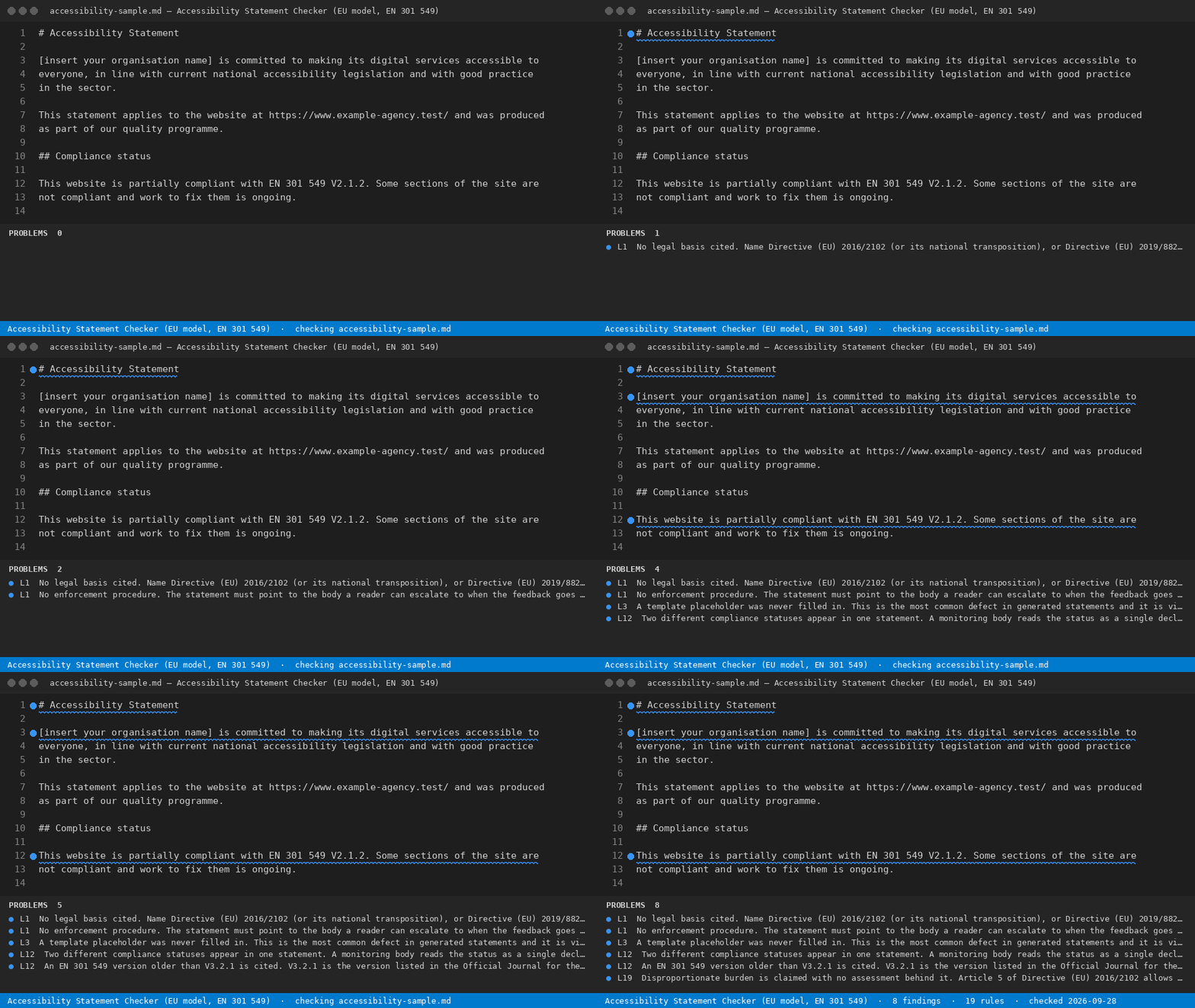
Measured on the two files in this repository
How to run itOpen a statement file and run Accessibility Statement: Check This File from the command palette. Findings appear in the Problems panel on the line they belong to. Free and paidChecking the file open in the editor is free and finishes the job for a single statement. The licensed version sweeps every locale and sub-site statement in the workspace at once and writes a dated report with a per-file verdict. YardstickA consultant charges $150-$250 an hour to review one statement; a full agency accessibility audit starts around $2,500. MoreReference and the free browser version: https://getreadystack.com/tools/accessibility-statement-lint |