EVA Noctis
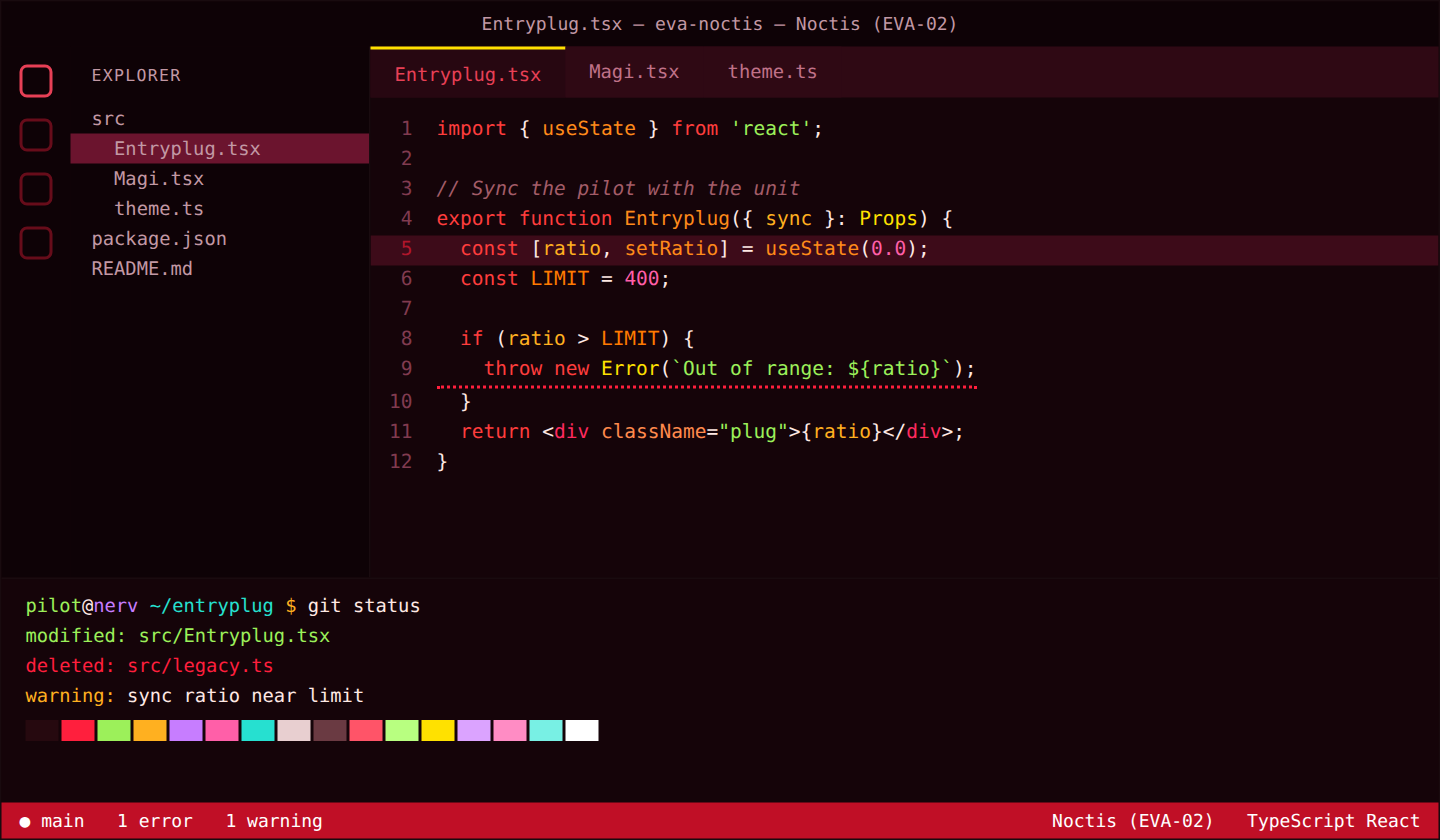
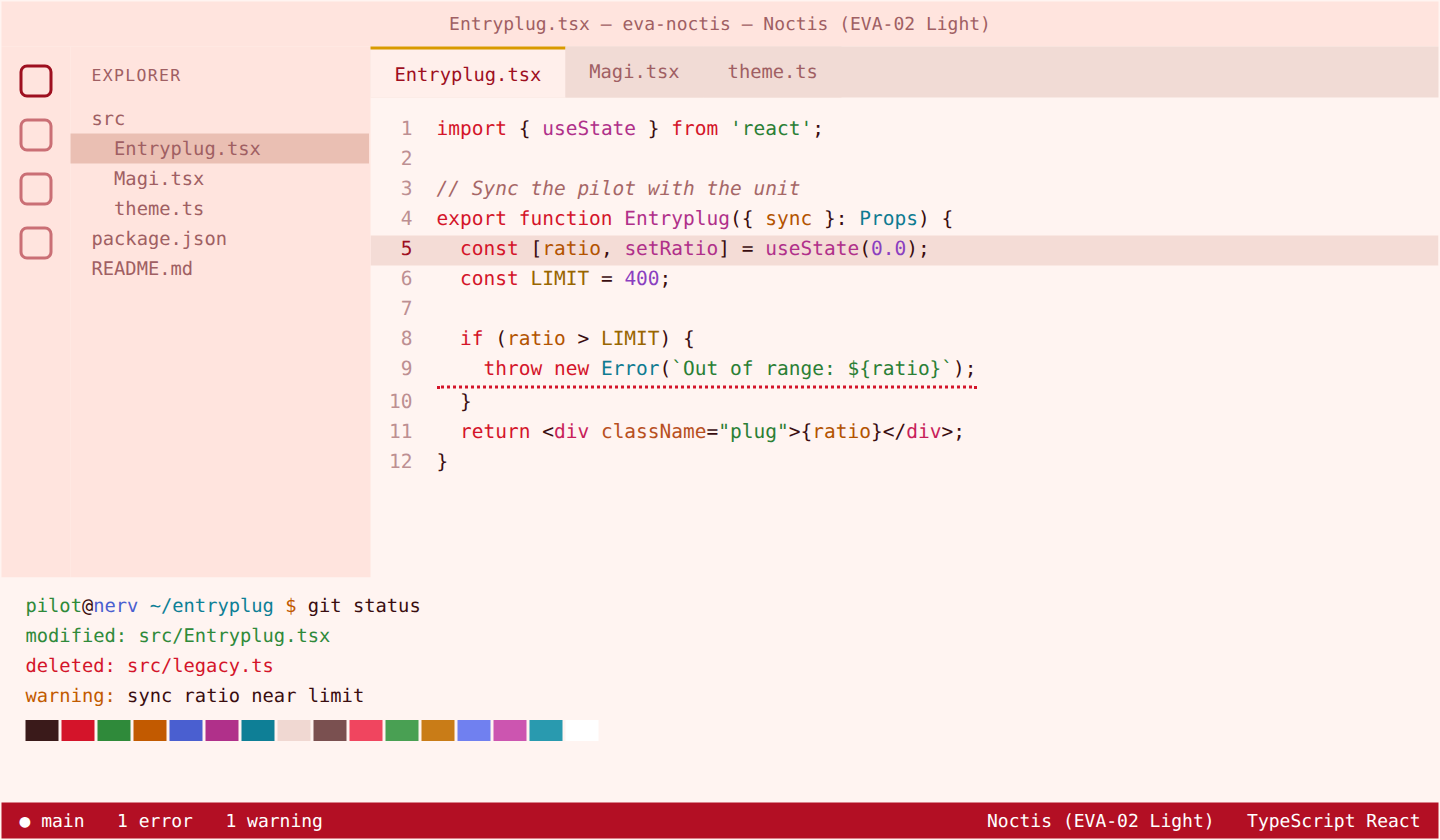
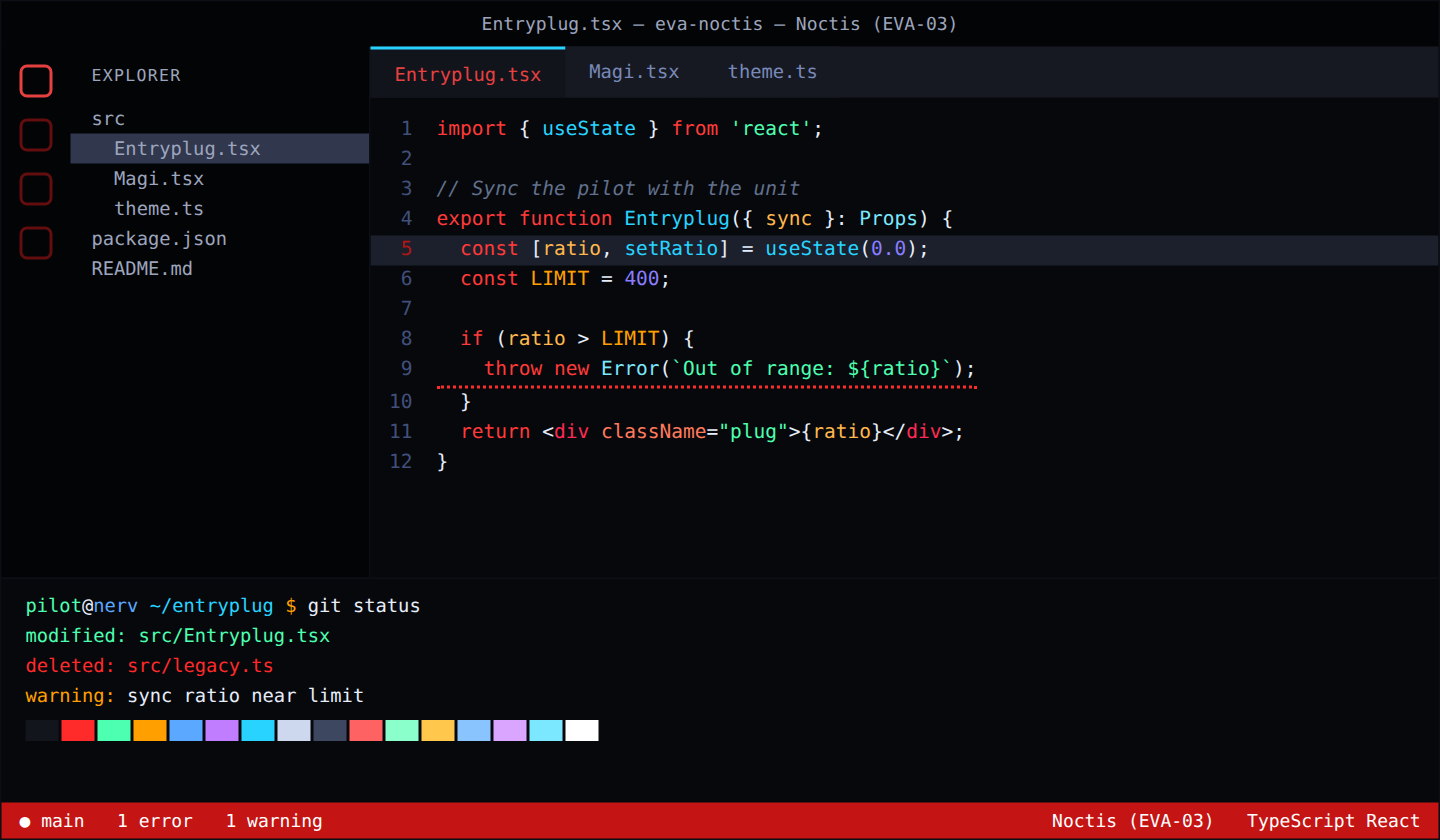
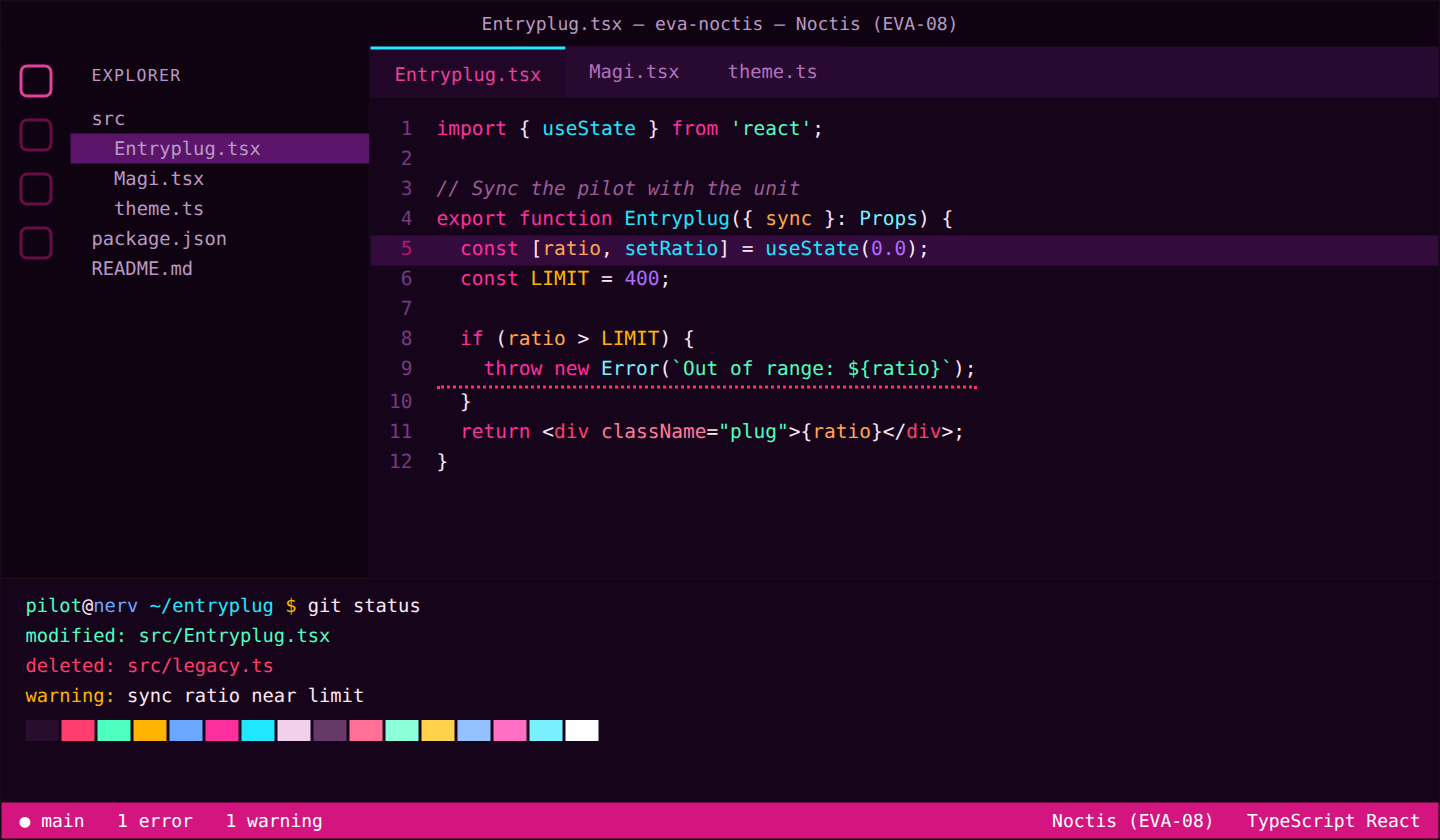
Twenty-eight vivid color themes inspired by the Evangelion units of the Rebuild films, the MAGI supercomputer interface, NERV, SEELE, the A.T. Field, Instrumentality, Terminal Dogma, the Angels and light counterparts of the main units, built on top of the excellent Noctis theme family by Liviu Schera.
Noctis is loved for its carefully balanced syntax highlighting and clear diagnostics. EVA Noctis keeps that structure and swaps in bold, saturated palettes: neon greens against deep violets, warning-sign oranges over near-black reds, and crisp sky blues for a daylight option.
Themes
| Theme |
Mode |
Palette |
Background |
Text |
Cursor |
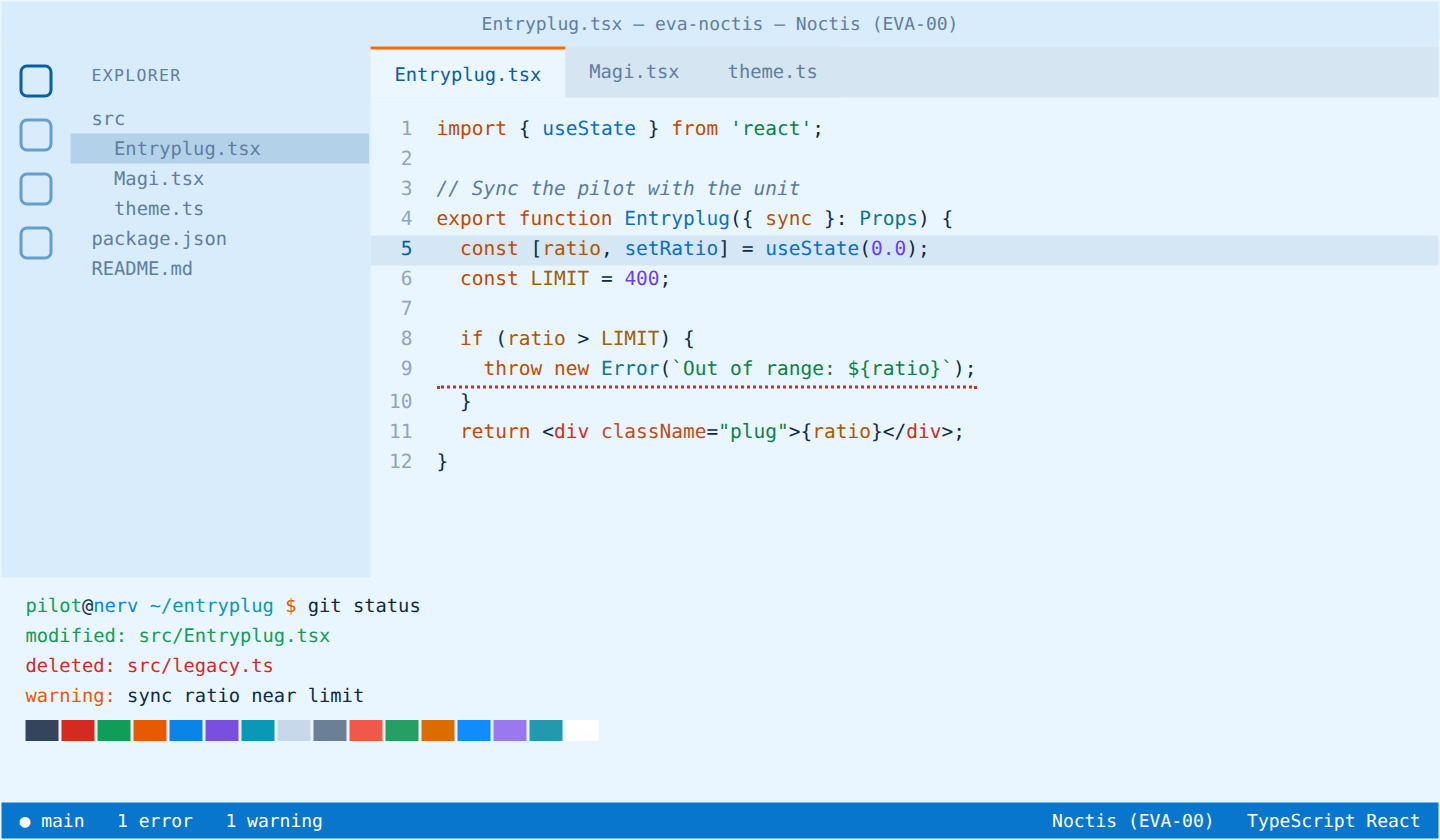
| Noctis (EVA-00) |
Light |
Sky blue and orange |
#eaf6ff |
#0d2a4a |
#ff6a00 |
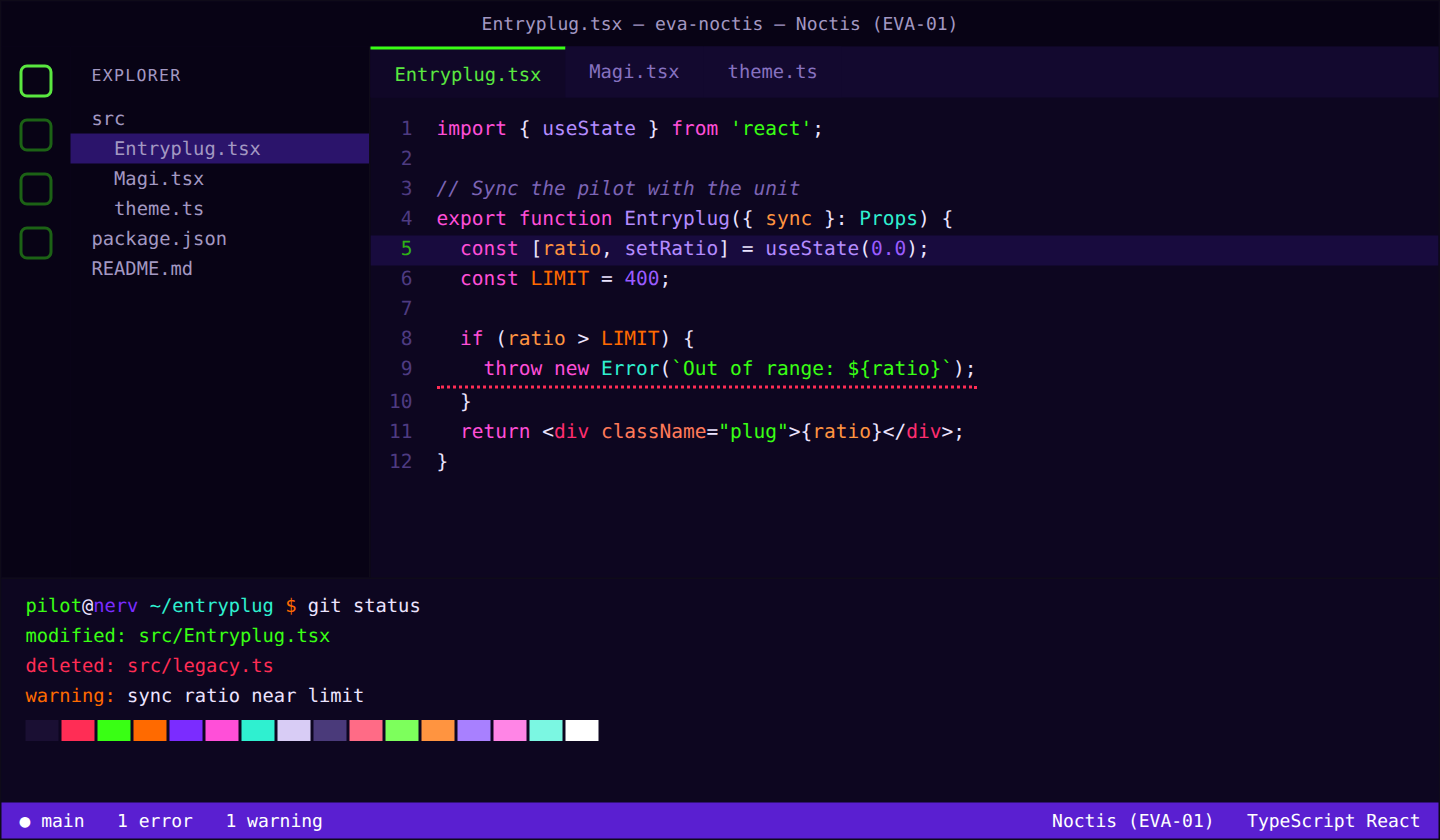
| Noctis (EVA-01) |
Dark |
Violet, neon green and orange |
#0d0620 |
#ece4ff |
#39ff14 |
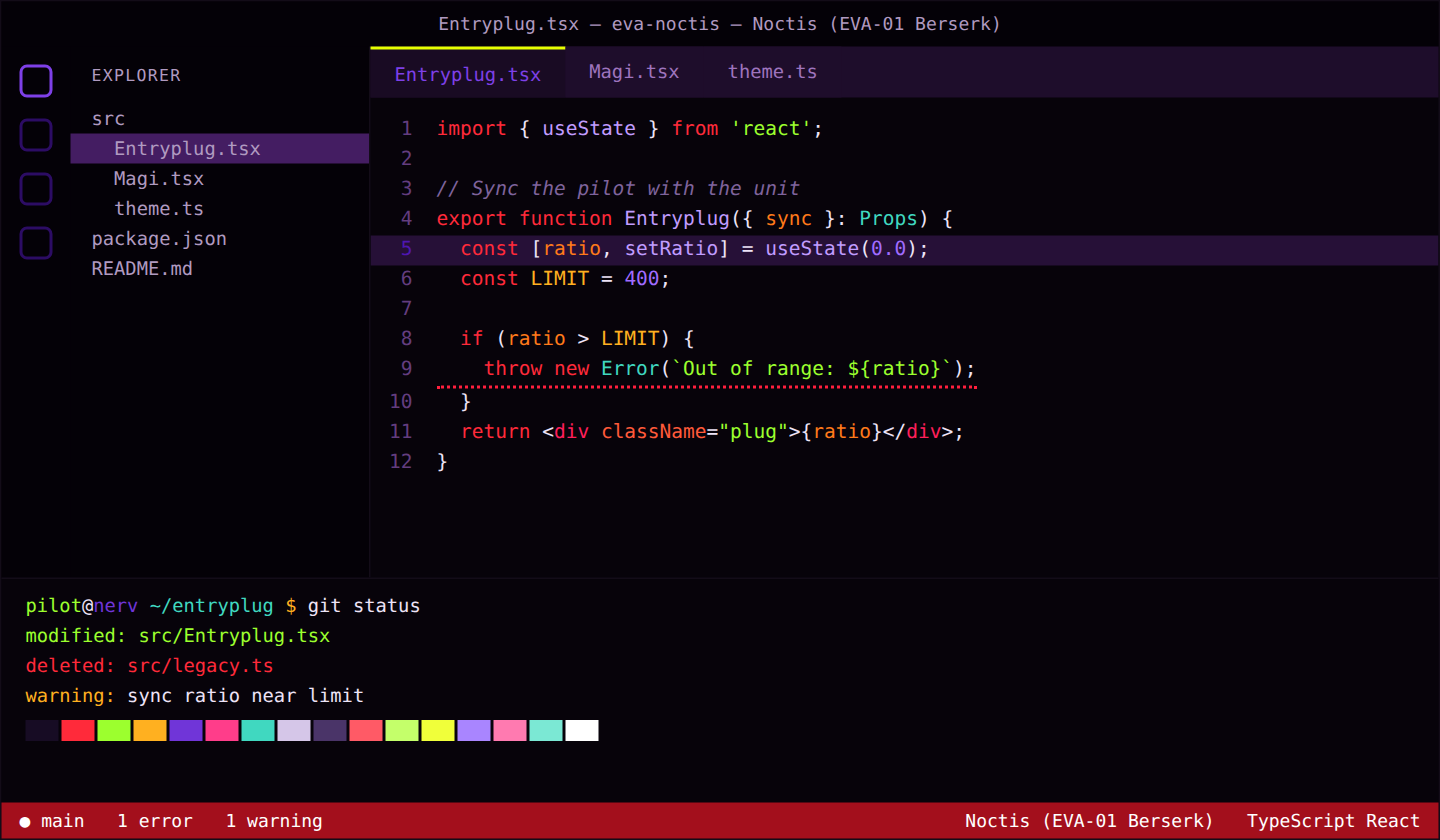
| Noctis (EVA-01 Berserk) |
Dark |
Berserk EVA-01: near-black violet, blood red and acid yellow eyes |
#07030a |
#eee4f7 |
#e6ff00 |
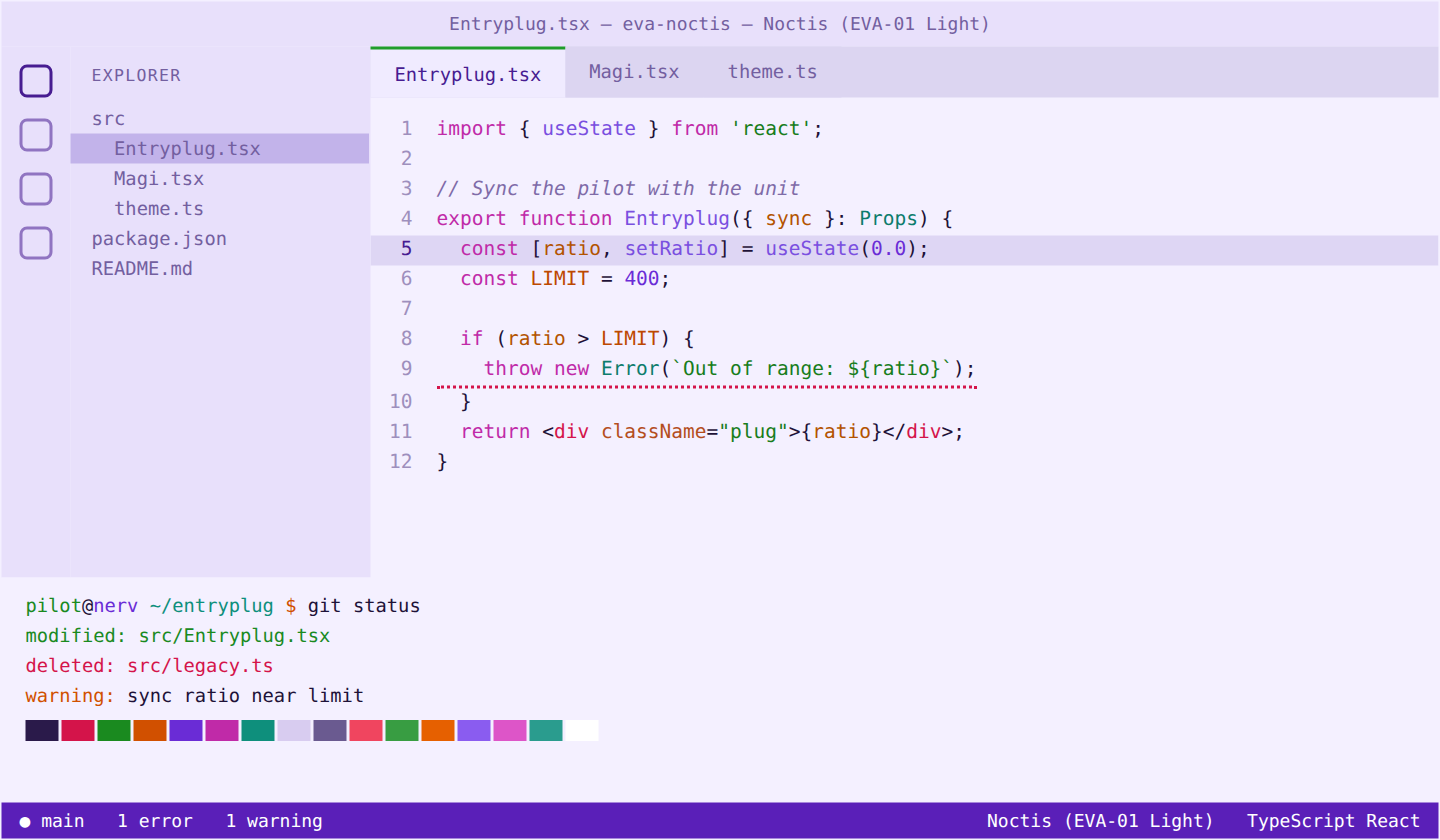
| Noctis (EVA-01 Light) |
Light |
Lavender white, deep violet and green |
#f4f0ff |
#1e1238 |
#1f9d2b |
| Noctis (EVA-02) |
Dark |
Red, orange and eye-yellow |
#150409 |
#ffe9e4 |
#ffe100 |
| Noctis (EVA-02 Light) |
Light |
Warm white, coral red and amber |
#fff4f1 |
#3a0d10 |
#d99a00 |
| Noctis (EVA-03) |
Dark |
Black, ice and red |
#07080b |
#e6eefc |
#28d4ff |
| Noctis (EVA-08) |
Dark |
Hot pink and cyan |
#16051a |
#ffe6f8 |
#21e6ff |
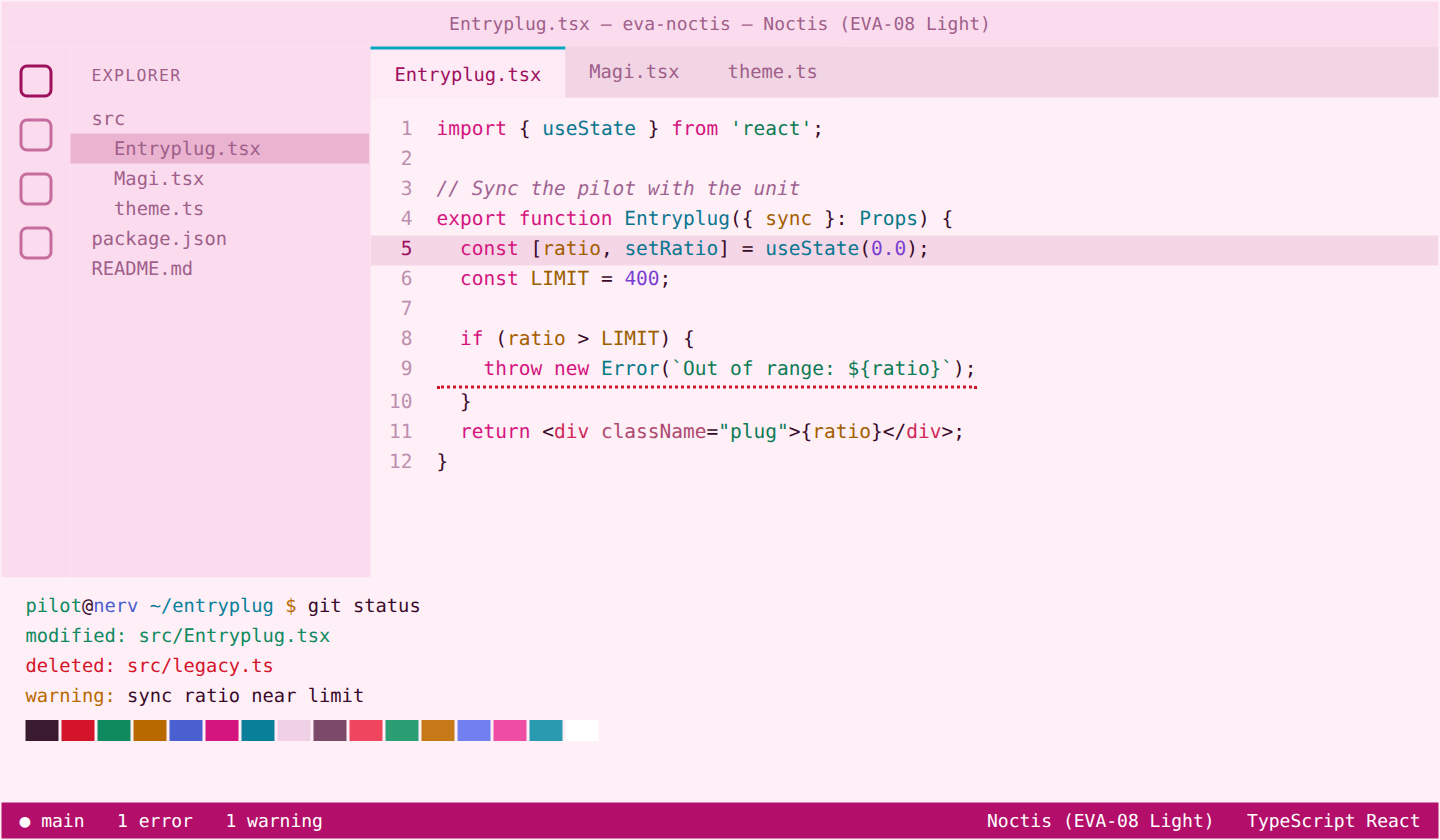
| Noctis (EVA-08 Light) |
Light |
Pale pink, fuchsia and cyan |
#fff0f8 |
#3a0a2a |
#0aa6c0 |
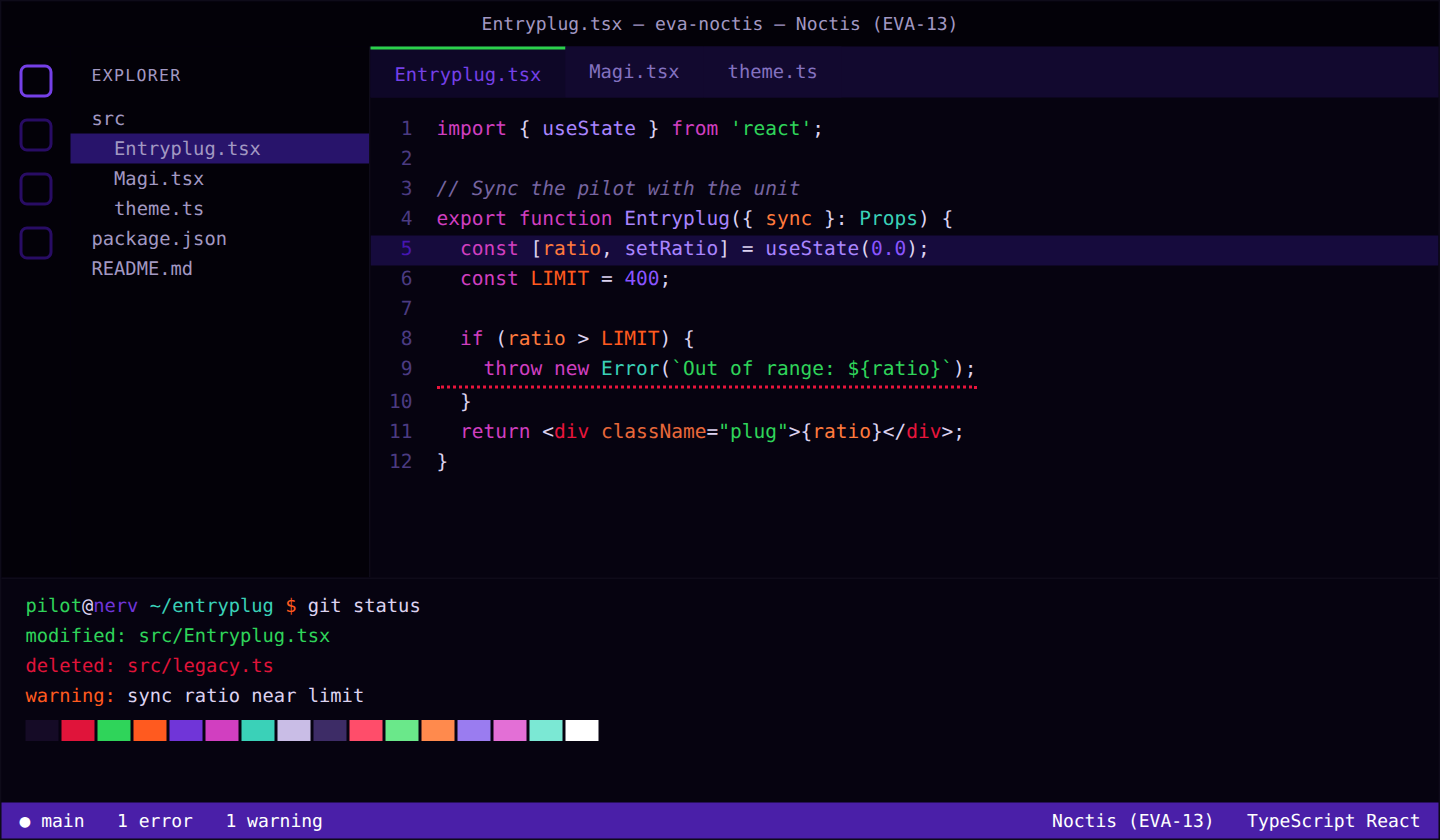
| Noctis (EVA-13) |
Dark |
Darker EVA-01: near-black violet, toxic green and blood orange |
#060310 |
#ddd3f0 |
#2bd14a |
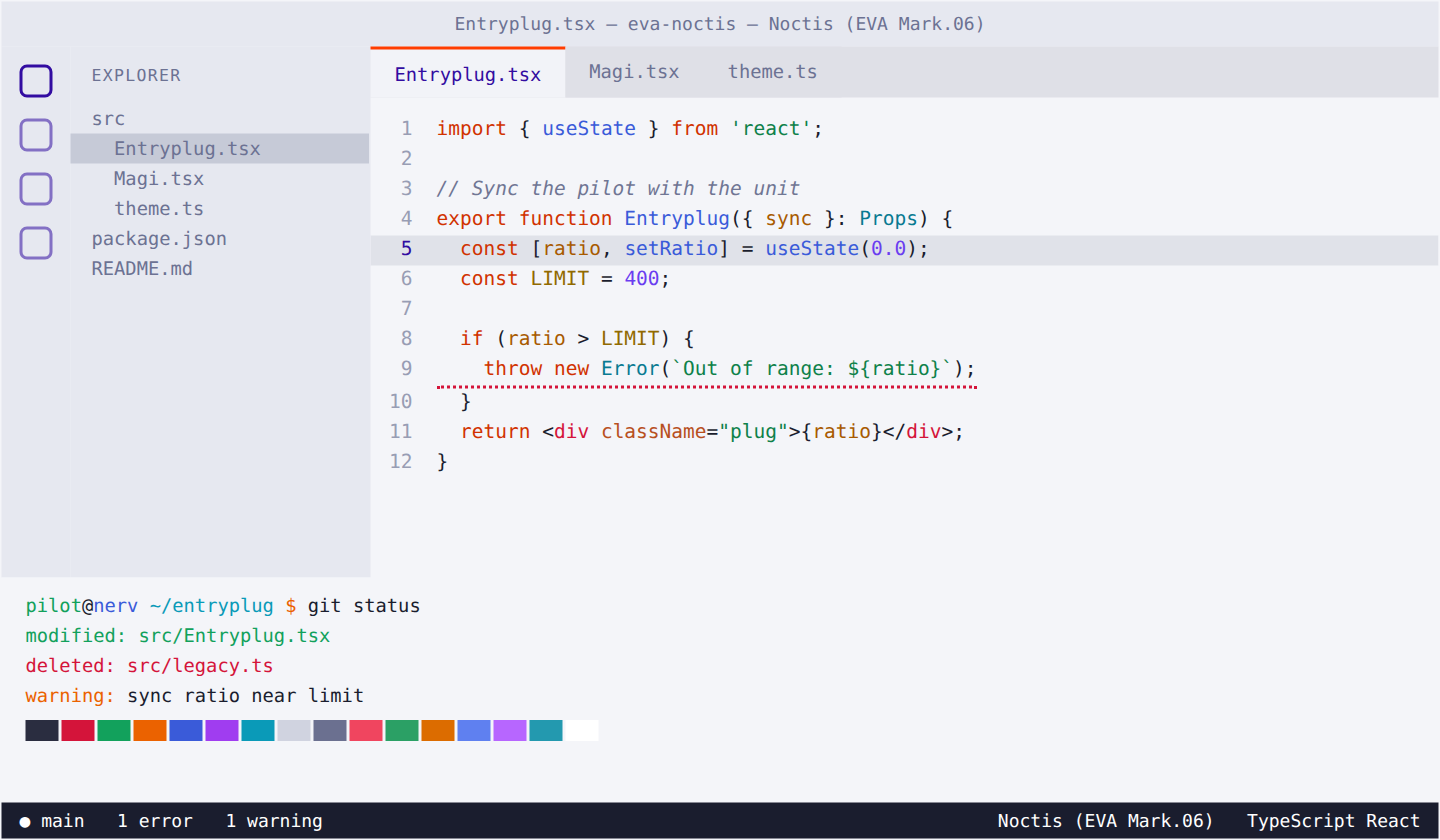
| Noctis (EVA Mark.06) |
Light |
Silver white and vermilion |
#f4f5f9 |
#1a1d2e |
#ff3d00 |
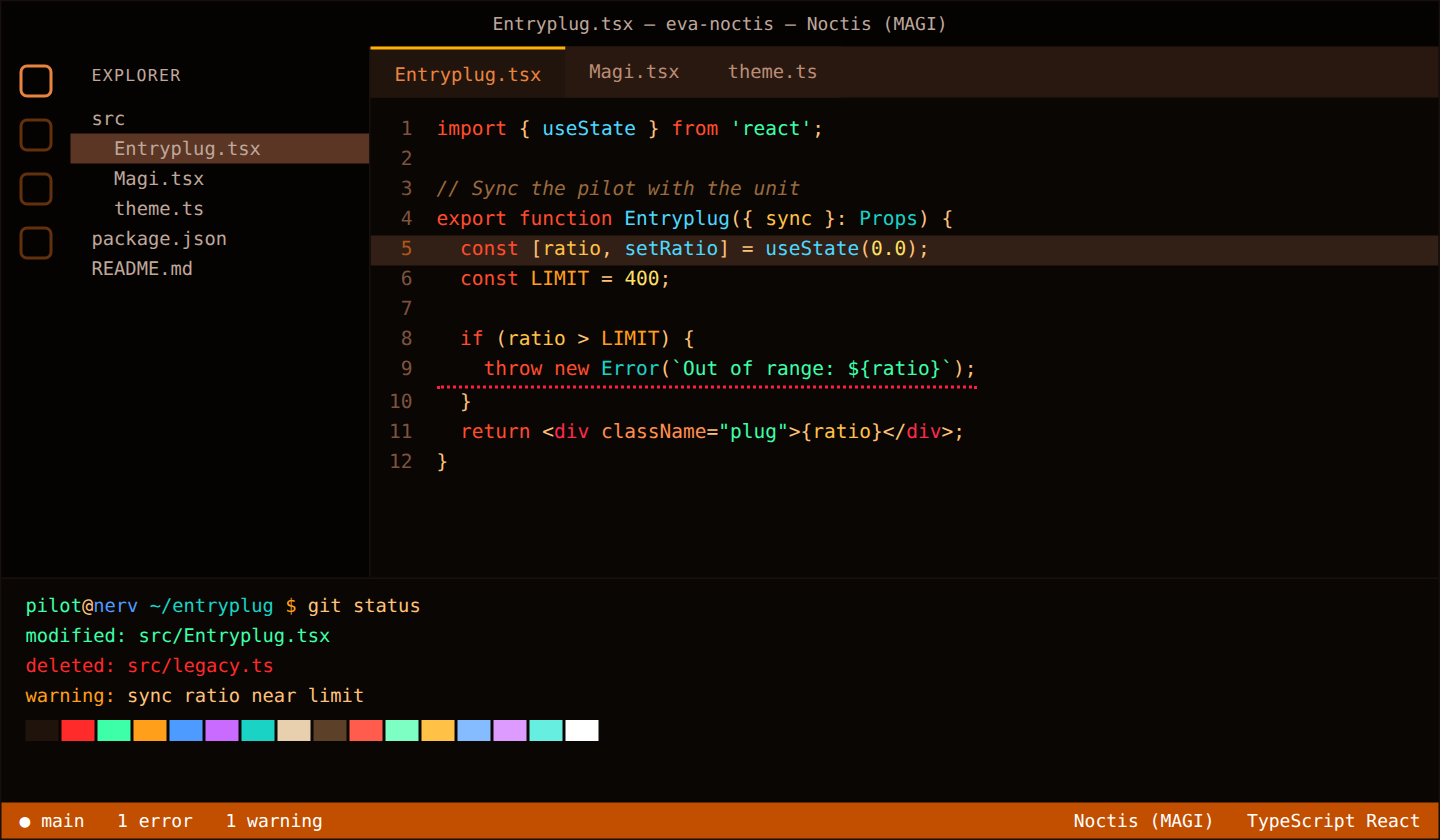
| Noctis (MAGI) |
Dark |
Warm black, amber, alert red and approval green |
#0a0604 |
#ffc27a |
#ffb000 |
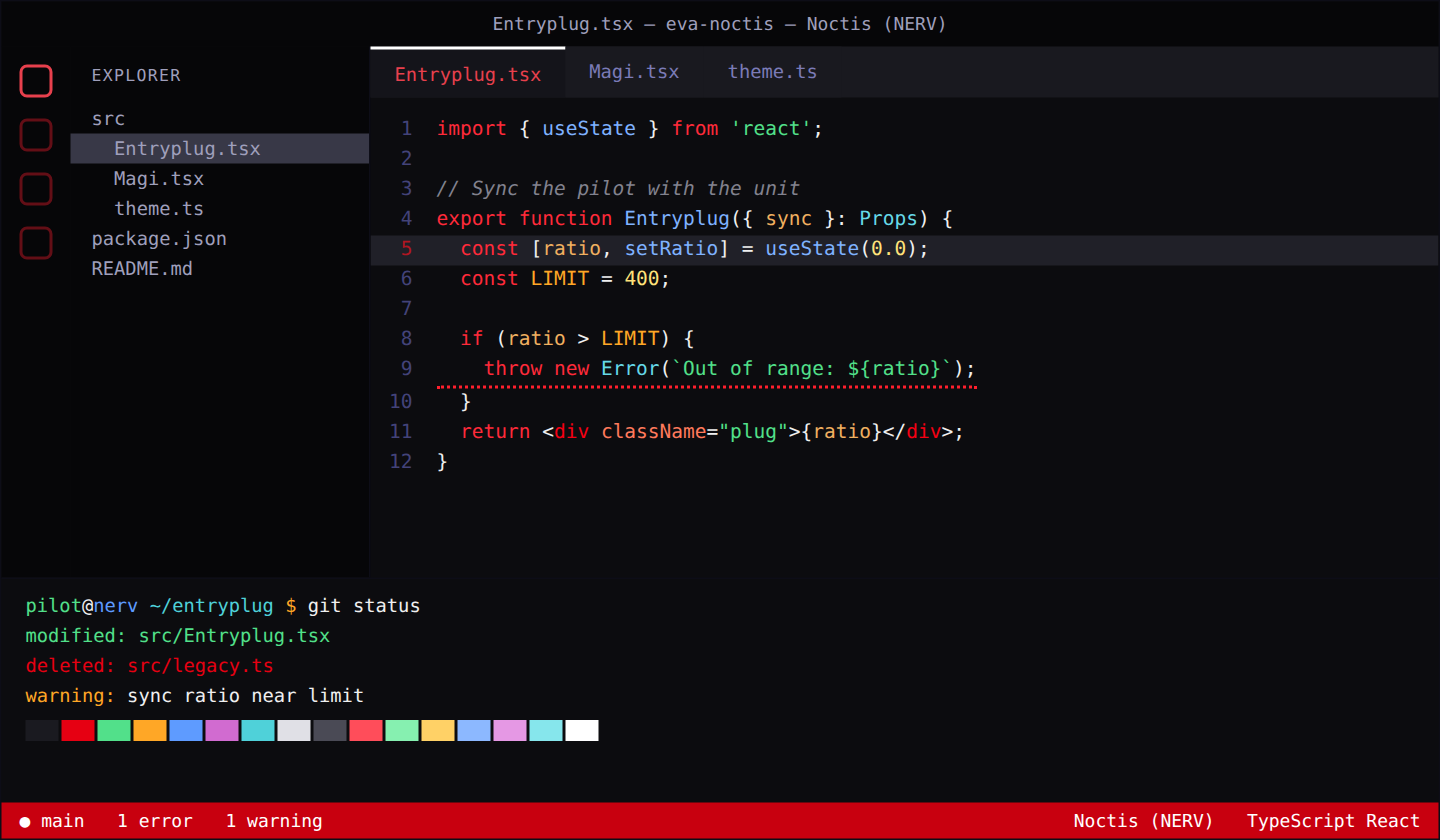
| Noctis (NERV) |
Dark |
NERV red, white and black |
#0c0c0f |
#f0f0f0 |
#ffffff |
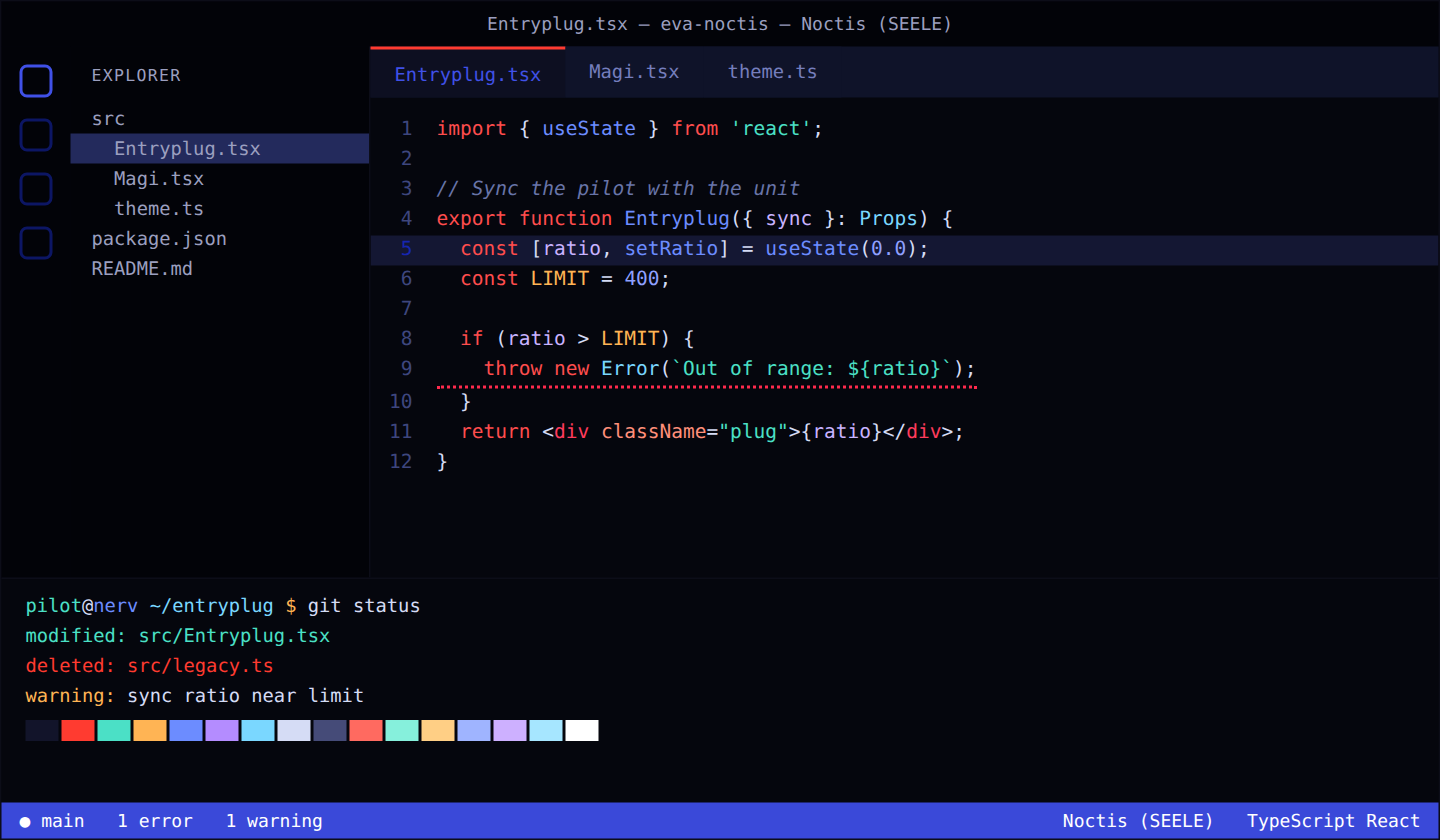
| Noctis (SEELE) |
Dark |
Cold indigo void with monolith red |
#05060d |
#d5dcf5 |
#ff3b30 |
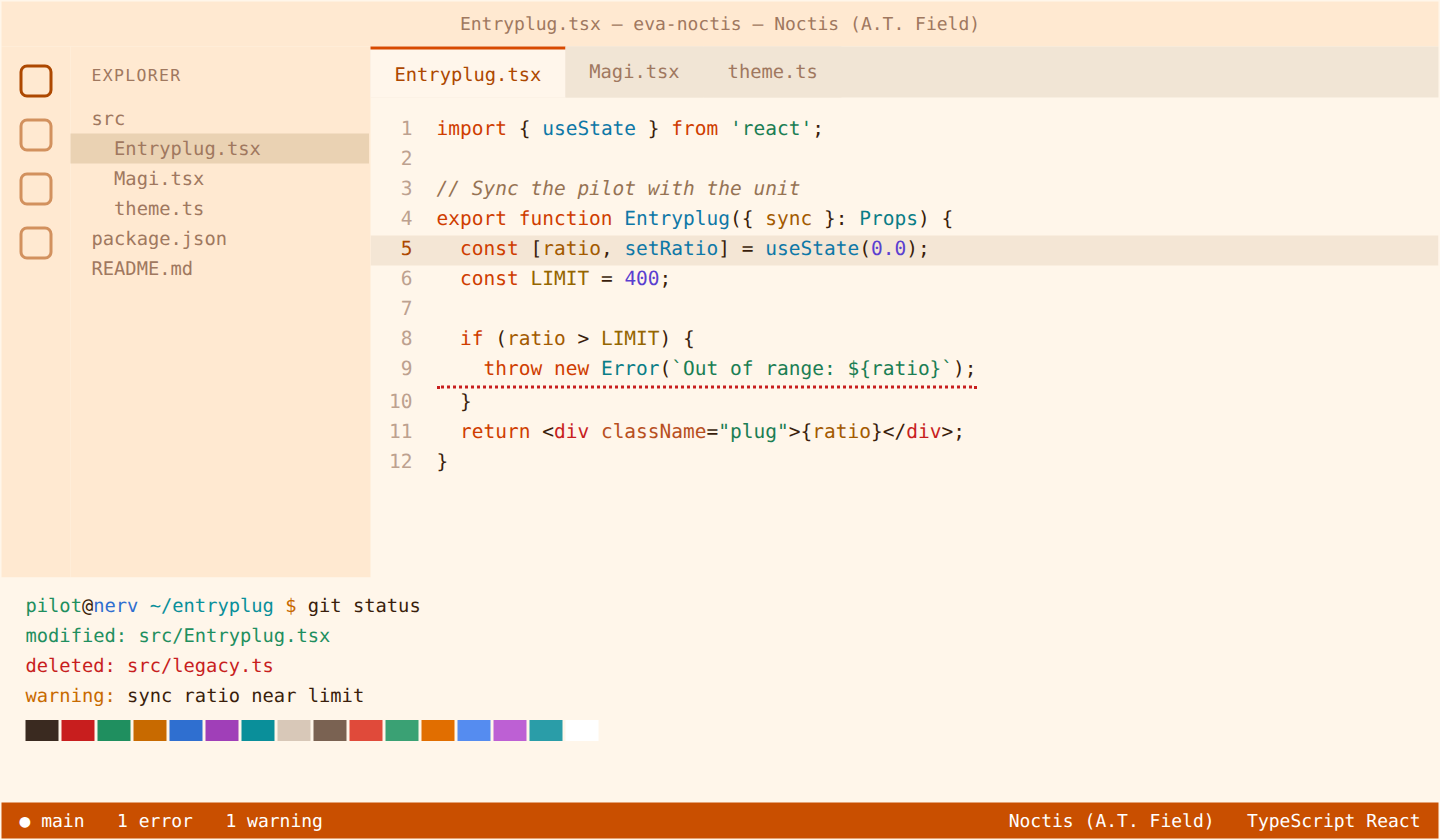
| Noctis (A.T. Field) |
Light |
Warm cream with hexagonal orange |
#fff6ea |
#3a1e0c |
#d84a00 |
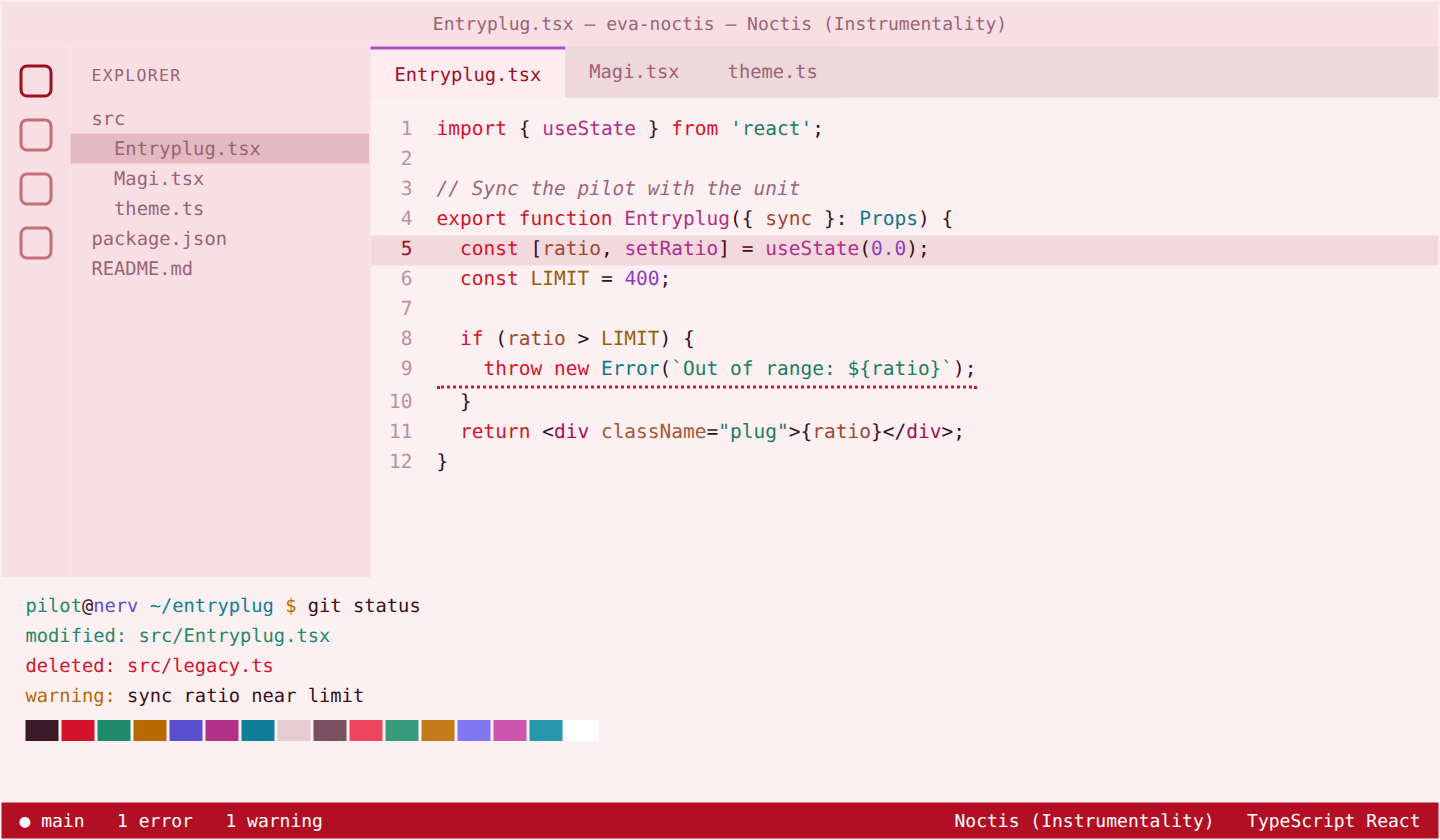
| Noctis (Instrumentality) |
Light |
Red sea, pink sky and Lilith white |
#fdf0f2 |
#3a0f1d |
#b04fc0 |
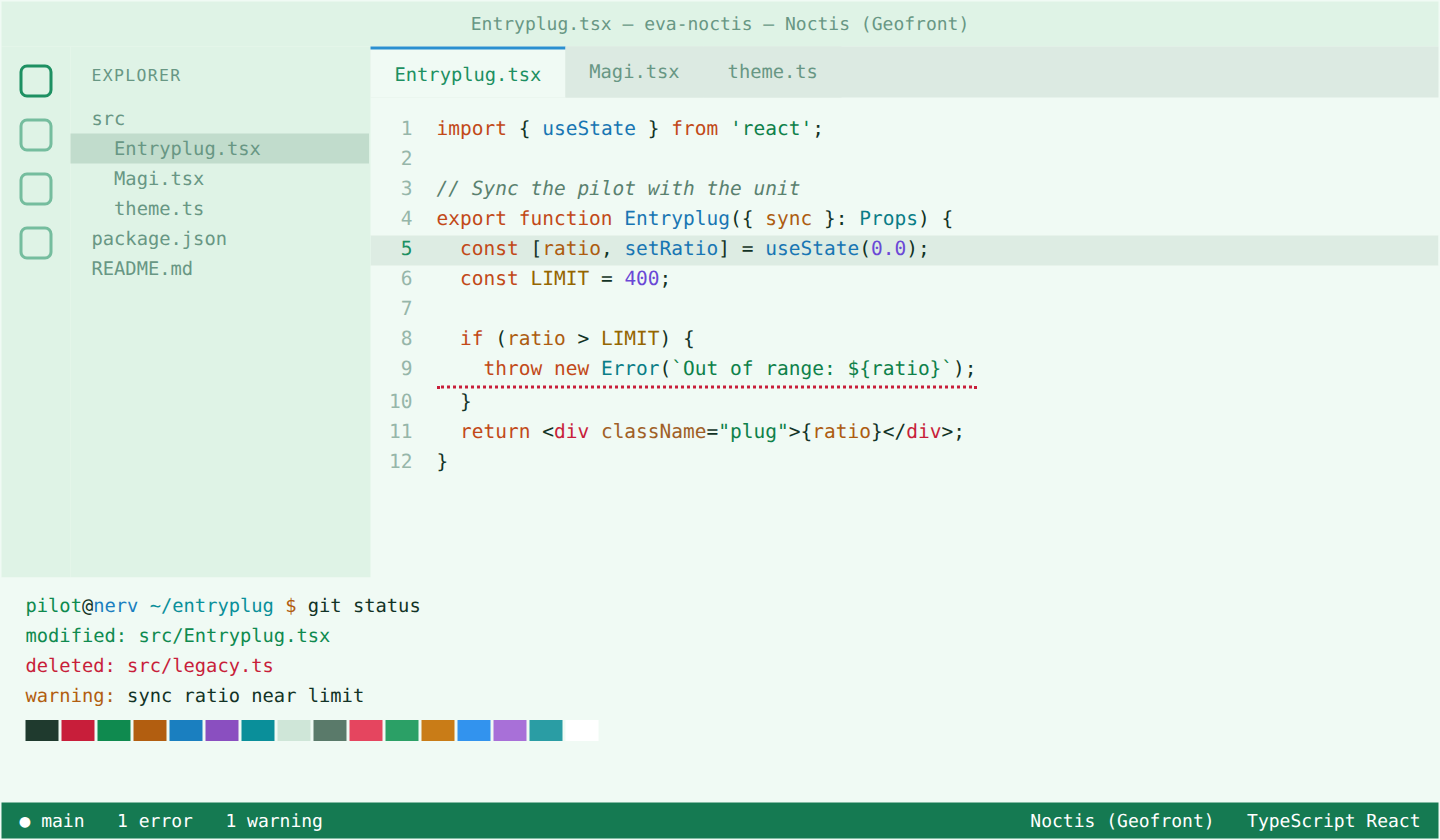
| Noctis (Geofront) |
Light |
Mint white, forest green and sky blue |
#f0faf4 |
#123326 |
#2a8fd0 |
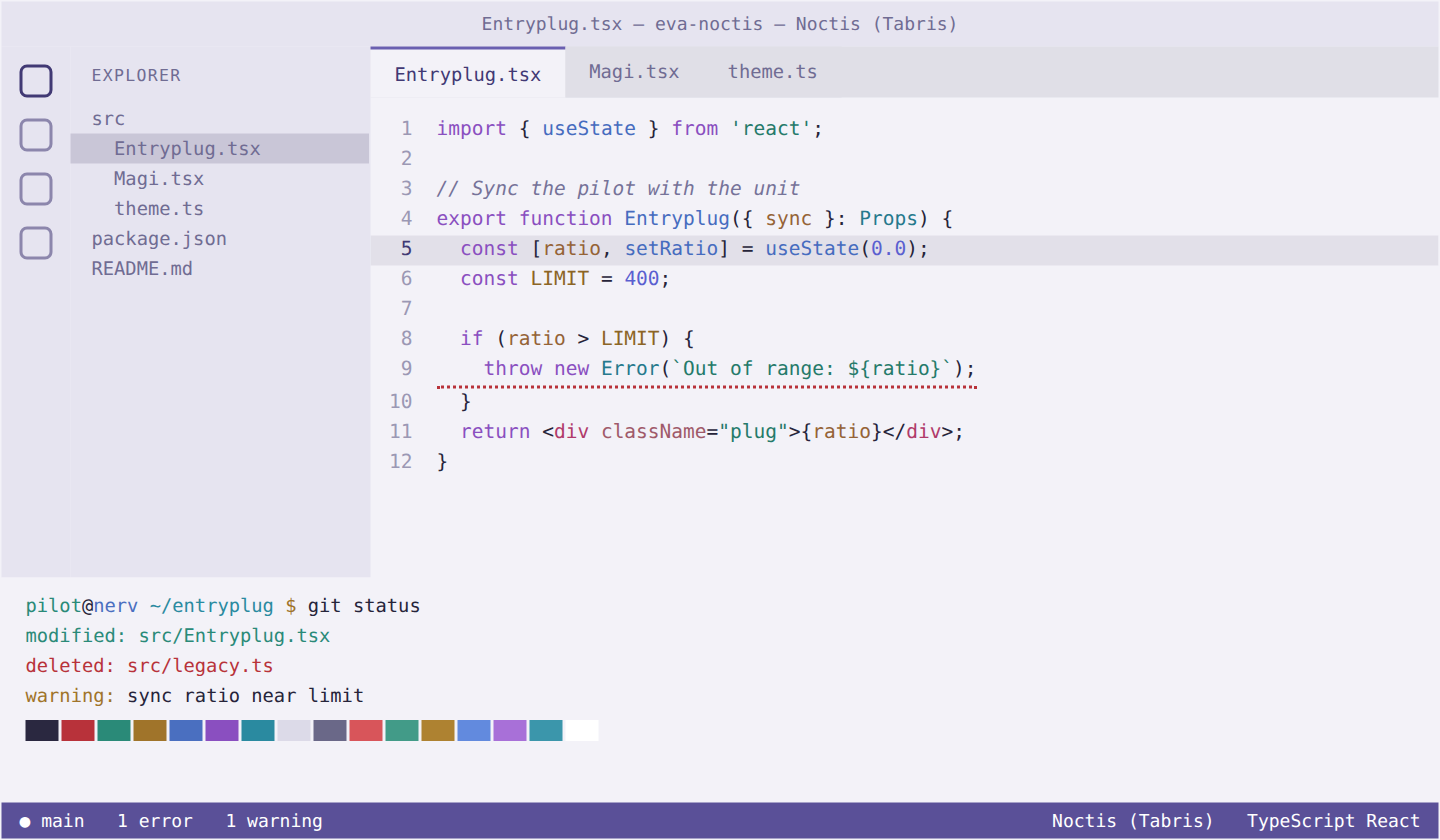
| Noctis (Tabris) |
Light |
Silver lavender with soft violet |
#f3f2f8 |
#26243a |
#6a5fb0 |
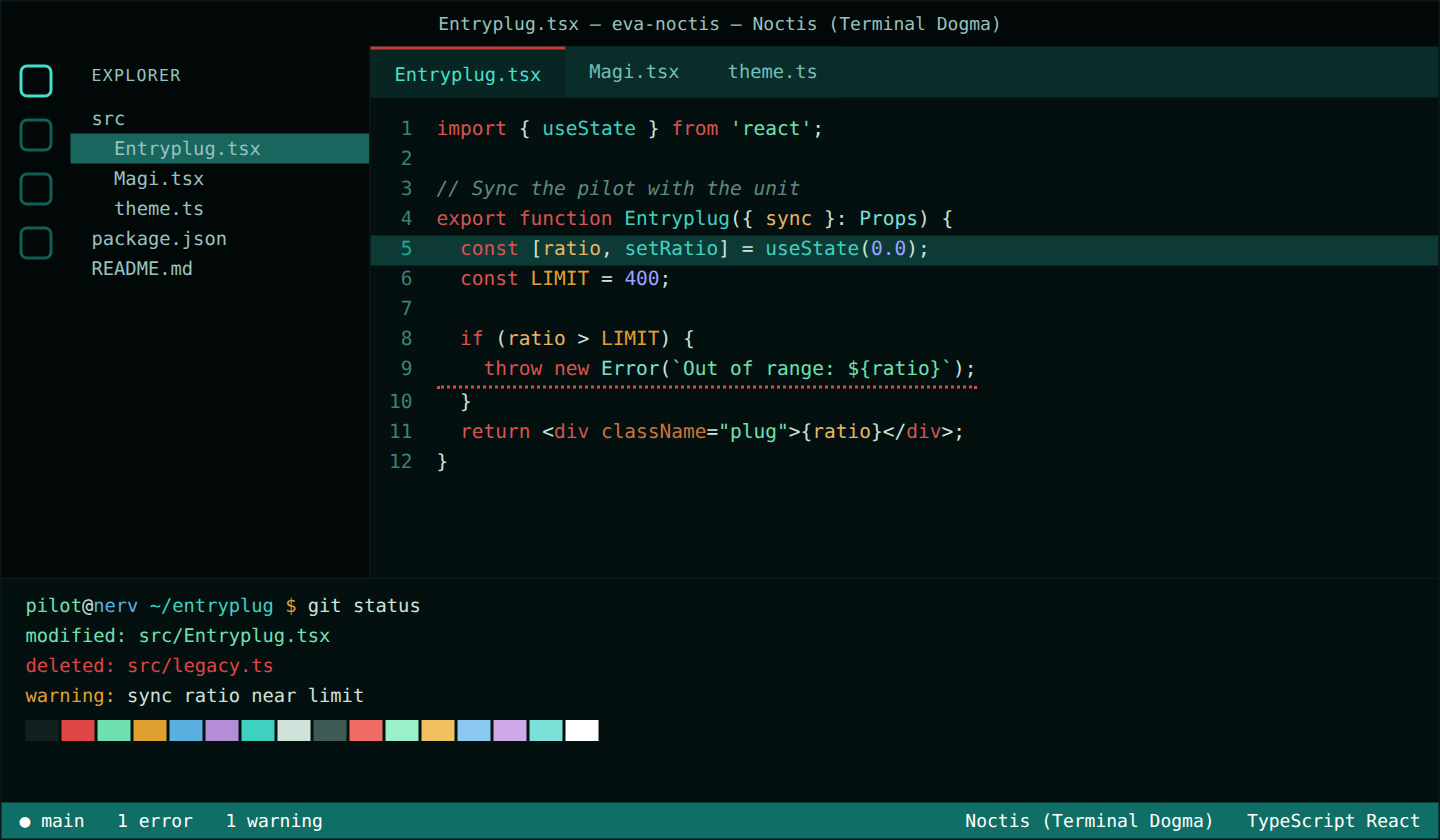
| Noctis (Terminal Dogma) |
Dark |
Green-black, bone and oxidized red |
#04100f |
#cfe3da |
#c23b3b |
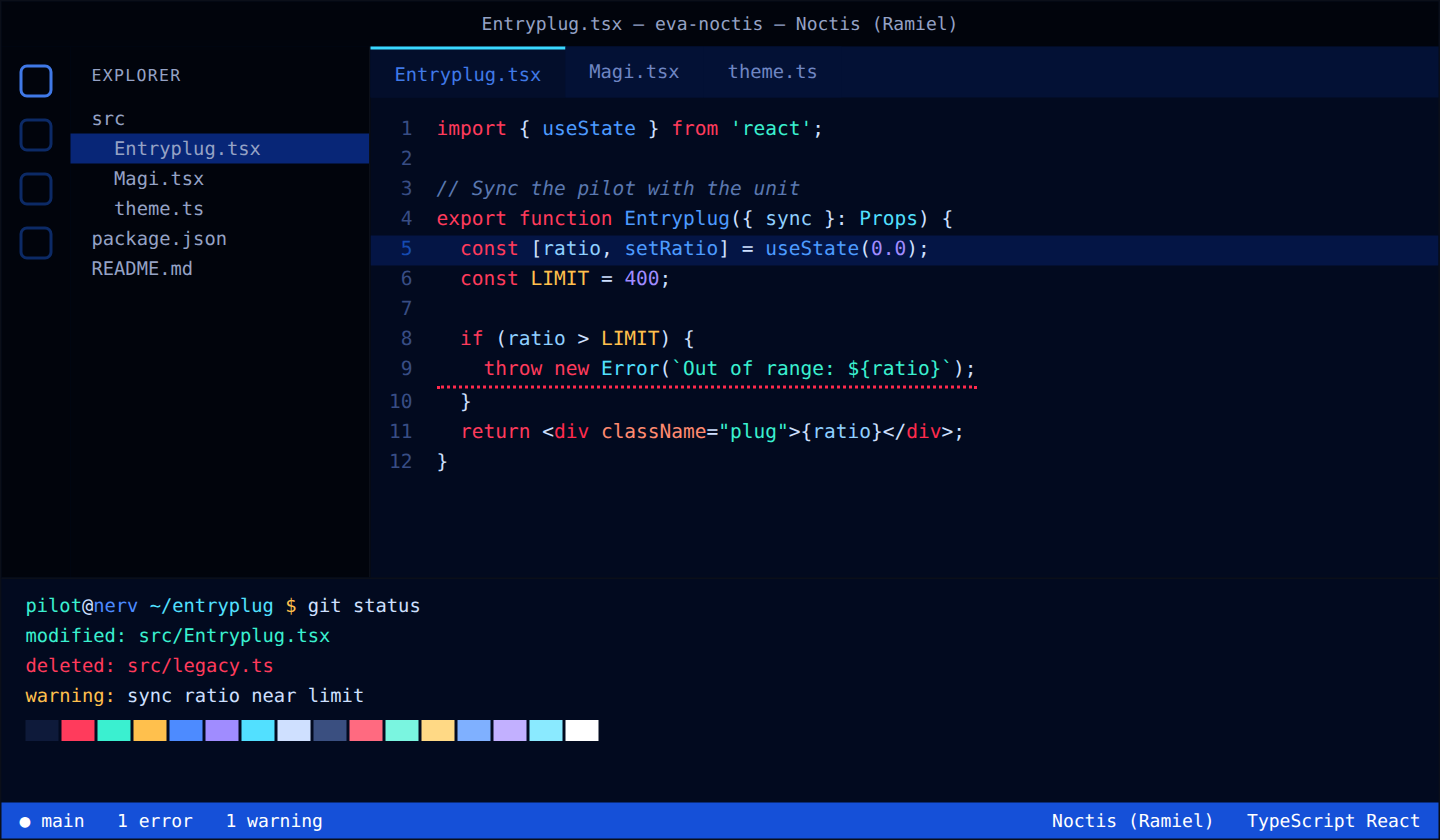
| Noctis (Ramiel) |
Dark |
Electric crystal blue with a red core |
#020a1f |
#cfe0ff |
#3ad9ff |
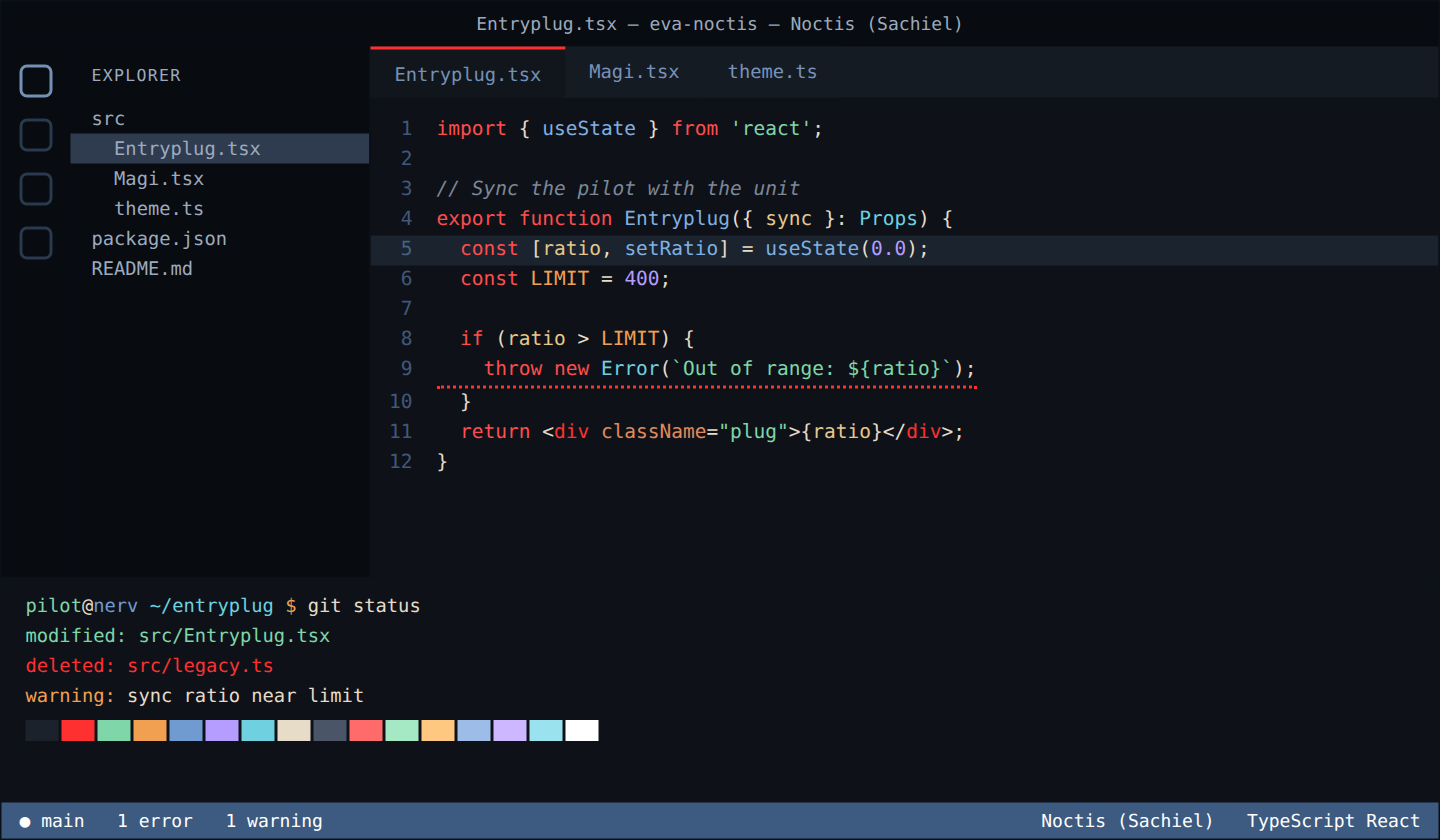
| Noctis (Sachiel) |
Dark |
Slate, bone and a red core |
#0e1218 |
#e6dcc8 |
#ff3030 |
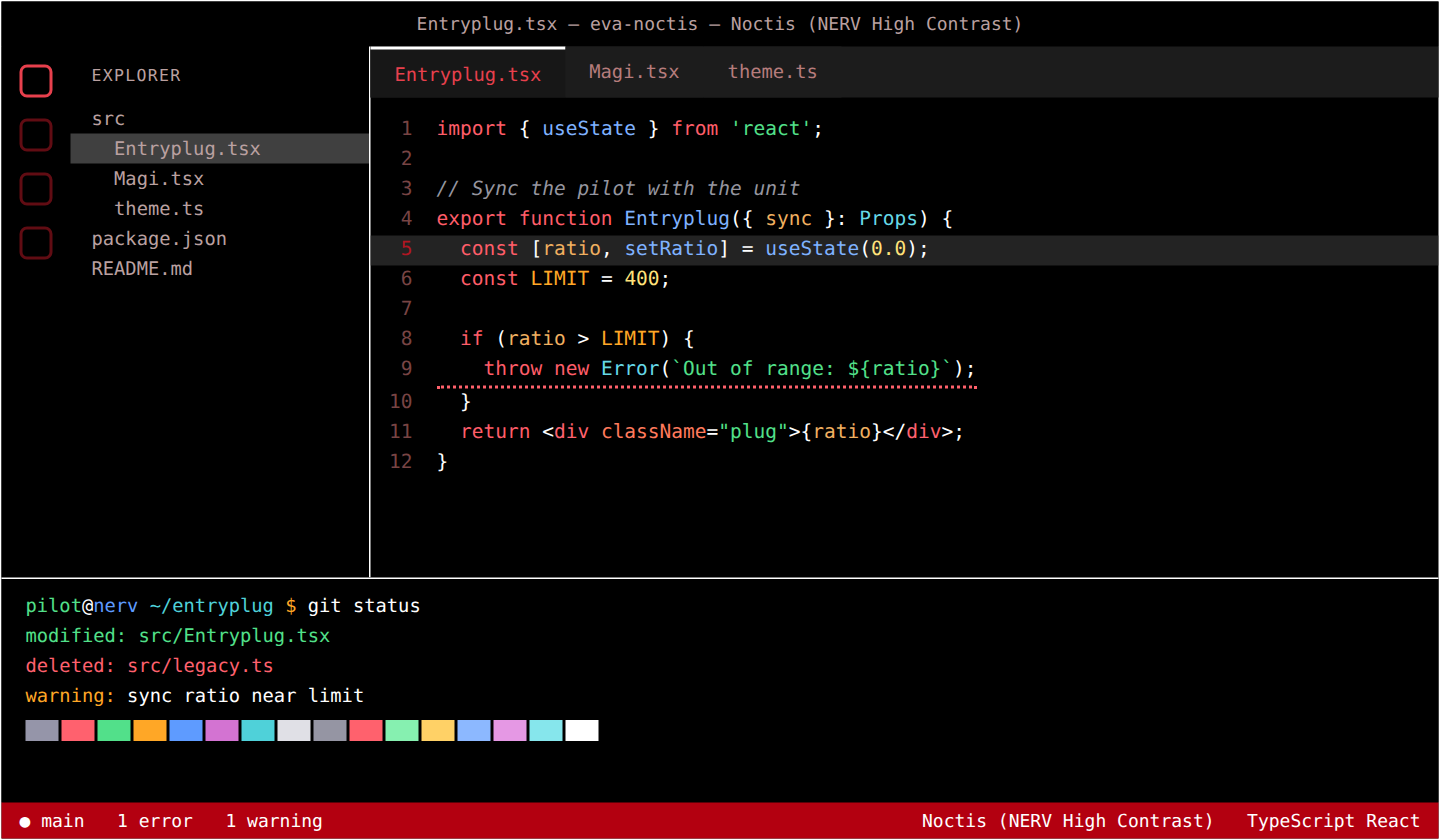
| Noctis (NERV High Contrast) |
High contrast dark |
Pure black, white and NERV red |
#000000 |
#ffffff |
#ffffff |
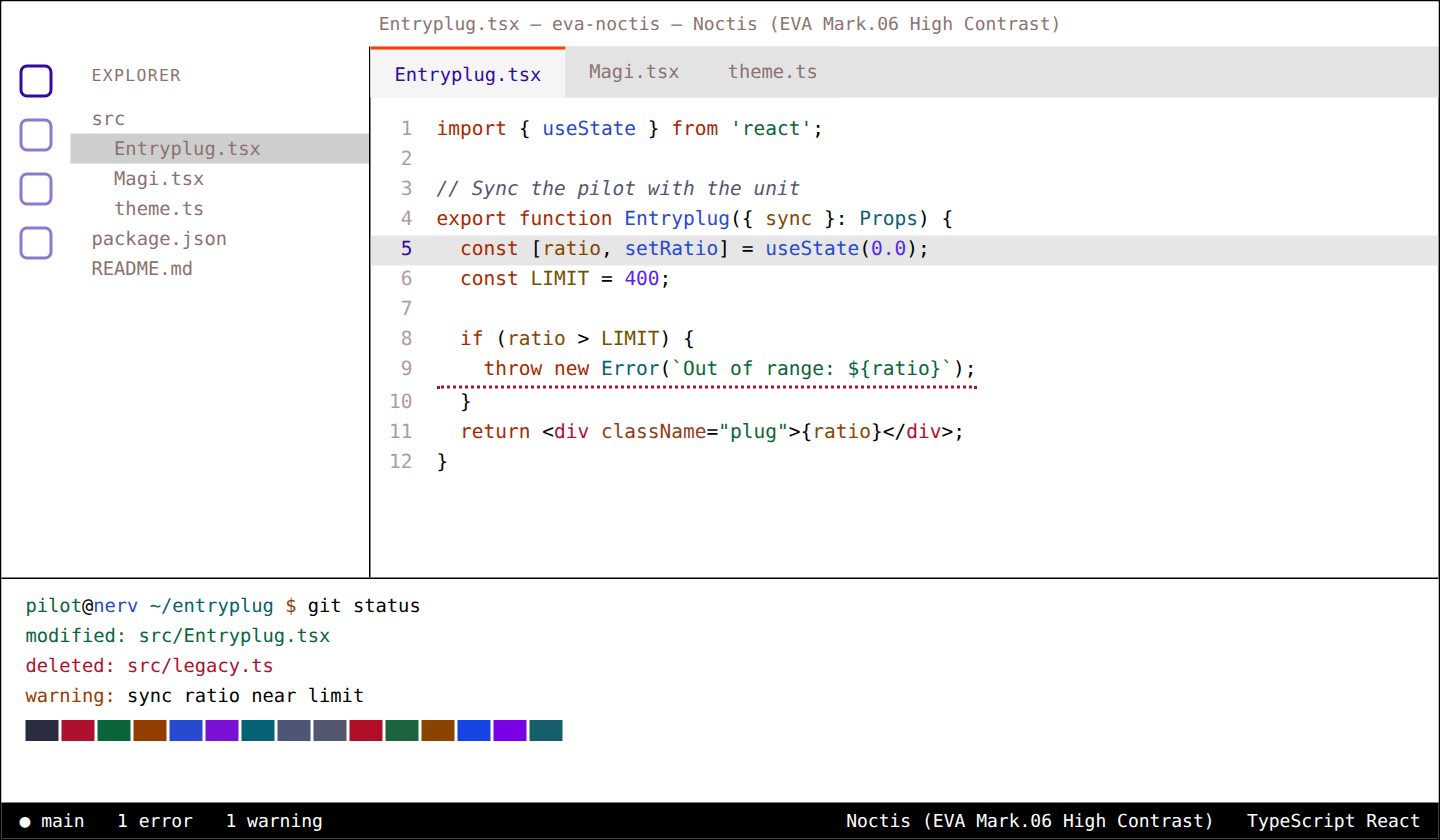
| Noctis (EVA Mark.06 High Contrast) |
High contrast light |
Pure white, black and vermilion |
#ffffff |
#000000 |
#ff3d00 |
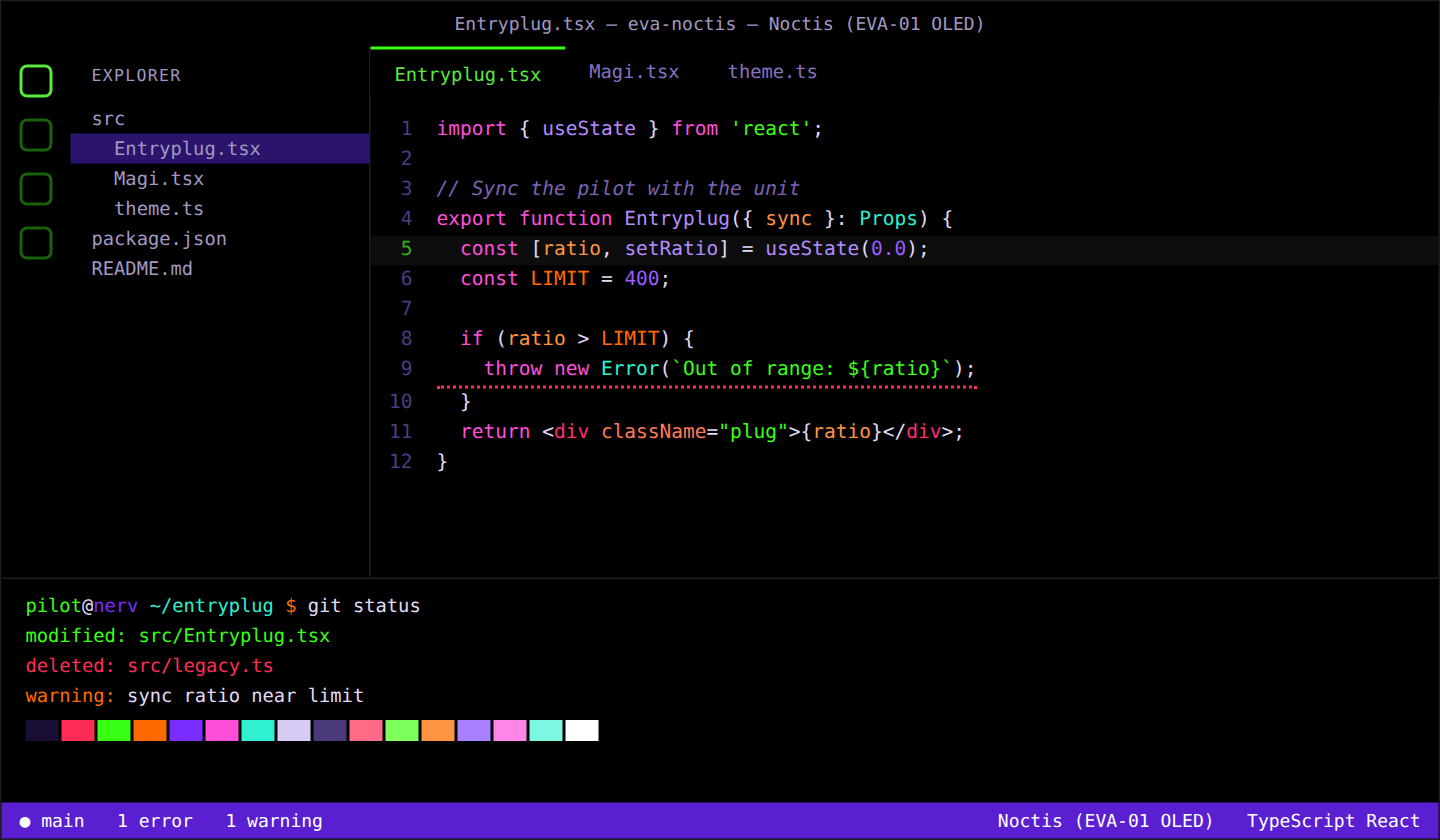
| Noctis (EVA-01 OLED) |
OLED dark |
Pure black with violet, toxic green and orange |
#000000 |
#e4dcf5 |
#39ff14 |
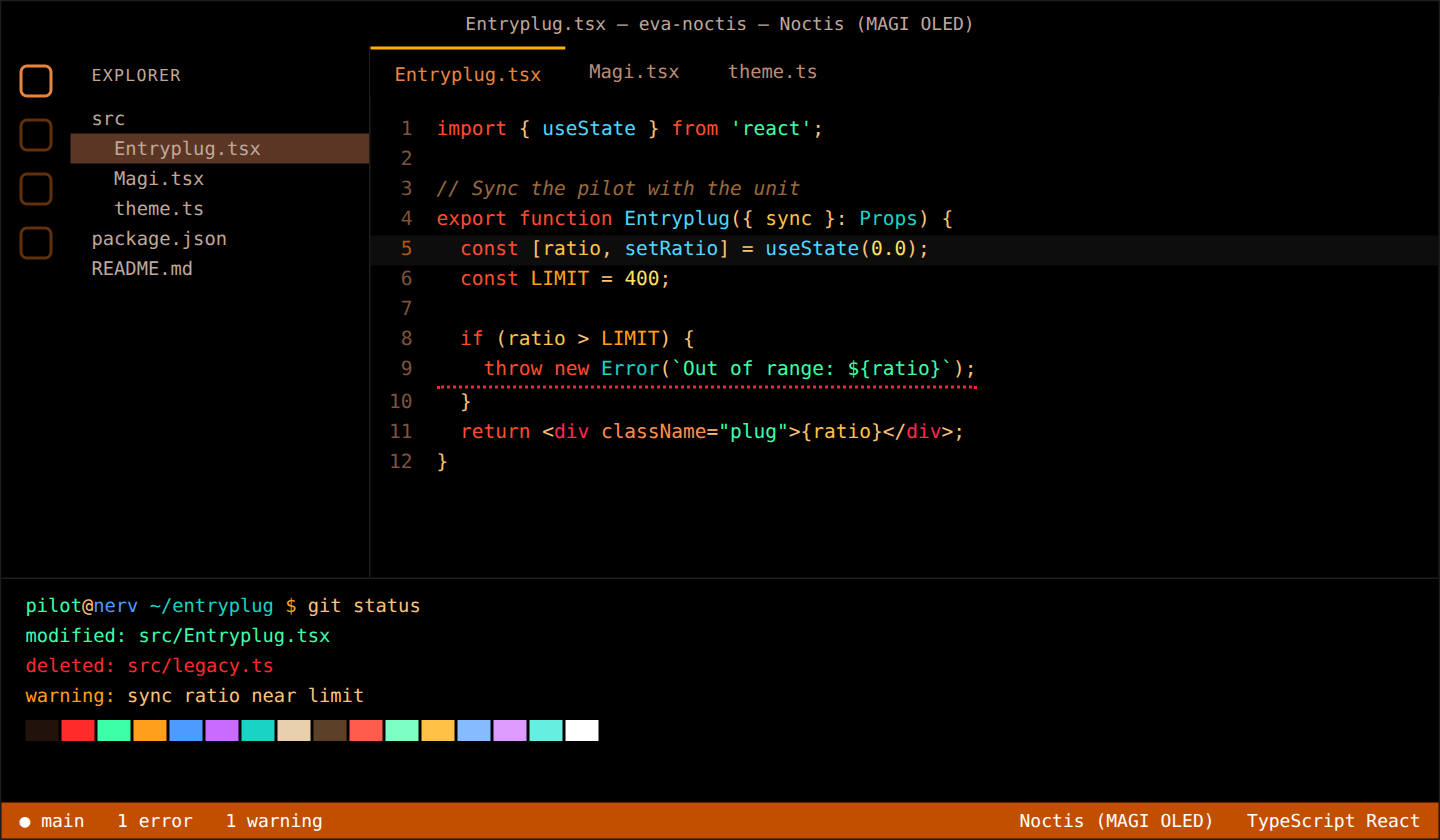
| Noctis (MAGI OLED) |
OLED dark |
Pure black with MAGI amber, alert red and approval green |
#000000 |
#ffc27a |
#ffb000 |
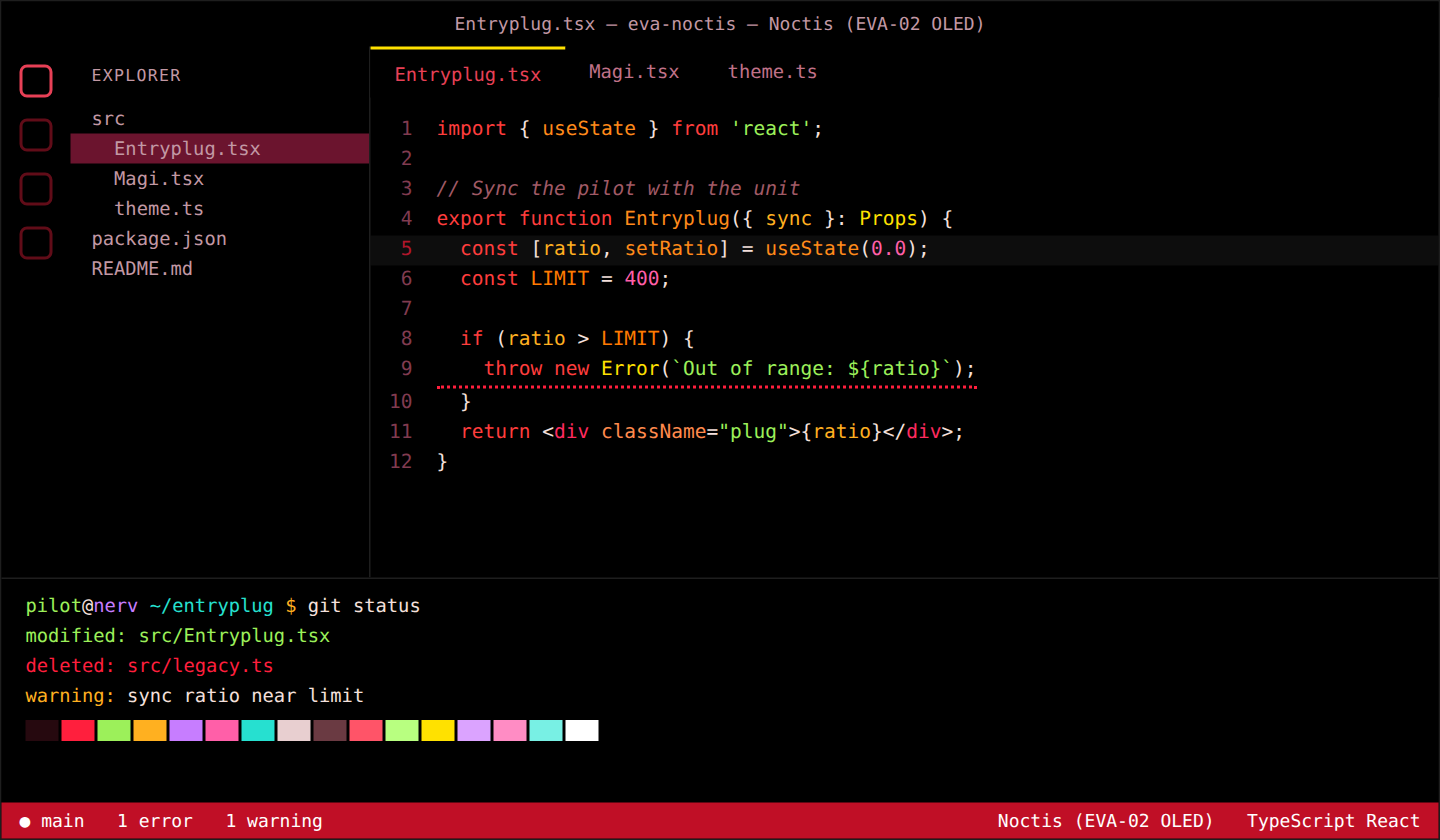
| Noctis (EVA-02 OLED) |
OLED dark |
Pure black with red, orange and eye yellow |
#000000 |
#f5e0dc |
#ffe100 |
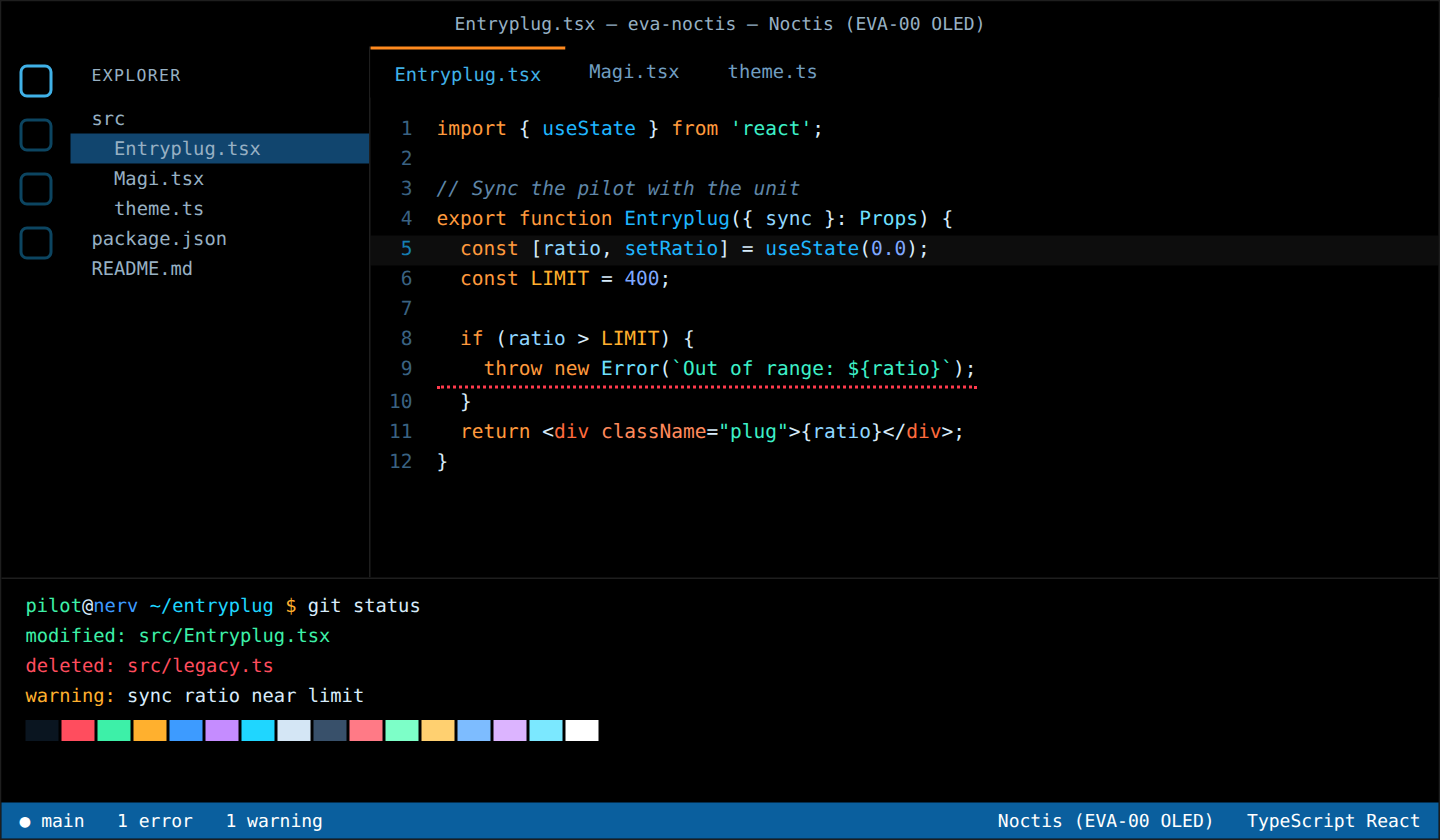
| Noctis (EVA-00 OLED) |
OLED dark |
Pure black with EVA-00 sky blue and orange |
#000000 |
#d8ecfb |
#ff8a1f |
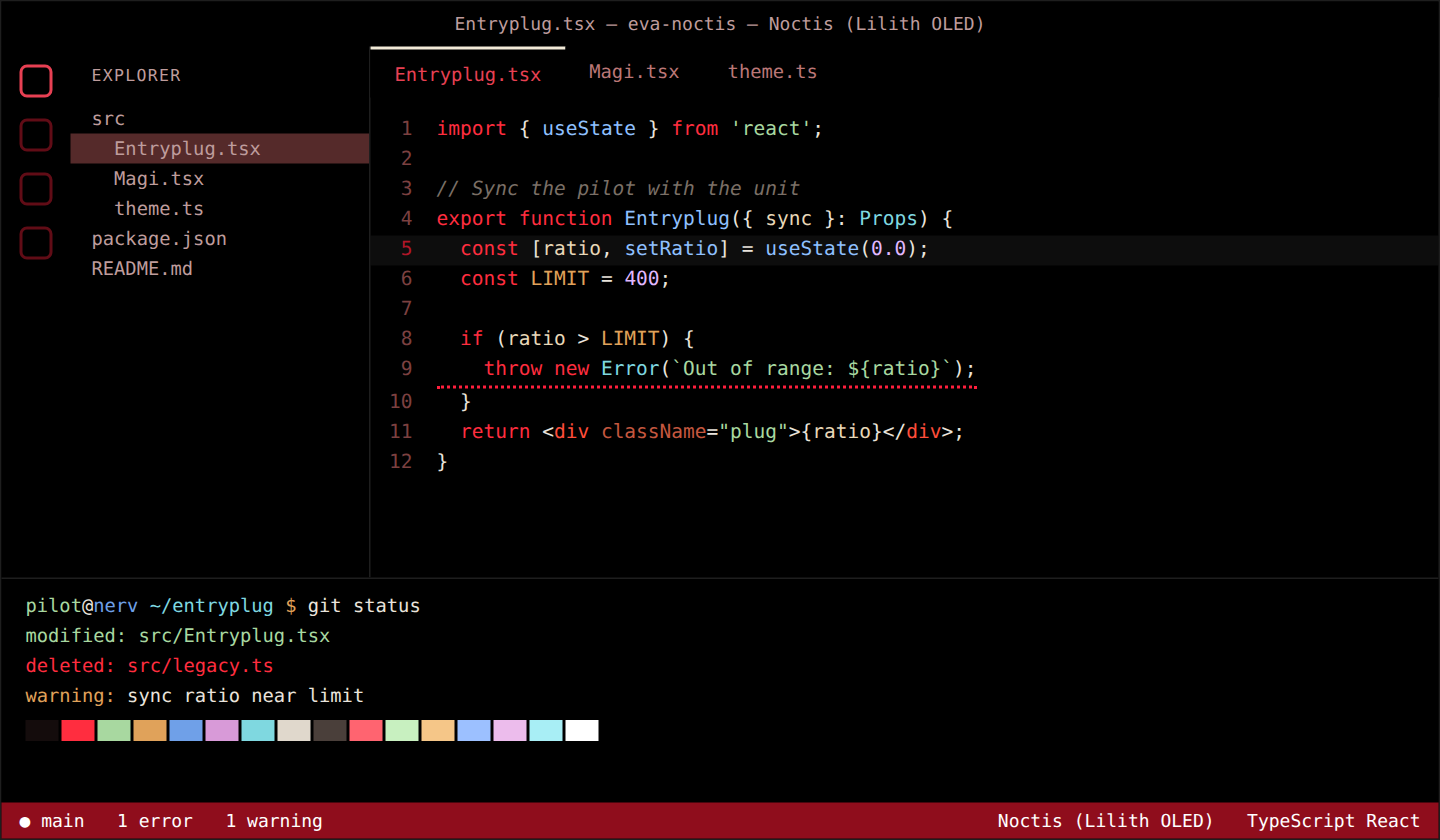
| Noctis (Lilith OLED) |
OLED dark |
Pure black, bone white and blood red |
#000000 |
#eae4dc |
#f2ead8 |
12 dark themes, 9 light themes, 2 high contrast themes and 5 OLED themes, so you always have a match for your system appearance.
Preview
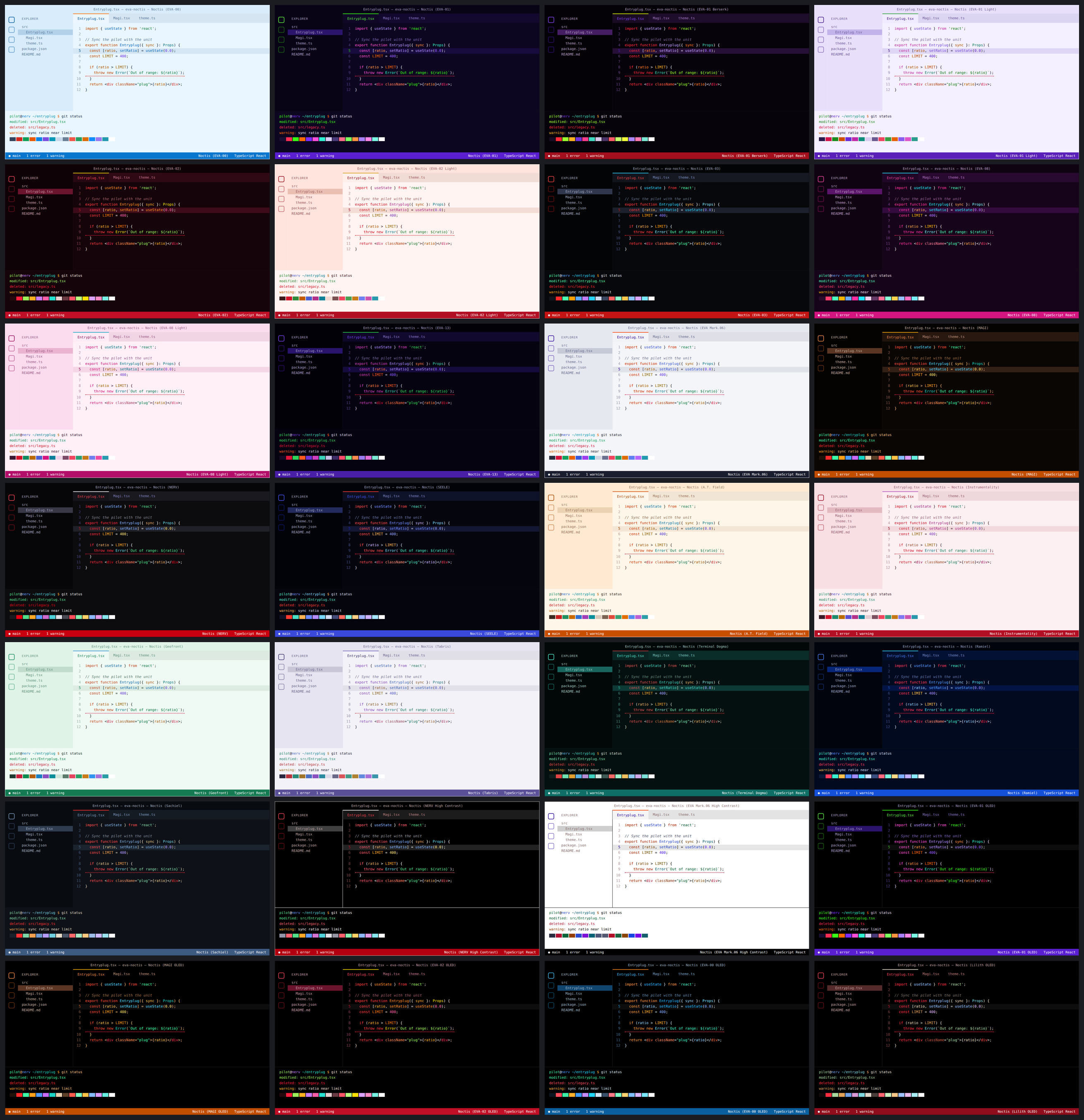
Each preview shows the editor, explorer, diagnostics, status bar and integrated terminal with its 16 ANSI colors.
OLED themes
The five OLED themes use a true #000000 background for the editor, sidebar, tabs, panel and integrated terminal, so those pixels are switched off on OLED screens. Thin dark separators keep the layout readable, and the text is slightly off-white (or amber/bone) to avoid halos. In kitty and Ghostty, set background_opacity 1.0 / background-opacity = 1 with these themes: translucent black loses the point.
High contrast themes
Noctis (NERV High Contrast) and Noctis (EVA Mark.06 High Contrast) use pure black or pure white backgrounds, syntax colors with at least 7:1 contrast (WCAG AAA), and strong borders around focused and active elements. They are registered as VS Code high contrast themes, so they are also offered automatically when you enable a high contrast color mode in your operating system.
Highlights
- Derived from Noctis. Every UI color, token color, diagnostic and Git decoration was remapped from the Noctis and Noctis Lux base themes, so nothing is left half-styled.
- Readable by design. Syntax text has at least 4.5:1 contrast against the editor background (comments at least 4:1). Errors and warnings are adjusted the same way.
- Vibrant, not noisy. Strong accents are reserved for the things that matter: the cursor, the active tab border, the status bar, keywords and strings.
- Matching terminal colors. Each theme defines all 16 ANSI colors for the integrated terminal, so
ls, git and compiler output pick up the same palette.
- Light and dark pairs. Use
Noctis (EVA-01) and Noctis (EVA-00) as a natural dark/light duo.
Install
- Open the Extensions view (
Ctrl+Shift+X / Cmd+Shift+X).
- Search for EVA Noctis and click Install.
- Open the theme picker with
Ctrl+K Ctrl+T (Cmd+K Cmd+T on macOS) and choose one of the Noctis (EVA-NN) themes.
From the command line:
code --install-extension RavenEibu.eva-noctis
Follow your system appearance
To switch automatically between a dark and a light theme, add this to your settings.json:
"window.autoDetectColorScheme": true,
"workbench.preferredDarkColorTheme": "Noctis (EVA-01)",
"workbench.preferredLightColorTheme": "Noctis (EVA-00)"
Tweaking a theme
You can override any color without forking the theme. For example, to change the cursor color in EVA-01 only:
"workbench.colorCustomizations": {
  "[Noctis (EVA-01)]": {
    "editorCursor.foreground": "#ff4fd8"
  }
}
Syntax colors can be adjusted the same way with editor.tokenColorCustomizations.
Terminal themes (kitty and Ghostty)
The same palettes are available as kitty and Ghostty themes in the terminals folder of the repository (also bundled inside the extension). Each one defines the background, foreground, cursor, selection, tabs (kitty) and the 16 ANSI colors, so your terminal matches your editor.
Interactive installer (Linux and macOS). It asks which terminal you use (kitty, Ghostty or both), offers to activate a dark/light pair (EVA-01 / EVA-00 by default), and if the themes are already installed it also offers to uninstall them, restoring your previous config:
curl -fsSL https://raw.githubusercontent.com/RavenEibu/eva-noctis/main/terminals/install.sh | bash
For scripts there are flags: --install / --uninstall, --kitty / --ghostty, --apply, --dark EVA-13 --light EVA-01-Light and --list. Existing configs are backed up as *.pre-eva-noctis. The same script is bundled with the extension: bash ~/.vscode/extensions/raveneibu.eva-noctis-*/terminals/install.sh.
Manual install: kitty
mkdir -p ~/.config/kitty/themes
cp terminals/kitty/themes/*.conf ~/.config/kitty/themes/
Pick one with kitten themes (they appear under Custom), or add a line such as include themes/Noctis-EVA-01.conf to kitty.conf. To follow the system appearance, copy a dark and a light theme to ~/.config/kitty/dark-theme.auto.conf and light-theme.auto.conf.
Manual install: Ghostty
mkdir -p ~/.config/ghostty/themes
cp terminals/ghostty/themes/* ~/.config/ghostty/themes/
Then set, for example, theme = light:Noctis-EVA-00,dark:Noctis-EVA-01 in ~/.config/ghostty/config.
Theme file names follow the pattern Noctis-EVA-01, Noctis-EVA-01-Berserk, Noctis-MAGI, Noctis-NERV-HC, and so on.
Development
Themes are generated from the Noctis base themes by a small script, so a palette change is one edit and a rebuild:
git clone https://github.com/liviuschera/Noctis.git ../noctis-src
python3 scripts/build.py ../noctis-src/themes      # themes/*.json
python3 scripts/terminals.py ../noctis-src/themes  # terminals/kitty and terminals/ghostty
python3 scripts/screenshots.py                     # images/*.png (needs Playwright)
python3 scripts/package.py                         # eva-noctis-<version>.vsix
Palettes live in scripts/build.py. Every text color is adjusted automatically to meet its contrast target (4.5:1, or 7:1 for the high contrast themes).
Feedback
Colors are a matter of taste, and the palettes are a loose interpretation of each unit rather than an exact match. If a color looks off or a language is hard to read, please open an issue or leave a review on the Marketplace with a short code sample and the theme name.
Credits and license
- Based on Noctis by Liviu Schera, released under the MIT license. The original license is included as
NOCTIS-LICENSE.md.
- EVA Noctis is released under the MIT license.
Disclaimer
This is an unofficial fan project. It is not affiliated with, endorsed by, or sponsored by Khara, Studio Ghibli, or the rights holders of Neon Genesis Evangelion or Rebuild of Evangelion. Unit names are used only to describe the color inspiration.