XAML Previewer
A Visual Studio Code extension that renders a live visual preview of XAML and AXAML files without running the app. Works with WinUI 3, MAUI, WPF and Avalonia projects.
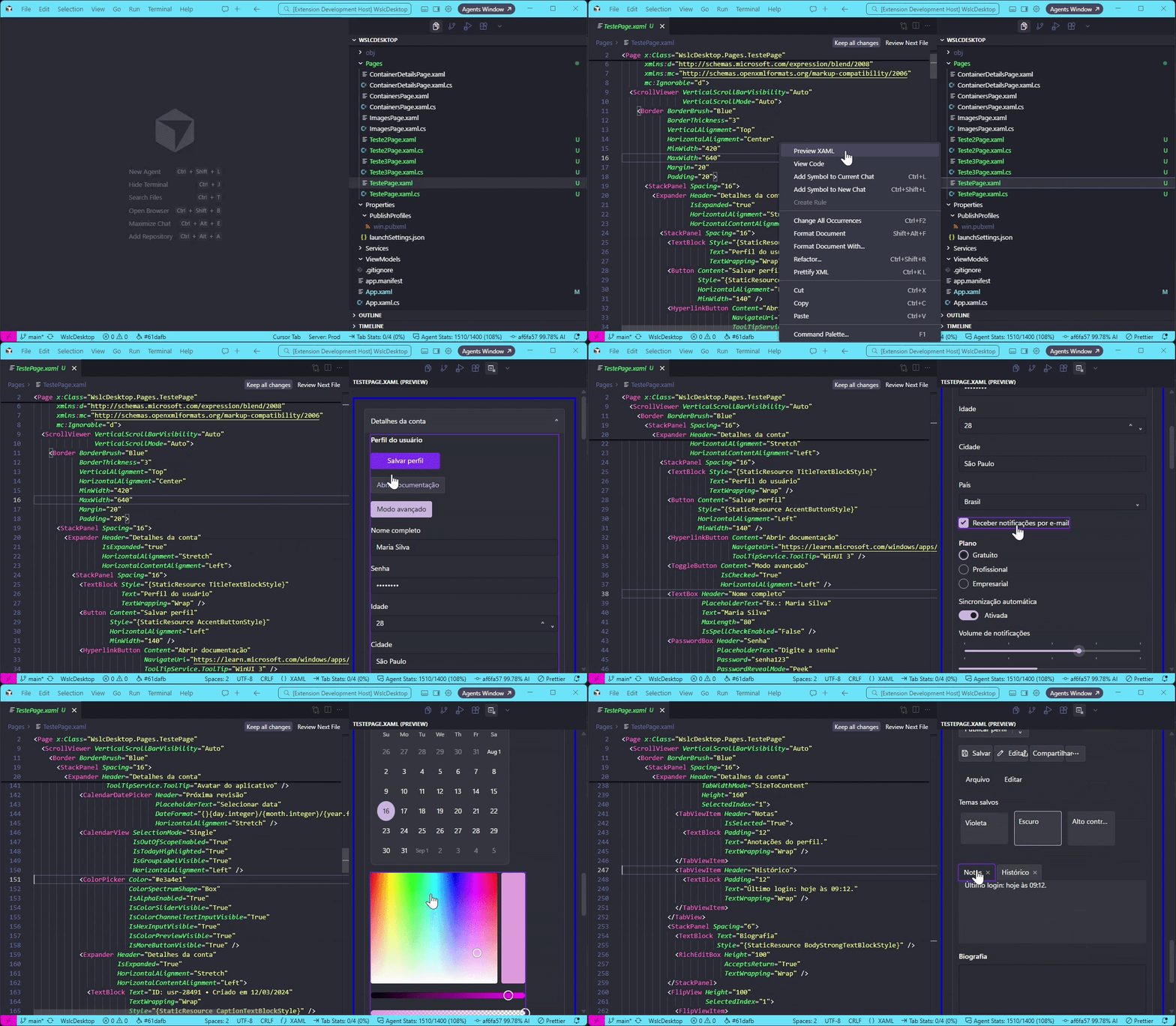
Open a .xaml or .axaml file and use Preview XAML from the editor title bar or the command palette. The markup is parsed and shown as HTML in a webview, so you can inspect layout and controls while you edit.
Features
- Preview
Page, UserControl, and Window XAML in the sidebar or in an editor tab
- Refresh the preview when you save the file or switch to another XAML editor
- Hover a control in the preview to highlight it
- Open the matching
.xaml.cs or .axaml.cs code-behind with View Code
- Resolve local images, including
ms-appx:/// paths
- Apply styles and resources from the workspace when they can be resolved
The preview covers common WinUI 3 layouts and controls, including Grid, StackPanel, NavigationView, ListView, buttons, text inputs, pickers, and more.
Usage
- Open a
.xaml or .axaml file.
- Run Preview XAML, or click the preview icon in the editor title bar.
- Edit and save the file to update the preview.
Settings
| Setting |
Description |
Default |
xaml-previewer.openTarget |
Open the preview in the sidebar activity bar panel or in an editor tab |
sidebar |
xaml-previewer.hoverShadowColor |
Highlight color when hovering a control in the preview |
#7c3aed |
xaml-previewer.showUnknownTags |
Show unrecognized XAML tags in the Output channel |
false |
How to submit issues
To make sure your issue is addressed, post a screenshot containing the controller you with to see rendered, how it currently is being rendered and how it should be rendered, and the XAML of that controller.
Debug information shown in the output panel also helps, if you have it enabled.
Rafael Muricy.

