

R3BL Auto Insert Copyright
Automatically add copyright and license headers to your source code files. Save time and maintain consistency by automating the process of adding copyright notices to new and existing files. Features
Screenshots
Requirements
UsageAutomatic Mode (Default)By default, copyright headers are automatically added when you create or open new files:
Manual CommandAdd a copyright header to an existing file:
Extension SettingsConfigure the extension in your Available Settings
|


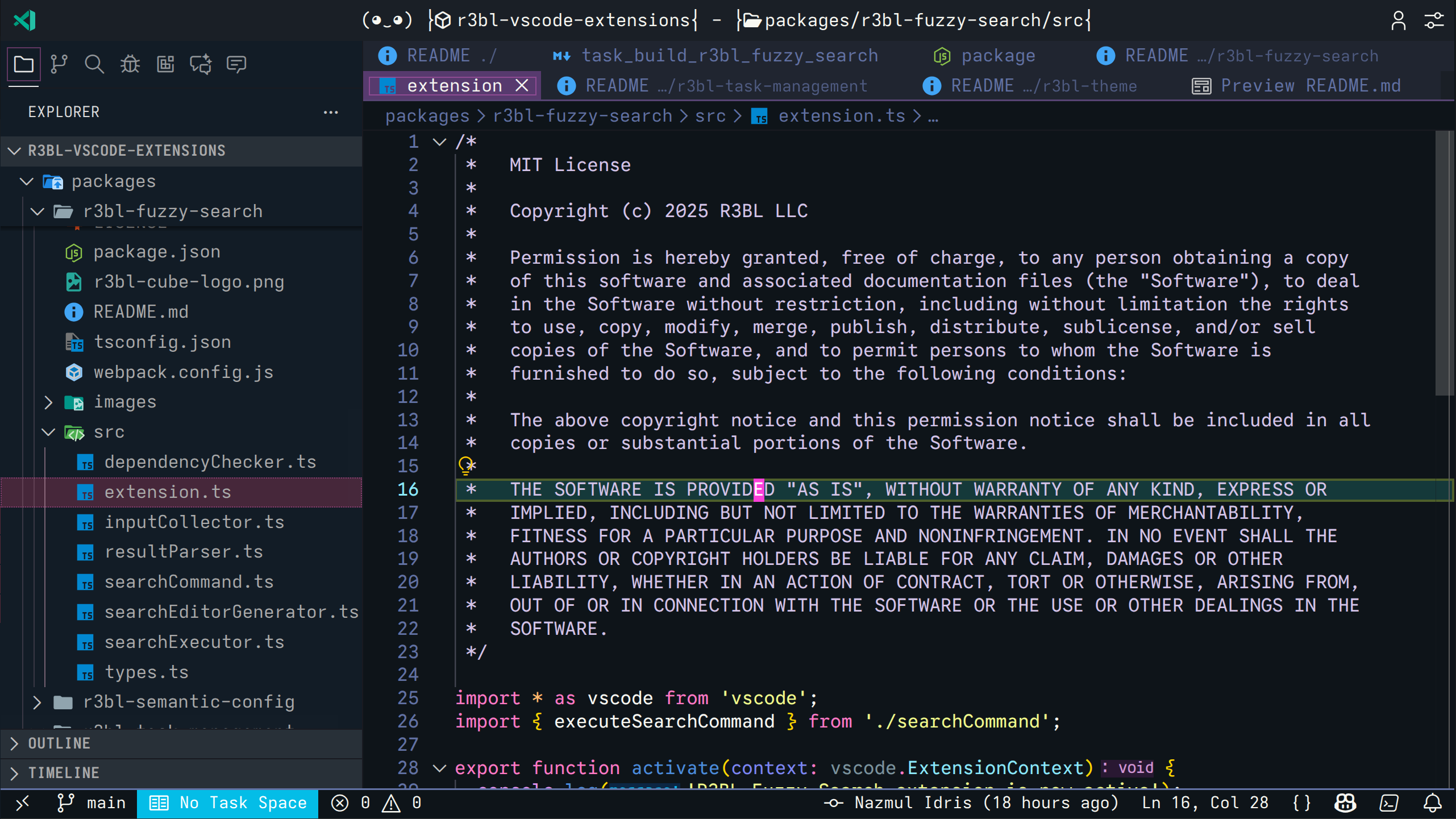 MIT License copyright header automatically inserted at the top of a TypeScript file
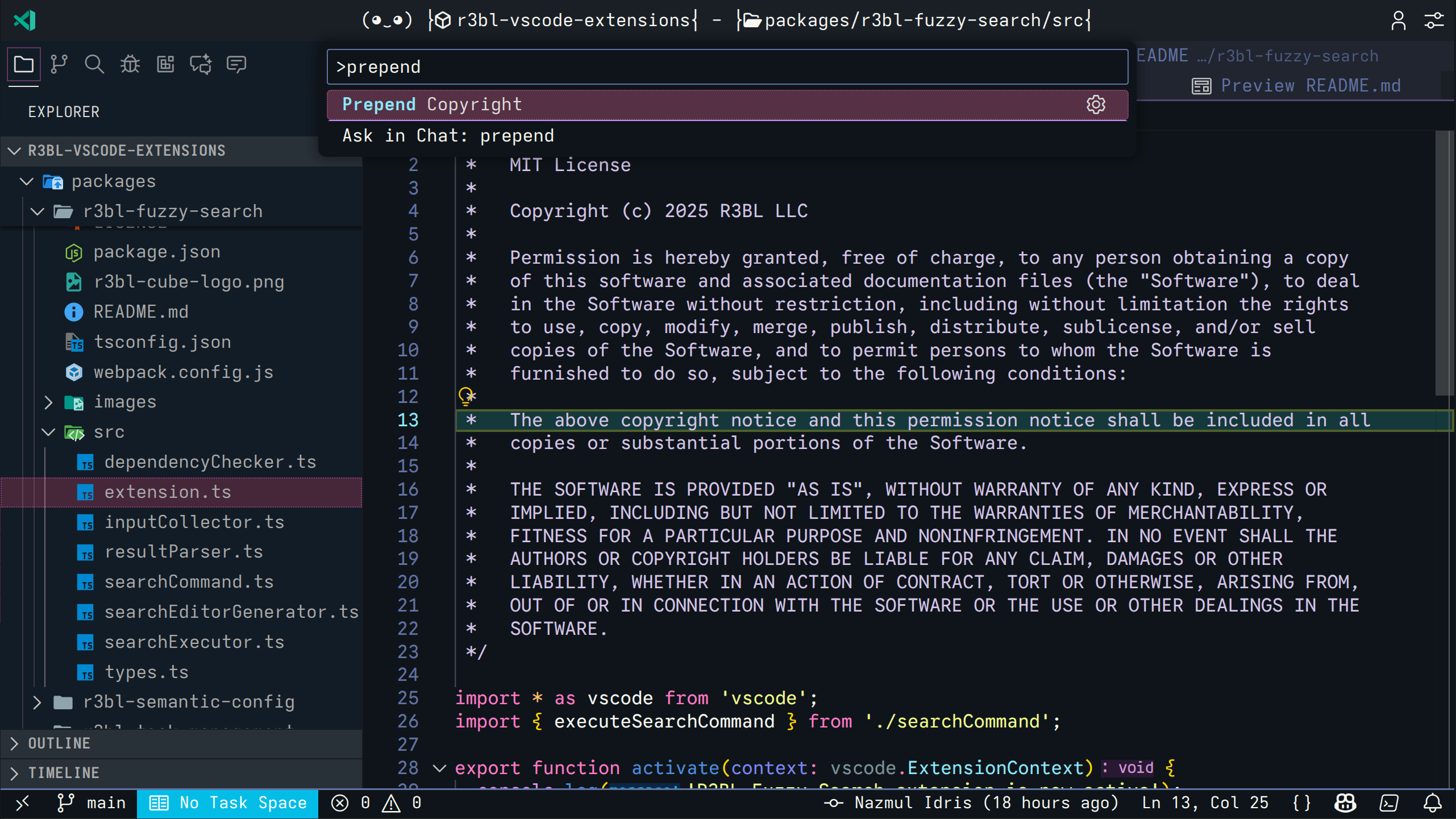 Use the "Prepend Copyright" command to add headers to existing files
| Language | File Extensions | Comment Style |
|---|---|---|
| C | .c, .h |
// or /* */ |
| C++ | .cpp, .hpp, .cc |
// or /* */ |
| C# | .cs |
// |
| CSS | .css |
/* */ |
| Go | .go |
// |
| Java | .java |
// or /* */ |
| JavaScript | .js, .jsx |
// |
| Objective-C | .m, .mm |
// or /* */ |
| Rust | .rs |
// |
| SCSS | .scss |
// or /* */ |
| Swift | .swift |
// |
| TypeScript | .ts, .tsx |
// |
| Vue | .vue |
<!-- --> |
License Templates
MIT License
// Copyright (c) 2025 Your name or Organization. All rights reserved. Licensed under MIT License.
Apache 2.0 (One Line)
// Copyright (c) 2025 Your name or Organization. All rights reserved. Licensed under Apache License 2.0.
Apache 2.0 (Full)
// Copyright (c) 2025 Your name or Organization
//
// Licensed under the Apache License, Version 2.0 (the "License");
// you may not use this file except in compliance with the License.
// You may obtain a copy of the License at
//
//     http://www.apache.org/licenses/LICENSE-2.0
//
// Unless required by applicable law or agreed to in writing, software
// distributed under the License is distributed on an "AS IS" BASIS,
// WITHOUT WARRANTIES OR CONDITIONS OF ANY KIND, either express or implied.
// See the License for the specific language governing permissions and
// limitations under the License.
GPL 3.0
// Copyright (c) 2025 Your name or Organization
//
// This program is free software: you can redistribute it and/or modify
// it under the terms of the GNU General Public License as published by
// the Free Software Foundation, either version 3 of the License, or
// (at your option) any later version.
//
// This program is distributed in the hope that it will be useful,
// but WITHOUT ANY WARRANTY; without even the implied warranty of
// MERCHANTABILITY or FITNESS FOR A PARTICULAR PURPOSE. See the
// GNU General Public License for more details.
None (Custom)
// Copyright (c) 2025 Your name or Organization
Commands
Prepend Copyright- Manually add a copyright header to the current file
Use Cases
Open Source Projects
Automatically add open source license headers (MIT, Apache, GPL) to all your project files to ensure proper licensing.
Commercial Software
Add proprietary copyright notices to protect your intellectual property.
Multi-Developer Teams
Ensure consistent copyright headers across all team members' contributions.
Compliance Requirements
Meet legal or organizational requirements for copyright notices in source code.
Configuration Examples
Personal Open Source Project
{
    "copyrighter.author": "John Doe",
    "copyrighter.license": "MIT",
    "copyrighter.newFilesOnly": true
}
Company Project
{
    "copyrighter.author": "Acme Corporation",
    "copyrighter.license": "Apache2",
    "copyrighter.note": "Internal use only",
    "copyrighter.newFilesOnly": false
}
Custom License
{
    "copyrighter.author": "Your Company",
    "copyrighter.license": "none",
    "copyrighter.note": "Proprietary and confidential"
}
How It Works
- File Detection: When you open or create a file, the extension checks if it's a supported language
- Header Check: Checks if a copyright header already exists
- Automatic Insertion: If no header exists and it's a new file (or
newFilesOnlyisfalse), inserts the header - Comment Style: Automatically uses the correct comment syntax for the file type
- Template Fill: Fills in the template with your configured author, year, license, and notes
Known Issues
- Only works with text-based source code files
- Header detection is based on simple pattern matching
- Year is automatically set to current year
Shared Infrastructure
This extension uses the R3BL Shared extension for centralized services across all R3BL extensions (message queuing, global configuration, and more).
See the R3BL Shared documentation for available services, API usage, and configuration options.
Release Notes
See CHANGELOG.md for detailed release notes and version history.
License
MIT
Contributing
Found a bug or want to add support for a new language? Please open an issue at: https://github.com/r3bl-org/r3bl-vscode-extensions/issues
Code with confidence, license with ease!