DORA Metrics DashboardTrack Deployment Frequency, Lead Time, MTTR, and Change Failure Rate directly inside Azure DevOps. |

🚀 DORA Metrics Dashboard for Azure DevOps
🎯 Why DORA Metrics?The DORA State of DevOps Report identified four metrics that reliably separate elite engineering teams from the rest. These four numbers predict software delivery performance, organizational outcomes, and team wellbeing better than any other indicators known.
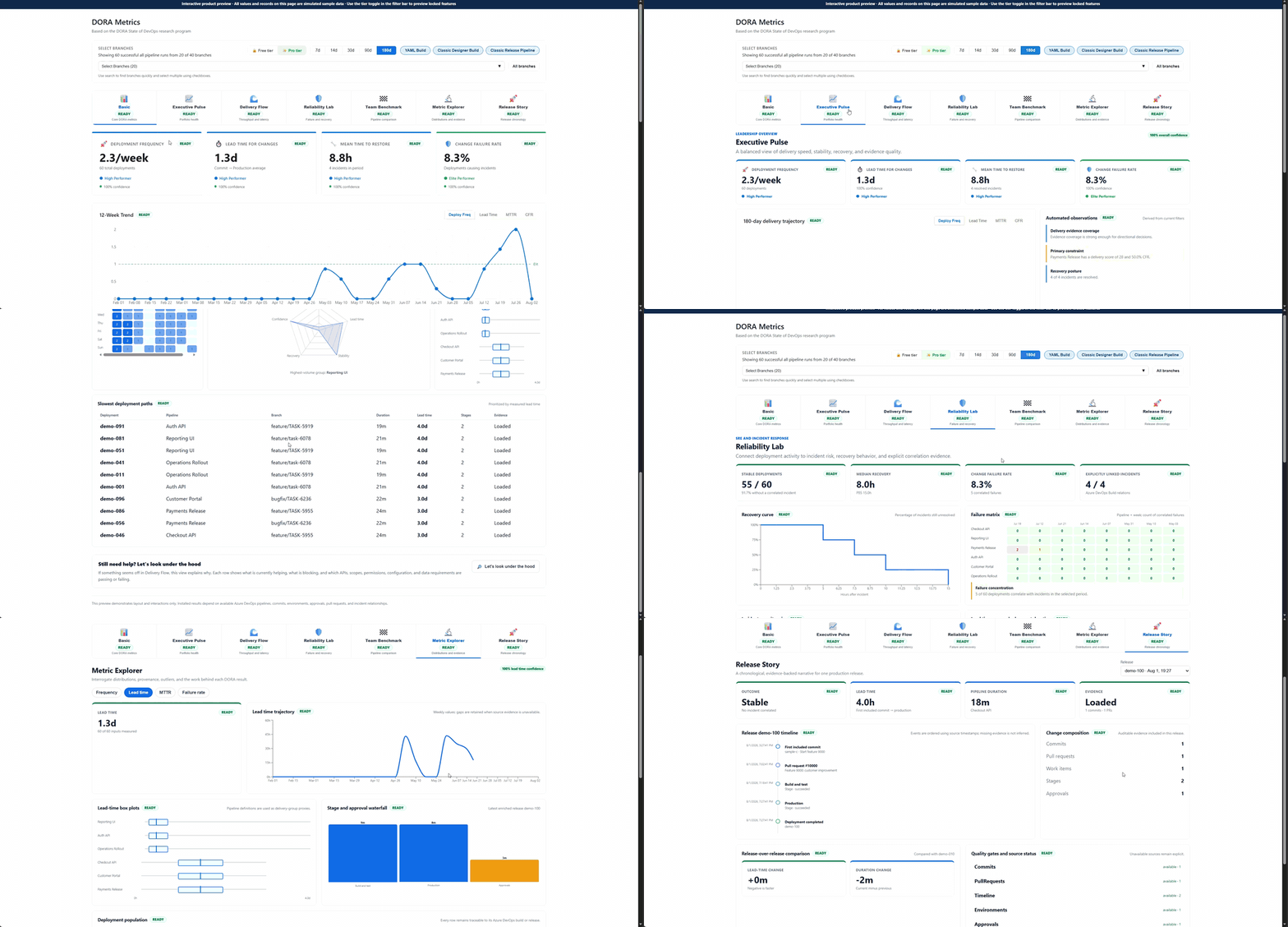
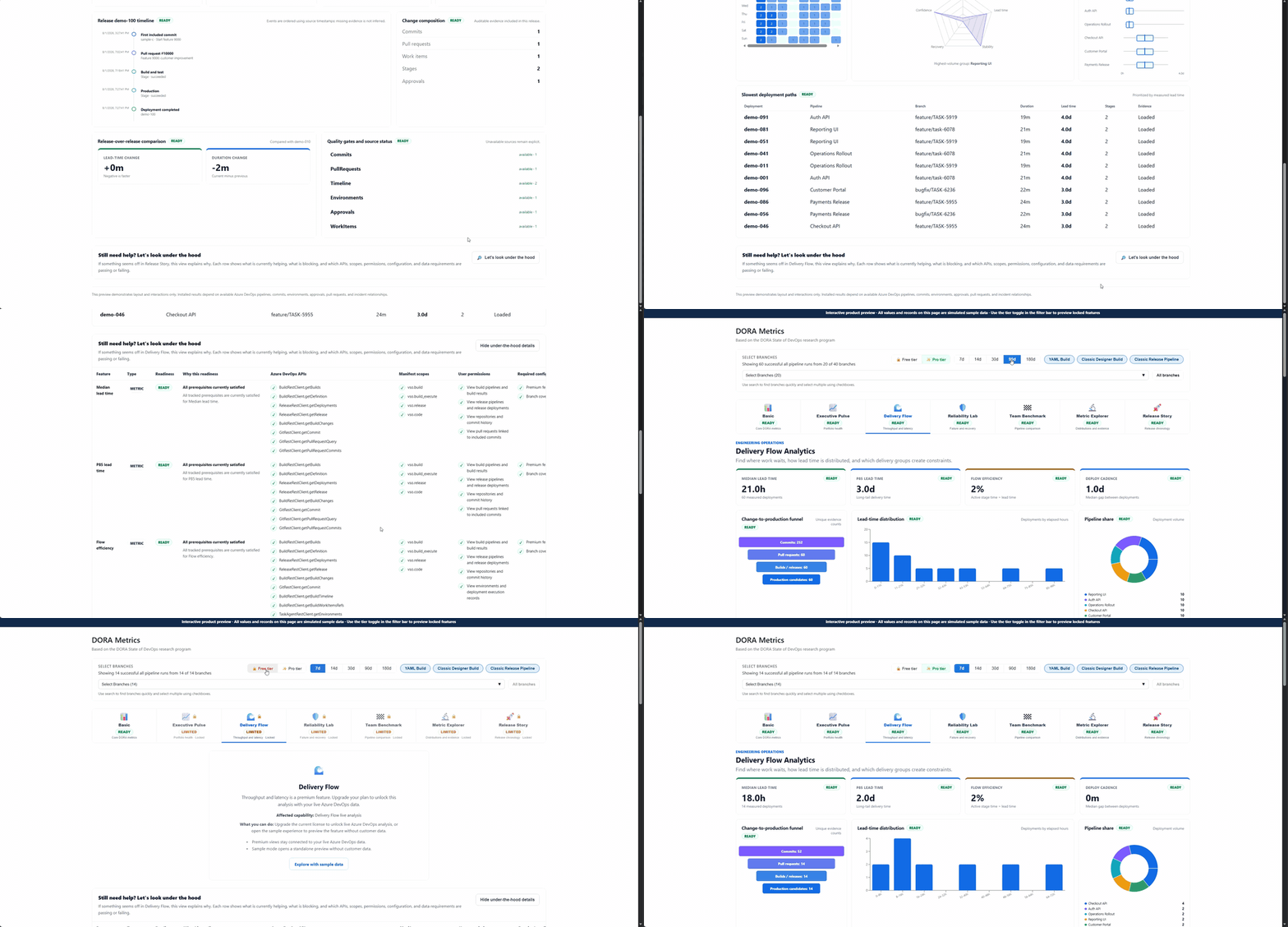
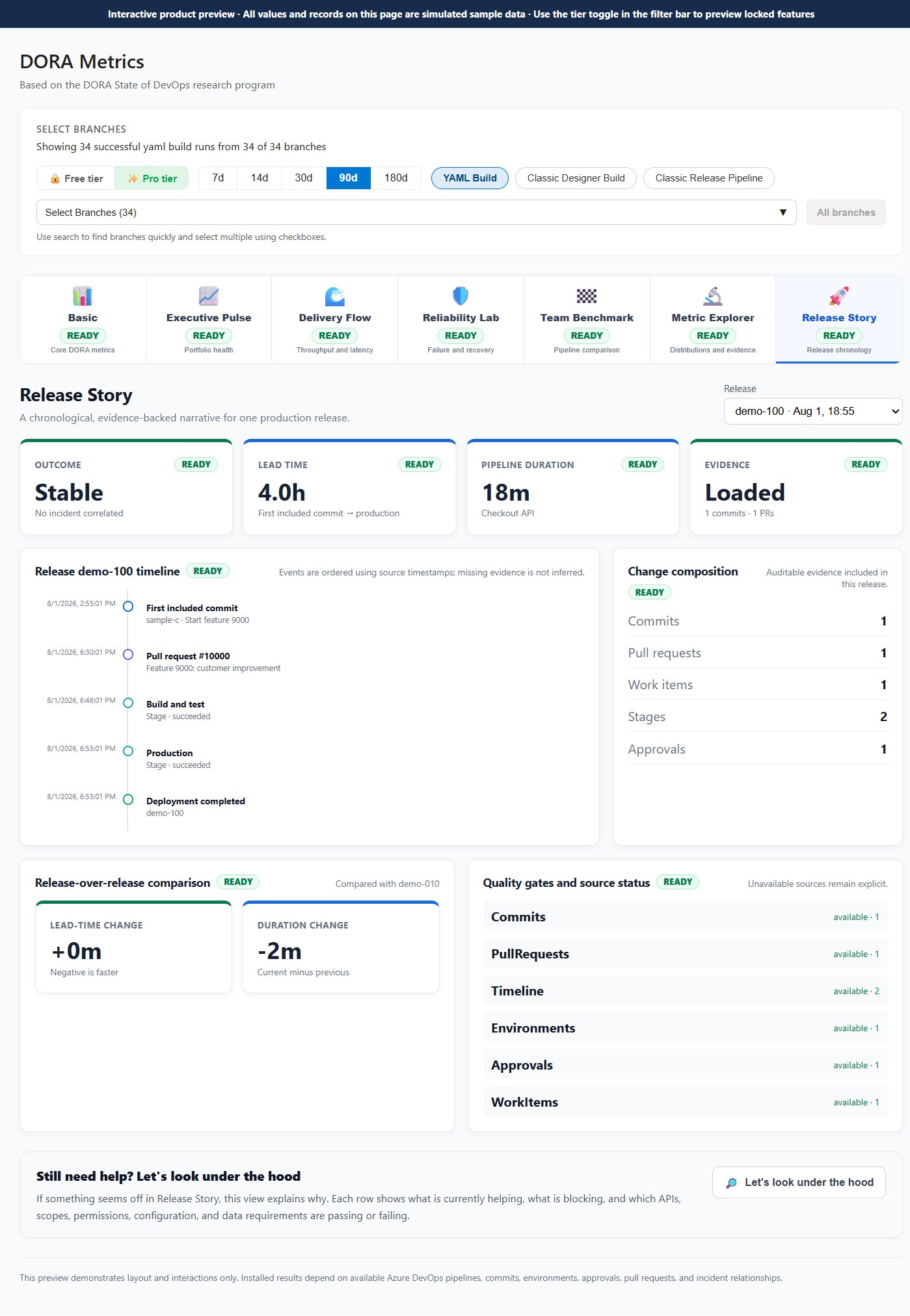
📊 Seven Visualization Views, One DashboardDORA Metrics Dashboard isn't a single chart — it's a complete analytics suite. Switch between seven purpose-built views to answer the question in front of you, from "are we shipping faster?" to "which pipeline is the bottleneck?".
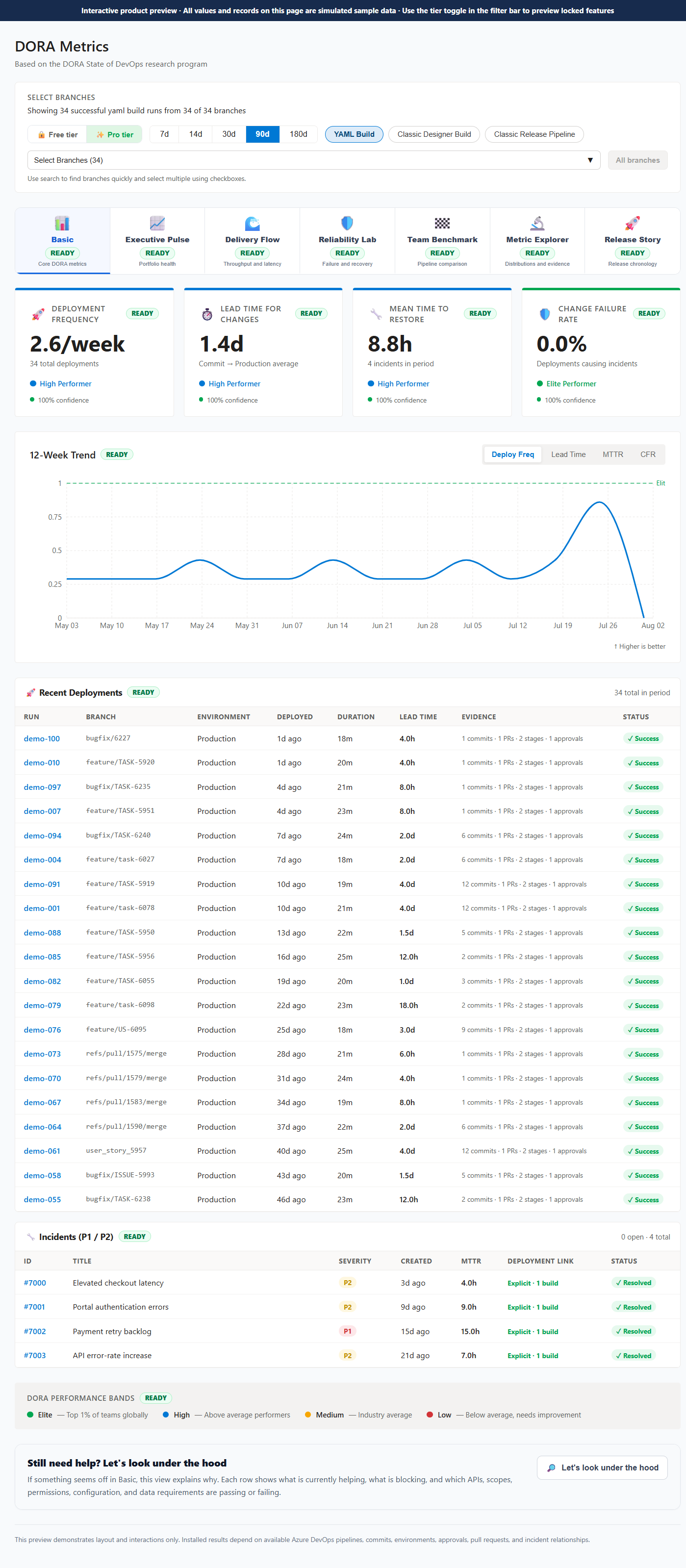
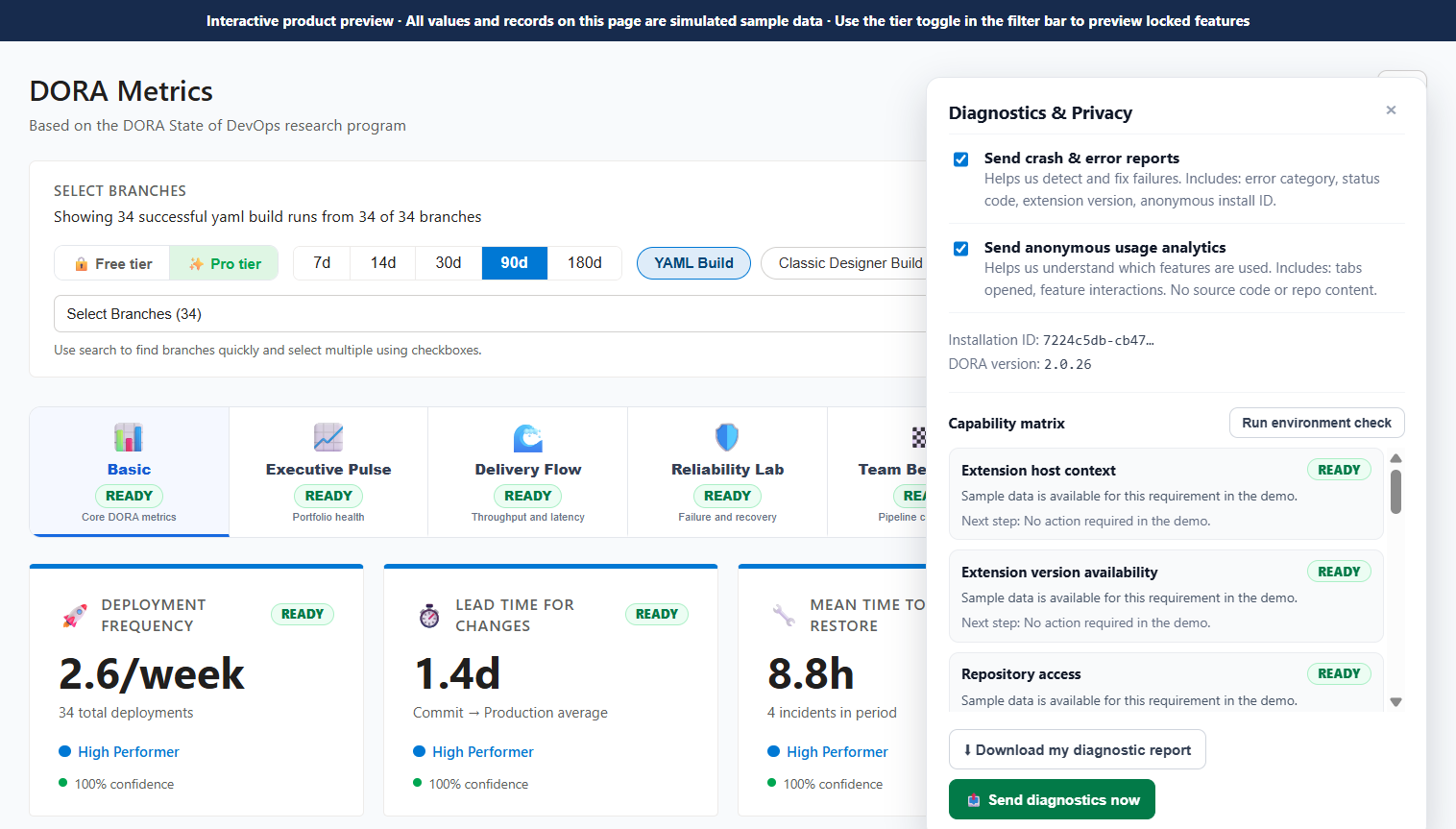
1. 📊 Basic — Core DORA MetricsYour four DORA metrics at a glance, each automatically classified into an Elite / High / Medium / Low performance band based on the 2023 State of DevOps benchmarks. Every card shows the current value, supporting record count, and a confidence percentage so you always know how much to trust the number.
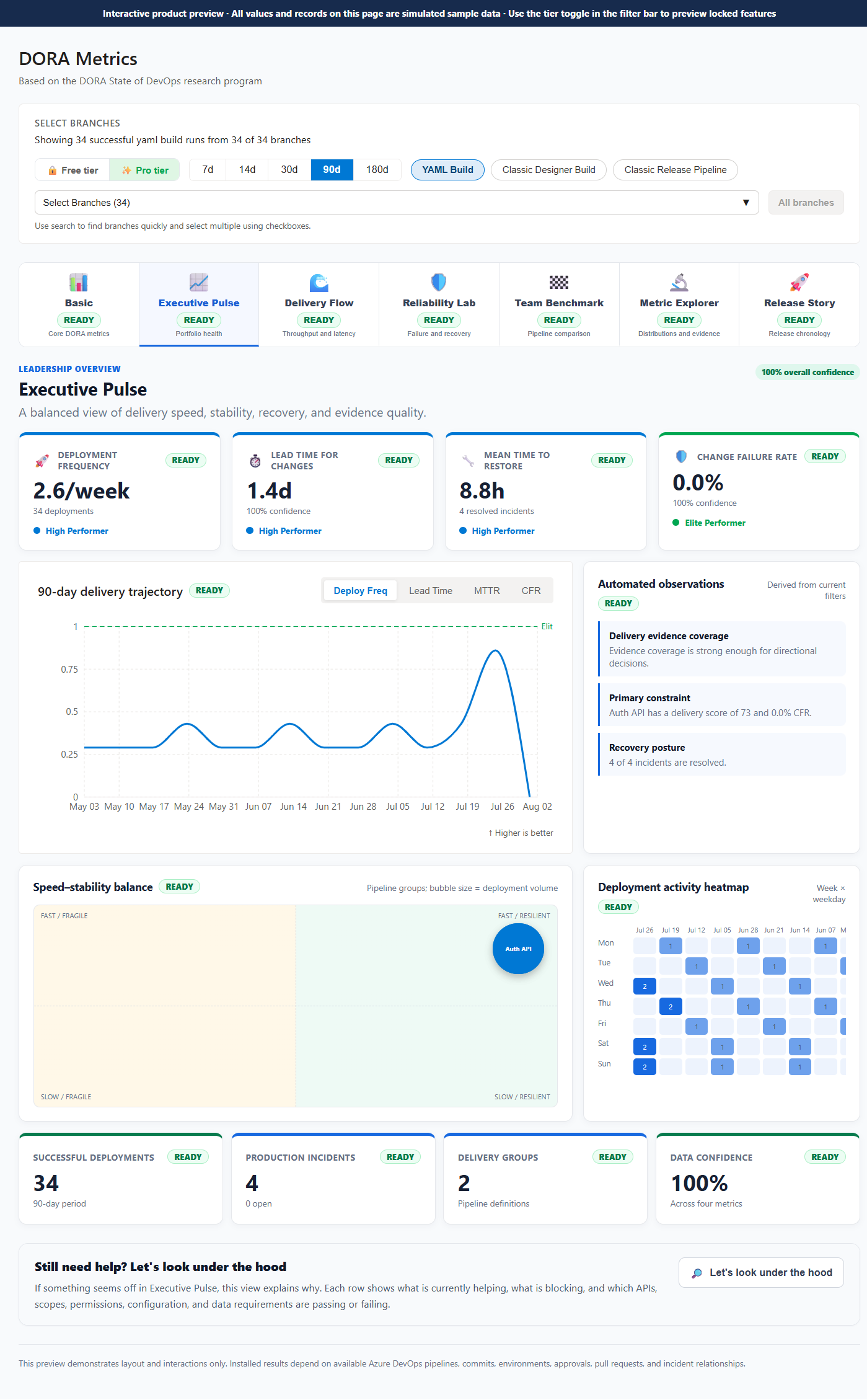
2. 📈 Executive Pulse — Portfolio Health (Pro)A balanced leadership view of delivery speed, stability, recovery, and evidence quality. The one screen you show your VP when they ask "how is the engineering org doing?".
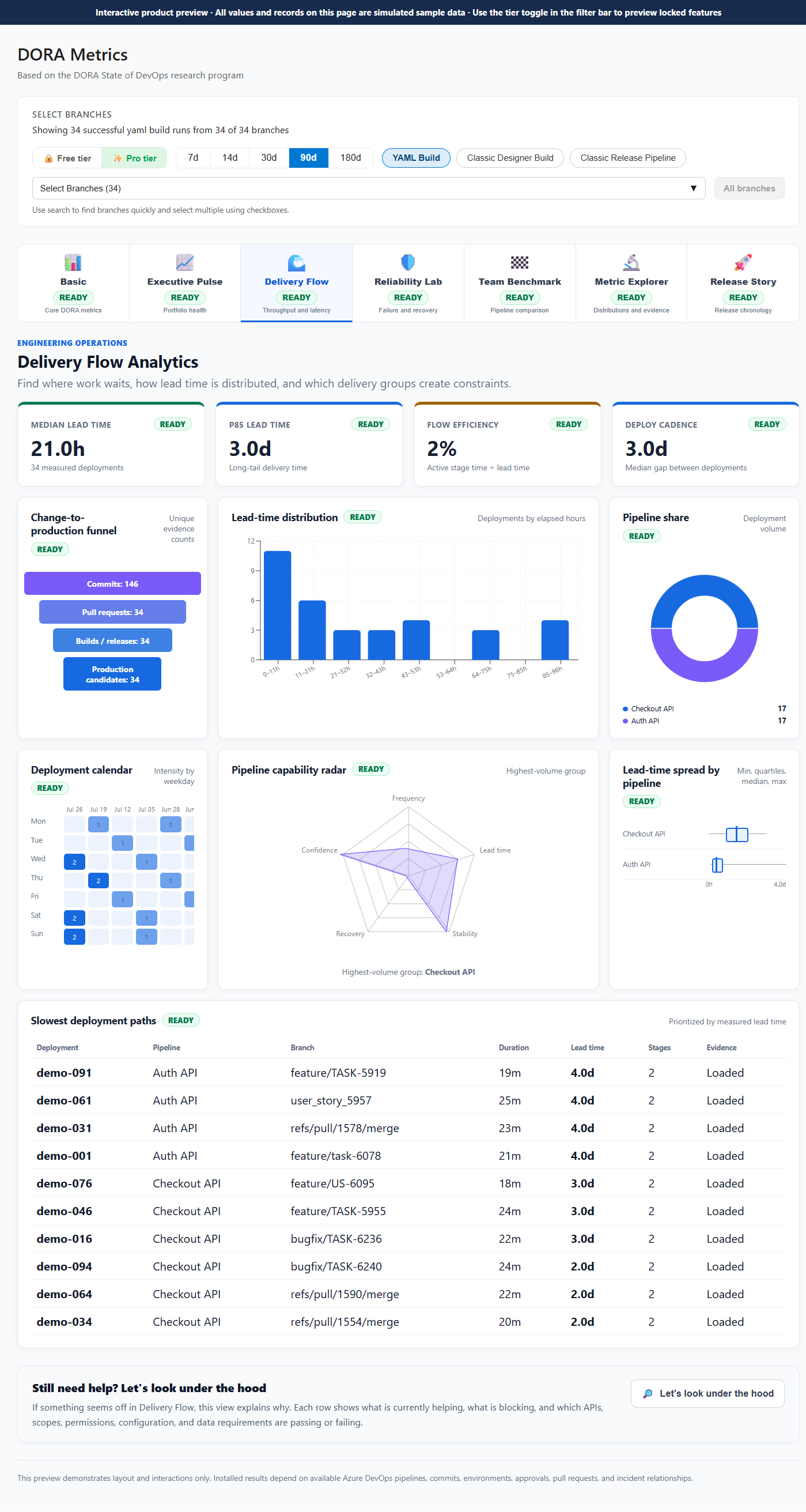
3. 🌊 Delivery Flow — Throughput & Latency (Pro)Understand how work flows from commit to production. Spot bottlenecks in your pipeline, see throughput trends, and find out where cycle time is being lost.
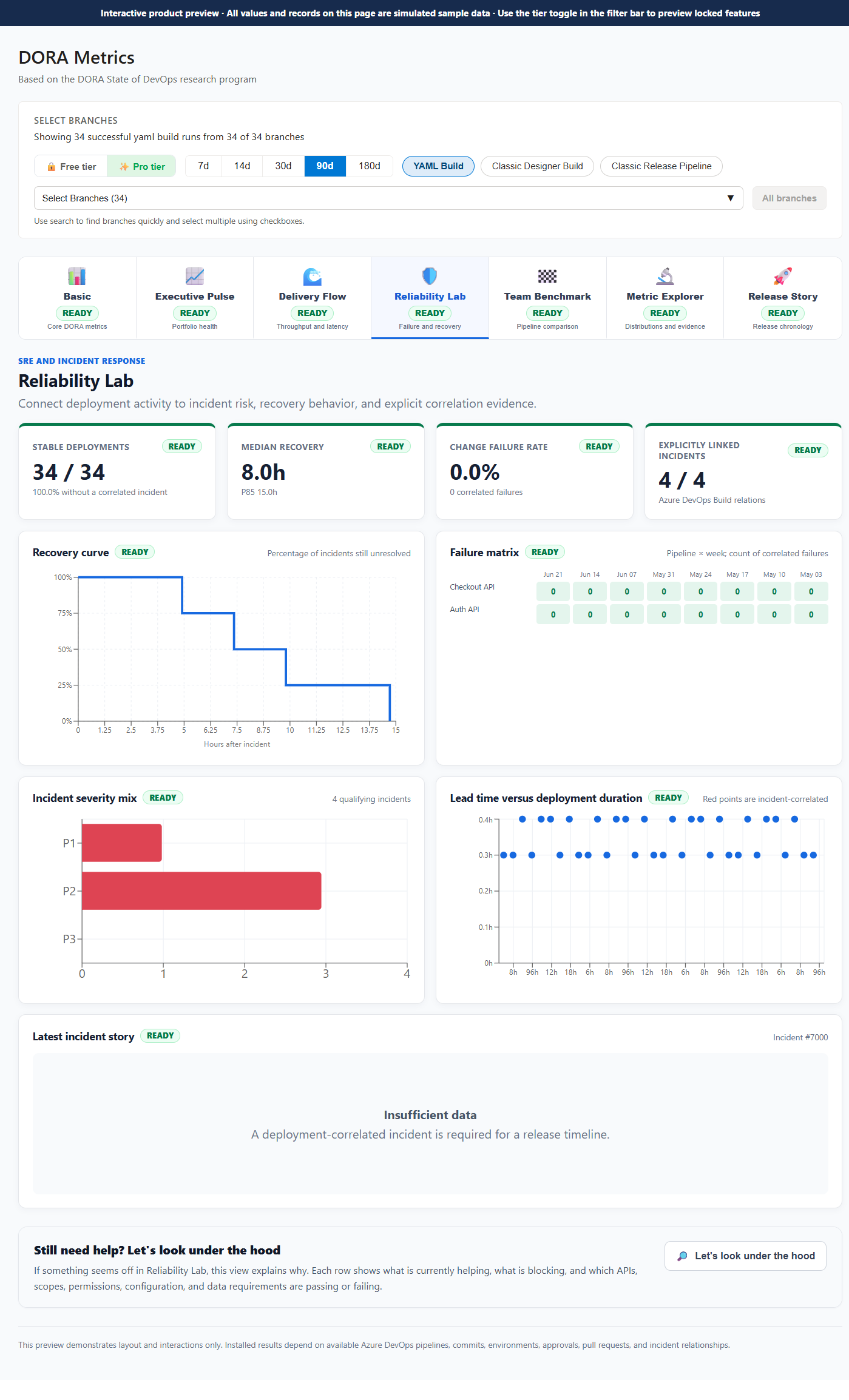
4. 🛡️ Reliability Lab — Failure & Recovery (Pro)A dedicated focus on stability. Analyze incident patterns, recovery speed over time, and which deployments are correlated with failures — so you can ship with confidence, not luck.
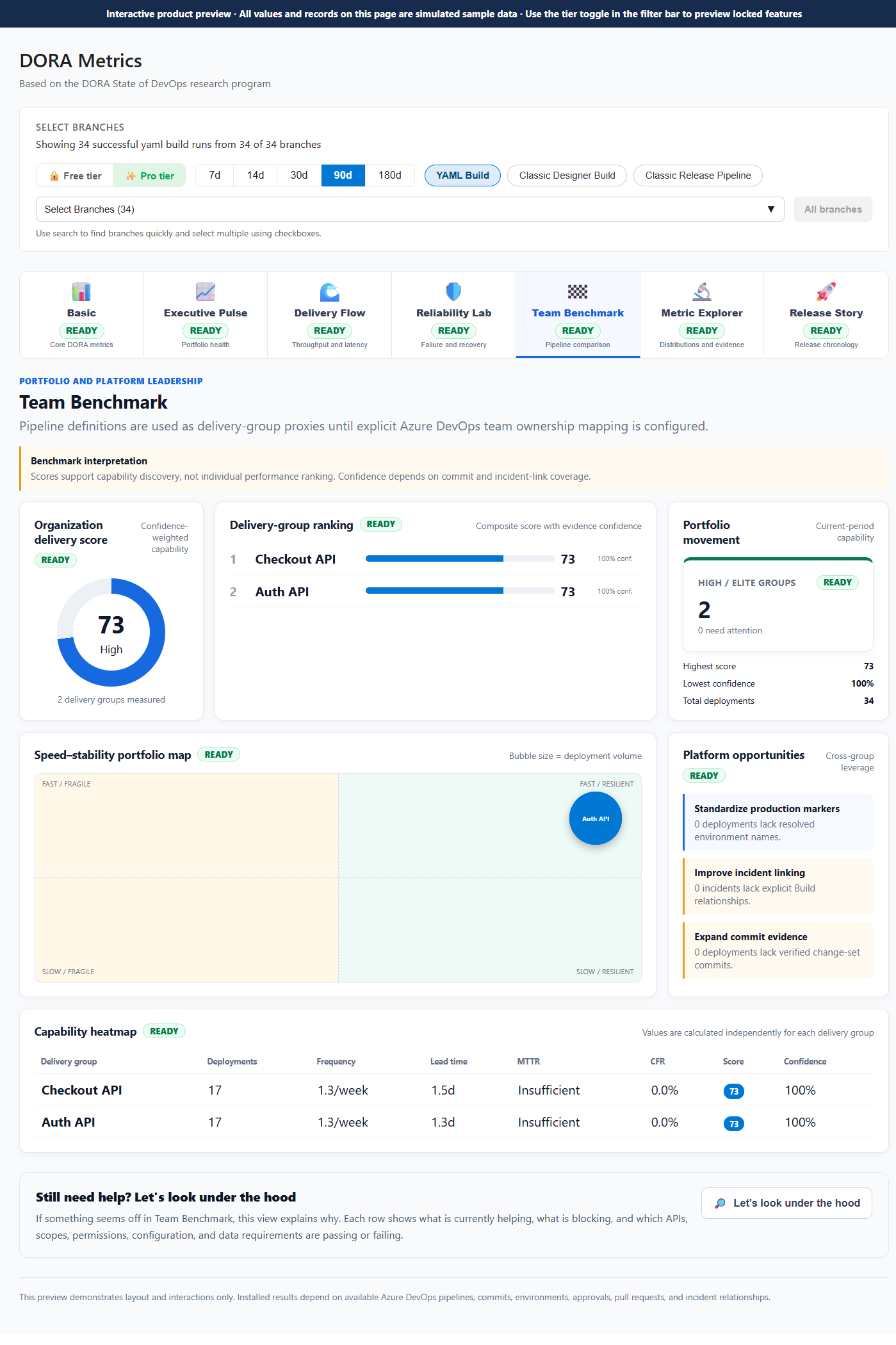
5. 🏁 Team Benchmark — Pipeline Comparison (Pro)Compare branches, pipelines, or teams side-by-side. Find your best-performing pipeline and learn from it — or surface the one that's dragging down your numbers.
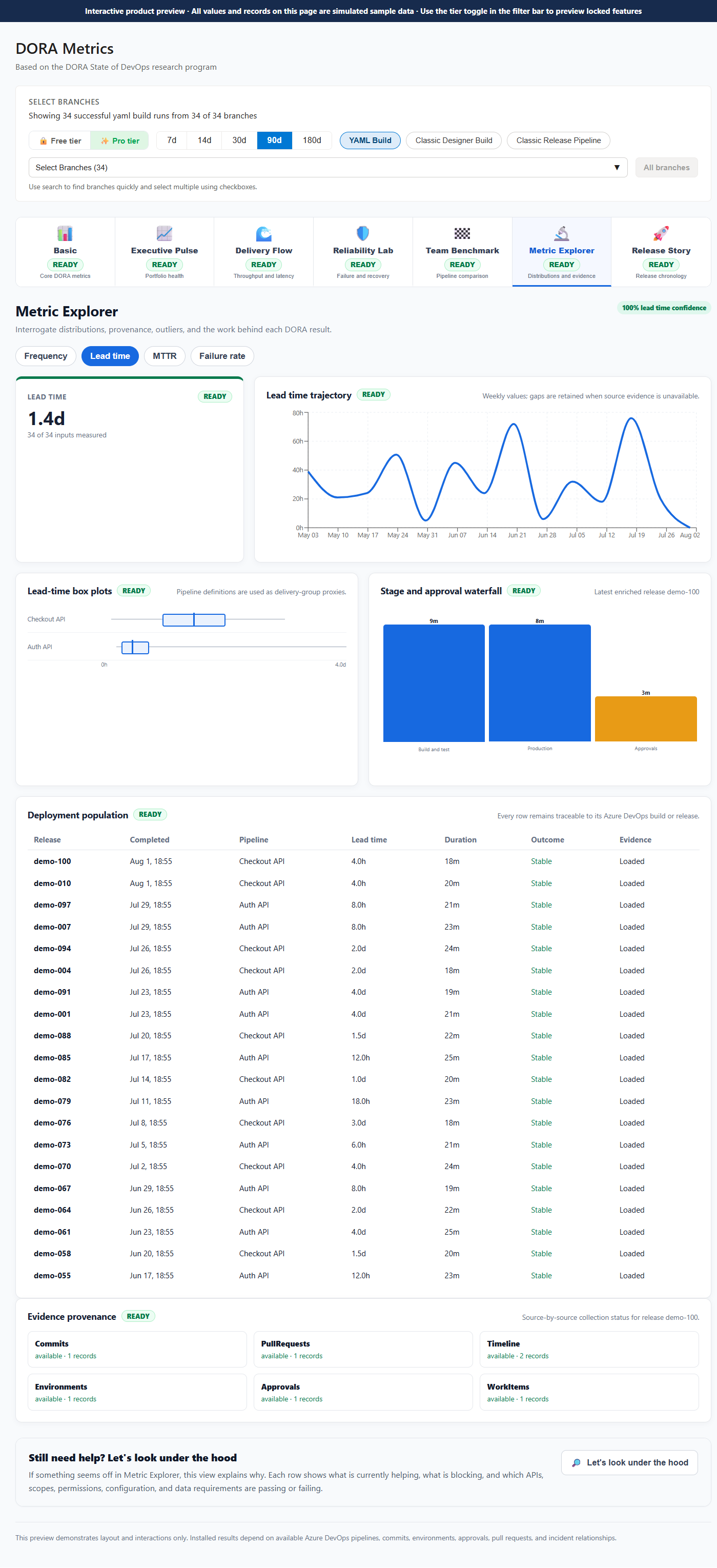
6. 🔬 Metric Explorer — Distributions & Evidence (Pro)Go beyond averages. Inspect the full distribution of lead times, deployment durations, and recovery times. Every number is backed by traceable evidence — commits, PRs, approvals, and stage timing.
7. 🚀 Release Story — Release Chronology (Pro)A visual timeline of every release in the period. See deployments, incidents, and recoveries on a single chronological axis to understand the story your delivery data is telling.
🏅 Performance Bands at a GlanceEvery metric is automatically classified against the DORA 2023 benchmarks:
Thresholds based on the DORA 2023 State of DevOps Report. 🔧 What You Get⚡ Instant DORA ClassificationEvery metric is automatically classified into the four performance bands. Know exactly where your team stands against the global research baseline — no spreadsheets, no manual scoring. 📈 12-Week Trend ChartsDon't just see where you are — see where you're going. Interactive trend charts show week-by-week movement across all four metrics so you can spot regressions early and celebrate real improvement. 🔍 Drill-Down DetailClick into any metric to see the individual deployments or incidents driving your numbers. Identify your slowest releases, longest-running incidents, and highest-risk deploys at a glance — each one traceable to its commit, PR, and approval evidence. 🛡️ Confidence You Can TrustWhere evidence is partial, the dashboard tells you — with a confidence percentage and a plain-language explanation. You'll never mistake a missing data point for a green score. ⚙️ Zero ConfigurationReads directly from your existing Azure DevOps data — pipelines, git commits, work items, and releases. No tagging schemas to set up, no data migration, no connectors to configure. Install and see your metrics within minutes. 🏠 Built Native for Azure DevOpsUnlike generic DevOps analytics tools that bolt on ADO as an afterthought, this extension lives inside your ADO project. Your data never leaves your organization. 🔐 Privacy First
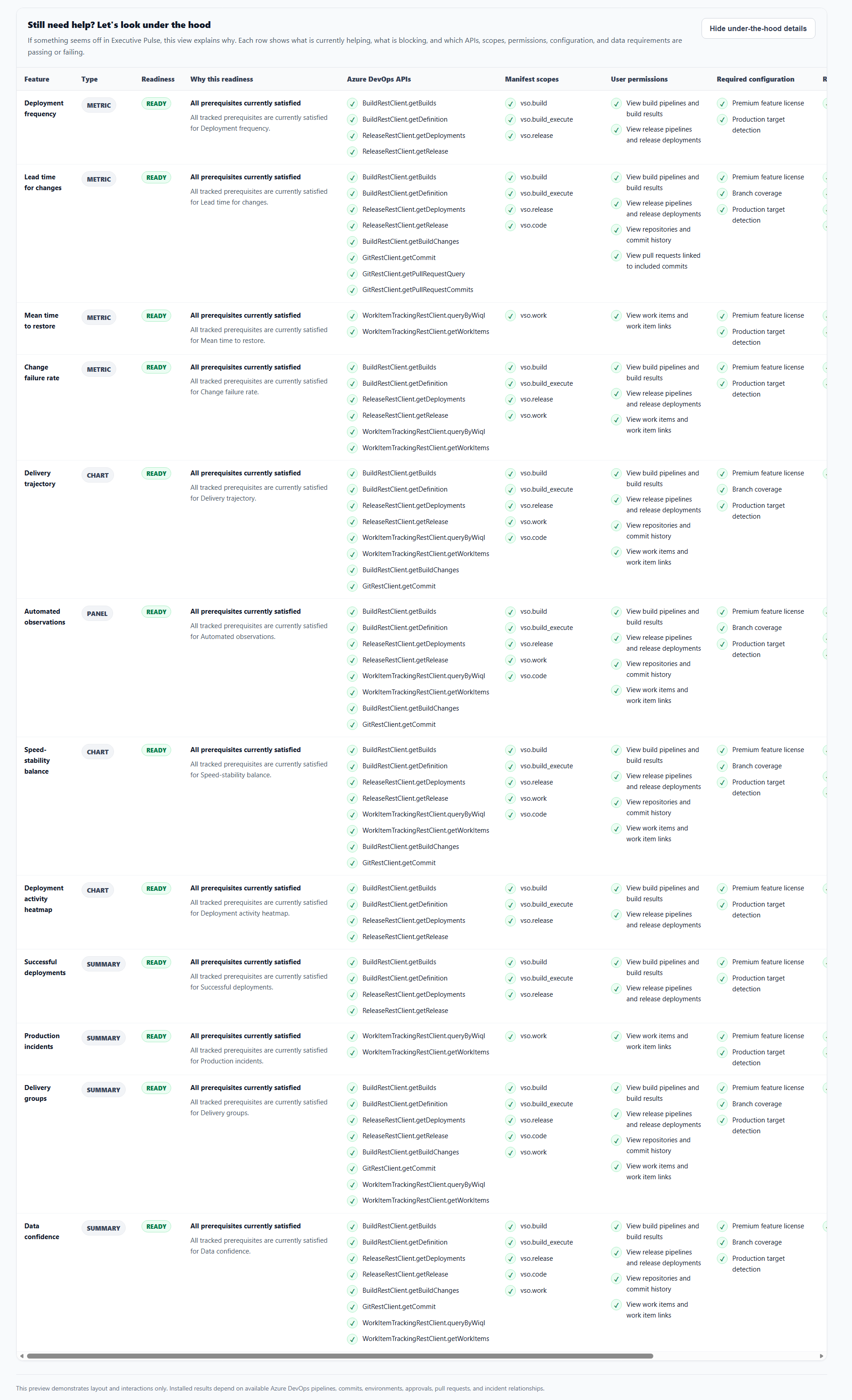
🧩 Under the Hood — Full Capability TransparencyEnterprise teams don't just ask "does it work?" — they ask "can I verify it, audit it, and trust it in production?" Every view in DORA Metrics Dashboard includes a "Let's look under the hood" panel that opens a live, row-by-row dependency matrix for that view — no black-box scoring, ever.
Why this matters:
🔐 Diagnostics & Privacy ControlsAlongside per-view transparency, a dedicated Diagnostics & Privacy panel — reachable from a single gear icon in the header — gives you full control over what the extension reports and to whom.
This is the same governance discipline platform teams expect from mission-critical tooling: verifiable inputs, explicit consent, and a clear audit trail — built in from day one, not bolted on after a compliance review. 🔄 How It WorksDORA Metrics Dashboard combines Azure Pipelines, Classic Release, Git, environment, pull-request, approval, and Azure Boards evidence:
Production deployments are auto-detected from builds targeting your ▶️ Getting Started
📋 Supported Pipeline ModesThe dashboard works with your existing setup — no migration required:
Filter by one mode or compare them all side-by-side in Team Benchmark. 💙 Support the ExtensionThe Basic dashboard — your four core DORA metrics, trend charts, and drill-down evidence — is free, forever, for every team. No trial, no expiry, no credit card. We believe every engineering team deserves to see where they stand. The seven-view Pro analytics suite (Executive Pulse, Delivery Flow, Reliability Lab, Team Benchmark, Metric Explorer, Release Story, and Under the Hood) is what funds the ongoing research, support, and development that keeps this extension improving. If DORA Metrics Dashboard has helped your team ship with more confidence, here's how you can help it grow:

Thank you for backing tools built by a small team, for engineering teams. 🚀 📞 Support & FeedbackFor custom features, consulting, enterprise support, or private enhancements, contact QuantumEdge Solutions:
DORA Metrics Dashboard is built by QuantumEdge Solutions and is not affiliated with the DORA research program or Google. |