HTML Live Preview Pro
Instant, real-time HTML preview inside VS Code. No setup. No configuration. Just code and watch.
What is HTML Live Preview Pro?
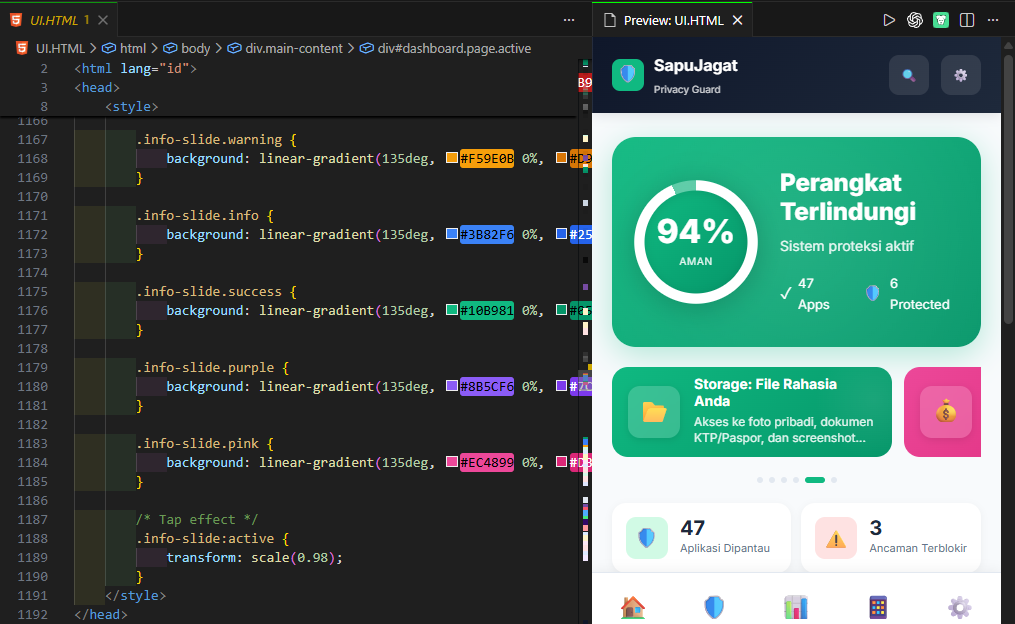
HTML Preview Pro is a lightweight, zero-config VS Code extension that renders your HTML files in real-time as you type. See your changes instantly in a side-by-side preview panel or launch them in your default browser. Perfect for web developers, designers, and anyone working with HTML.
Why Choose HTML Preview Pro?
✅ Real-time rendering – Updates appear instantly as you type
✅ Zero configuration – Works with any HTML file immediately
✅ Offline & secure – Runs locally in a sandboxed webview
✅ Multiple preview modes – In-editor panel or browser window
✅ Keyboard shortcut – Ctrl+Alt+P for instant access
✅ Theme-aware – Adapts to your VS Code theme
Features
🔥 Real-Time Hot Reload
- Instant updates – Preview refreshes on every keystroke
- Zero latency – No delays, no manual refresh needed
- Smart rendering – Only updates when content changes
- Seamless workflow – Code and preview side-by-side
🎯 Flexible Preview Modes
- In-editor preview – Split-view panel for focused editing
- Browser preview – Full-browser testing in your default browser
- Multiple previews – Open previews for several files at once
- Tab-aware – Preview follows your active editor tab
- Sandboxed execution – Isolated VS Code webview environment
- Offline-first – All processing happens locally
- Lightweight – No external dependencies or bloat
- Privacy-focused – Your code never leaves your machine
⚡ Developer-Friendly
- One-click access – Toolbar buttons, context menus, shortcuts
- Full HTML5 support – Inline CSS, JavaScript, images, media
- Relative path resolution – Assets load from file directory
- Theme integration – Matches your VS Code appearance
Getting Started
Installation
- Open Extensions in VS Code (
Ctrl+Shift+X / Cmd+Shift+X)
- Search for "HTML Preview Pro"
- Click Install
- Start previewing immediately
Quick Start (30 seconds)
- Open any
.html file
- Press
Ctrl+Alt+P (Windows/Linux) or Cmd+Alt+P (macOS)
- Edit your HTML and watch the preview update in real-time
That's it. No config files. No build steps. No server setup.
How to Use
Open a Preview
Method 1: Keyboard Shortcut
- Press
Ctrl+Alt+P (Windows/Linux) or Cmd+Alt+P (macOS)
Method 2: Toolbar Button
- Click the preview icon in the editor toolbar (appears for
.html files)
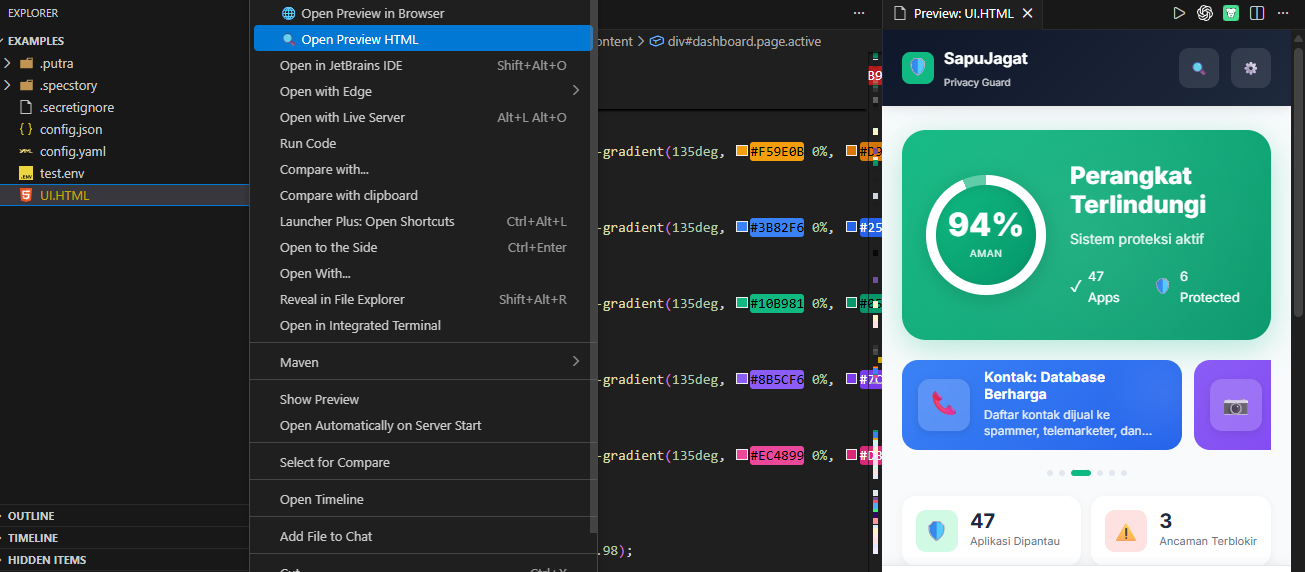
Method 3: Context Menu
- Right-click in the editor or file explorer
- Select "Open Preview HTML"
Method 4: Command Palette
- Press
Ctrl+Shift+P / Cmd+Shift+P
- Search "Preview HTML"
- Select the command
Open in Browser
Click the "Open Preview in Browser" button in the toolbar, or right-click and select "Open Preview in Browser" to launch in your default browser.
Watch Changes in Real-Time
Simply edit your HTML file. The preview updates automatically—no save required, no manual refresh needed.
Commands
| Command |
Shortcut |
Description |
| Open Preview HTML |
Ctrl+Alt+P / Cmd+Alt+P |
Opens real-time preview in side panel |
| Open Preview in Browser |
— |
Launches HTML in your default browser |
What Works
| Feature |
Status |
| HTML5 markup |
✅ Full support |
Inline CSS (<style>) |
✅ Full support |
Inline JavaScript (<script>) |
✅ Full support |
| Linked CSS/JS files |
✅ Relative paths supported |
| Images & media |
✅ Local files supported |
| Multiple previews |
✅ Open several at once |
| Theme awareness |
✅ Light/dark mode |
| Auto-reload on change |
✅ Instant updates |
Use Cases
- Landing Pages – Design and iterate with instant visual feedback
- Email Templates – Preview HTML emails before sending
- Prototypes – Quickly mock up UI layouts and interactions
- Documentation – Write and preview HTML docs in real-time
- Learning – Learn HTML/CSS with immediate feedback
- Static Sites – Build and preview static HTML projects
Known Limitations
- External CDNs – Some CDN resources may be blocked by the webview sandbox; use browser preview for full fidelity
- Browser APIs – Certain APIs (e.g.,
localStorage) may be restricted in webview mode
- Relative Paths – Assets are resolved relative to the HTML file's directory
- CORS – Cross-origin requests may be restricted; test in browser preview if needed
System Requirements
- VS Code 1.70.0 or later
- OS – Windows, macOS, or Linux
- No additional dependencies – Works out of the box
Roadmap
- Responsive device frames (mobile, tablet, desktop)
- Preview toolbar with zoom and refresh controls
- Theme-aware background presets
- Live CSS editing
- HTML validation and error highlighting
Feedback & Support
License
MIT License – See LICENSE for details.
Show Your Support
If HTML Live Preview Pro saves you time, please:
- ⭐ Leave a review on the VS Code Marketplace
- 🌟 Star the repository on GitHub
- 💬 Share feedback to help us improve
Made with ❤️ by PutraAdiJaya
HTML Live Preview Pro – Real-time HTML rendering, zero configuration.

