Gigagrid Sheet
Fast, lightweight Excel (.xlsx) viewer and editor for VS Code. Opens sheets with hundreds of thousands of rows in seconds, shows them with their real Excel formatting and images, and lets you edit cells, formulas, formatting and rows without leaving the editor.
Features
- Fast with big files: parsing runs in a background worker into compact typed arrays; the grid is virtual, so only what you see is drawn. First rows appear while the rest still loads (200,000 rows open in about 3 seconds).
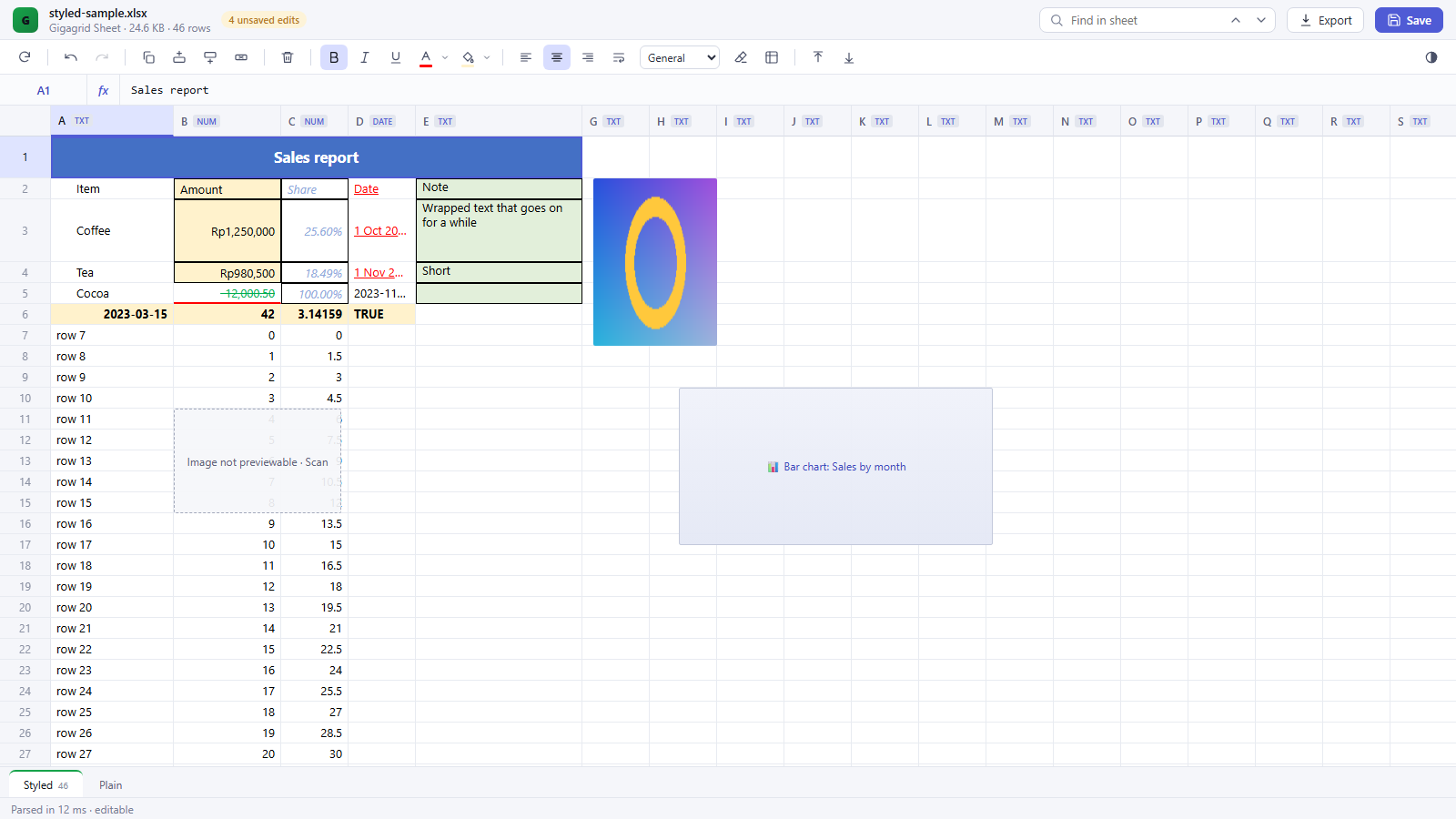
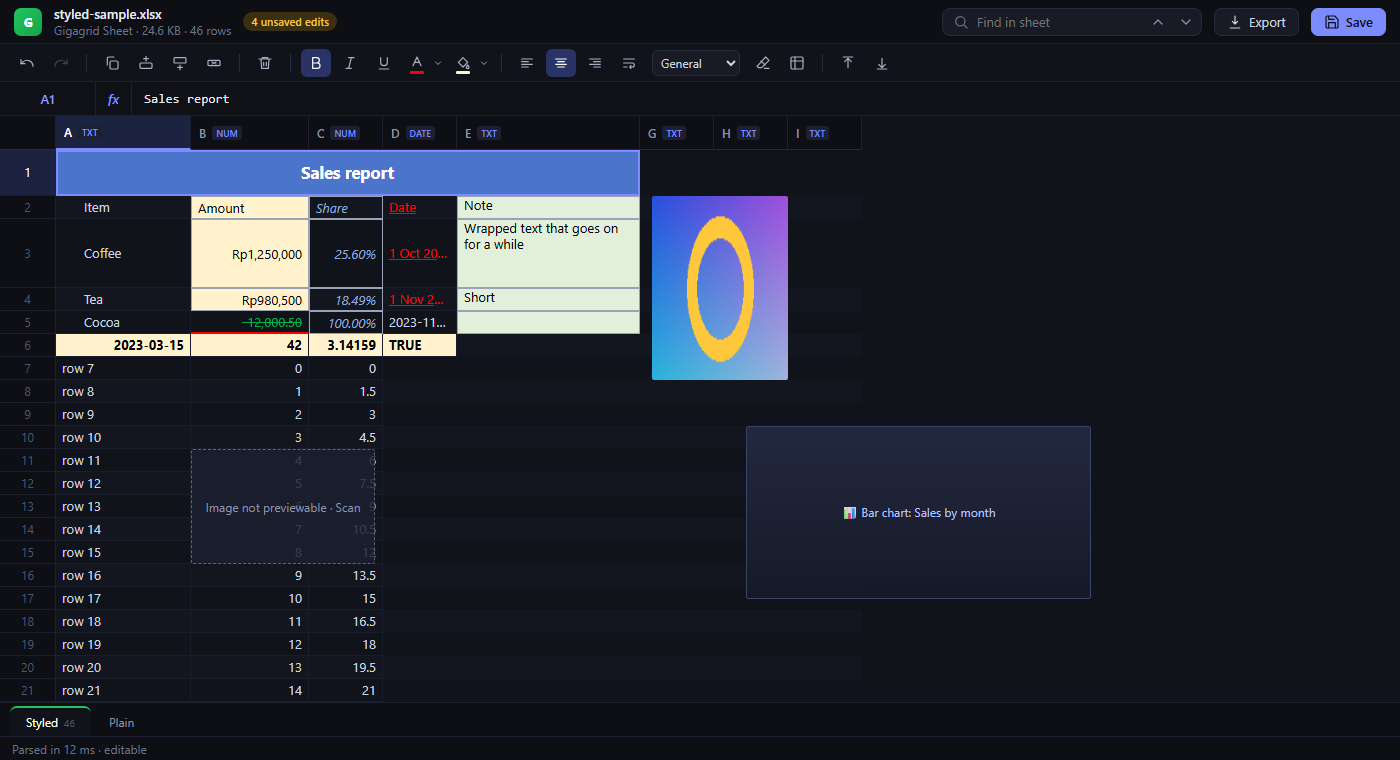
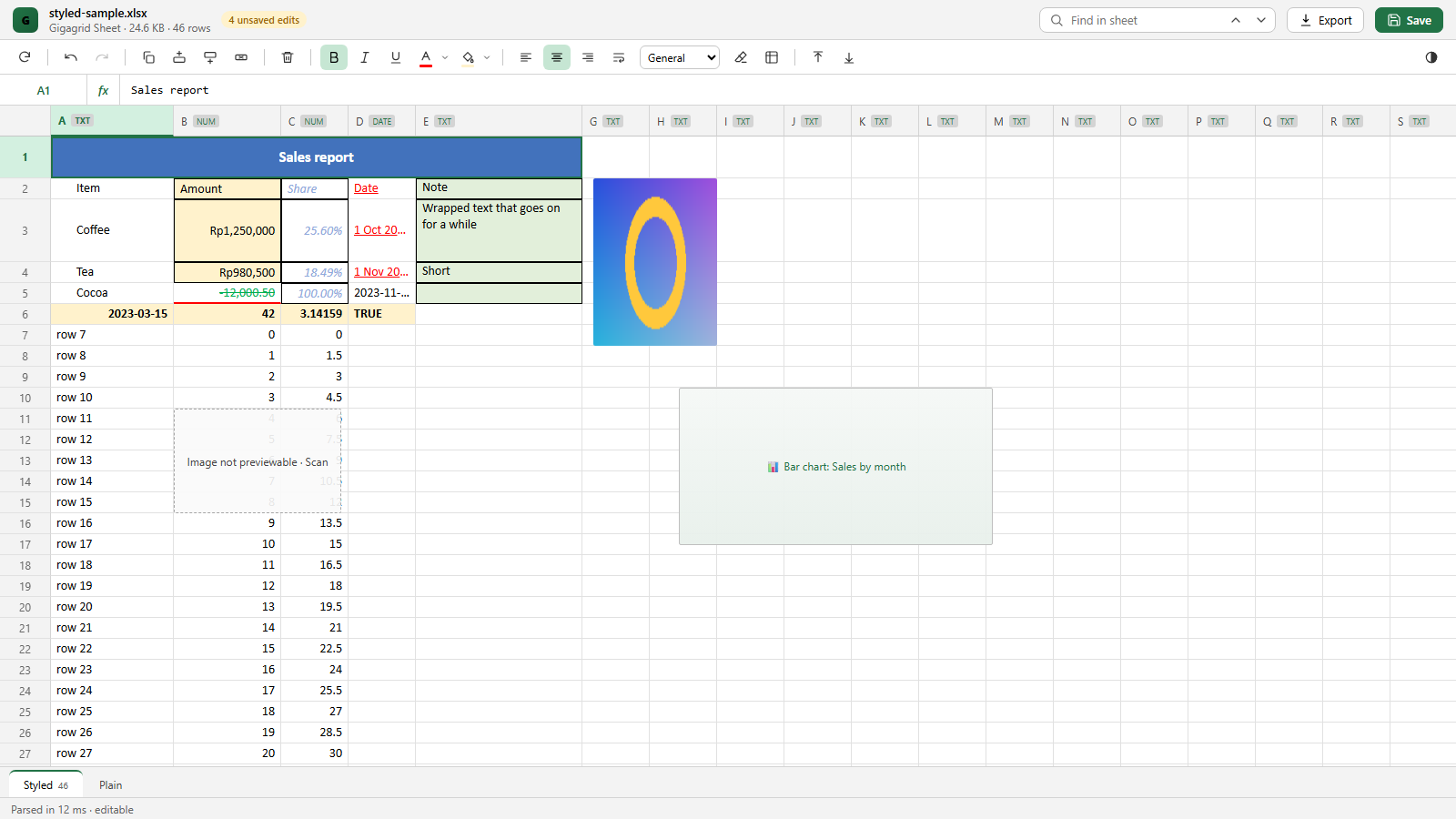
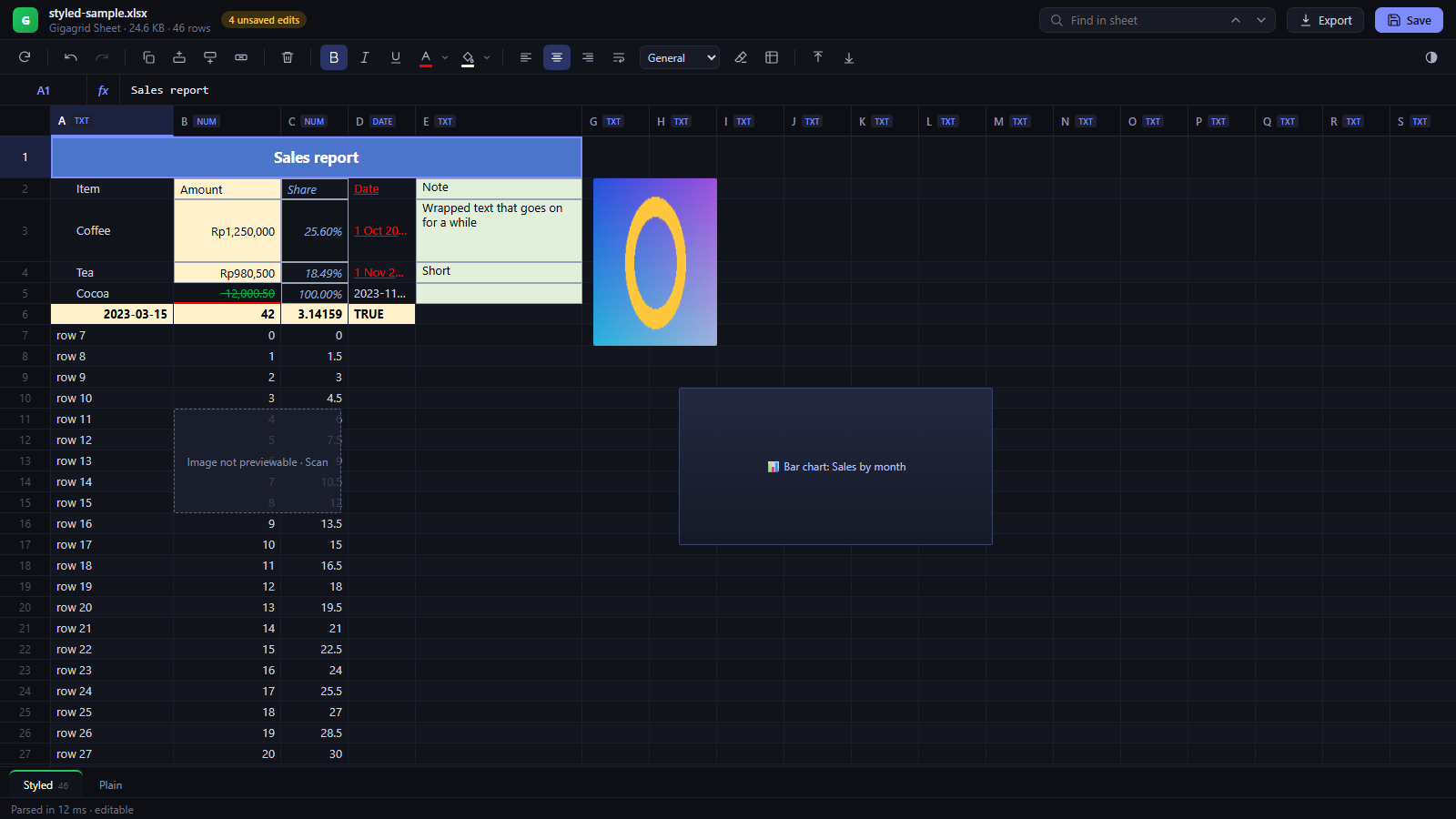
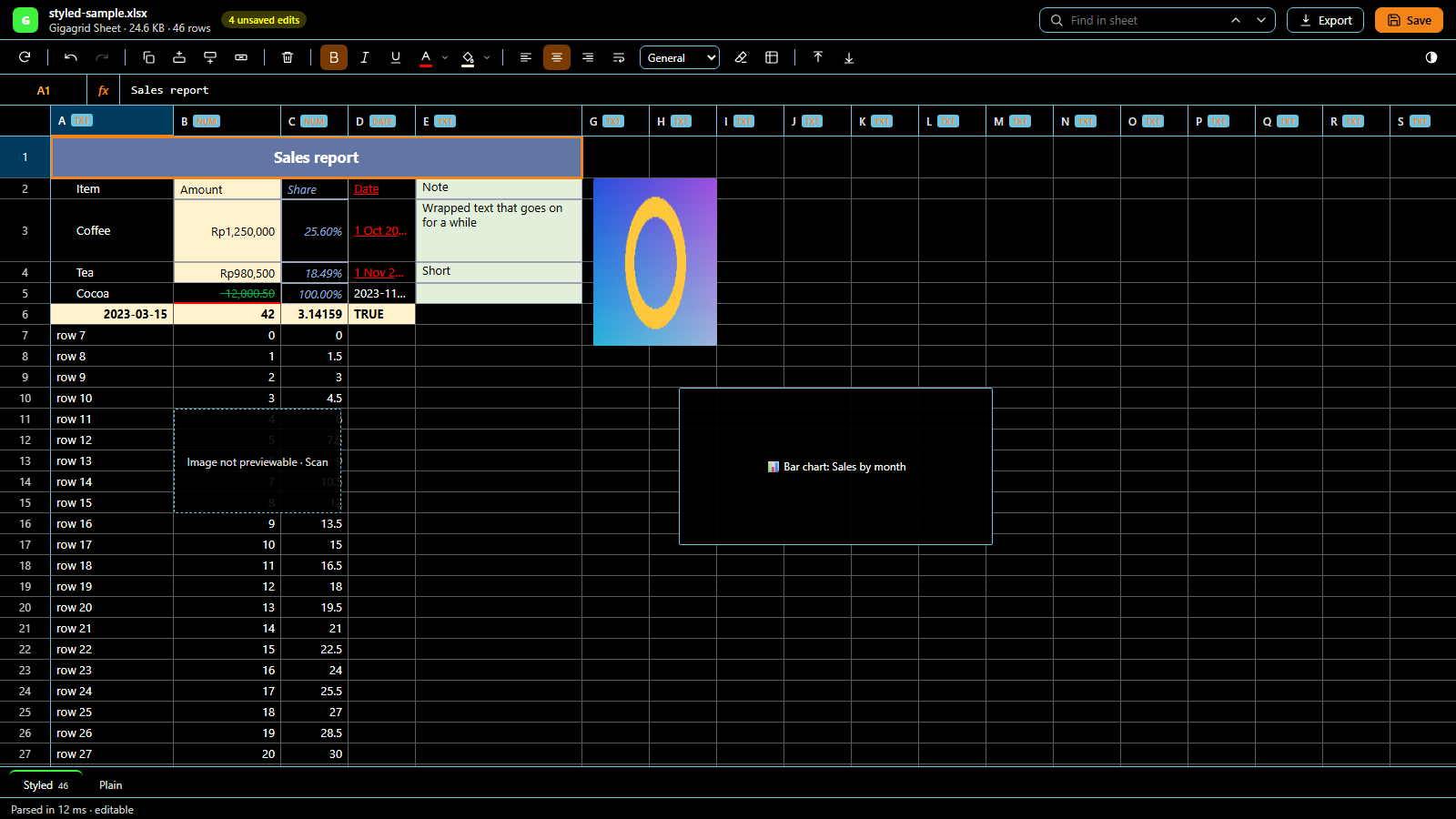
- Real Excel look: fonts, colours (including theme colours), fills, borders, alignment, wrap text, indent, number formats (thousands, decimals, %, currency, dates/times, custom formats), column widths, row heights, hidden rows/columns and merged cells.
- Images and charts: pictures are shown in place and loaded lazily; charts and EMF/WMF pictures show a labelled placeholder. They are kept untouched on save.
- Editing: double-click, F2, Enter or just start typing. Edits are layered over the file and only the changed sheet is rewritten on save; everything else in the workbook is copied byte for byte.
- Formulas: type
=... in a cell. Supports arithmetic, comparisons, references and ranges (also other sheets) and SUM AVERAGE MIN MAX COUNT COUNTA ROUND ROUNDUP ROUNDDOWN ABS INT SQRT IF IFERROR AND OR NOT LEN UPPER LOWER TRIM CONCAT CONCATENATE. Dependent formulas recompute when you edit.
- Rows: insert above/below and delete rows; formulas, merged cells, conditional formatting, data validation, hyperlinks, filters and image anchors are adjusted like Excel does.
- Formatting toolbar: bold, italic, underline, font and fill colour, alignment, wrap, number format, clear formatting.
- Undo / redo integrated with VS Code, Save / Save As / Revert, hot-exit backups and an unsaved-edits badge.
- Reload from disk and file watching: external changes reload automatically, or ask first when you have unsaved edits.
- Themes: Auto (follows VS Code), Gigagrid Dark, Light, Excel Classic and High Contrast.
- Find, copy as TSV, export a sheet to CSV, live Count / Sum / Avg / Min / Max of the selection, sheet tabs.
Keyboard shortcuts
| Action |
Shortcut |
| Edit cell |
F2, Enter, double-click or start typing |
| Commit / cancel edit |
Enter or Tab / Esc |
| Clear selected cells |
Delete |
| Undo / redo |
Ctrl+Z / Ctrl+Y (or Ctrl+Shift+Z) |
| Save |
Ctrl+S |
| Bold / italic / underline |
Ctrl+B / Ctrl+I / Ctrl+U |
| Insert row above |
Ctrl+Shift+= |
| Delete selected rows |
Ctrl+- |
| Reload from disk |
Ctrl+Shift+R |
| Find |
Ctrl+F (Enter / Shift+Enter for next / previous) |
| Copy selection |
Ctrl+C |
| Select all |
Ctrl+A |
| Move / extend selection |
Arrows, PageUp/PageDown, Home/End (with Ctrl and Shift) |
Editor shortcuts only apply while a Gigagrid Sheet editor is focused (Ctrl+Shift+=, Ctrl+- and Ctrl+Shift+R override VS Code's defaults there).
Commands
Gigagrid Sheet: Insert Row Above / Insert Row Below / Delete Selected RowsGigagrid Sheet: Reload from Disk
Settings
| Setting |
Default |
Description |
sheetlite.theme |
auto |
auto, gigagrid-dark, light, excel, high-contrast. Also changeable from the toolbar. |
Limits
- Only
.xlsx is supported (not .xls, .xlsb or .xlsm macros). Zip64 workbooks (over 4 GB) cannot be saved.
- Other Excel functions (VLOOKUP, SUMIF, date functions...) show
#NAME? when typed; existing cells that use them keep their cached value and Excel recalculates them on open.
- Row insert/delete does not adjust formulas in other sheets, defined names, Excel tables, chart data ranges, print areas or page breaks. Column insert/delete is not available.
- Not drawn: charts (placeholder only), conditional formatting, gradient/pattern fills (main colour only), rich text inside a cell, text rotation. Long text is clipped instead of overflowing into empty neighbour cells.
- Formatting edits cover bold/italic/underline, colours, alignment, wrap and number format (not font name/size or borders).
- Copy, CSV export and Find use stored values, not the displayed number format.
Screenshots
License
MIT
| |

