PromptMeter — token cost per prompt for Claude Code
See what every Claude Code prompt really cost, when your limits refill, and how to use fewer tokens.
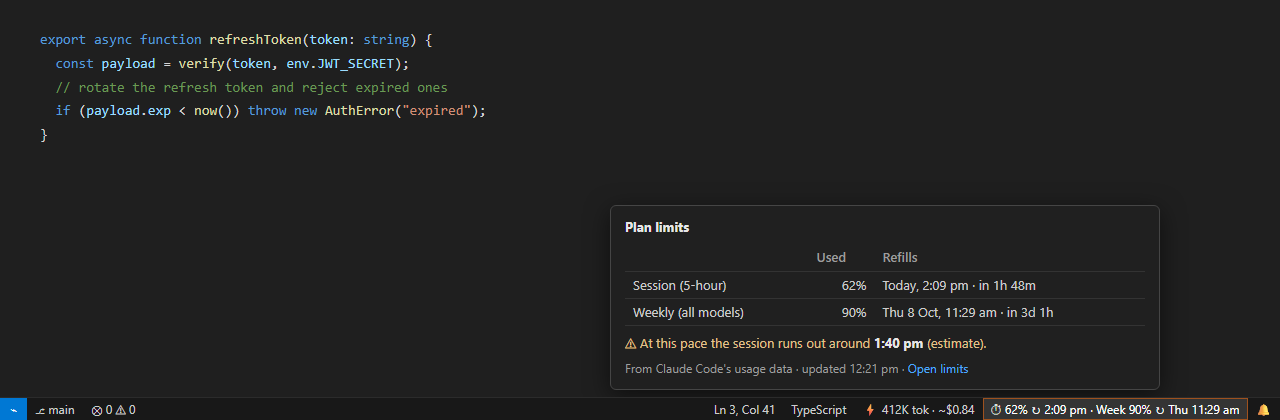
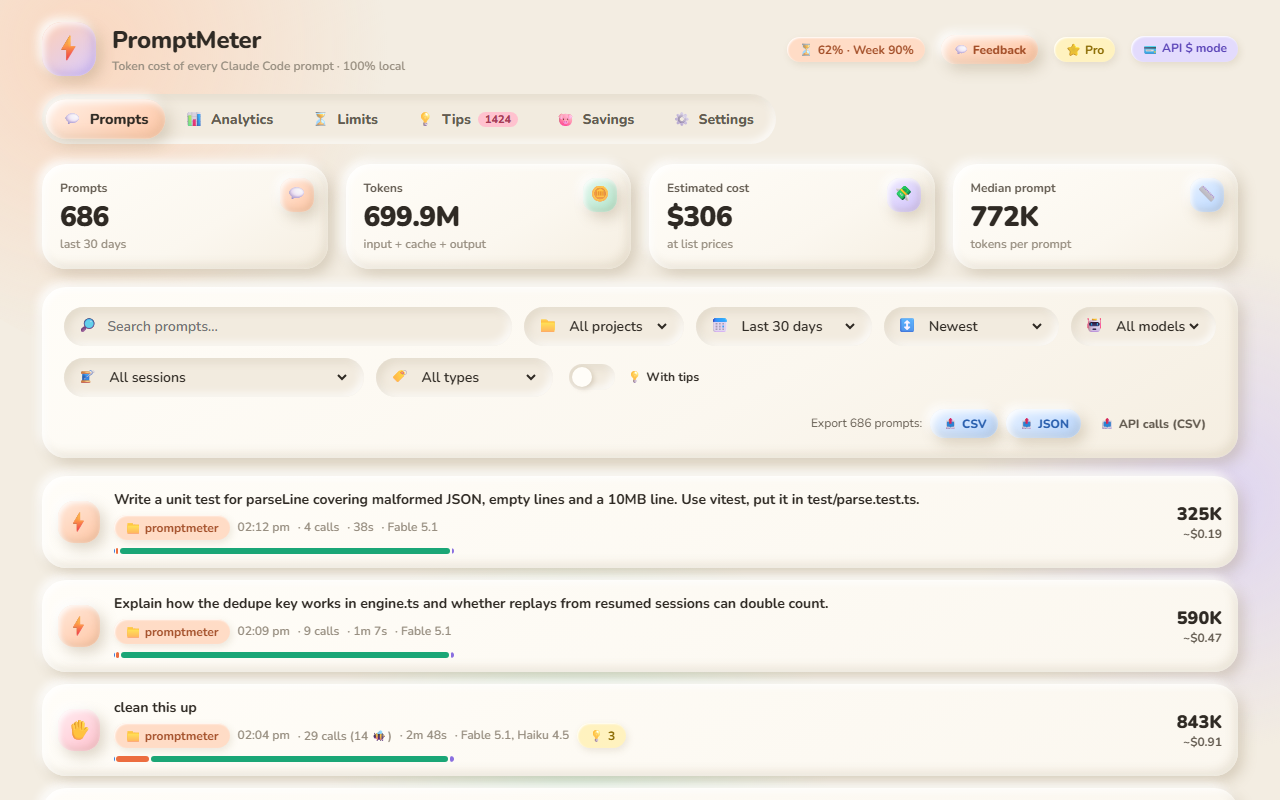
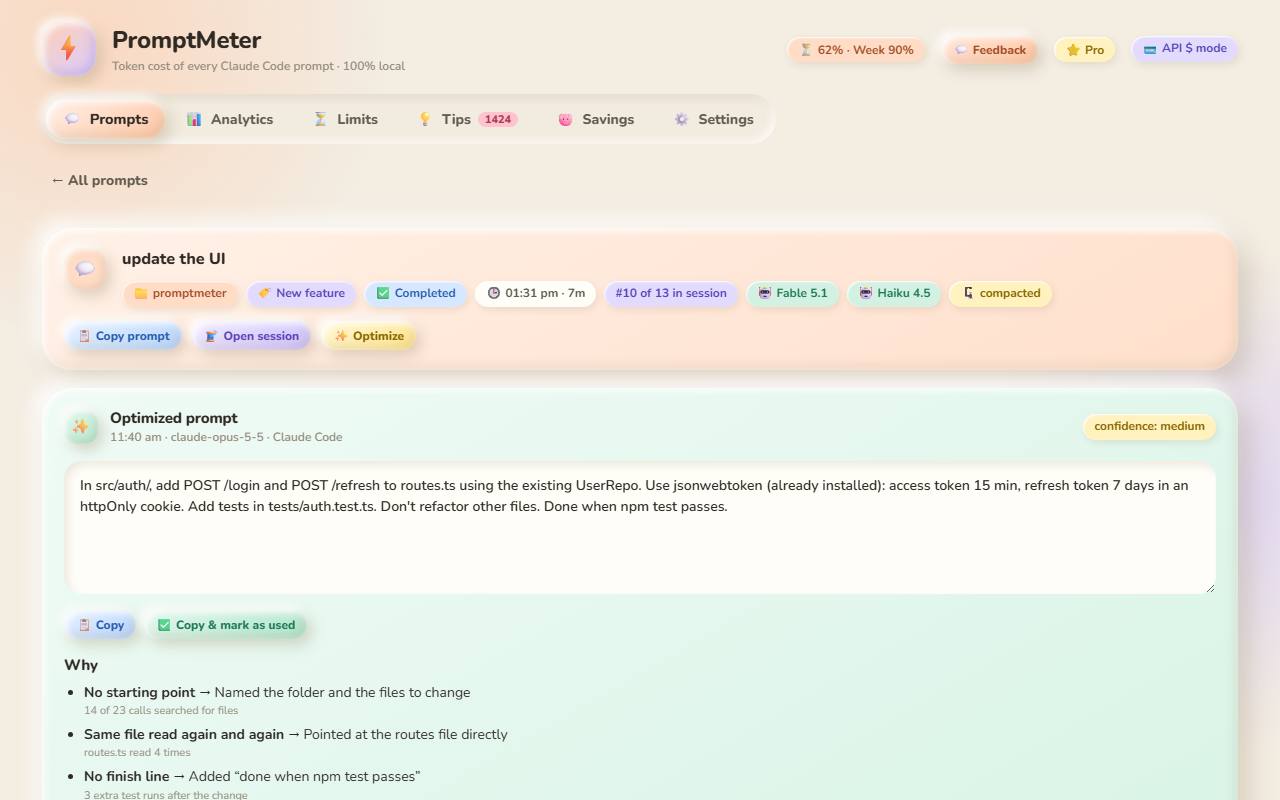
PromptMeter reads the session logs Claude Code already writes on your machine, groups every API call under the prompt that caused it (subagents included), and shows the result live in your status bar and in a dashboard.
Runs locally. The free version makes no network requests and needs no account.
Why
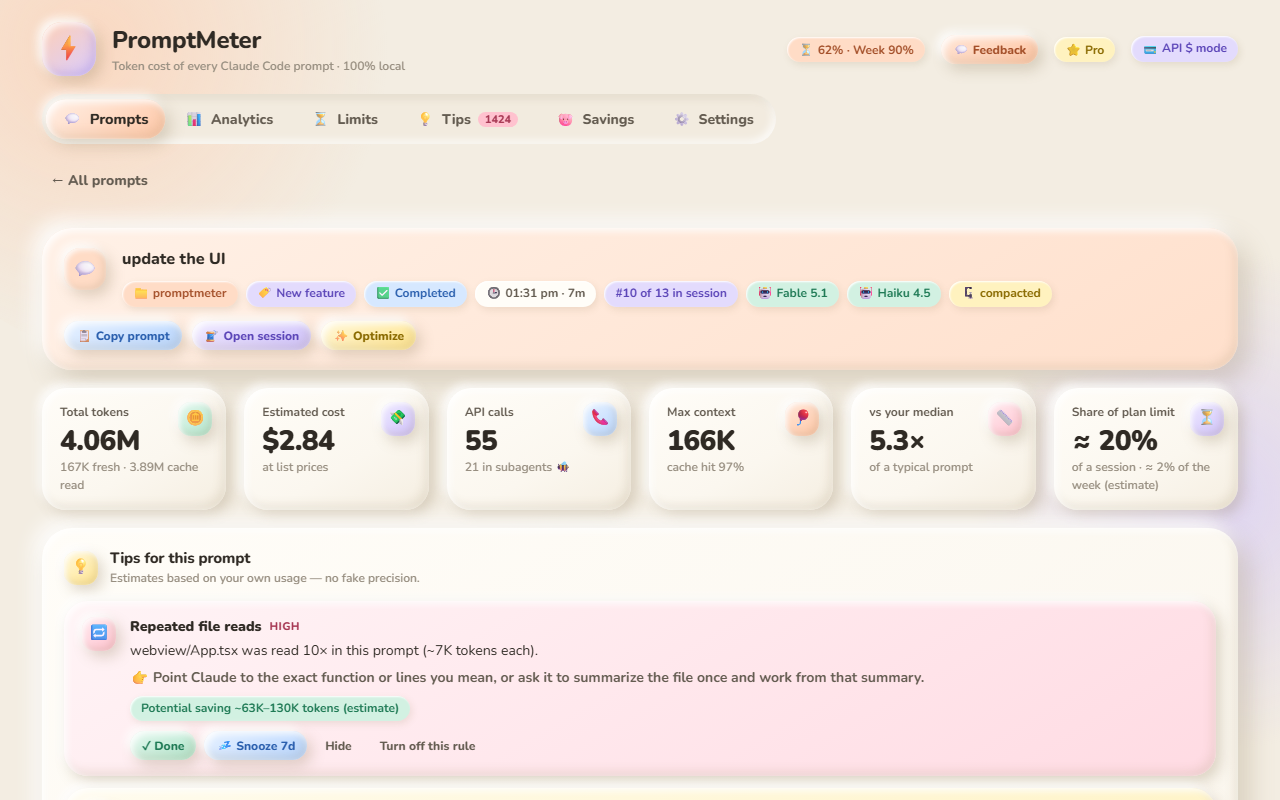
- One prompt can trigger dozens of API calls. Claude Code reads files, runs commands and starts subagents, and every call re-sends the conversation. PromptMeter shows the whole bill per prompt, not per call.
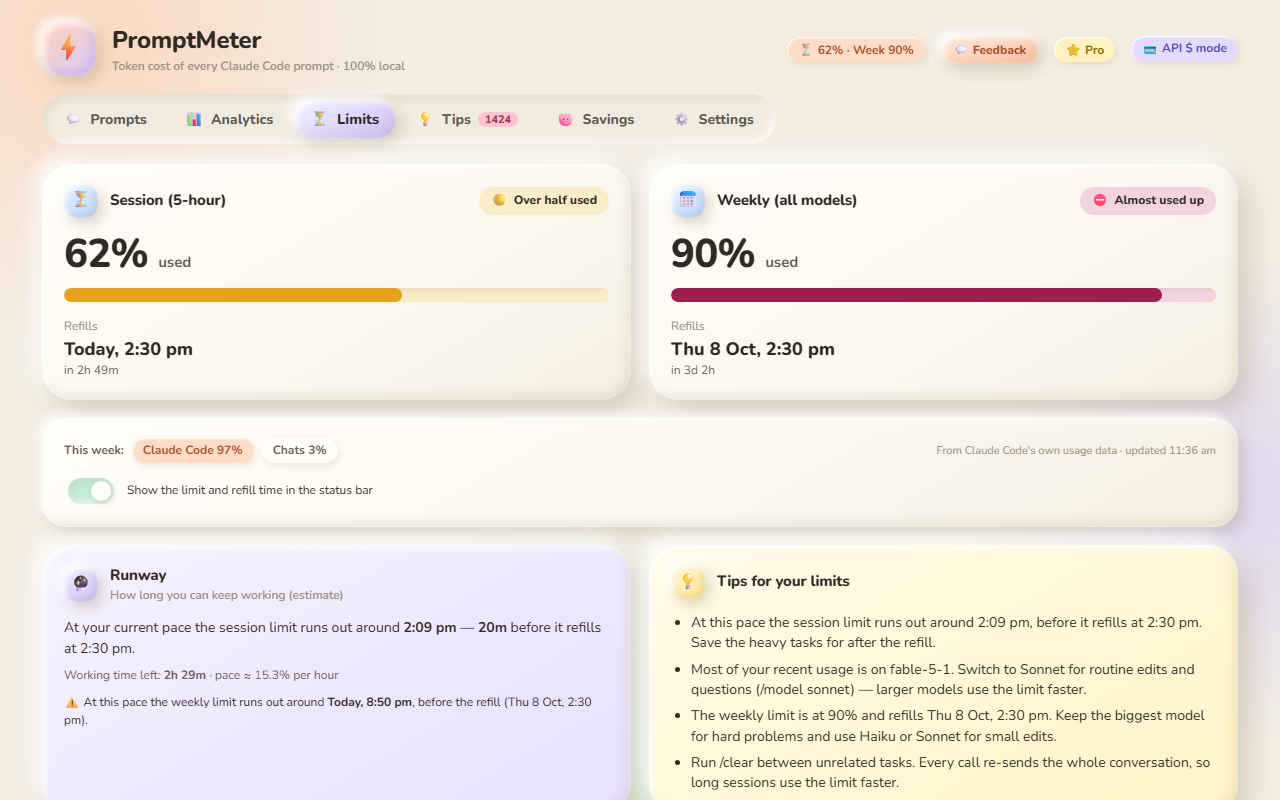
- Know when you can work again. Your session (5-hour) and weekly limits with the exact refill date and time, right in the status bar.
- Fix the habits that burn tokens. Local tips spot repeated file reads, huge command outputs, vague prompts and runaway sessions — with the evidence and an estimated saving.
Features
|
Free |
Pro |
| Live status bar: tokens and cost of the last prompt |
✅ |
✅ |
| Plan limits: session and weekly % used with refill date and time |
✅ |
✅ |
| Prompt list, prompt detail (every call, tools, files, subagents), session view |
✅ |
✅ |
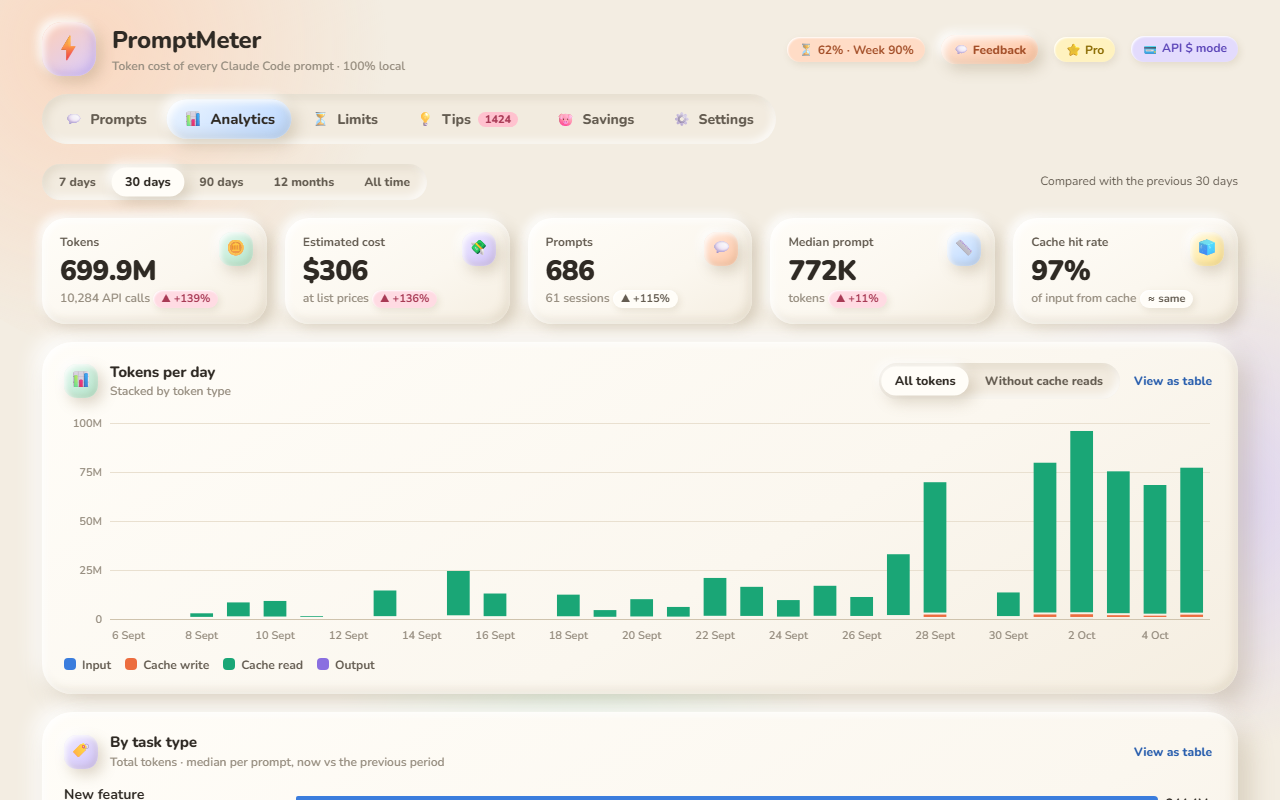
| Analytics: tokens per day, projects, models, top prompts, cache hit rate |
30 days |
All time + compare with the previous period |
| 12 local tips with estimated savings |
✅ |
✅ |
| Task types (bug fix, feature, refactor, tests, explain…) |
✅ |
✅ + analytics |
| History Vault: history survives Claude Code deleting old logs |
— |
✅ |
| Limit runway forecast, alerts, share of the limit per prompt, history, limit-hit log |
— |
✅ |
| AI Prompt Coach: rewrites a prompt to use fewer tokens, with reasons |
— |
✅ |
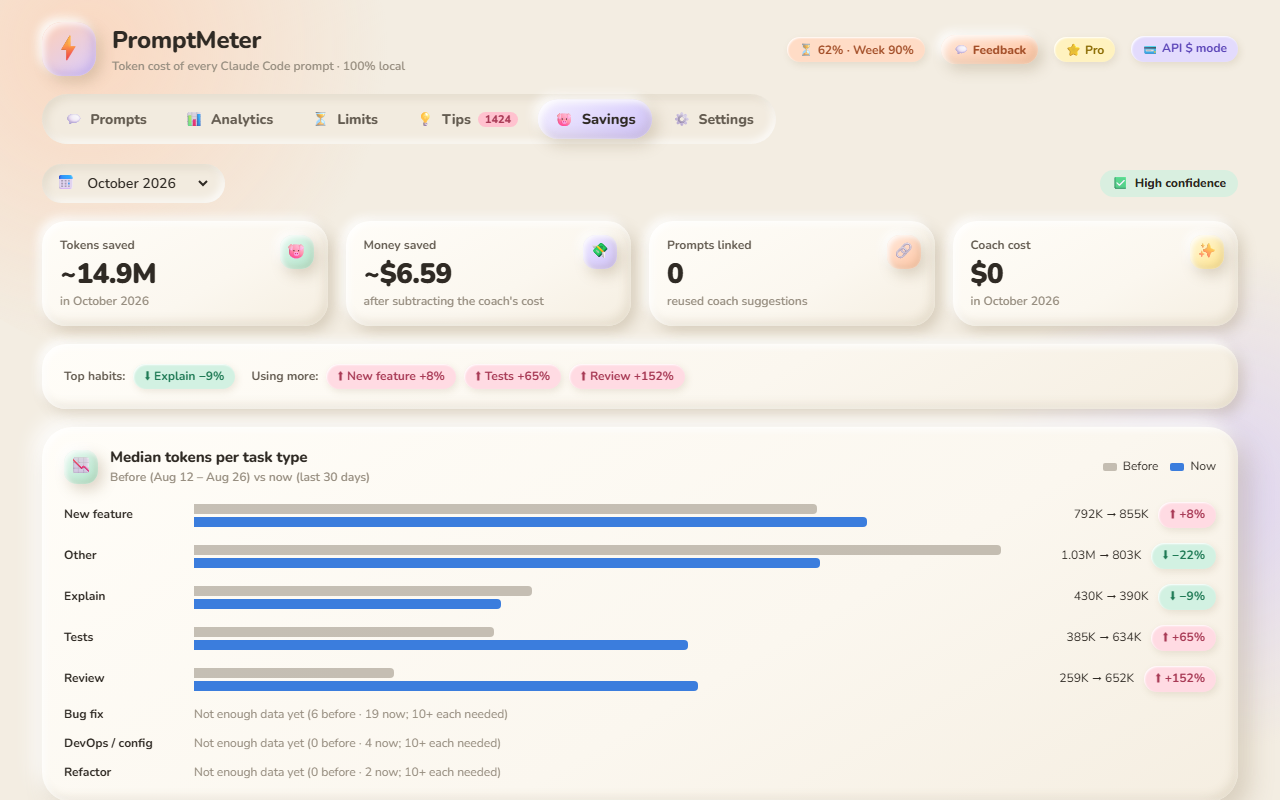
| Savings Tracker: tokens and dollars saved per month, on your own task types |
— |
✅ |
| CSV / JSON export |
— |
✅ |
Pro comes with a 14-day free trial (command PromptMeter: Start 14-day Pro Trial).
Screenshots
Privacy
- Read only. PromptMeter reads Claude Code's log files (
~/.claude/projects) and the usage summary in its .claude.json; it never writes to them.
- Free: no network requests, no telemetry, no account.
- Pro: licence checks with Lemon Squeezy (your key and an anonymous device id, about once a week), and AI Coach requests only when you click Send — your prompt text with secrets, emails, home paths and code blocks removed, plus statistics — sent to Claude through your own Claude Code login or your own Anthropic API key. You see the exact request first. No file contents, ever.
- Prompt text kept for display is limited by
promptmeter.privacy.promptPreviewChars (set 0 to keep none).
- Full policy: promptmeter.iotaverify.com/privacy
How it works
Claude Code stores sessions as JSONL files in ~/.claude/projects/ (or $CLAUDE_CONFIG_DIR/projects). PromptMeter:
- tails those files (read-only),
- de-duplicates streamed records by message id + request id,
- starts a new "prompt" at every message you type (or custom slash command), and
- attributes every following API call — including subagent transcripts and background tasks — to that prompt.
Totals match Claude Code's own cost counter closely (Settings → Accuracy check compares them per session). Costs are API-equivalent at an editable price table; background helper calls that Claude Code doesn't log can't be counted.
Settings
| Setting |
Default |
|
promptmeter.billingMode |
api |
api shows $, subscription shows tokens |
promptmeter.historyDays |
30 |
Days of logs to index (Free) |
promptmeter.logRoots |
[] |
Extra projects folders (for example WSL paths) |
promptmeter.excludeProjects |
[] |
Project path globs to ignore |
promptmeter.notifications |
high |
Tip notifications: high, all, none |
promptmeter.statusBar.* |
|
Show/hide, side, compact/full numbers |
promptmeter.statusBar.limits |
true |
Show the plan limit and refill time in the status bar |
promptmeter.statusBar.limitsFormat |
both |
both: session and weekly with refill times · compact: only the tighter limit |
promptmeter.rules.disabled |
[] |
Rule ids to turn off |
promptmeter.rules.thresholds |
{} |
Per-rule thresholds, e.g. { "RULE-02": { "minReads": 4 } } |
promptmeter.privacy.promptPreviewChars |
500 |
Prompt text kept for display (0 = none) |
promptmeter.animations |
full |
reduced keeps the look without motion |
promptmeter.limits.alerts |
true |
Pro: limit alerts (80% / 95% session, 75% / 90% weekly) and refill notifications |
promptmeter.limits.claudeConfigPath |
"" |
Path to Claude Code's .claude.json if it isn't in the default place (read only) |
promptmeter.coach.provider |
auto |
Pro: claude-cli (your Claude Code login), anthropic-api (your key), or auto |
promptmeter.coach.model |
claude-opus-5-5 |
Pro: coach model (claude-sonnet-5-5, claude-haiku-4-5 also available) |
promptmeter.coach.effort |
medium |
Pro: low … max |
promptmeter.coach.stripCodeBlocks |
true |
Pro: remove fenced code before sending |
promptmeter.coach.showPreview |
true |
Pro: review the exact request before sending |
promptmeter.coach.dailyLimit |
20 |
Pro: runs per day |
promptmeter.coach.claudePath |
"" |
Pro: path to claude if it isn't found automatically |
FAQ
I'm on a Pro/Max subscription — is this useful? Yes. Switch to "tokens" mode (PromptMeter: Choose Billing Mode); dollars are then shown only as an API-equivalent reference. The Limits tab and the status bar show your session and weekly limits with their refill times.
Where do the limit numbers come from? From the usage summary Claude Code itself keeps on your computer — the same numbers as /usage. If it isn't available, PromptMeter estimates the 5-hour window from your activity and says so.
Does it work with Cursor / Windsurf / VSCodium? Yes — anywhere Claude Code writes its logs.
WSL or remote? Open the folder through VS Code Remote (the extension runs where Claude Code runs), or run PromptMeter: Find Claude Code Logs in WSL, or add the folder with PromptMeter: Add Log Folder….
My numbers differ from my bill. Costs are list-price estimates (edit them in Settings), and a few background calls aren't logged by Claude Code. The Accuracy check in Settings compares PromptMeter with Claude Code's own counter.
Why do cache reads dominate? Every API call re-sends the conversation so far. Cache reads are cheap per token but large in count — that's why long sessions and big tool outputs get expensive.
Support: krunaldabhi@iotaverify.com · promptmeter.iotaverify.com
Claude and Claude Code are trademarks of Anthropic. PromptMeter is an independent tool and is not affiliated with or endorsed by Anthropic.

