
Skip to content
| Marketplace
Sign in
Visual Studio Code>Other>Archery MasterNew to Visual Studio Code? Get it now.
Archery Master

Archery Master

Prince Garg

|
5 installs
| (1) | Free
A lightweight archery master game for VS Code
Installation
Launch VS Code Quick Open (Ctrl+P), paste the following command, and press enter.
Copied to clipboard
More Info

Archery Master for VS Code

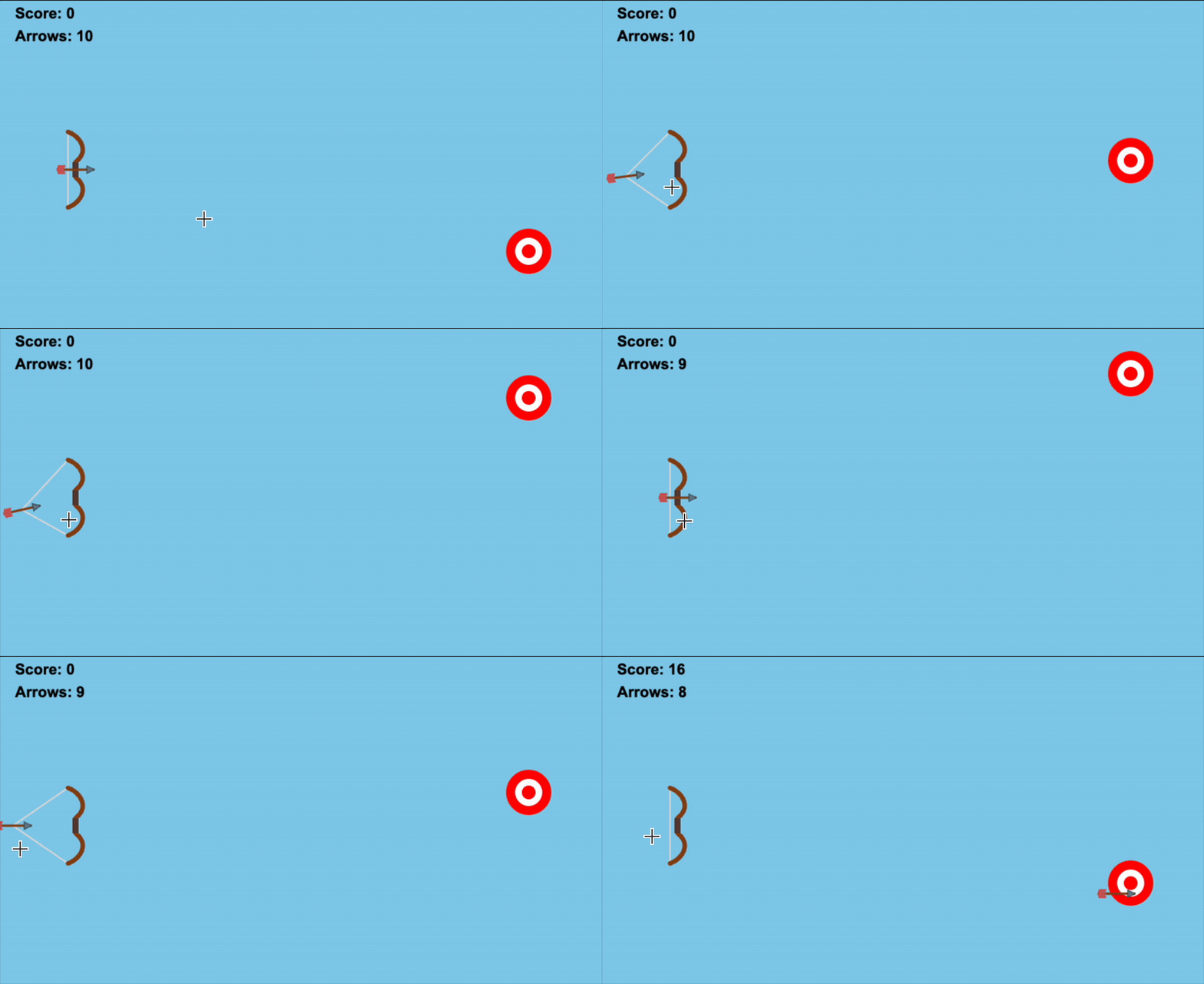
🎯 A lightweight, fun archery master game embedded right into Visual Studio Code!
Features

  • Simple Mechanics: Drag back and release to shoot.
  • Physics: Projectile motion with gravity.
  • Moving Targets: Test your aim against moving targets.
  • Score Tracking: Keep track of your high score.

How to Play

  1. Open the Command Palette (Cmd+Shift+P or Ctrl+Shift+P).
  2. Type Start Archery Master.
  3. A new tab will open with the game.
  4. Click near the bow, drag back to aim and power up, then release to shoot!

Installation

Currently available via manual install or building from source.

Requirements

VS Code 1.80.0 or higher.

Release Notes

0.0.1

Initial release of Archery Master.

  • Contact us
  • Jobs
  • Privacy
  • Manage cookies
  • Terms of use
  • Trademarks
© 2025 Microsoft