Skip to content
| Marketplace
Sign in
Visual Studio Code>Other>HydrateNew to Visual Studio Code? Get it now.
Hydrate

Hydrate

Pratik Pawar

|
2 installs
| (0) | Free
Stay hydrated while coding. Receive smart reminders, earn XP, build streaks, unlock achievements, and level up your hydration habits.
Installation
Launch VS Code Quick Open (Ctrl+P), paste the following command, and press enter.
Copied to clipboard
More Info

Hydrate

Stay hydrated while you code. Hydrate reminds you to drink water on your own schedule, then turns every sip into XP, streaks, and unlockable achievements — right inside VS Code.

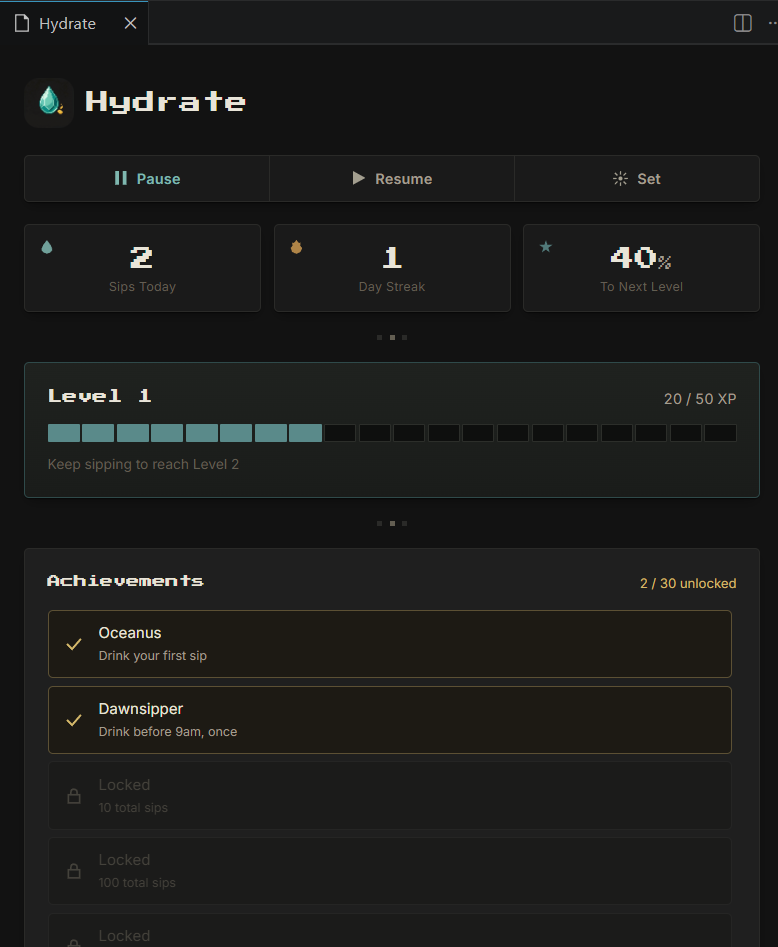
Hydrate dashboard

Features

  • Smart reminders — choose how often you're reminded and what the message says
  • Snooze, your way — push a reminder back 15, 30, or 45 minutes
  • XP & Levels — every sip earns XP; levels scale infinitely, so there's always a next one
  • Streaks — build a daily streak, and keep an eye on your all-time best
  • 30 achievements — mythology-inspired milestones across sips, streaks, levels, time of day, and snooze discipline
  • Dashboard — a small retro-styled panel showing your stats, XP progress, and achievements at a glance
  • Status bar countdown — always know how long until your next reminder

Getting started

  1. Install the extension
  2. A reminder will appear automatically based on your interval setting (default: every 60 minutes)
  3. Click Done when you drink, or Snooze to push it back
  4. Click the countdown in the status bar to open your dashboard

Reminder notification

Snoozing lets you pick exactly how long to wait:

Snooze picker

Dashboard

Click the status bar item (bottom of your VS Code window) to open the Hydrate dashboard:

  • Sips today, day streak, and progress to next level at a glance
  • An XP bar showing your current level and progress
  • Your unlocked achievements, with locked ones shown alongside what's needed to earn them
  • Quick Pause, Resume, and Set Interval controls — no need to dig into settings

Commands

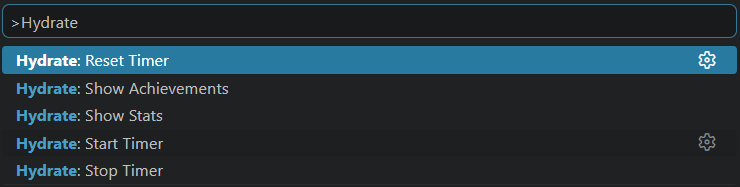
Open the Command Palette (Ctrl+Shift+P / Cmd+Shift+P) and search for:

Command palette

Command Description
Hydrate: Start Timer Start hydration reminders
Hydrate: Stop Timer Stop hydration reminders
Hydrate: Reset Timer Restart the countdown to your next reminder
Hydrate: Show Stats Open the dashboard
Hydrate: Show Achievements View your achievement progress in a quick list

Settings

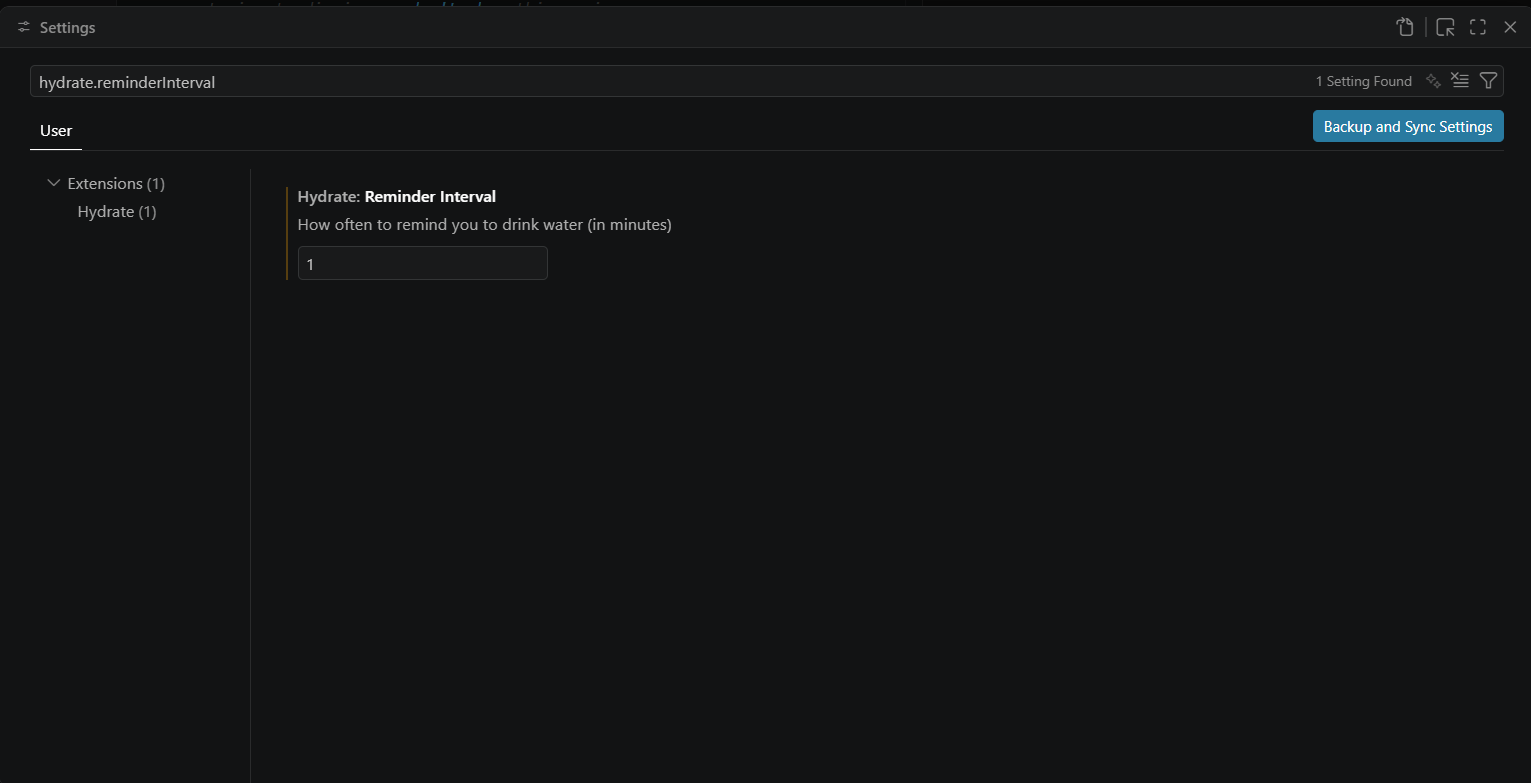
Search for "Hydrate" in VS Code Settings (Ctrl+, / Cmd+,): Settings

Setting Default Description
hydrate.reminderInterval 60 How often you're reminded, in minutes
hydrate.reminderMessage Time to hydrate! The message shown in each reminder

How XP and levels work

Every sip earns 10 XP. The XP needed for each level increases gradually, so early levels come quickly and later ones become a longer-term goal. There's no level cap.

xp level

How streaks work

Drinking at least once in a day keeps your streak alive. Miss a full day, and it resets — but your best streak ever is always saved separately, so your top achievement stays unlocked even if your current streak breaks.

Achievements

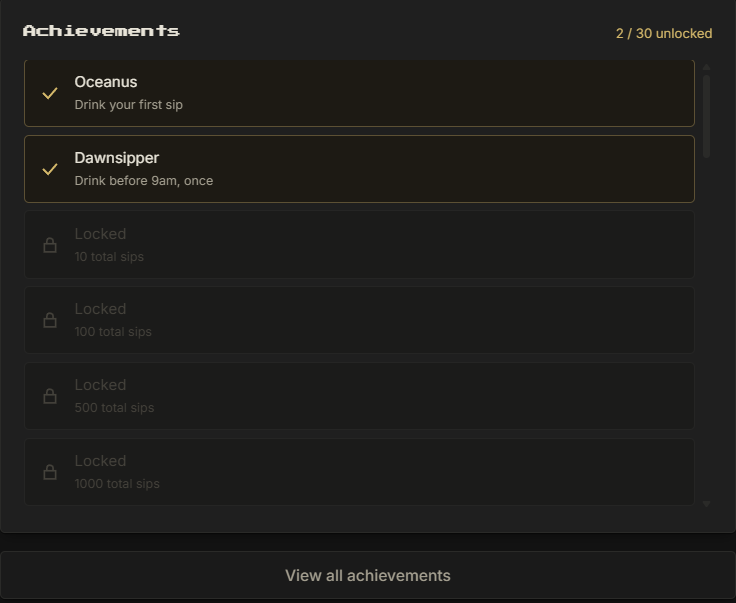
Thirty achievements span five categories: total sips, streaks, levels, early/late drinking habits, and snooze discipline. Some are serious milestones, a couple are just for fun. Unlock them by using Hydrate naturally — there's no separate tracking required.

Unlocking one shows up right where you're already working:

Achievement unlocked notification

Achievements list

Privacy

Hydrate stores all of your stats locally on your machine using VS Code's built-in storage. Nothing is sent anywhere.

Feedback

Found a bug or have an idea? Open an issue on GitHub.


Stay hydrated. Keep coding.

  • Contact us
  • Jobs
  • Privacy
  • Manage cookies
  • Terms of use
  • Trademarks
© 2026 Microsoft