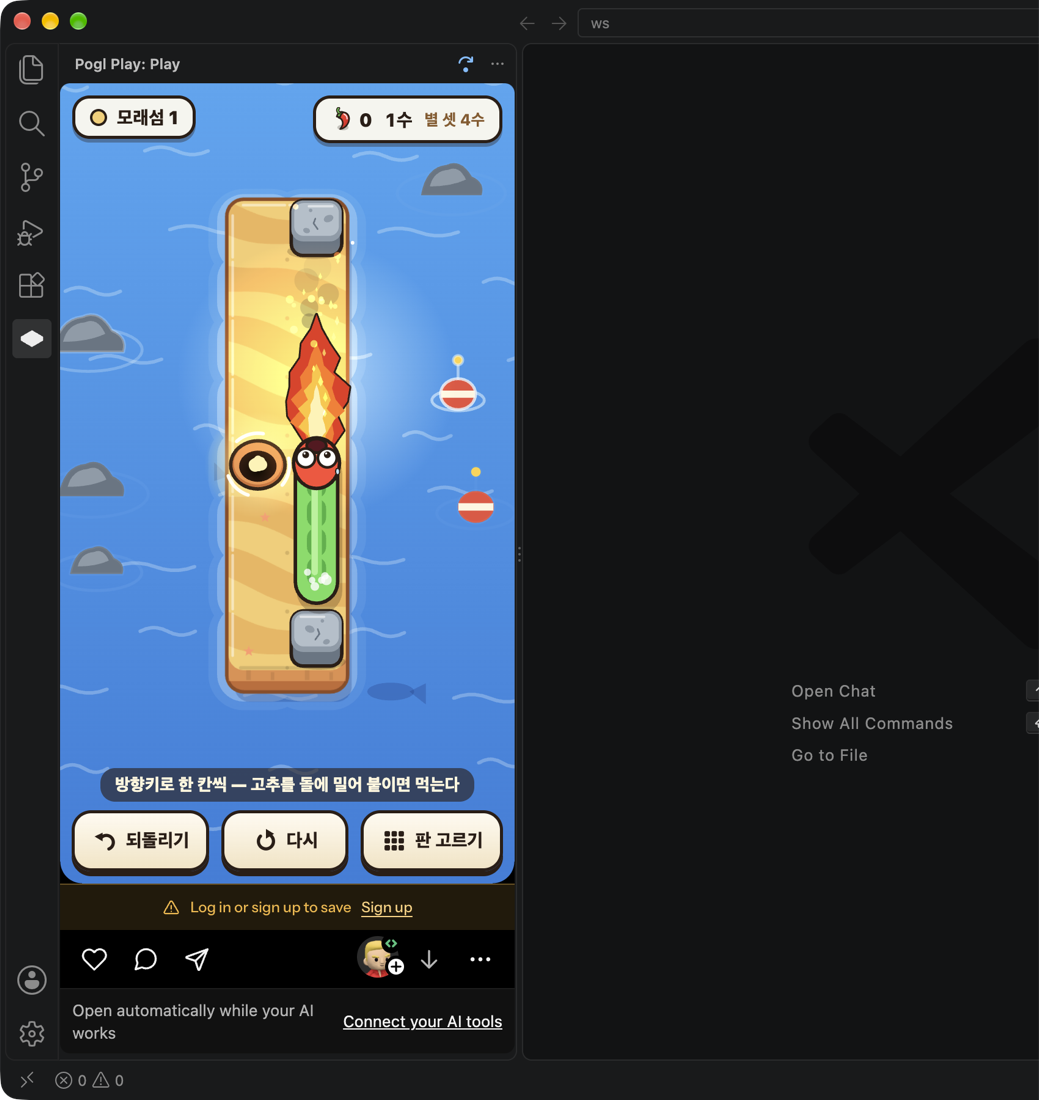
Play a quick Pogl game while your AI codes — Claude Code, Codex, Cursor, Gemini CLI, Copilot, Windsurf, OpenCode, Kiro, Cline, Roo, Amp, Aider. Opens on its own when your AI takes a while, and tells you the moment it’s done.
Installation
Launch VS Code Quick Open (Ctrl+P), paste the following command, and press enter.
Your AI takes a minute. Play a quick game instead of reaching for your phone.
Works with your AI tool. Claude Code, Codex, Cursor, Gemini CLI, GitHub Copilot (VS Code agent & CLI), Windsurf, OpenCode, Kiro, Cline, Roo Code, Amp — and Aider (done notice only).
Opens on its own. When your AI works for more than 20 seconds, a small Pogl game opens beside your code — without stealing focus. Short answers never open it.
Tells you when it’s done. The bar above the game switches to “done” (or “waiting for you” when your AI asks for permission). One click takes you back to your code.
Never covers the game. Status lives above the game, not on top of it.
The real Pogl feed. Same games and recommendations as play.pogl.com — swipe for the next one, like, comment, play with friends.
Sign in with your browser. Google, Apple or email — you sign in on play.pogl.com and land back in your editor. Your progress, coins and friends come with you.
Setup
Open the Pogl Play view in the activity bar, or run Pogl: Open Pogl Play.
Run Pogl: Connect AI tools and pick your tools. Each gets one Pogl hook entry (or one file of its own); your other hooks are left untouched.
nothing to set up — listened to through its extension API
Ask your AI to do something big. Pogl opens after 20 seconds.
Run Pogl: Disconnect AI tools to remove everything Pogl added.
Privacy
The hook writes only the project folder, a session id and the state (started / finished / waiting) to ~/.pogl/agent/events, and the extension deletes those files after two minutes. Your prompts are never stored or sent anywhere. Games load from play.pogl.com — as a guest until you sign in. Your Pogl session is kept in your editor's secret storage (the OS keychain), separate from your browser's.
Settings
Setting
Default
pogl.autoOpen
true
Open on its own while your AI works
pogl.openAfterSeconds
20
How long the AI must be working first
pogl.whenAgentDone
tell
tell: show “done” and keep playing · stop: also stop the game
Auto-open works on macOS and Linux. On Windows you can still play from the view any time.
Commands
Pogl: Open Pogl Play · Pogl: Another game
Pogl: Sign in (opens your browser) · Pogl: Sign out
Pogl: Connect AI tools · Pogl: Disconnect AI tools