Skip to content
| Marketplace
Sign in
Visual Studio Code>Other>Oneko Pet CatNew to Visual Studio Code? Get it now.
Oneko Pet Cat

Oneko Pet Cat

Parth Sadaria

|
15 installs
| (0) | Free
A cute cat that roams around your VS Code
Installation
Launch VS Code Quick Open (Ctrl+P), paste the following command, and press enter.
Copied to clipboard
More Info

🐱 Oneko Cat for VS Code

A delightful VS Code extension that brings the classic oneko.js cat to your editor! Watch as this adorable pixel cat roams around in its cozy home panel, chases your cursor, and falls asleep when idle.

Oneko Cat Banner

✨ Features

🏠 Cozy Home Panel

  • Lives in a collapsible panel under Timeline in the Explorer sidebar
  • Fully resizable - make the cat's home bigger or smaller!
  • Clean, minimalist interface

🐾 Realistic Cat Behavior

  • Auto-roaming: Walks to random spots every 5-15 seconds
  • Tease to follow: Move your mouse near the cat 2-3 times and it will start chasing you!
  • Gets bored: After following you for ~10 seconds, goes back to wandering
  • Auto-sleep: Falls asleep after being idle for too long
  • Wall scratching: Scratches when near the edges of its home
  • Multiple animations: Walking in 8 directions, sleeping, scratching, and more!

🎮 Interactive Controls

  • Drag: Pick up and move the cat anywhere in its home
  • Double-click: Toggle sleep/wake mode
  • Menu options (⋯ button):
    • 😴 Toggle Sleep
    • 🔄 Reset Position
    • ⚡ Change Speed (Slow/Normal/Fast/Super Fast)
    • 🐱 Pet the Cat (get a happy purr!)

📦 Installation

From VS Code Marketplace

  1. Open VS Code
  2. Press Ctrl+Shift+X (Windows/Linux) or Cmd+Shift+X (Mac)
  3. Search for "Oneko Cat"
  4. Click Install

From VSIX

  1. Download the latest .vsix file from Releases
  2. Open VS Code
  3. Press Ctrl+Shift+P (Windows/Linux) or Cmd+Shift+P (Mac)
  4. Type "Extensions: Install from VSIX"
  5. Select the downloaded file

From Source

git clone https://github.com/Parthsadaria/oneko-vscode.git
cd oneko-vscode
npm install
vsce package
code --install-extension oneko-vscode-1.0.0.vsix

🎯 Usage

  1. After installation, look for "ONEKO CAT" in your Explorer sidebar (below Timeline)
  2. Click to expand the panel
  3. Watch your cat come to life!
  4. Resize the panel to give your cat more space to roam
  5. Click the ⋯ menu in the panel title for options

Tips & Tricks

  • 🖱️ Tease the cat: Move your cursor near it a couple times to make it follow you
  • 💤 Let it sleep: Leave it alone and watch it curl up for a nap
  • 🎨 Adjust the space: Resize the panel to create the perfect home size
  • ⚡ Change speed: Use the menu to make your cat slower or faster

🖼️ Screenshots

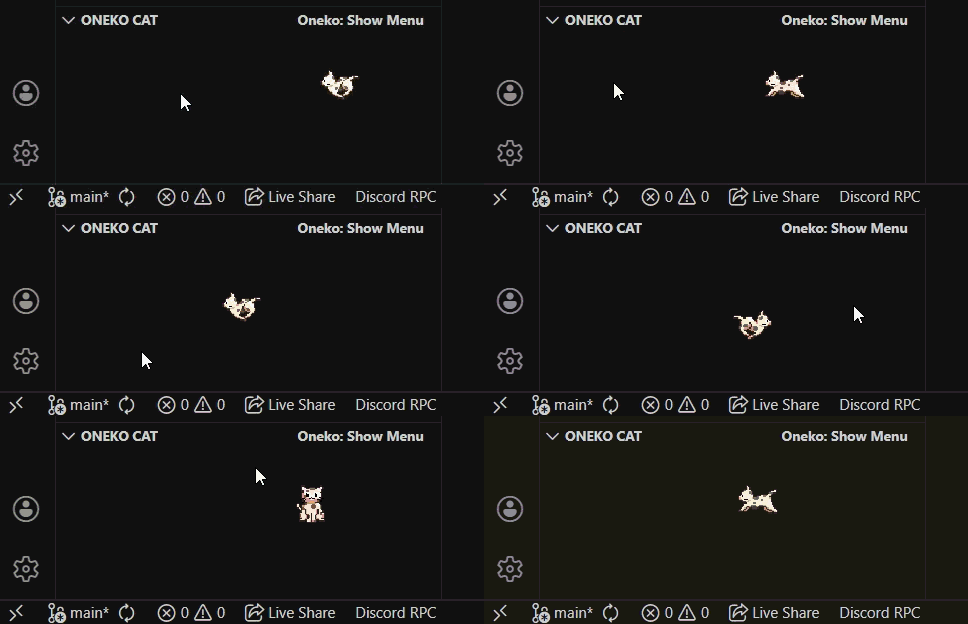
Cat Following Cursor

Following

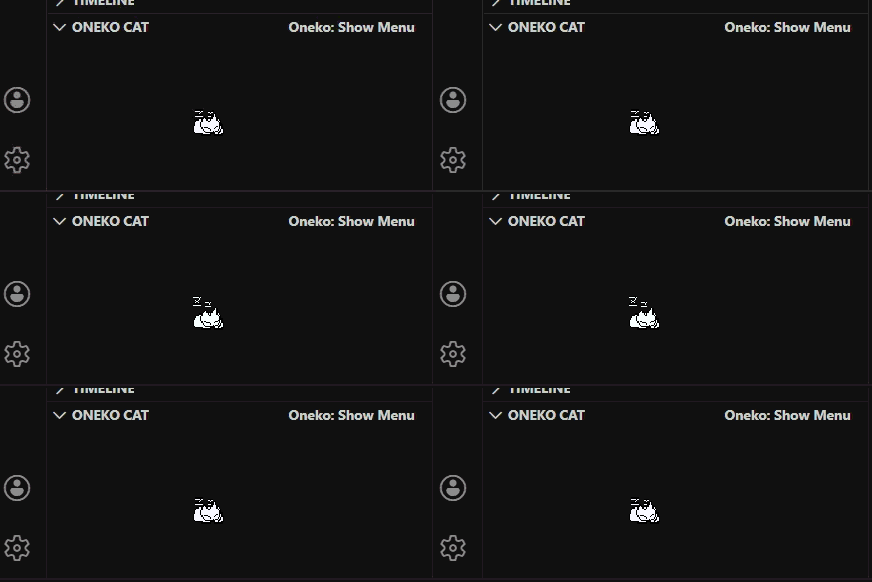
Cat Sleeping

Sleeping

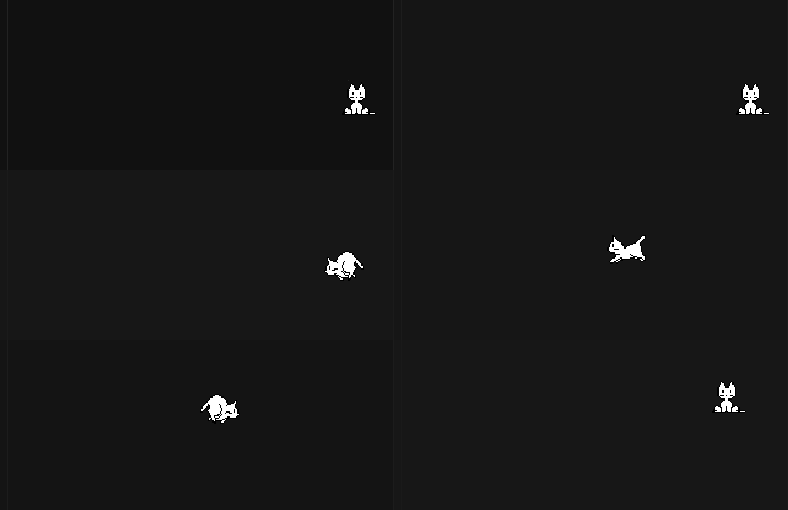
Cat Roaming

Roaming

⚙️ Commands

Access these via Command Palette (Ctrl+Shift+P or Cmd+Shift+P):

  • Oneko: Show Menu - Open the cat options menu

🛠️ Development

Want to contribute? Here's how to set up the development environment:

# Clone the repository
git clone https://github.com/Parthsadaria/oneko-vscode.git
cd oneko-vscode

# Install dependencies
npm install

# Open in VS Code
code .

# Press F5 to run the extension in debug mode

📝 Credits

  • Original oneko.js concept of https://github.com/adryd325/oneko.js/
  • Inspired by various oneko implementations across the web
  • Sprite sheet from the classic oneko application

🤝 Contributing

Contributions are welcome! Feel free to:

  • 🐛 Report bugs
  • 💡 Suggest new features
  • 🔧 Submit pull requests
  • ⭐ Star the repository if you like it!

🎉 Acknowledgments

Special thanks to the VS Code extension community and all oneko enthusiasts who keep this adorable tradition alive!


Enjoy your new coding companion! 🐱✨

If you like this extension, please consider leaving a review and starring the GitHub repository!

  • Contact us
  • Jobs
  • Privacy
  • Manage cookies
  • Terms of use
  • Trademarks
© 2026 Microsoft