ThemePilot
Curated IDE-inspired color themes and typography presets for VS Code, Cursor, and Windsurf.
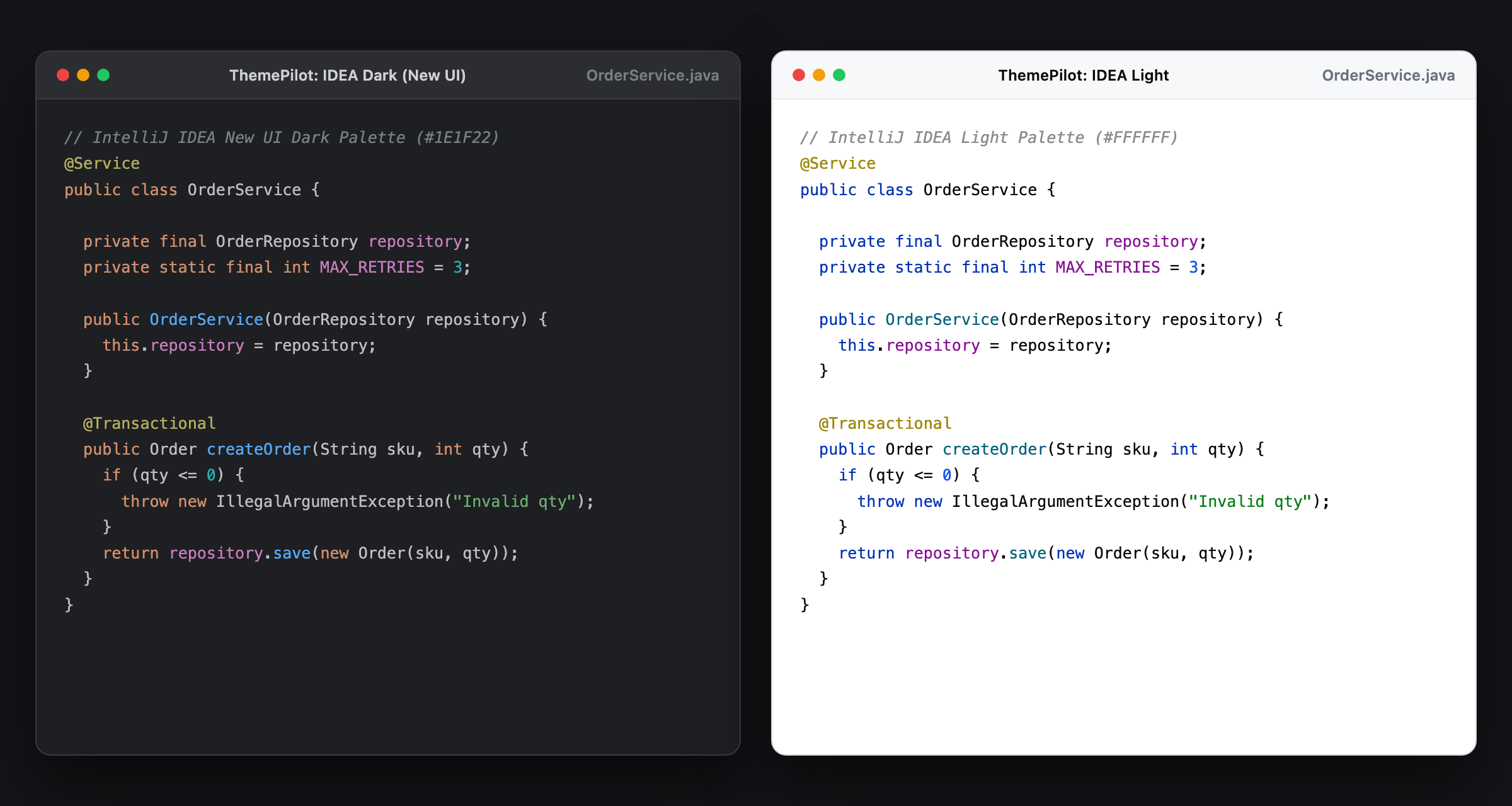
Included Themes
IntelliJ IDEA Collection
- ThemePilot: IDEA Dark (New UI): Modern IntelliJ IDEA New UI dark palette (
#1E1F22 editor, #2B2D30 sidebar, bottom blue active tab bar, warm orange keywords, sky blue method declarations, soft green strings, italic purple static fields, olive annotations).
- ThemePilot: IDEA Darcula (Classic): Classic IntelliJ Darcula palette (
#2B2B2B editor, #3C3F41 sidebar, amber methods, burnt orange keywords).
- ThemePilot: IDEA Light: Crisp IntelliJ Light palette (
#FFFFFF editor, #F7F8FA sidebar, deep navy keywords, forest green strings).
- ThemePilot: IDEA Icons: Minimalist IntelliJ New UI file & folder icon theme (blue source roots, green test roots, purple config/resources, muted build dirs, and crisp language badges).
All themes enable semantic highlighting and are tuned for Java (Spring Boot), TypeScript, JavaScript, Python, Go, Rust, JSON, YAML, HTML, CSS, and Markdown.
1-Click Typography & Theme Commands
Open the Command Palette (Cmd+Shift+P / Ctrl+Shift+P):
ThemePilot: Apply Full IntelliJ New UI Look & Feel: 1-click setup that activates IDEA Dark (New UI), installs/applies bundled JetBrains Mono (13px, ligatures, 1.5 line height), disables VS Code's minimap and rainbow brackets, enables Sticky Scroll and full-line gutter highlight, and tightens tree indent.ThemePilot: Switch Theme: Quickly switch between installed ThemePilot color themes.ThemePilot: Apply IntelliJ Font & Ligatures (JetBrains Mono): Installs the bundled offline JetBrains Mono font (Regular, Italic, Bold, Bold Italic, licensed under SIL OFL 1.1) and applies ligatures + line height without changing your other editor settings.ThemePilot: Reset IntelliJ Look & Feel Settings: Reverts all ThemePilot editor overrides back to VS Code defaults.
Also by Pallattu
- ArchPilot: Offline architecture, security, QA, upgrade planning, and AI token-cost guardrails for VS Code, Cursor, and Windsurf.
| |

