PDBe mmCIF Validator

Version 0.1.97
A Visual Studio Code extension to validate mmCIF/CIF files against the PDBx/mmCIF dictionary (or any CIF dictionary) with real-time error checking.
====> Try this online <====
Release notes for this version are in CHANGELOG.md.
Features
Validation

- Dictionary flexibility — Works with PDBx/mmCIF dictionary or any CIF dictionary format; local files, URLs, or auto-detection in the workspace
- Works out-of-the-box — No configuration required (uses default dictionary URL)
- Comprehensive checks — Mandatory items, enumerations, data types, ranges, foreign keys, composite keys, cross-checks, and more
The validator performs comprehensive checks including:
- Item definition validation
- Mandatory item presence (category-aware)
- Enumeration value validation
- Data type validation (including regex patterns from dictionary)
- Range constraints (strictly allowed vs advisory)
- Atom occupancy (total occupancy over 1.0 is an error; occupancy below 0.1 is a warning)
- Sequence–model mismatch (modeled residue type vs
_entity_poly_seq; unmodelled residues are ignored)
- Parent/child category relationships
- Foreign key integrity
- Composite key validation
- Complex operation expression parsing
- Duplicate category and item detection (loop and frame format)
See Validation Checks below for full details and Error vs Warning Severity.

The metadata completeness score (0–100%) reflects missing categories and items against method-aware mandatory lists (X-ray / EM / NMR from bundled lists), including an entity-source group where any one of several categories is sufficient, and deposition-mandatory items from the dictionary. The extension shows the percentage in the Status bar and Metadata Completeness view in the Explorer sidebar; missing categories and items (including row-level missing or invalid values) are listed in the sidebar and Output channel. Validation errors count as not filled. If the experimental method cannot be determined from the file, only common categories are used and the score is capped at 50%.

Editor integration
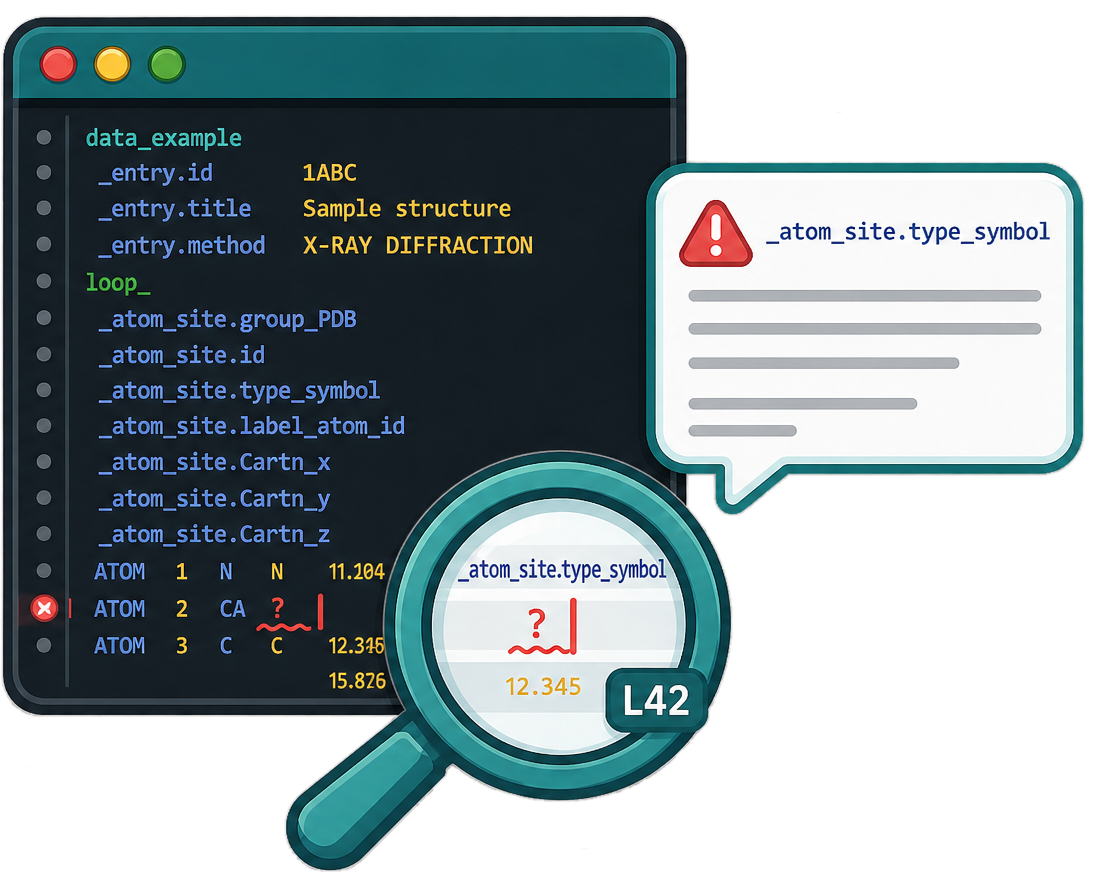
- Real-time validation — Automatically validates mmCIF/CIF files as you edit (on open, save, and changes with 1 second debounce)
- Error highlighting — Errors and warnings highlighted directly in the editor with precise character positioning
- Syntax highlighting — Full syntax highlighting for CIF files (tags, values, data blocks, loops, etc.)
- Hover information — Hover over any value to see its corresponding key (
_tag), data block, and loop context
- Configurable validation timeout — Increase timeout for very large files (extension setting, default 60s, max 10 min)
Installation
Install from the VS Code Marketplace or Open VSX, or search PDBe mmCIF Validator in the Extensions view (Ctrl+Shift+X).
Quick Start
The extension works out-of-the-box! By default, it will automatically:
- Download and cache the PDBx/mmCIF dictionary from the official wwPDB website (http://mmcif.pdb.org/dictionaries/ascii/mmcif_pdbx.dic)
- Cache the dictionary locally for one month to balance freshness with download efficiency
- Dictionary updates are usually released in conjunction with OneDep software releases (average update frequency ~43 days)
- Validate any
.cif files you open
- Show errors and warnings in the Problems panel with precise character positioning
- Show metadata completeness (percentage and missing items) in the status bar and in the Metadata Completeness view in the Explorer sidebar
No configuration required! However, you can also use any other CIF dictionary by configuring the dictionaryPath or dictionaryUrl settings (see Configuration below).
Usage
- Open a
.cif file in VSCode
- The extension will automatically apply syntax highlighting and validate the file
- Hover over any value to see the corresponding key (
_tag), data block name (DATA_*), and loop information (if in a loop)
- Errors and warnings will be highlighted in the editor
- Use the Command Palette (
Ctrl+Shift+P) and run mmCIF: Validate to manually trigger validation
- Metadata completeness: In the status bar (bottom right) you’ll see e.g.
Metadata: 75%. Click it or open Explorer → Metadata Completeness for missing categories or items
- Status bar (bottom right): Shows e.g.
Metadata: 75% (xray). Hover for a short summary and a note to see the Output channel or the Metadata Completeness view in the Explorer sidebar for the full list of missing items.
- Output channel: View → Output → select PDBe mmCIF Validator. After each validation run, a Metadata completeness section lists the percentage, detected method, missing categories, and missing items (with row and key when applicable). Items that have a validation error (e.g. wrong type) are marked with
[validation error].
- Metadata Completeness view: In the Explorer sidebar (left), scroll to the Metadata Completeness section. Expand it to see the summary, Missing categories, and Missing items. Each missing item can show row index and key (e.g. author id) and "(validation error)" when the value is present but invalid.
Behaviour: The score uses row-level checks (every row in a mandatory loop must have all mandatory items filled). Items that trigger a validation error (severity "error") are counted as not filled and appear in the missing list with a validation-error flag.
Configuration
The extension works with sensible defaults, but you can customize it in VSCode settings (File → Preferences → Settings):
Settings
mmcifValidator.dictionaryUrl (default: http://mmcif.pdb.org/dictionaries/ascii/mmcif_pdbx.dic)
- URL to download the dictionary from. Defaults to the official PDBx/mmCIF dictionary, but you can use any CIF dictionary URL.
- Works out-of-the-box with the default!
mmcifValidator.dictionaryPath (optional)
- Path to a local dictionary file. Can be absolute or relative to workspace root.
- Use this to validate against any CIF dictionary file (not just PDBx/mmCIF).
- If not set, the extension will look for common dictionary filenames in the workspace.
mmcifValidator.pythonPath (default: empty — uses python on Windows, python3 on Linux and macOS)
- Path or command for Python. Set explicitly if the automatic default is wrong for your environment (e.g. a venv or full path to the interpreter).
mmcifValidator.enabled (default: true)
- Enable/disable validation
mmcifValidator.validationTimeoutSeconds (default: 60, range: 5–600)
- Validation timeout in seconds. Increase for very large mmCIF files to avoid "Validation timed out" messages (e.g. set to 120 or 180).
Example Settings
Use default (recommended):
{
  "mmcifValidator.enabled": true
}
Use local dictionary file:
{
  "mmcifValidator.dictionaryPath": "mmcif_pdbx_v5_next.dic"
}
Use a different CIF dictionary (e.g., for small molecule CIF files):
{
  "mmcifValidator.dictionaryPath": "path/to/your/cif_dictionary.dic"
}
Use a dictionary from a different URL:
{
  "mmcifValidator.dictionaryUrl": "https://example.com/path/to/dictionary.dic"
}
Custom Python path (use the full path to your Python executable if it is not in your PATH):
{
  "mmcifValidator.pythonPath": "/usr/bin/python3"
}
On Windows, use escaped backslashes, e.g. "C:\\Python39\\python.exe".
Longer validation timeout (for very large files):
{
  "mmcifValidator.validationTimeoutSeconds": 120
}
Validation Checks
The validator performs the following checks:
- Item Definition: Verifies that items used in the mmCIF file are defined in the dictionary
- Mandatory Items: Checks that all mandatory items are present (only for categories that exist in the file), including
_pdbx_item.mandatory_code yes (required for PDB deposition) as well as _item.mandatory_code yes. Unfilled deposition-mandatory values (?, ., empty) are reported as errors.
- Enumeration Values: Validates that item values match allowed enumerations (reported as errors)
- Handles enumerations with only
_item_enumeration.value (no detail field)
- Handles enumerations with both
value and detail fields
- Data Type Validation: Validates that values match their expected data types
- Regex patterns from dictionary - Automatically validates any type code that has a regex pattern defined in
_item_type_list.construct (e.g., email, phone, orcid_id, pdb_id, fax, etc.)
- Hardcoded validations for common types:
- Date formats:
yyyy-mm-dd, yyyy-mm-dd:hh:mm, yyyy-mm-dd:hh:mm-flex
- Numeric types:
int, positive_int, float, float-range
- Boolean type:
boolean
- Range Validation: Checks numeric values against minimum/maximum constraints
- Strictly Allowed Boundary Conditions (
_item_range): Violations are reported as errors
- Advisory Boundary Conditions (
_pdbx_item_range): Violations are reported as warnings with "Out of advisory range:" prefix
- Parent/Child Category Validation: Validates category relationships
- Verifies that when a child category is present, its parent category is also present
- Example: If
entity_src_nat (child) is present, entity (parent) must also be present
- Foreign Key Integrity: Validates that foreign key values in child items exist in their parent items
- Example:
_entity_src_nat.entity_id values must exist in _entity.id
- Composite Key Validation: Validates that combinations of multiple child items together match corresponding combinations in parent categories
- Example: In
pdbx_entity_poly_domain, the combination of begin_mon_id + begin_seq_num must match a row in entity_poly_seq where mon_id + num appear together as a pair
- Validates relationships where multiple items form a composite foreign key (identified by
link_group_id in the dictionary)
- Special handling for label/auth field combinations: Categories like
struct_conn, pdbx_struct_conn_angle, geom_*, atom_site_anisotrop, and others have composite keys that include both label and auth fields. The validator intelligently handles these by:
- First attempting validation using label fields (if complete)
- Falling back to auth fields when label fields are incomplete (e.g., when
label_seq_id is missing)
- Using
label_atom_id when auth_atom_id is not present in the file
- This ensures atoms referenced in these categories are properly validated against
atom_site even when some fields are missing
- Operation Expression Validation: Validates
oper_expression values that reference operation IDs
- Parses complex operation expressions:
(1), (1,2,5), (1-4), (1,2)(3,4), (X0)(1-5,11-15)
- Validates that all referenced operation IDs exist in
_pdbx_struct_oper_list.id
- Example: If
oper_expression is (1-60), validates that operation IDs 1 through 60 all exist
- Category-aware validation: Only checks mandatory items for categories that are actually present in the mmCIF file
- First data block only: By default, only validates the first data block in files containing multiple data blocks (each starting with
data_)
Error vs Warning Severity
The validator reports issues with different severity levels:
Errors (Red Underline)
These are violations of mandatory constraints that must be fixed:
- Missing Mandatory Items: Required items that are missing from categories present in the file, including deposition-mandatory items (
_pdbx_item.mandatory_code yes) and unfilled ? / . values for those items
- Enumeration Violations: Values that don't match the controlled vocabulary/enumeration list
- Data Type Mismatches: Values that don't match their expected data type
- Strictly Allowed Range Violations (
_item_range): Values outside the strictly allowed boundary conditions
- Parent Category Missing: Child categories present but their required parent categories are missing
- Foreign Key Integrity Violations: Foreign key values that don't exist in their parent items
- Composite Key Violations: Combinations of multiple child items that don't match corresponding combinations in parent categories (including label/auth field combinations)
- Invalid Operation Expression References: Operation expressions referencing operation IDs that don't exist
Warnings (Yellow Underline)
These are advisory issues that may indicate problems but are not strictly required:
- Undefined Items: Items used in the mmCIF file that are not defined in the dictionary
- Advisory Range Violations (
_pdbx_item_range): Values outside the advisory boundary conditions (but within allowed range)
Requirements
- Python 3.7 or higher - The extension uses a Python script for validation
- Internet connection (optional) - Only needed if using the default dictionary URL
Troubleshooting
Extension not working
- Check that Python is installed and accessible:
python --version
- Check the VSCode Output panel (View → Output → Select "PDBe mmCIF Validator")
- Verify your settings in File → Preferences → Settings
Python not found
- Make sure Python is installed
- Add Python to your system PATH
- Or set
mmcifValidator.pythonPath to the full path to Python
Validation errors
- Check that the dictionary file/URL is accessible
- Verify the mmCIF file format is correct
- Large files may take time to validate; the timeout is configurable in settings (default 60 seconds, max 600). Increase
mmcifValidator.validationTimeoutSeconds if you see "Validation timed out" on large files.
Standalone Python Script
This extension includes a standalone Python validation script that can be used independently of VSCode. It is also published on PyPI as pdbe-mmcif-validator. See the python-script/ folder for:
- The Python validation script (
validate_mmcif.py)
- Command-line usage instructions
- Standalone validation without VSCode
- Enhanced JSON output with precise character positions and column indices for programmatic error handling
- Metadata completeness: When run by the extension, the script also outputs a
metadata_completeness object in the JSON (percentage, filled/total counts, method, missing categories and items)
- Exit codes: 0 for success, 1 for errors (useful for CI/CD integration)
Contributing
Contributions are welcome! Please feel free to submit issues or pull requests.
Acknowledgments
This extension includes syntax highlighting and hover functionality based on work by Heikki Kainulainen (hmkainul) from the vscode-cif extension. Used under MIT License.
License
MIT
Author
Deborah Harrus, Protein Data Bank in Europe (PDBe), EMBL-EBI





