MD Present
Turn Markdown into a 16:9 slide deck. Separate slides with ---, keep editing in the editor, and present in a browser.
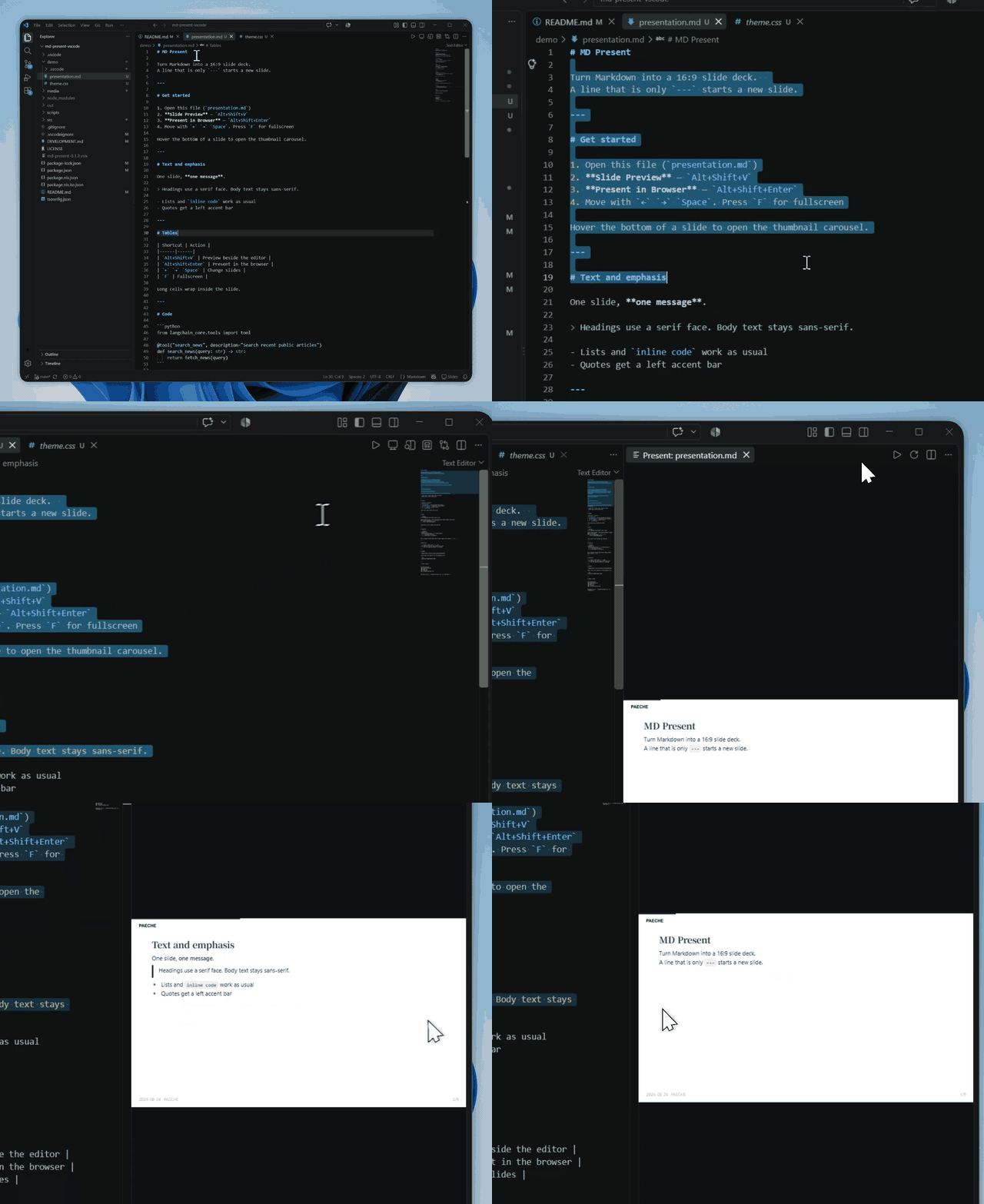
The UI follows the editor language: English by default, Korean when Cursor or VS Code is set to Korean.
How to use
- Open any
.md file.
- Slide Preview (
Alt+Shift+V) — preview beside the editor. Edits update live.
- Present in Browser (
Alt+Shift+Enter) — open the slideshow in your default browser.
- Move slides with
← → Space. Press F for fullscreen, Esc to exit.
Hover the bottom of a slide to open the thumbnail carousel.
Open the demo/ folder and presentation.md to try a sample deck.
my-presentation/
├── presentation.md
├── theme.css
├── logo.png
└── .vscode/settings.json
Markdown
- Split slides with a line that is only
---
- YAML frontmatter is ignored (Quarto /
.qmd friendly)
- GFM tables, code blocks, and HTML work as usual
- Math:
$inline$, $$block$$, \(...\), \[...\] (KaTeX)
- Mermaid diagrams: use a
mermaid fenced code block
- Embeds (
iframe, Canva, YouTube): same max size as images — do not set inline width:100%. Optional fallback link: <p class="slide-media-fallback"><a href="...">Open</a></p> directly under the iframe (no blank line)
- Local images: relative paths are resolved against the Markdown file, so
 works. Both preview and browser mode inline them as data URIs, which keeps them working regardless of localResourceRoots, CSP origin, or non-ASCII characters in the path. Files over 8 MB fall back to a webview URI instead
Settings
| Setting |
Default |
Description |
mdPresent.themeCss |
theme.css |
Theme CSS path (workspace-relative) |
mdPresent.logo |
(empty) |
Top-left logo. Falls back to logo.png, then the built-in logo |
mdPresent.logoLink |
https://paeche.com/ |
URL opened by the logo. Empty disables the link |
mdPresent.logoHeight |
12 |
Logo height at 1280×720 (4–80) |
mdPresent.pointColor |
#37352f |
Accent color for progress, headings, and quotes |
mdPresent.author |
(empty) |
Bottom-left author |
mdPresent.updated |
(empty) |
Bottom-left date |
mdPresent.autoOpen |
false |
Auto-open preview for presentation.md |
한국어
Markdown을 16:9 슬라이드로 만듭니다. ---로 장을 나누고, 에디터에서 고친 뒤 브라우저로 발표할 수 있습니다.
수식은 $인라인$, $$블록$$, \(...\), \[...\] (KaTeX)를 지원합니다.
.md 파일을 엽니다.- 슬라이드 미리보기 (
Alt+Shift+V) — 옆에 미리보기. 수정하면 바로 반영됩니다.
- 슬라이드 실행 (
Alt+Shift+Enter) — 기본 브라우저에서 슬라이드쇼를 엽니다.
← → Space로 이동합니다. F는 전체화면, Esc는 종료입니다.
슬라이드 하단으로 마우스를 옮기면 미리보기 캐러셀이 나타납니다.
demo/presentation.md를 열면 샘플 슬라이드를 볼 수 있습니다.
임베드 (Canva·YouTube 등): 이미지와 같은 최대 크기로 맞춰집니다. iframe에 width:100% 인라인 스타일을 넣지 마세요. 보조 링크는 iframe 바로 아래 <p class="slide-media-fallback">…</p> (빈 줄 없이).
로컬 이미지: 마크다운 파일 기준 상대경로가 그대로 동작합니다 (). 미리보기와 브라우저 모드 모두 data URI로 심어 넣기 때문에, localResourceRoots·CSP 오리진·경로의 한글 여부와 무관하게 뜹니다. 8MB를 넘는 파일만 webview URI로 넘깁니다.

