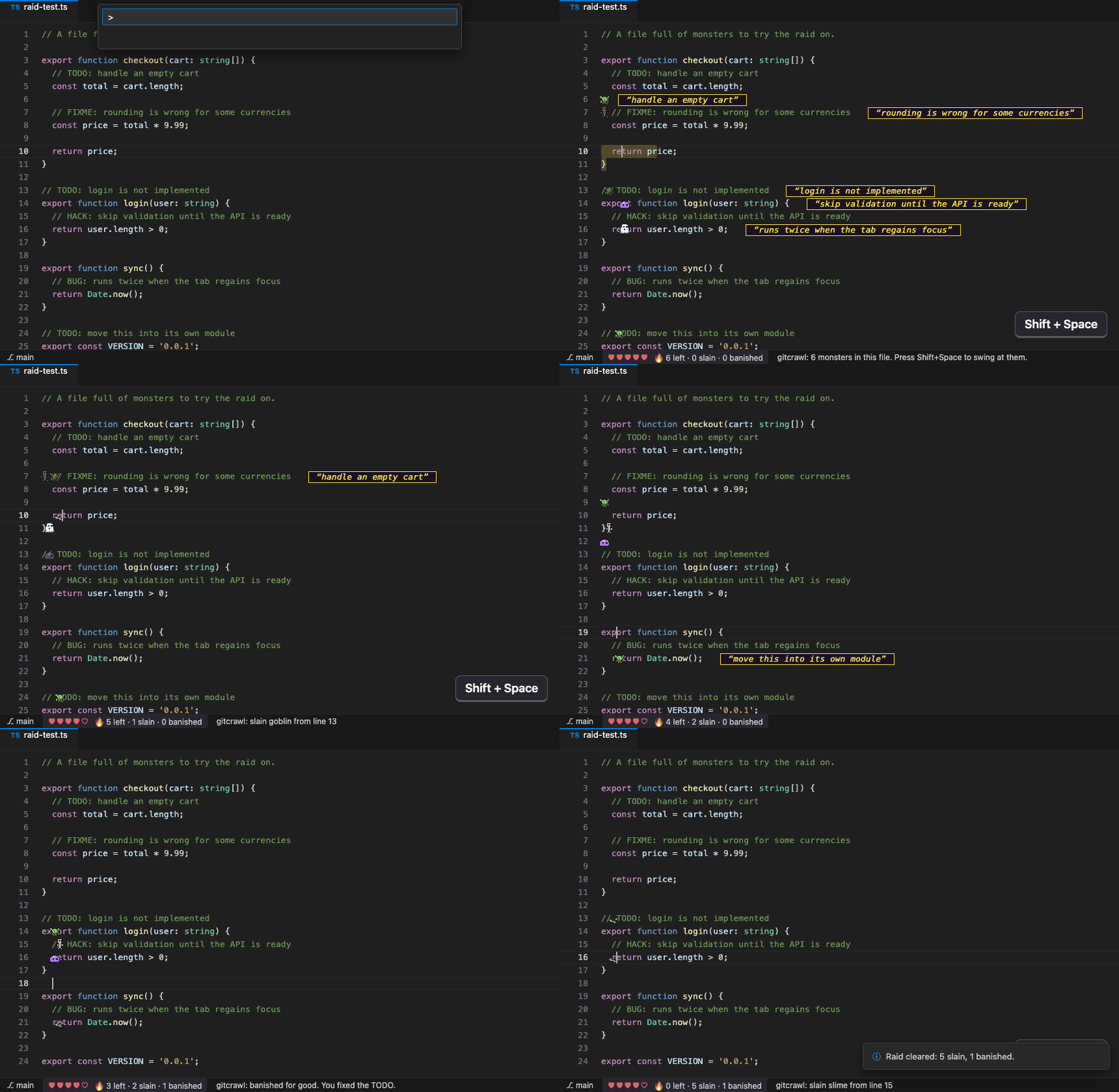
Run gitcrawl: Raid This File and every TODO-style comment in the open file turns into a pixel monster standing on its own keyword. Move near one and it wakes up, shouts its TODO at you and comes for your cursor.
Comment
Monster
HP
Speed
TODO
goblin
2
quick
FIXME
skeleton
3
steady
HACK
slime
4
slow
XXX, BUG
ghost
1
fast
Start a raid
Open a file that has some TODO, FIXME, HACK or BUG comments.
Open the Command Palette: Cmd+Shift+P on macOS, Ctrl+Shift+P on Windows and Linux.
Type raid and choose gitcrawl: Raid This File.
A monster appears on every comment, and your hearts show up in the status bar at the bottom left.
Move your text cursor near them. That's where they're heading.
How to play
Swing: press Shift+Space. You hit every monster within one line and six characters of your cursor; the hit zone flashes yellow. (During a raid Shift+Space swings instead of typing a space.)
Bump: moving your text cursor right next to a monster also hits it. Use the text cursor (where you type), not the mouse pointer.
Dodge: a monster that reaches your cursor glows red for a moment before it bites. Swing at it, or move away to make it miss. A bite costs one heart.
Banish for good: fix or delete the comment. The monster disappears and counts as banished, which is the real win.
Read it: hover a monster with the mouse to see its full TODO text and where it lives.
Stop: click the hearts in the status bar, or run gitcrawl: End Raid.
The raid pauses while you're in another file or another window, and the code itself is never touched: the monsters are editor decorations.
Settings
Setting
Default
gitcrawl.speed
normal
slow, normal or fast
gitcrawl.hearts
5
Hearts per raid, 1 to 9
More gitcrawl
Play a whole repo as a dungeon in the browser: run npx gitcrawl-cli inside any git repo, or see gitcrawl on GitHub.
Works in VS Code, Cursor, Windsurf and VSCodium. MIT licensed.