Crevo

Quality that keeps up with AI.
Crevo lives in VS Code and Cursor, pairs with your coding agent, and keeps your specs, tests, and code in sync, with one health score so you always know where you stand.



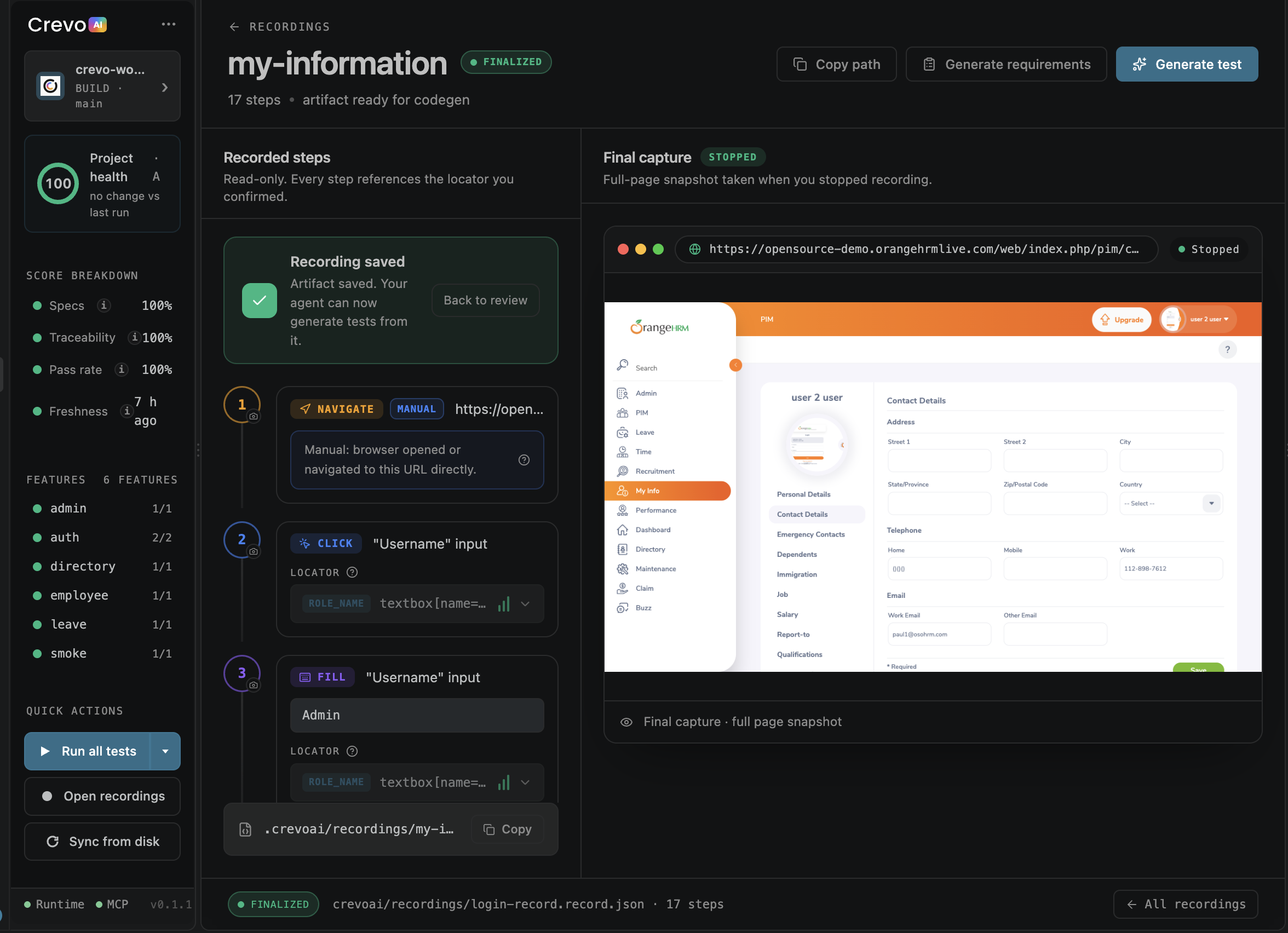
What is Crevo?
AI coding agents write code fast. The problem is everything around the code (requirements, acceptance criteria, tests) quietly falls behind. You ship, and nobody is quite sure what's actually covered.
Crevo is the quality layer that keeps up. It sits in your editor next to your agent and continuously answers three questions:
- Does the code still match what you intended? (specs ↔ implementation)
- Is it actually tested? (acceptance criteria ↔ test coverage)
- Is the project healthy right now? (one score, updated as you work)
Get started in 4 steps
About 3 minutes. No config files to hand-edit.
|
Step |
What happens |
| 1 |
Install Crevo |
Click Install, or run ext install opencrevo.crevo-ai. |
| 2 |
Sign in & pair your agent |
Connect Cursor, Copilot, Claude Code, or Antigravity. Crevo wires up MCP for you. Useful commands stay locked until Sign In (auth gate inventory). |
| 3 |
Onboard your project |
Guided onboarding scaffolds project context, specs, and test structure. |
| 4 |
Watch your health score |
Open the dashboard. Use the prompt library to generate specs/tests as you build. |
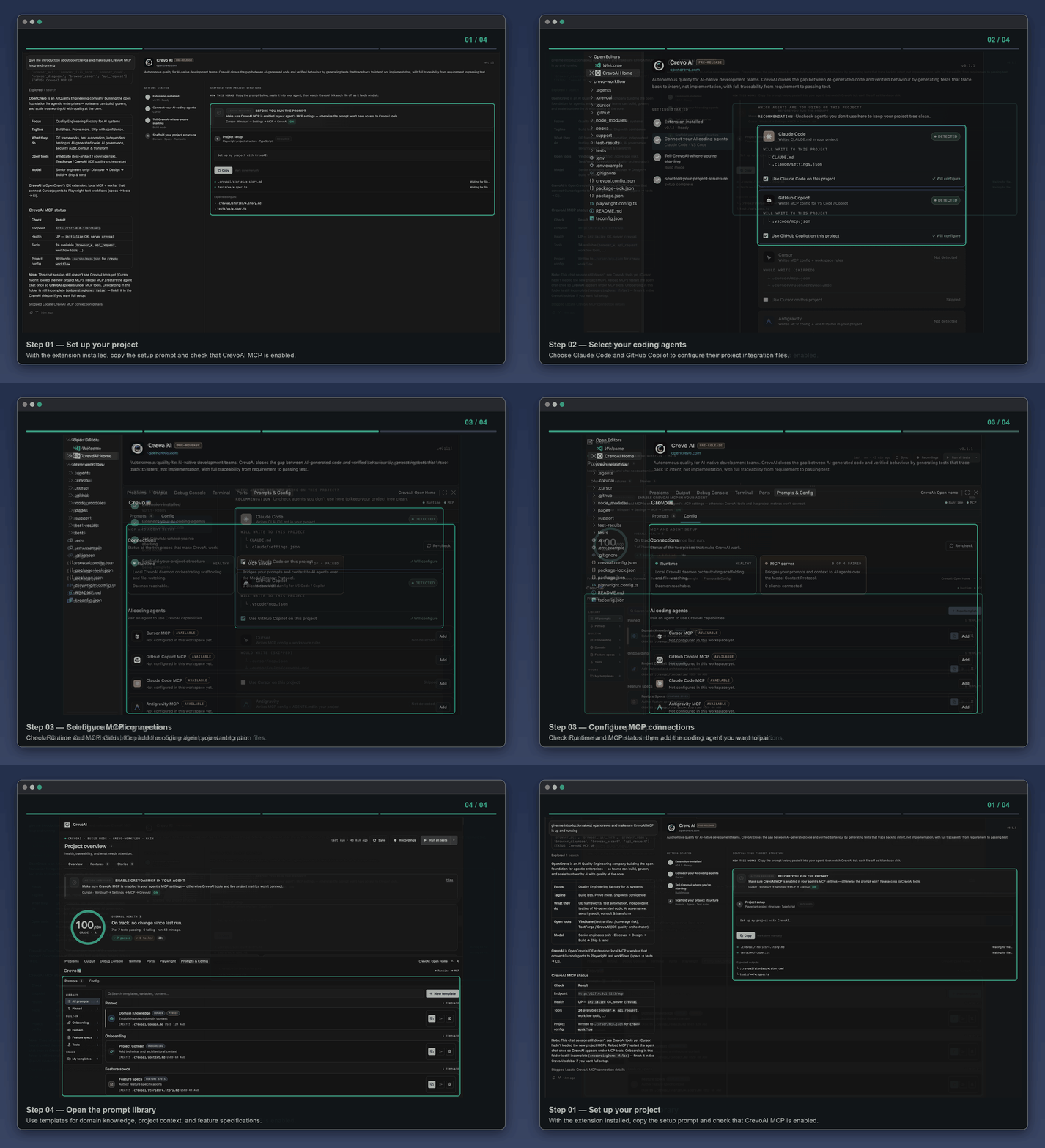
See it in action
Project health dashboard
Your project's quality at a glance: overall score, spec completeness, traceability, pass rate, freshness, failing tests, and acceptance-criteria coverage, all in one panel that updates as you work.
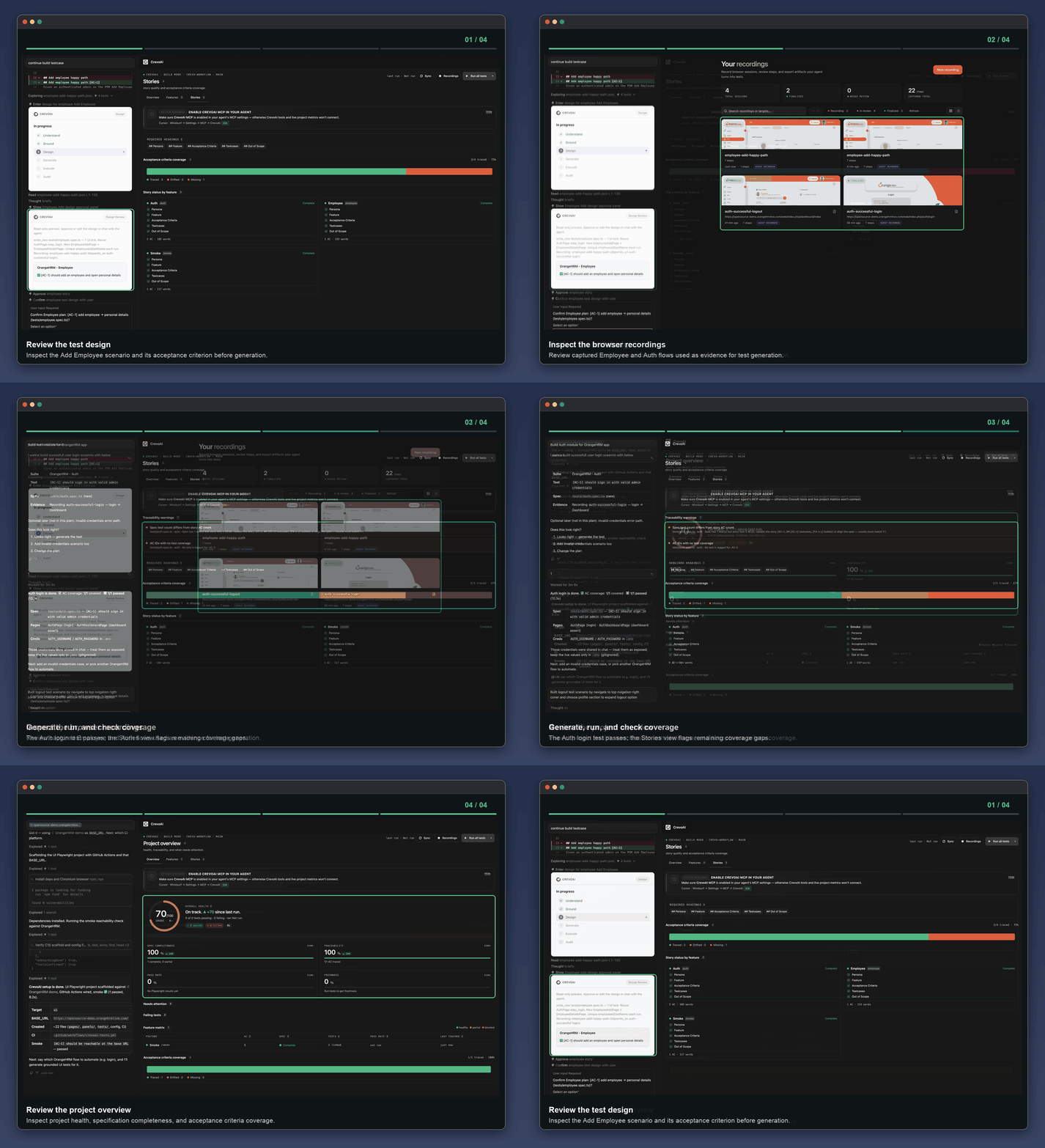
Prompt library
Built-in prompts for onboarding, domain modeling, spec writing, and test generation, plus your own private custom templates. Pick a prompt, hand it to your paired agent, done.
One click to run all tests, sync metrics from disk, and track onboarding progress, without leaving the editor.
Works with your agent
Crevo doesn't replace your coding agent; it pairs with it.
| Agent |
Pairing |
MCP |
| Cursor |
✅ |
✅ |
| GitHub Copilot |
✅ |
✅ |
| Claude Code |
✅ |
✅ |
| Antigravity |
✅ |
✅ |
Manage all of this from the Config Center: add, re-sync, or disconnect MCP-enabled agents, and re-check runtime, MCP, and cloud health any time.
What's in the extension
- Guided onboarding: sign-in, agent selection, MCP setup, and project-mode selection.
- Agent pairing: Cursor, GitHub Copilot, Claude Code, and Antigravity.
- Project health dashboard: overall score, spec completeness, traceability, pass rate, freshness, failing tests, and acceptance-criteria coverage.
- Prompt library: built-in onboarding / domain / spec / test prompts, plus private custom templates.
- Config center: add, re-sync, or disconnect MCP-enabled agents; re-check runtime, MCP, and cloud health.
- Sidebar quick actions: run all tests, sync metrics from disk, and monitor onboarding progress.
- Command access: open home, open the panel, sign in/out, and quick actions from the Command Palette.
Commands
Open the Command Palette (Ctrl/Cmd + Shift + P) and type Crevo:
| Command |
What it does |
CrevoAI: Open Home |
Open the Crevo home view. |
CrevoAI: Show Panel |
Open the prompts and config panel. |
CrevoAI: Open Recordings |
Open recordings. |
CrevoAI: Quick Actions |
Status bar quick actions. |
CrevoAI: Sign In / Sign Out |
Manage your Crevo session. |
Requirements
- VS Code 1.105+ or Cursor (latest).
- An account at dashboard.crevo.ai (sign in from the extension).
- A supported coding agent: Cursor, GitHub Copilot, Claude Code, or Antigravity.
- A workspace folder open for full onboarding, MCP, and project health features.
- Network access for MCP and account sign-in.
FAQ
Does Crevo write my code or tests for me?
Crevo orchestrates your paired agent. It supplies the right prompts and context; your agent does the generation, and Crevo tracks whether the result stays aligned with intent.
Do I need to change my existing workflow?
No. Crevo runs alongside the agent and test setup you already use.
Is my code sent anywhere?
Connections run through your own account and paired agent. Manage and revoke them in the Config Center. Tokens for Sign In are stored only in VS Code SecretStorage. Operator Firebase / redirect setup: see crevo-account/docs/EXTENSION_FIREBASE_SETUP.md (same IdP project as the dashboard).

