Beacon — ReviewReview, edit, and approve the social posts Beacon drafts from your git commits — for X, LinkedIn, dev.to, Reddit, and Medium — without leaving VS Code. Installation Launch VS Code Quick Open ( Ctrl+P), paste the following command, and press enter.Copied to clipboard |

Beacon — ReviewBeacon turns your git commits into build-in-public posts. This extension is where you review them — inside VS Code.
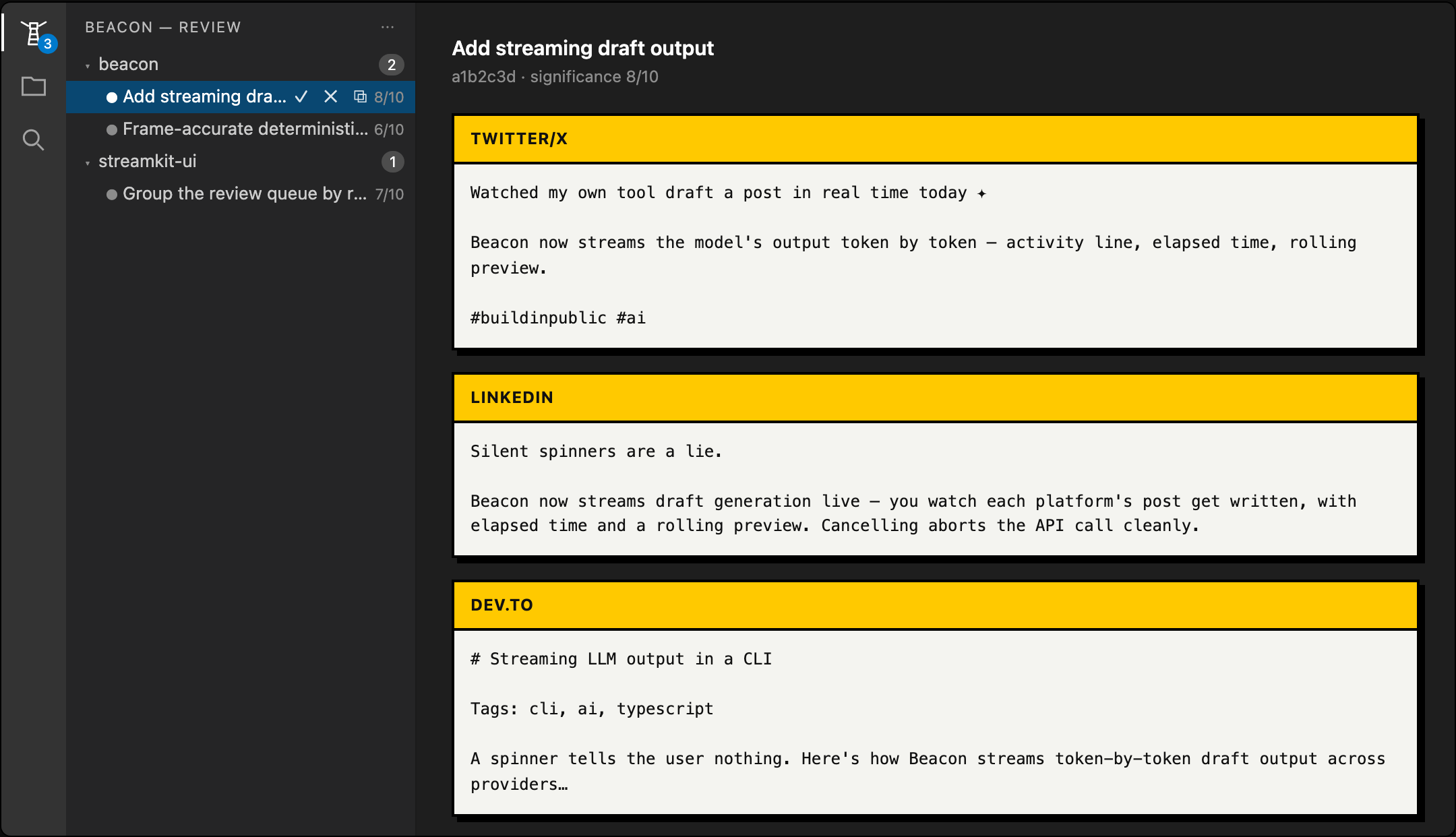
What is this?When you build in public, the hardest part is remembering to post — and writing the post. Beacon is a small local tool that does the writing for you: after each meaningful commit, it drafts a post about what you shipped for Twitter/X, LinkedIn, dev.to, Reddit, and Medium. Those drafts don't get posted automatically. They wait for you to look them over — and that's what this extension is for. It shows every draft right in VS Code so you can read it, tweak it, and approve the ones you like. How to use it1. Install the Beacon CLI (once, globally): 2. Set it up in a project: This walks you through picking which platforms to draft for and which model to use. From now on, Beacon drafts a post whenever you make a significant commit. (Want to try it right away without committing? Run 3. Open the review panel in VS Code. Click the Beacon icon in the activity bar (the left-hand strip). You'll see your pending drafts as a tree — grouped by repository and commit. A number on the icon tells you how many are waiting. 4. Review a draft. Click a commit to open its drafts for each platform, side by side. Read them, and edit anything you'd word differently. 5. Approve or discard. Approve copies the finished post to your clipboard — paste it into X, LinkedIn, or wherever you post. Discard drops the ones you don't want. That's the whole loop: commit → Beacon drafts → you review → you post. In your voice, on your schedule. Private by defaultEverything stays on your machine. The extension only talks to a local server on your own computer, and nothing is ever posted for you — approving just copies the text so you post it. Need the CLIThis extension is the review UI for the Beacon CLI, so make sure it's installed ( Links
MIT licensed. |