Provenyx Security
Trust Every Dependency. Verify Every Release.
Provenyx helps JavaScript and TypeScript developers investigate npm dependencies recorded in local npm and pnpm lockfiles, without installing or running any of them.
Preview. The extension needs a running Provenyx API (see Requirements). After you confirm a scan, the API builds a dependency graph from your lockfile, reads public npm metadata, and runs explainable detection rules. Findings are investigation signals, not security verdicts. Provenyx never shows invented findings.
Features
- Provenyx: Scan Dependencies. Finds every
package-lock.json and pnpm-lock.yaml across your workspace folders, checks each locally, and sends its dependency data to the Provenyx API after you confirm.
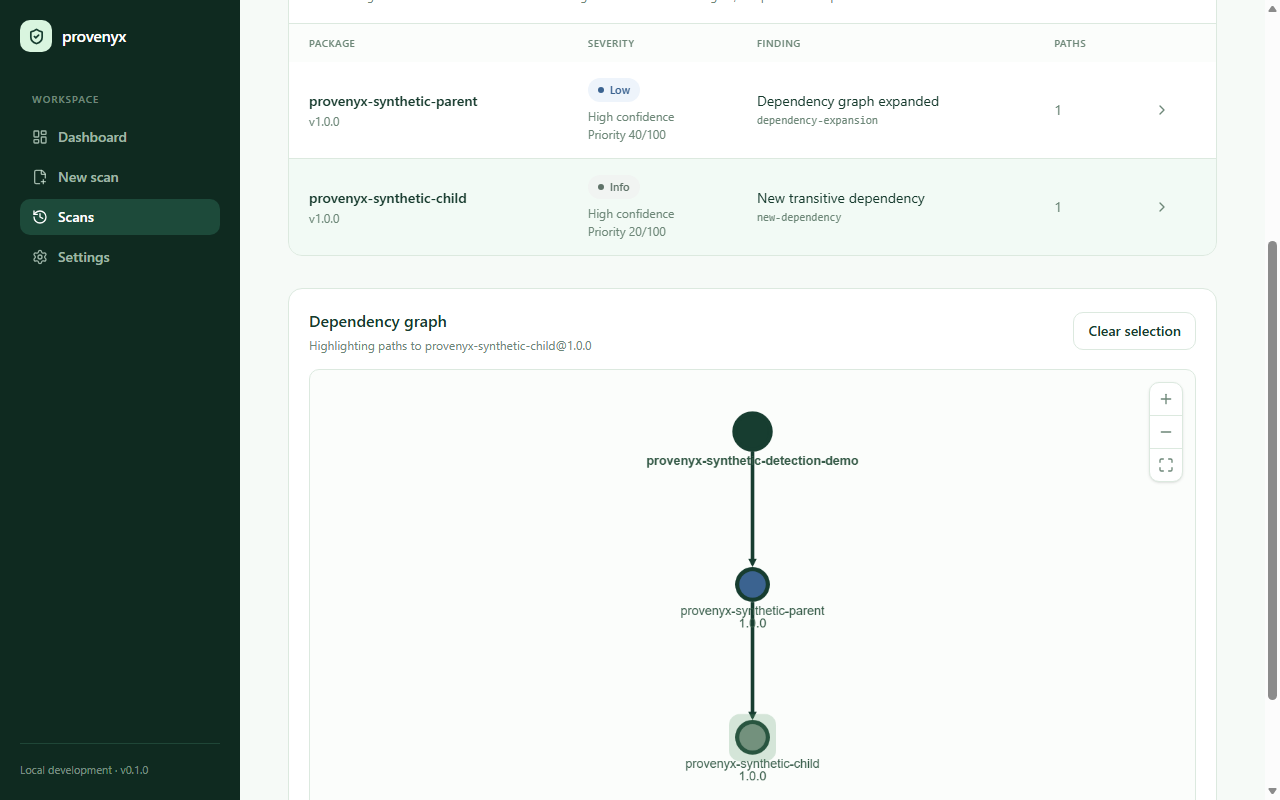
- Findings sidebar. Lists findings by severity, each with confidence, a plain-language explanation, and the dependency path that pulls the package into your project. Click a finding to investigate it in the web dashboard.
- Scan status. Shows the backend connection and the progress of your last scan.
- Provenyx: Open Dashboard. Opens the Provenyx web dashboard with the dependency graph, evidence, and release-record verification.
- GitHub sign-in. Uses VS Code's built-in GitHub authentication when the extension starts. Dashboard links carry the signed-in session into the browser, so no second website login is required.
- Provenyx: Check Backend Connection. Checks that the configured API is reachable.
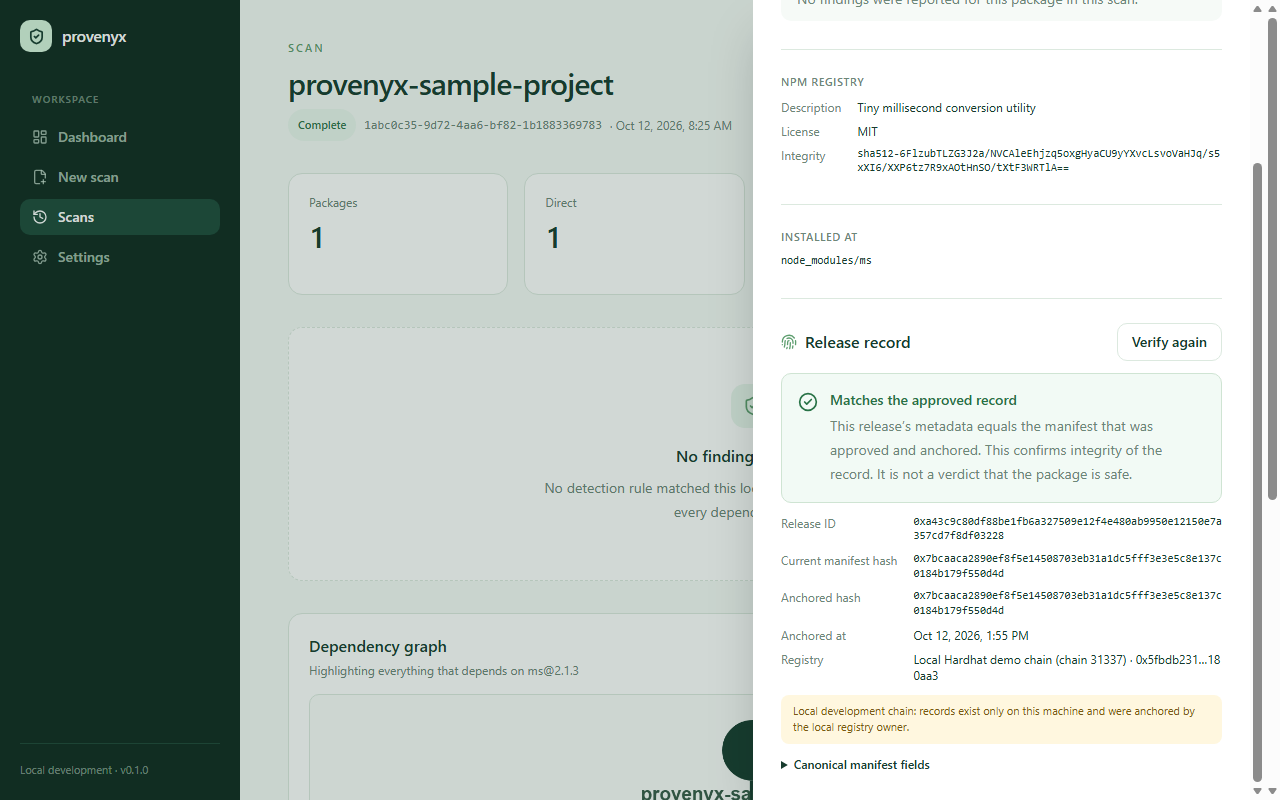
Findings are leads to investigate, not proof of compromise. When a release matches a blockchain-anchored record, its metadata is unchanged, but that does not prove the package is safe. A release with no record is not suspicious in itself.
Screenshots
Findings with their evidence, and the dependency path that pulls a package into your project (the screenshot uses the repository's labelled synthetic test fixtures):
Release-record verification against a blockchain-anchored manifest (local development chain):
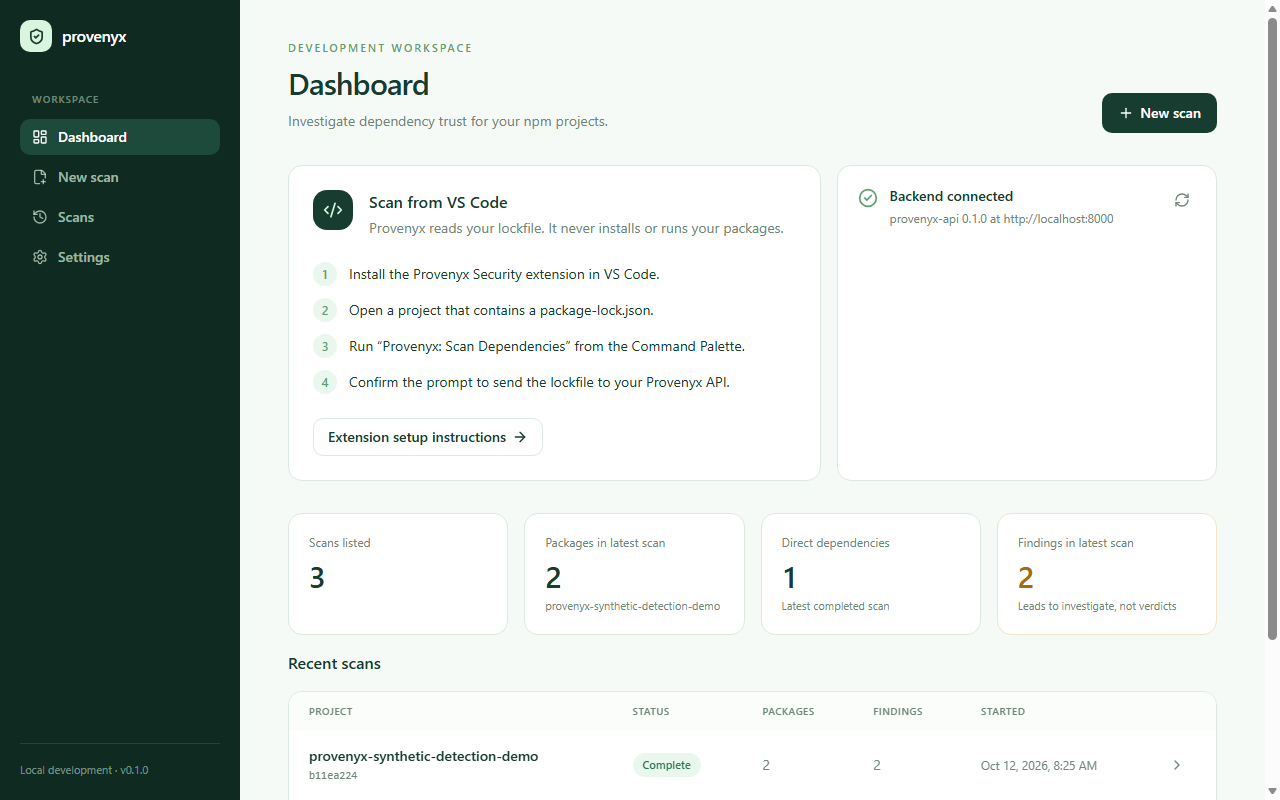
Scan history in the web dashboard:
Privacy and safety
- Provenyx never installs, builds, or executes packages from your project and never runs lifecycle scripts.
- Your lockfile is sent only after you confirm each scan, and only to the URL in
provenyx.apiBaseUrl.
- Only dependency data from
package-lock.json or pnpm-lock.yaml is sent. No source files or project credentials are uploaded.
- VS Code securely stores the GitHub session. The extension sends its GitHub access token to the configured Provenyx API only for server-side validation and a short-lived, single-use dashboard handoff; the token is never placed in a URL or stored by the extension.
- On startup and before each scan, the extension calls the API's
/health endpoint to show the connection state. This sends no project data.
- The extension collects no telemetry.
Settings
| Setting |
Default |
Description |
provenyx.apiBaseUrl |
https://devknights.onrender.com |
Provenyx API. Lockfiles are only sent here after confirmation. |
provenyx.dashboardUrl |
https://provenyx.vercel.app |
URL opened by Open Dashboard and by clicking findings. |
provenyx.autoScanEnabled |
true |
Scan supported lockfiles across all workspace folders when a project opens or a lockfile is created or changes. |
Requirements
GitHub authentication in VS Code. The public extension uses the deployed Provenyx API and dashboard. To run those services locally instead, follow the development guide.
Contributors
- Aaditya Shivshankar Jaiswar
- Omkar Bandikatte
- RONAK PARMAR - 60009230091
- VIVEK CHAUHAN - 60009230029
Support
Report issues at https://github.com/aad1tyaaaaa/DevKnights/issues.

