Agent Guild for VS Code
Run Claude Code, Codex CLI, Antigravity CLI, Grok Build and Docker Agent side by side in real terminals, and watch every session come alive as a character in a 3D world, in a VS Code tab or right beside your code. Each tool runs on your own account, just as it does in any terminal.
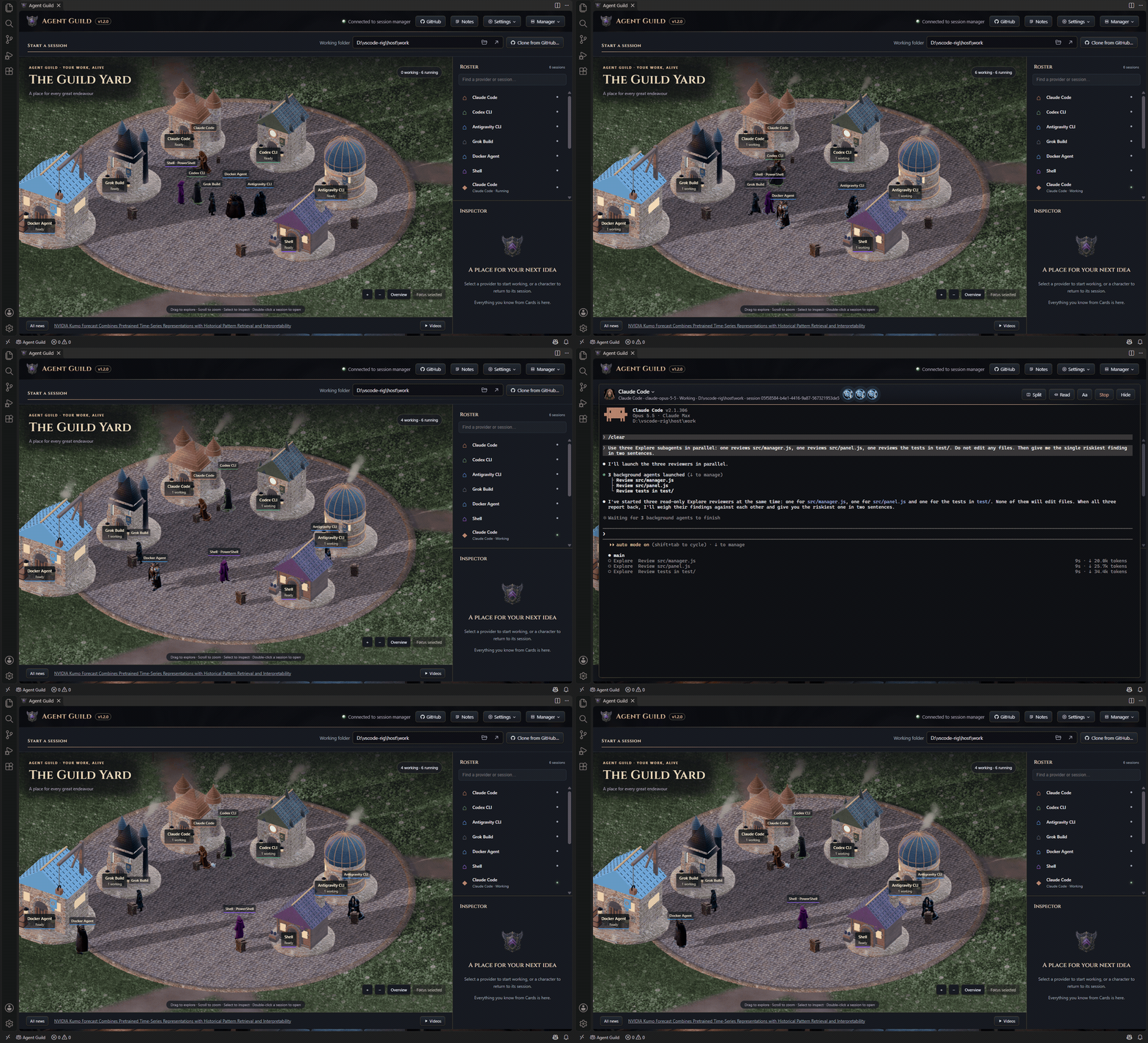
Get started
- Install this extension.
- Click Agent Guild in the status bar, or open Agent Guild in the Explorer.
- If Agent Guild isn't installed yet, choose Install. It runs
npm install -g @oddessentials/agent-guild in a terminal and connects when it finishes.
Press New on a tool's card to start a session, and sign in to the tool there the first time.
Your coding agents, side by side
- Real terminals that keep running when you close the tab or VS Code. The tab comes back the next time VS Code starts.
- Rate-limit meters for Claude Code and Codex CLI, so you know how much headroom is left.
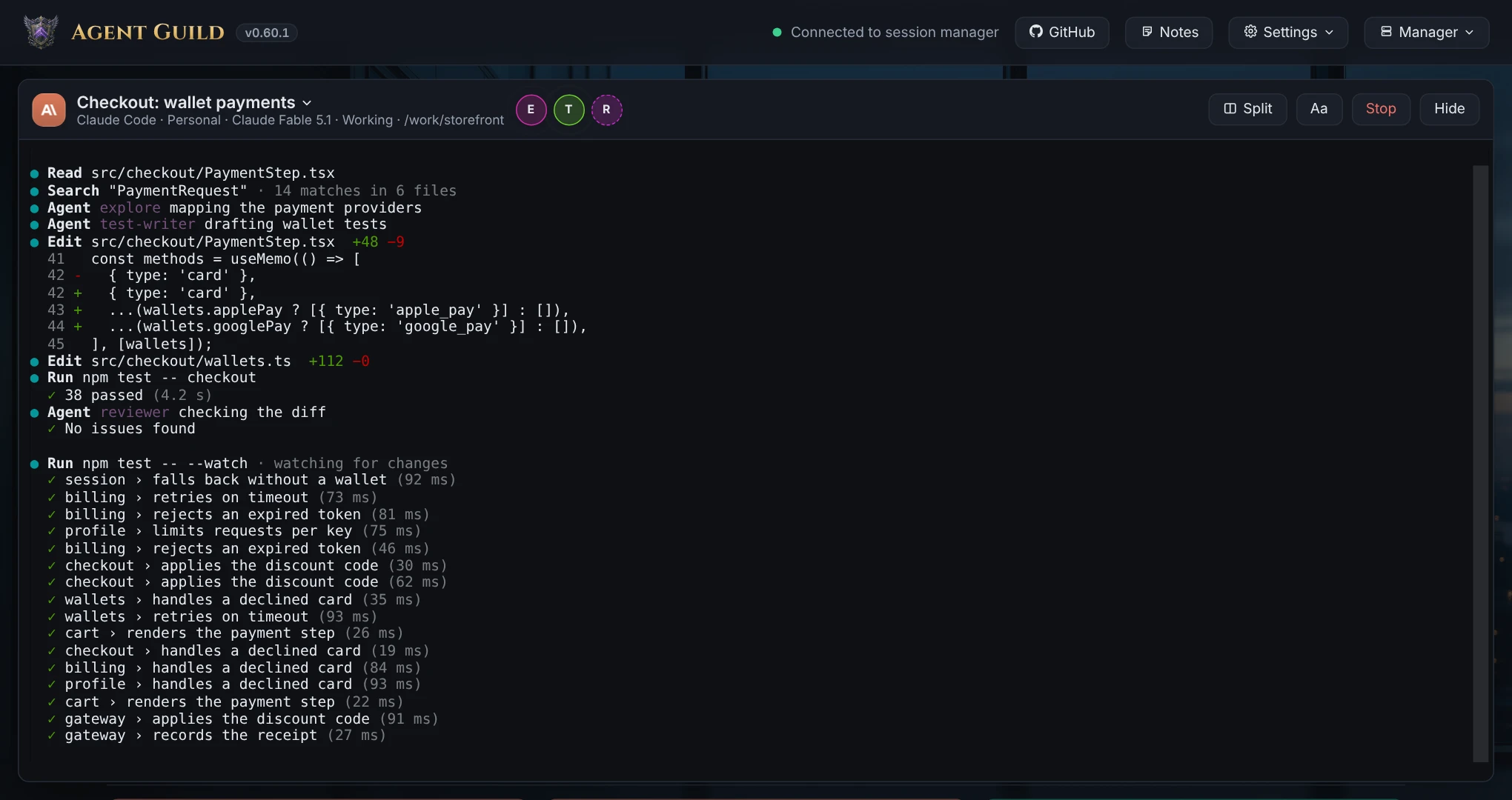
- Each session's helper agents and model, live on its card.
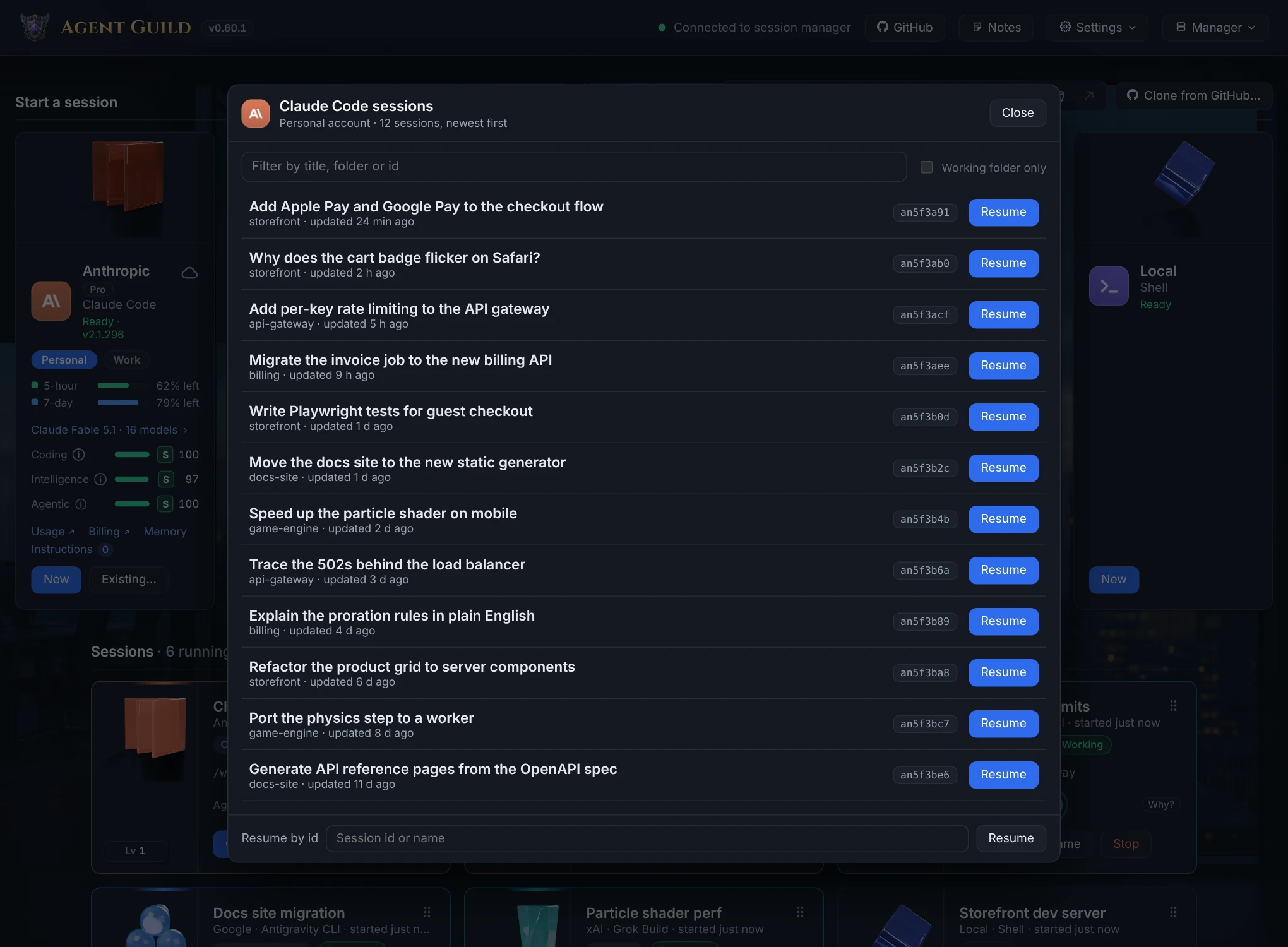
- Two sessions at once with Split, and earlier conversations back with Resume.
|
Install from its card |
Helper agents |
Rate-limit meter |
Resume |
Several accounts |
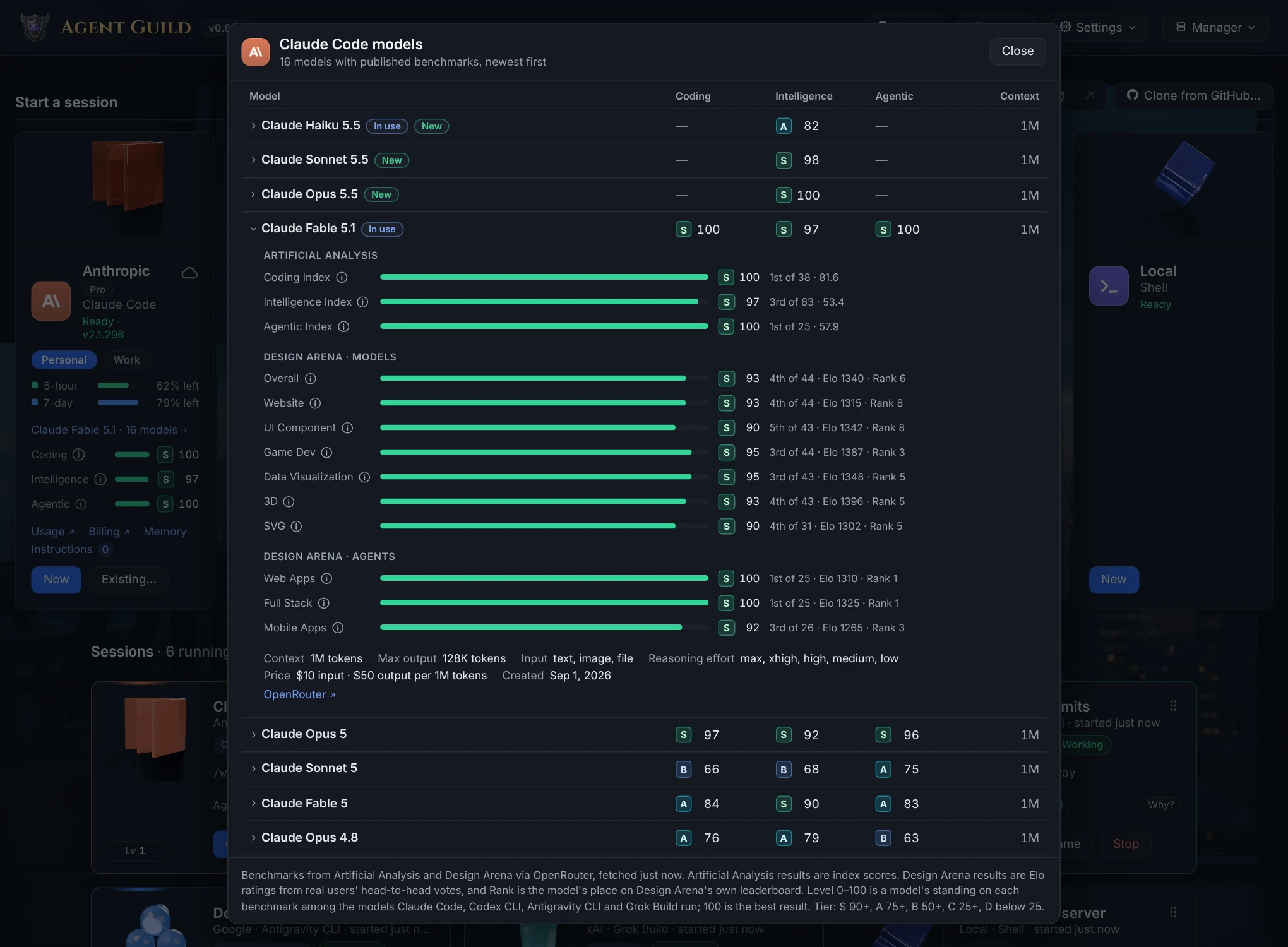
Model benchmarks |
| Claude Code |
✓ |
✓ |
✓ |
✓ |
✓ |
✓ |
| Codex CLI |
✓ |
✓ |
✓ |
✓ |
✓ |
✓ |
| Antigravity CLI |
Shows the command |
|
|
✓ |
|
✓ |
| Grok Build |
✓ |
With Agent reporting |
|
✓ |
✓ |
✓ |
| Docker Agent |
✓ |
✓ |
|
✓ |
|
|
The Shell card runs your own shell, plus tmux (macOS and Linux) and herdr sessions that keep running when Agent Guild stops. Helper agents need a recent version of each tool: setup per tool.
Watch them work: the Yard
- Every session is a character. It works at its tool's hall while its terminal is busy, and walks off to rest when it goes quiet. There is nothing to set up.
- Helper agents gather beside their character, and halls glow while their sessions work.
- Double-click a character to open its real terminal.
- Six worlds: The Guild Yard, Operations Campus, Orbital Station, The Living Grove, Goblinville Works and Gnomeland Village.
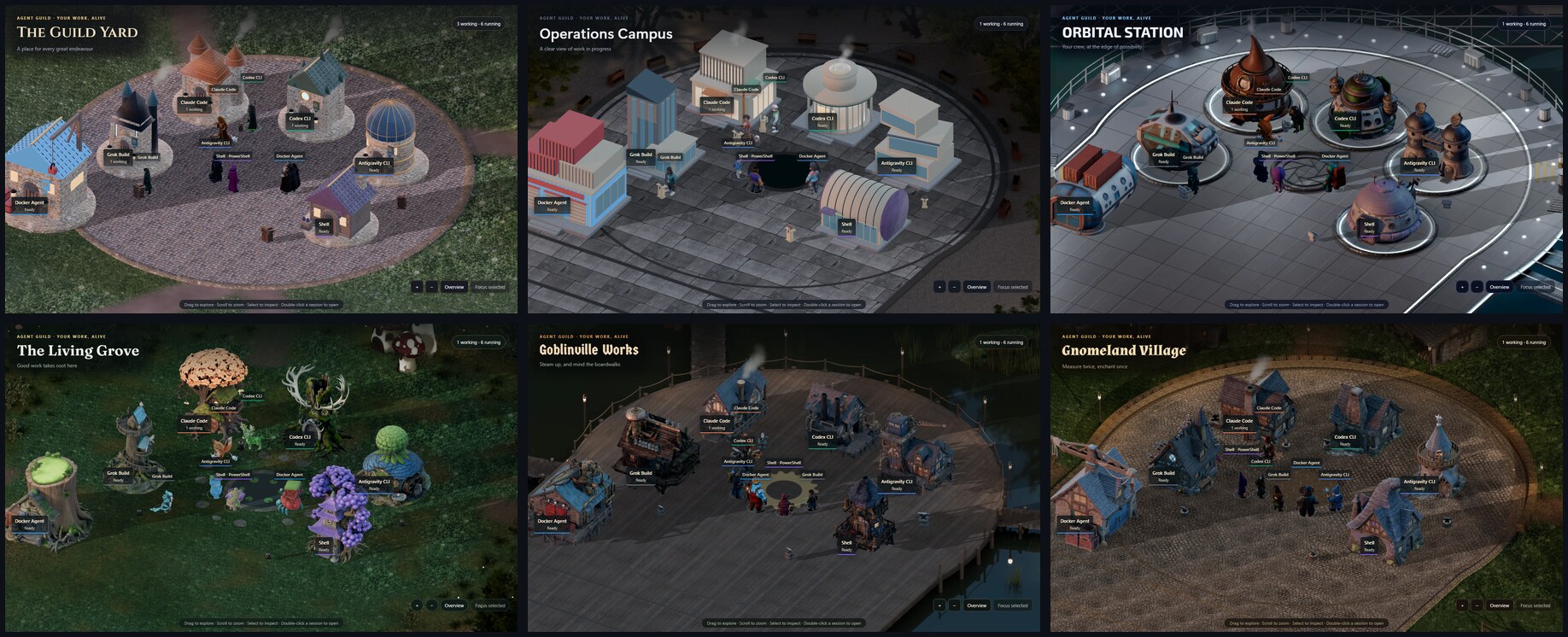
Run Agent Guild: Open the Yard, and pick a world under Settings → Skin. Try the Yard in your browser (simulated, nothing installed), or watch the trailer:
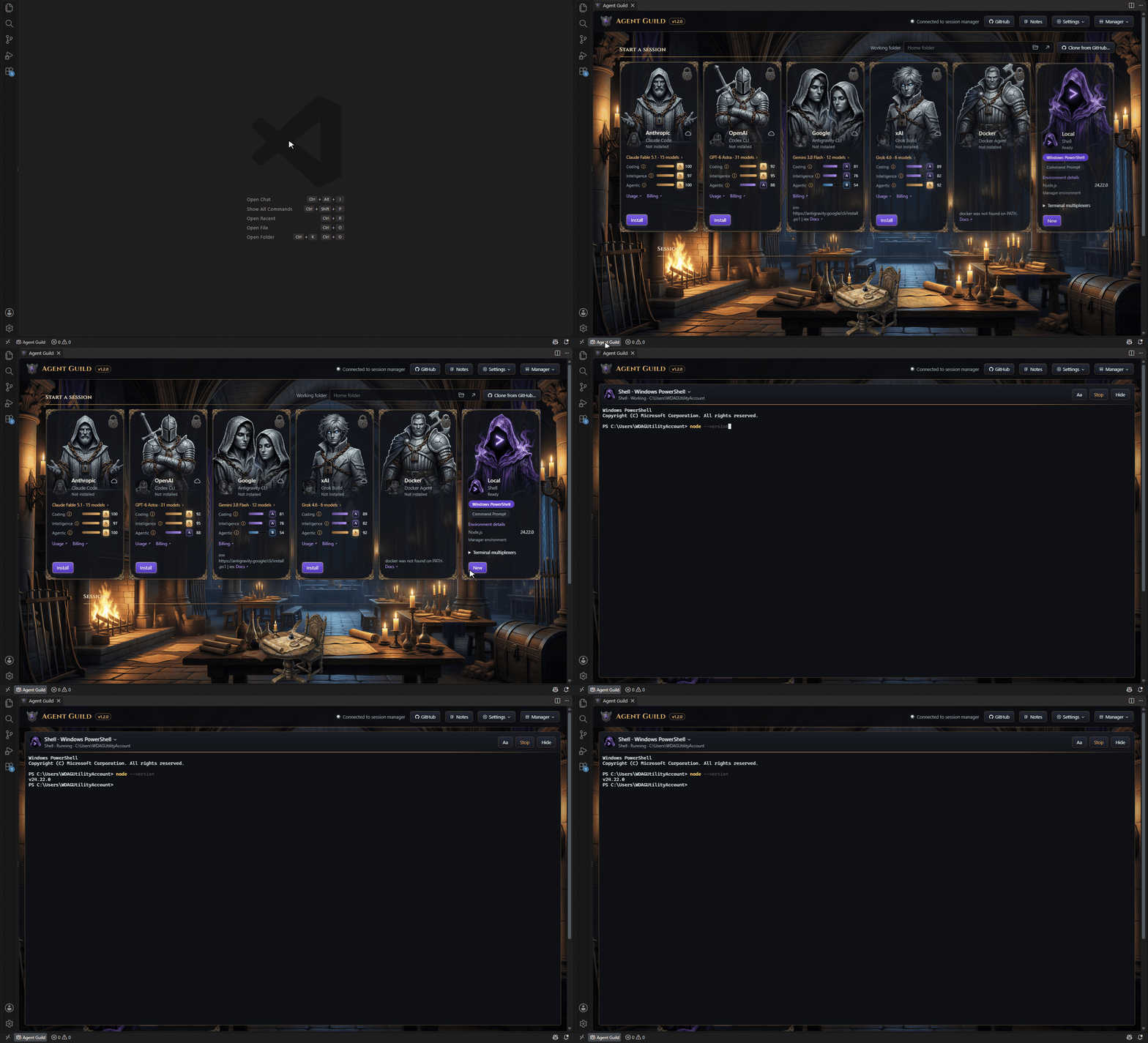
The Yard beside your code
Keep your agents in view while you work. Open Agent Guild in the Explorer, or drag it to the bottom panel.
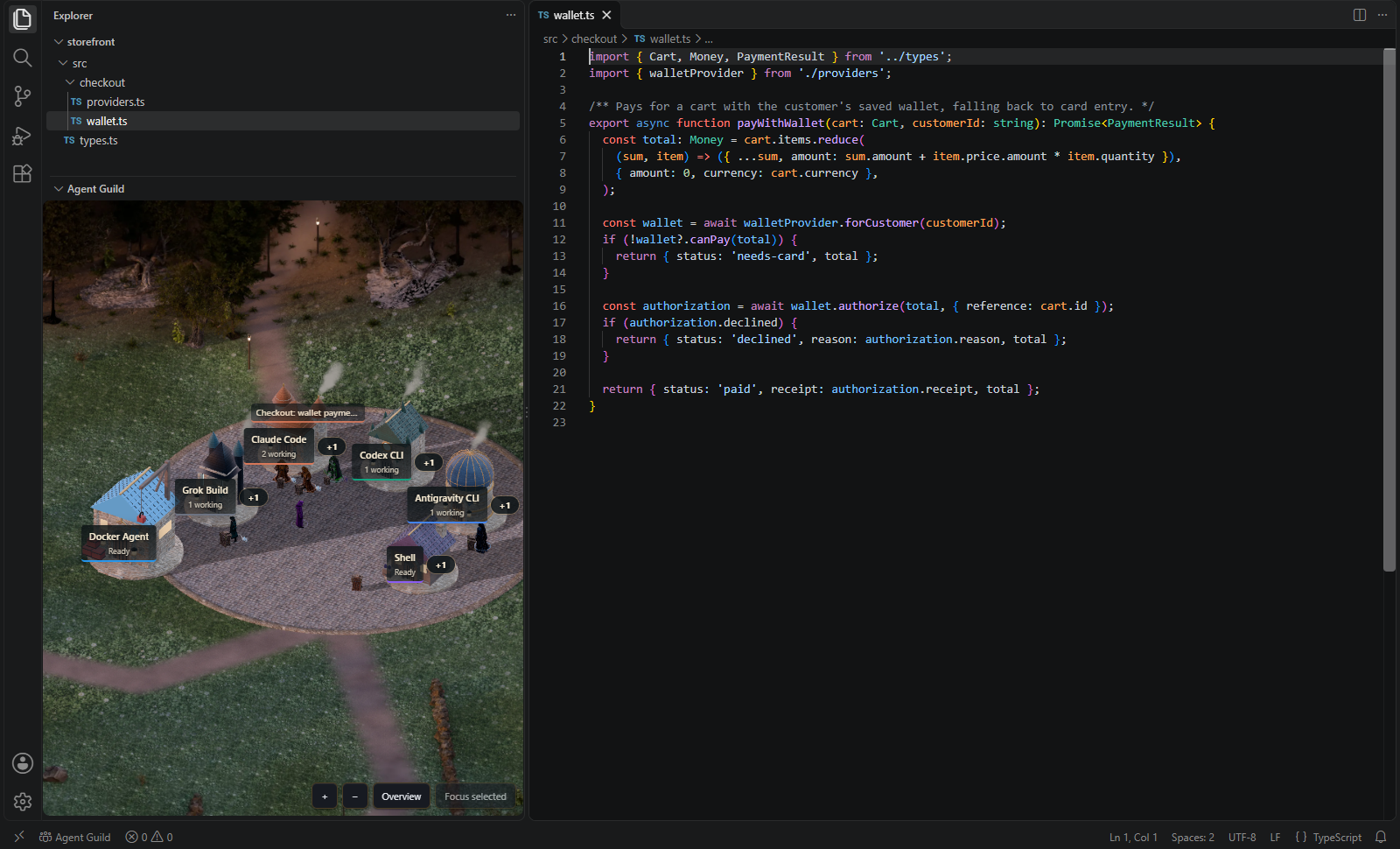
Shown with demo sessions.
- It shows the Yard in the world and theme you chose in the tab.
- Double-click a character to open its terminal in the Agent Guild tab.
- It draws nothing while it's collapsed or hidden.
The Agent Guild tab
- Opens from the status bar or Agent Guild: Open, and starts Agent Guild if it isn't running.
- The same sessions stay open in your browser at the same time.
- Links open in your default browser.
More in Agent Guild
- See what Claude Code, Codex CLI and Grok Build remember, and which instruction files your tools read in the working folder.
- Grades and benchmarks for your tools' models.
- GitHub issues, pull requests, workflow runs and branches for your working folder, once you sign in to GitHub.
Commands
| Command |
What it does |
| Agent Guild: Open, or Agent Guild in the status bar |
Opens the tab, in the view you last chose |
| Agent Guild: Open the Yard |
Opens the tab straight into the Yard |
| Agent Guild in the Explorer |
The Yard beside your code |
There are no settings to configure.
Requirements
- VS Code 1.85 or newer, or an editor built on it.
- Node.js 22 or newer.
- Agent Guild, installed with
npm install -g @oddessentials/agent-guild or Install in the tab.
- For the Yard: WebGL, and a one-time download of about 255 MB of art the first time it opens. After that it works offline.
| Feature |
Agent Guild |
| The tab |
1.2.0 or newer |
| Agent Guild: Open the Yard |
1.3.0 or newer |
| The Yard beside your code |
1.5.0 or newer |
With an older Agent Guild, the tab or the view says which update it needs.
From 1.0.0 the version follows semantic versioning: a new major version only when the extension stops supporting a VS Code, Agent Guild or Node.js version listed here.
Troubleshooting
| You see |
What to do |
| Agent Guild is not installed |
Choose Install. The tab connects when it finishes. |
| Agent Guild is not running |
Choose Open Agent Guild, which starts it or offers Install. |
| Agent Guild needs Node.js |
Install Node.js 22 or newer, then choose Try again. |
| Agent Guild did not start |
Run agent-guild doctor in a terminal to see why. |
| Agent Guild needs an update |
Choose Open in browser, then Update there. |
| Agent Guild stopped responding |
Choose Retry once it's running again, or Open Agent Guild to start it. |
Known limits
- While the Agent Guild tab or view has keyboard focus, VS Code's own shortcuts, such as the Command Palette, go to the page. Click outside it to use them.
- Dictate works in the browser, not in VS Code.
- In a remote window (SSH, WSL, a container), the tab and the view show the Agent Guild on your own computer, not on the remote one.
- vscode.dev and other editors in a browser are not supported.
Privacy
The extension talks only to the Agent Guild on your own computer, and collects no telemetry. Neither does Agent Guild: its privacy section lists what it fetches, such as version checks and usage meters, and none of it carries your code or prompts.
Agent Guild: World
Agent Guild: World, coming soon to Steam, shows the same sessions as a crew at work in a living 3D world, on Windows, macOS and Linux. It runs on Agent Guild, which stays free.
Development
npm ci
npm test
AGENT_GUILD_HOME=<a test data folder> npm run test:e2e
test:e2e needs a running Agent Guild manager whose data folder is AGENT_GUILD_HOME. Start one with AGENT_GUILD_HOME=<folder> AGENT_GUILD_PORT=47931 agent-guild --no-browser. Set VSIX to test a package built by npm run package, and VSCODE_VERSION to test another VS Code.
Pull requests are squash-merged, and their titles are Conventional Commits. Merging to main releases a new version when the titles call for one (fix: a patch, feat: a minor); nobody edits the version.
License
Free to use, and source-available under PolyForm Shield 1.0.0, like Agent Guild.
Claude Code, Codex, Antigravity, Grok and Docker are trademarks of Anthropic, OpenAI, Google, xAI and Docker. Agent Guild is not affiliated with or endorsed by them.

