Skip to content
| Marketplace
Sign in
Visual Studio Code>Programming Languages>KiCad Studio KitNew to Visual Studio Code? Get it now.
KiCad Studio Kit

KiCad Studio Kit

oaslananka

|
7 installs
| (1) | Free
The complete KiCad development environment for VS Code — view schematics & PCBs, run DRC/ERC, export production files, search components, and get AI-powered design assistance.
Installation
Launch VS Code Quick Open (Ctrl+P), paste the following command, and press enter.
Copied to clipboard
More Info

KiCad Studio marketplace hero

KiCad Studio

Open VSX

KiCad Studio turns VS Code into a focused KiCad workspace for project navigation, schematic and PCB inspection, DRC/ERC review, manufacturing handoff, and AI-assisted MCP workflows.

Canonical repository: https://github.com/oaslananka/kicad-studio-kit/tree/main/apps/vscode-extension

  • Extension ID: oaslananka.kicadstudiokit
  • Version: 1.0.0
  • Supported MCP: kicad-mcp-pro >=3.5.2 <4.0.0
  • Supported KiCad projects: KiCad 8.x, 9.x, and 10.x project, schematic, PCB, DRC, and jobset files

Quick Start

  1. Install KiCad Studio from the Visual Studio Marketplace or Open VSX.
  2. Open a folder that contains a .kicad_pro, .kicad_sch, or .kicad_pcb file.
  3. Run KiCad: Detect kicad-cli from the Command Palette if KiCad is not already on PATH.
  4. Open a schematic or PCB file to use the built-in KiCad Studio viewer.
  5. Run KiCad: Run DRC or KiCad: Run ERC to populate Problems, status, and validation views.
  6. Optional: start kicad-mcp-pro and connect your AI client with the generated .vscode/mcp.json schema.
corepack enable
corepack pnpm run dev:doctor
corepack pnpm install --frozen-lockfile
corepack pnpm --filter kicadstudiokit run build
corepack pnpm --filter kicadstudiokit run package

Feature Matrix

Workflow KiCad Studio Notes
Project tree Native VS Code sidebar for KiCad projects, boards, schematics, jobsets, rules, and generated outputs Designed for mixed hardware/software workspaces
Schematic and PCB viewing Custom editors with KiCad-aware controls and CLI fallback paths Keeps source files in VS Code while preserving KiCad as the authority
DRC/ERC review Problems integration, freshness state, quality gates, and focused validation views Helps separate fresh failures from stale report files
BOM, netlist, and exports Repeatable commands for manufacturing handoff and release review Pairs with KiCad jobsets and project-specific presets
MCP tools dashboard kicad-mcp-pro discovery, version gating, tool status, and AI workflow readiness MCP-dependent commands disable themselves when the server is incompatible
Localization English and Turkish listing copy with extension string infrastructure Paired with OASLANA-106 localization work

Screenshots

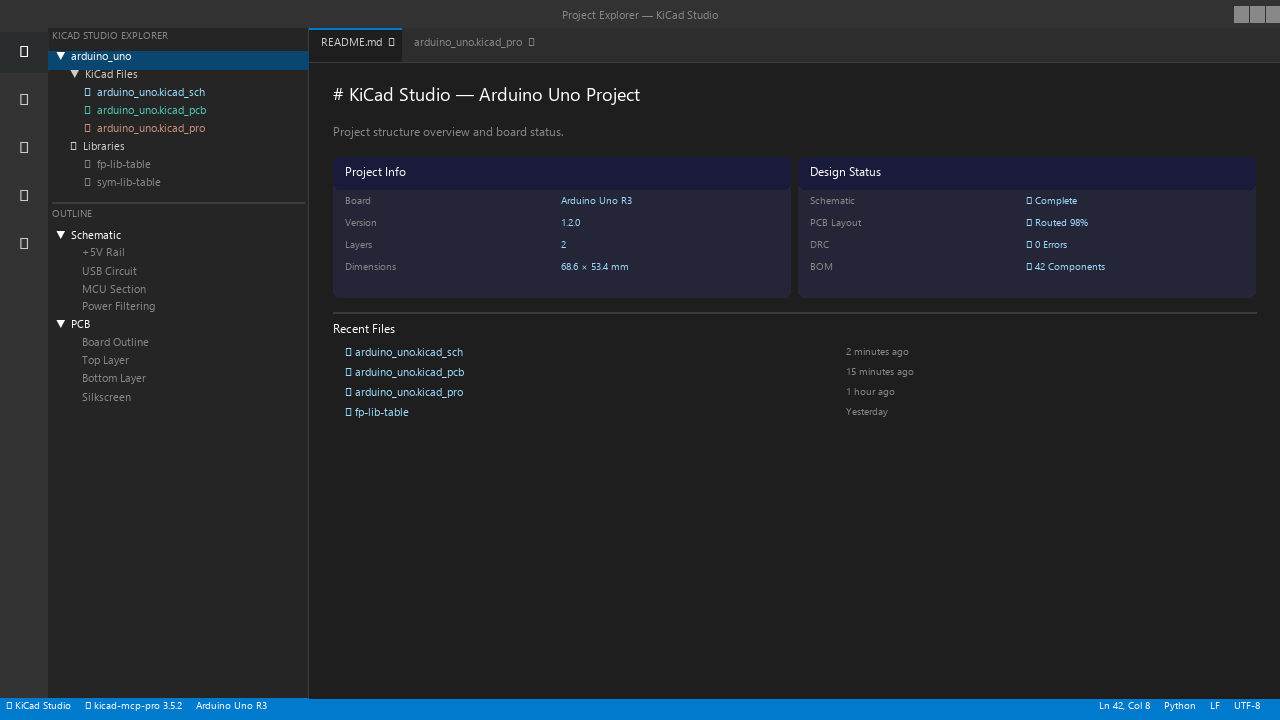
KiCad Studio project tree

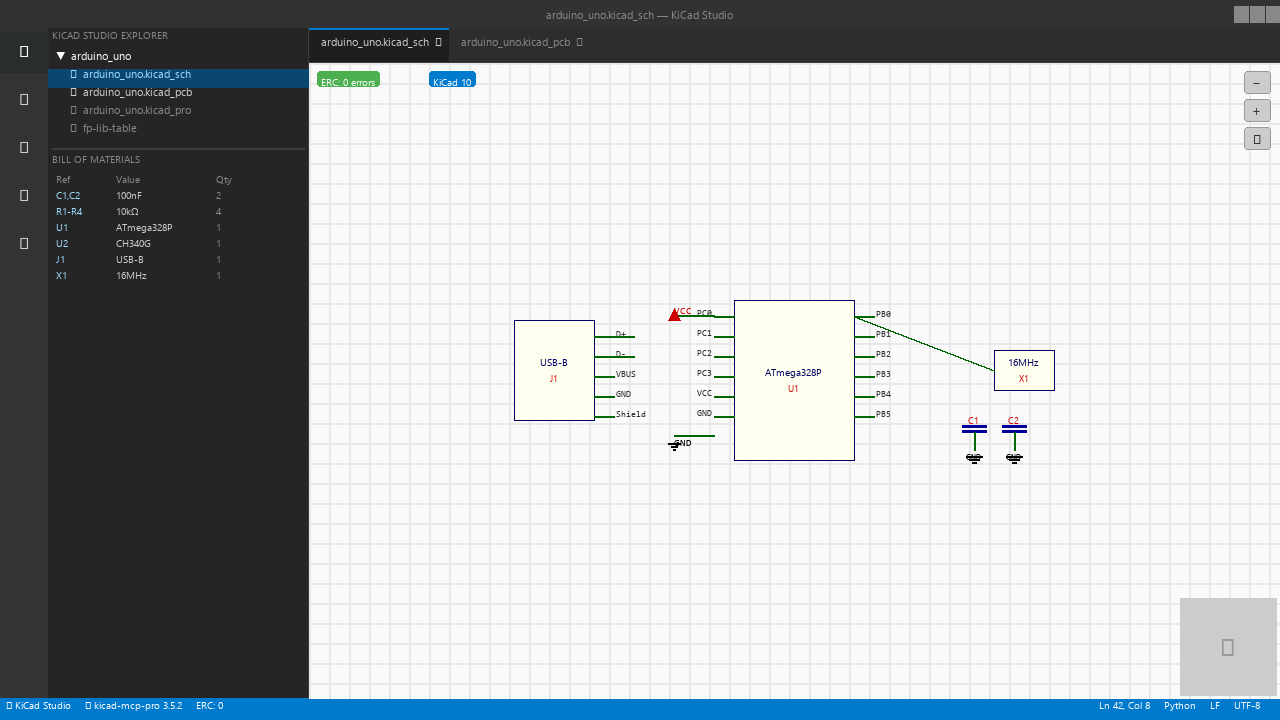
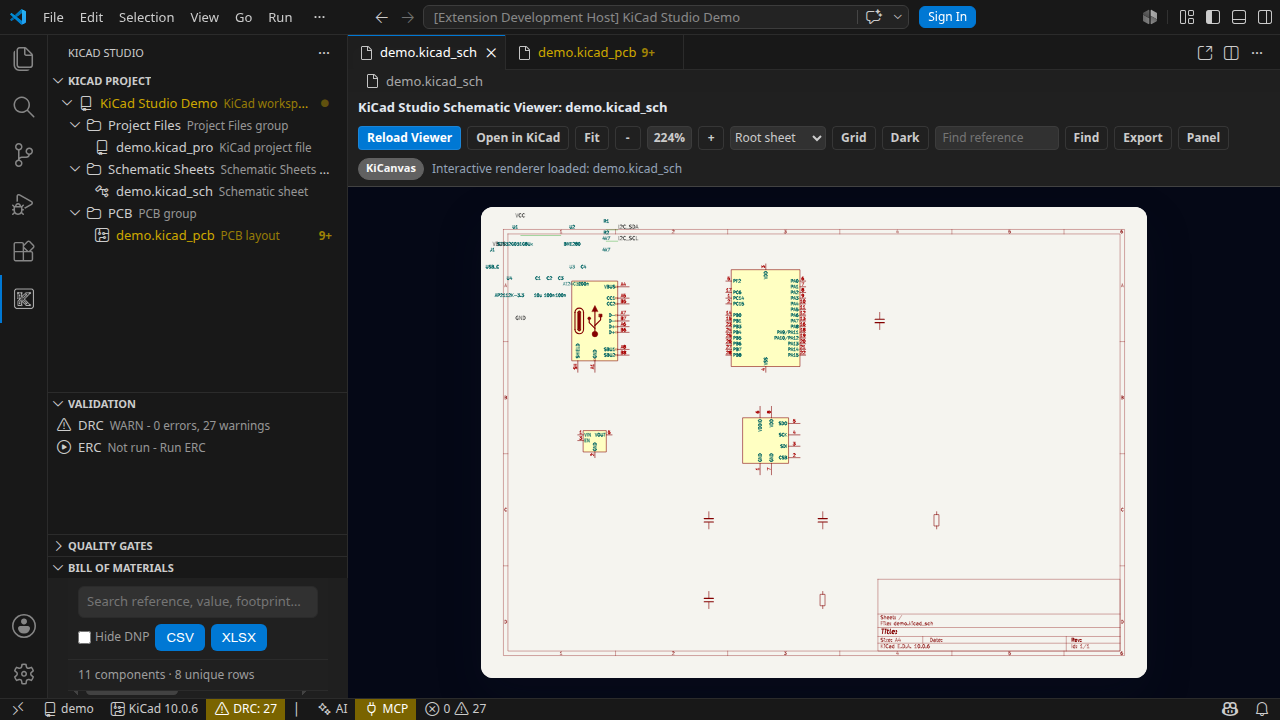
KiCad Studio schematic viewer

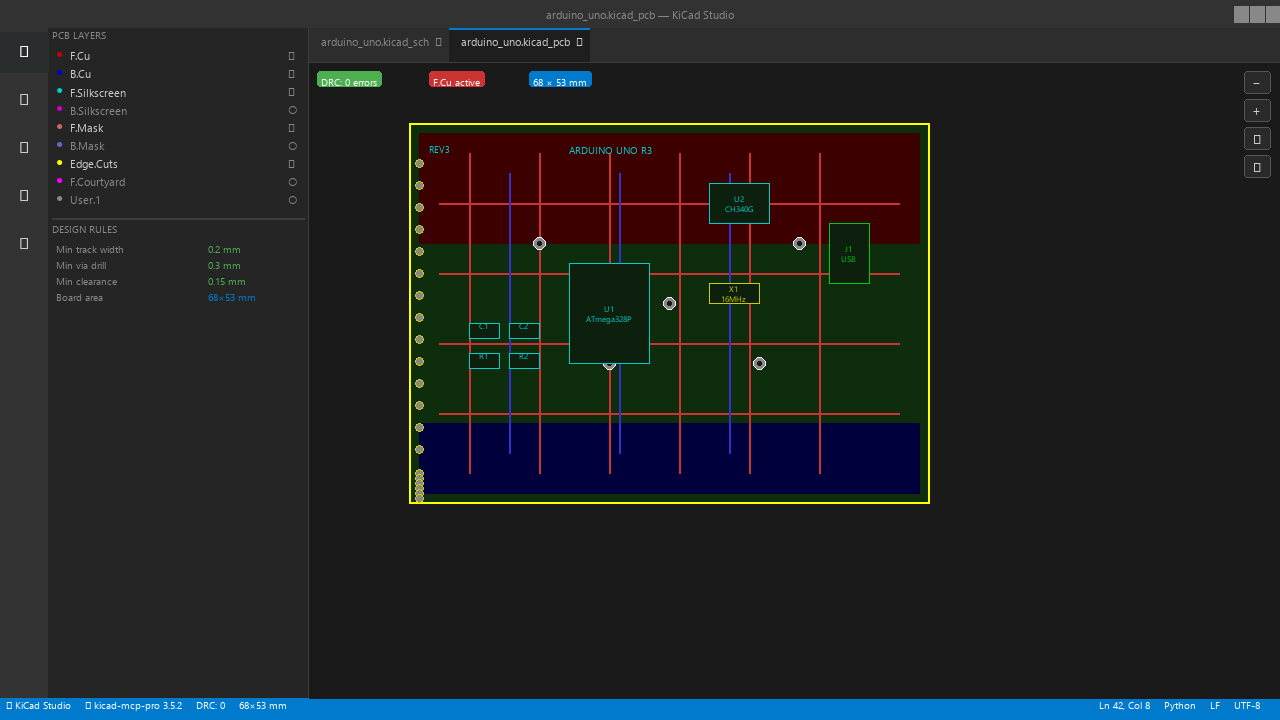
KiCad Studio PCB viewer

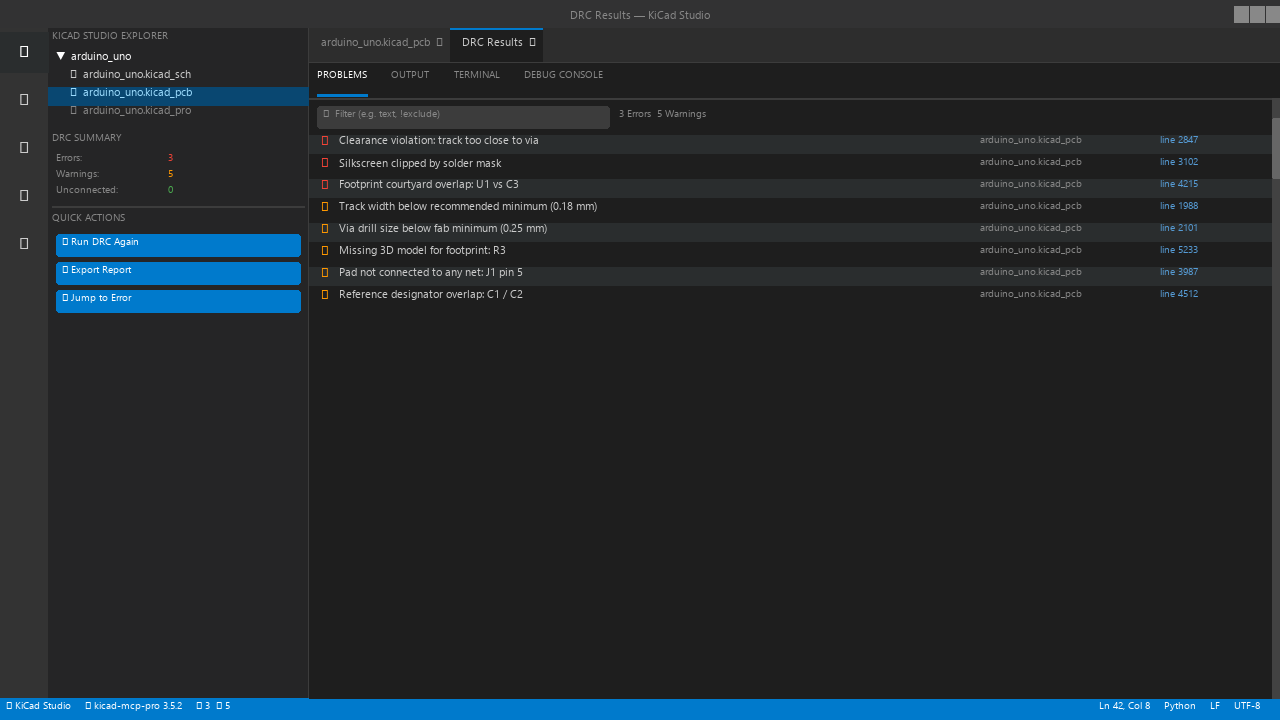
KiCad Studio DRC results

KiCad Studio MCP tools dashboard

Core Workflow

Open a project, inspect the PCB, and run DRC

KiCad CLI-Only Comparison

Workflow KiCad CLI-only KiCad Studio
Open project context Requires remembering paths, commands, and output locations Sidebar discovers KiCad project structure inside the active VS Code workspace
Inspect design state Exports or external KiCad windows are needed for most review loops Schematic and PCB custom editors keep review context next to source changes
Run DRC/ERC Terminal output and report files must be correlated manually Problems, validation views, and quality gates show actionable diagnostics
Share AI context Scripts must manually expose project files and tool capabilities MCP dashboard gates compatible kicad-mcp-pro tools and workspace context

MCP Compatibility

KiCad Studio 1.0.0 supports kicad-mcp-pro >=3.5.2 <4.0.0 and was tested against 3.5.2. If a connected server reports a version outside the required range, MCP-dependent commands are disabled while KiCad-only features continue to work.

Marketplace Listing Copy

The manual Marketplace and Open VSX checklist, English short/long listing copy, and Turkish localized copy live in docs/marketplace-listing.md.

Release Notes

Release notes for Marketplace and Open VSX users live in CHANGELOG.md.

Local Development

corepack pnpm run dev:doctor -- --ci
corepack pnpm install --frozen-lockfile
corepack pnpm --filter kicadstudiokit run marketplace:check
corepack pnpm --filter kicadstudiokit run build
corepack pnpm --filter kicadstudiokit run package

Marketplace Dry Run

corepack enable
corepack pnpm install --frozen-lockfile
corepack pnpm --filter kicadstudiokit run marketplace:check
corepack pnpm --filter kicadstudiokit run build
corepack pnpm --filter kicadstudiokit run package
corepack pnpm --filter kicadstudiokit exec vsce ls --tree --no-dependencies

Support and Sponsorship

Use GitHub Issues for reproducible bugs, feature requests, Marketplace rendering problems, and KiCad compatibility reports. Include the KiCad version, operating system, extension version, and the command or file type that reproduced the issue.

Commercial users who rely on KiCad Studio for release, manufacturing, or AI-assisted review workflows can sponsor continued development through the repository sponsor links and support channels.

  • Contact us
  • Jobs
  • Privacy
  • Manage cookies
  • Terms of use
  • Trademarks
© 2026 Microsoft