OLKIL AI Code EditorOLKIL AI Code Editor for VS Code — AI coding agent, chat, autocomplete alternative, and pair programmer. Write, debug, refactor, and ship faster. Cursor alternative, Copilot alternative, Claude Code alternative, Codex alternative in Visual Studio Code. Installation Launch VS Code Quick Open ( Ctrl+P), paste the following command, and press enter.Copied to clipboard |


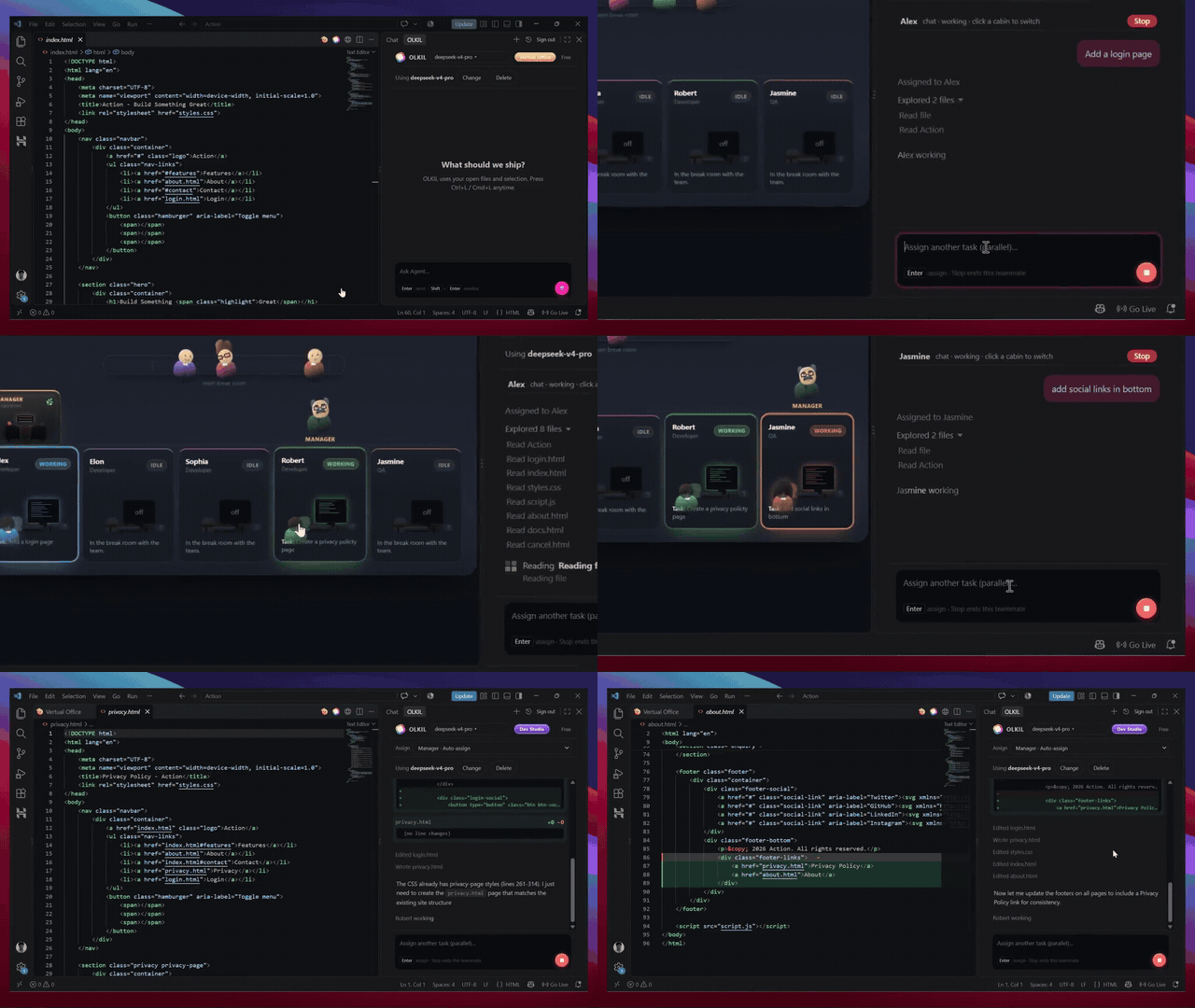
OLKIL AI Code Editor for Visual Studio CodeOLKIL AI Code Editor is an AI-powered coding agent for VS Code. Chat, edit, debug, refactor, and ship code faster — a Cursor alternative, Copilot alternative, Claude Code alternative, and Codex alternative that stays inside Visual Studio Code. Same olkil.com account and Lite / Pro / Ultra credits as the OLKIL desktop IDE. Sign in once, then work in the right-hand sidebar ( DemoSee OLKIL AI Code Editor in VS Code — chat, Agent mode, file edits, and Virtual Office:
Why OLKIL AI Code Editor
Features
Install
Need a plan? olkil.com/pricing Desktop IDEWant the full OLKIL IDE (not only the VS Code extension)? Download it from olkil.com. PrivacySign-in tokens stay in LicenseProprietary. © OLKIL. |