Nomain for VS Code
Understand and change your mainframe systems without leaving the editor.
Nomain brings your System into VS Code. Ask how a program works and get an answer grounded in the
code, with every reference one click from the source. Ask for a change and Nomain Code proposes
edits that account for everything else that depends on it, and you review each one before it lands.
What it does
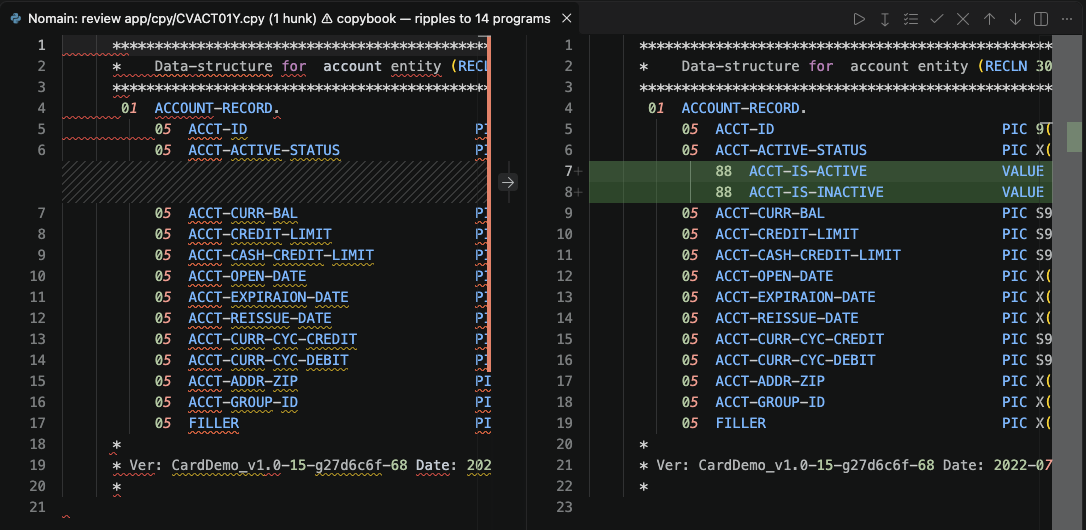
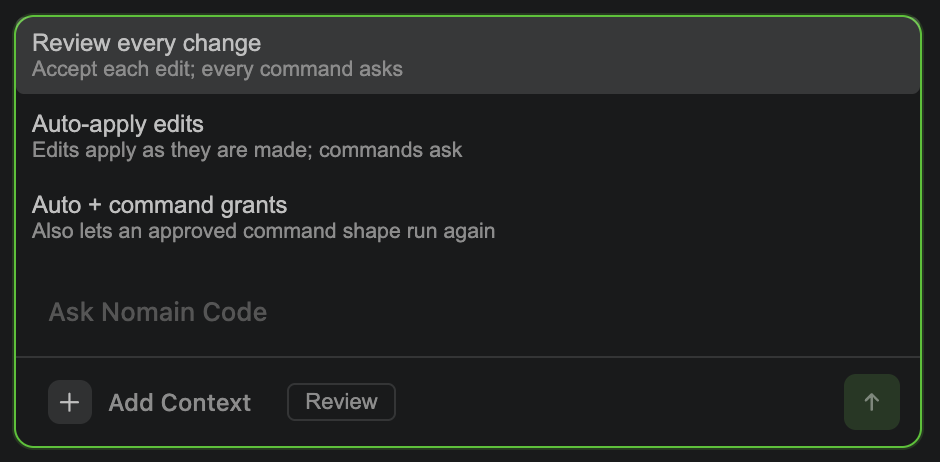
- Nomain Code proposes changes you review. Ask for a change and the agent investigates your
System, then proposes edits. In Review mode, the default, you accept or reject each file and
each hunk, and every command asks before it runs.
- Edits account for the whole System. A change is grounded in how the rest of your code depends
on it, and you are warned when an edit touches a copybook that is used elsewhere.
- Your files say what the System knows about them. Open an indexed COBOL, PL/I or JCL file and each construct
shows its callers, dead stores, unreachable paragraphs and when it last changed, each with the
agent action that follows from it. The eye button in the editor title bar hides them, and shows
them again, in one click.
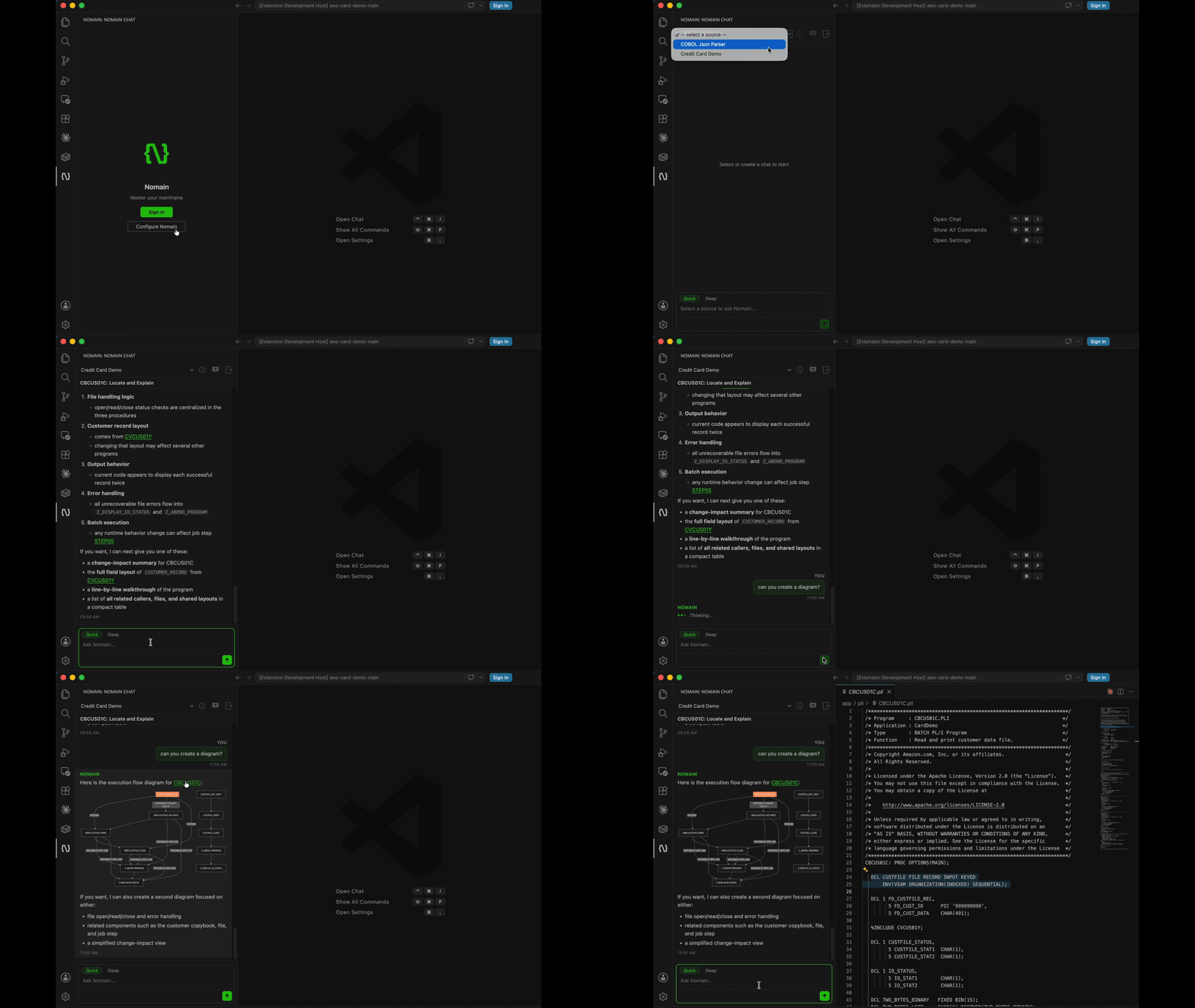
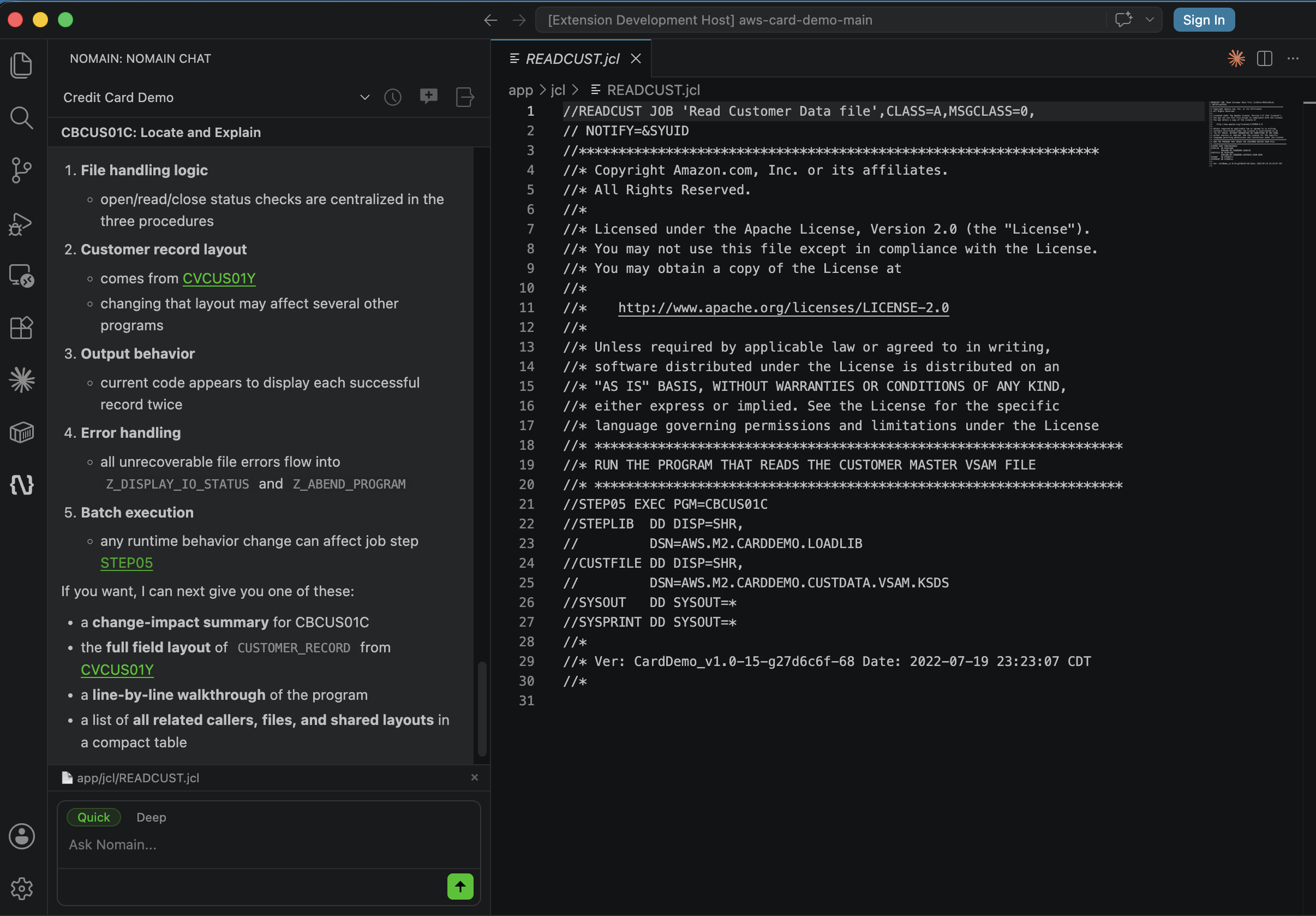
- Answers cite the exact code. Ask a question and click a reference in the answer to open that
file at the line it came from.
- Bring what you are looking at into the question. Type
@ to attach a file, or press Alt+K
(Option+K on macOS) to attach the lines selected in the editor.
- Your team's way of working comes with the code. Nomain Code reads the project's conventions
from
AGENTS.md or CLAUDE.md, and the skills it ships under .agents/skills/ or
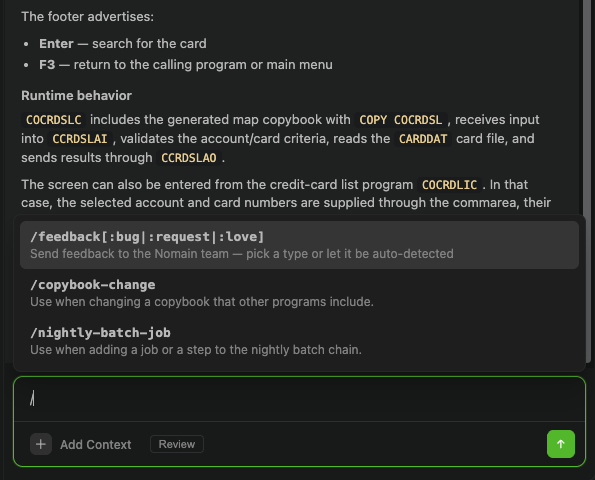
.claude/skills/. Type / to call a skill by name.
- Pick up where you left off. Reopen any past conversation from the history, including one you
started in the web app with Continue in VS Code.
- Trace where a value comes from and where it goes. Put the cursor on a COBOL data item and
click the lineage button in the Nomain header (or press
Alt+Shift+L) to see who writes and reads
it across the whole System, how its value flows statement by statement, and ask Nomain Code to
explain it.
- Private by design. Model calls go through your Nomain deployment, never from your editor
straight to an AI provider.
Screenshots
Review every edit, file by file and hunk by hunk

Choose how much you review
Ask about your code, and jump to the source
Call your project's skills by name
Requirements
- VS Code 1.100 or later
- A Nomain account with access to at least one System
Getting started
- Install the extension and click the Nomain icon in the Activity Bar.
- On the sign-in screen, click Configure Nomain and enter your Nomain address. Or choose
Set up VS Code in the web app's user menu, which opens VS Code with the address filled in.
- Click Sign In and confirm the sign-in code in your browser.
- Pick a System and start asking.
The full guide is at docs.nomain.com.
Tracing data lineage
Place the cursor on a data item (for example ACCT-CURR-BAL). The lineage button in the Nomain
header, left of Chat history, lights up while the cursor is on one; click it. You can also press
Alt+Shift+L, right-click → Nomain: Trace Data Lineage, or run the command from the Command
Palette. A lineage card appears in the Nomain sidebar with:
- where the item is declared (copybook or program, level and picture);
- every program and paragraph in the System that reads or writes it, from the
knowledge graph — including repositories you do not have open;
- the statements in your workspace that move its value in and out (
MOVE,
COMPUTE, ADD, CALL … USING, READ … INTO, SQL host variables…), each
linked to its file and line, followed up to nomain.lineage.maxDepth hops;
- a diagram of the flow, and an Explain with Nomain Code button that hands
the report to the agent for the business meaning and change risks.
Graph data reflects the last analysis; statement lines come from the live files.
Configuration
All settings are under Nomain in VS Code Settings.
| Setting |
Description |
Default |
nomain.serverUrl |
The address of your Nomain deployment. |
Set from the sign-in screen, or by Set up VS Code |
nomain.agent.sessionLog.enabled |
Keep a copy of each Nomain Code conversation on this computer, so a conversation you reopen carries on with the agent's own notes. The copy never leaves this computer. |
true |
nomain.agent.reasoningEffort |
How much Nomain Code reasons on each turn: off, minimal, low, medium or high. Higher is more thorough and slower. Takes effect in the next conversation. |
high |
nomain.lineage.maxDepth |
How many value-flow hops Trace Data Lineage follows through the COBOL in your workspace, from 0 to 4. |
2 |
Commands
| Command |
Description |
| Nomain: Sign In |
Sign in through your browser |
| Nomain: Sign Out |
Clear the stored session |
| Nomain: Configure Server URL |
Change the Nomain deployment the extension connects to |
| Nomain: Add Selection to Chat Context |
Attach the lines selected in the editor (Alt+K) |
| Nomain: Stop Generating |
Stop the answer in progress (Esc Esc) |
| Nomain: Send Feedback |
Send a Proposal, Problem or Compliment to the Nomain team |
| Nomain: Clear Local Sessions |
Delete the conversation copies kept on this computer |
| Nomain: Trace Data Lineage |
Show the lineage of the COBOL data item under the cursor (Alt+Shift+L) |
Support
Contact your Nomain account team, or email support@nomain.com. Release
notes are bundled with the extension as CHANGELOG.md.
License
Nomain Proprietary License. For licensing inquiries,
contact support@nomain.com.
| |

