✨ Professional Antigravity IDE Extension for GitHub Copilot Chat Export
Convert your GitHub Copilot chat sessions into beautiful, readable HTML reports with enhanced cross-platform compatibility, comprehensive notification control, advanced license management, comprehensive error handling, and seamless user experience.
🎥 Extension Demo
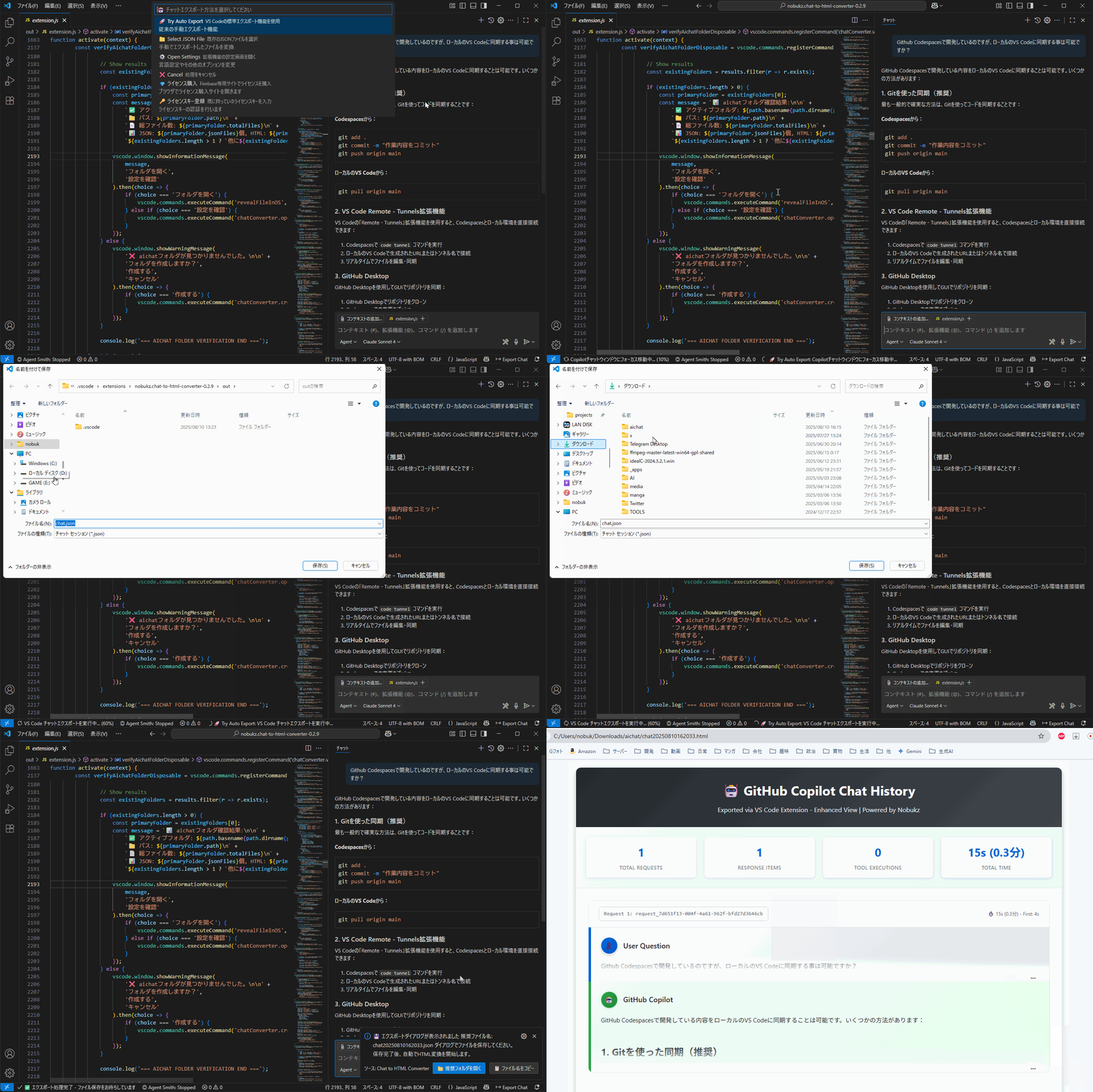
Watch the Chat to HTML Converter in action - from chat export to beautiful HTML output
✨ Key Features
- Terminal Command Visibility: Displays actual commands sent to terminal by Copilot
- Command Explanation: Shows the explanation/purpose of each command execution
- Compact Design: Optimized vertical spacing for better readability (60-70% space reduction)
- Smart Label Hiding: Hides redundant "TEXT" labels for cleaner output
- Improved CSS Styling: Smaller fonts, tighter margins, and better visual hierarchy
- Debug Support: Built-in debugging for troubleshooting tool invocation issues
- Universal File Recognition: Fixed chat.json recognition issues across different Windows PCs
- Multi-Encoding Support: Automatic detection of UTF-8, UTF-16LE, and Latin1 file encodings
- Robust Path Handling: Enhanced path processing for OneDrive, local accounts, and network drives
- Troubleshooting Tools: Built-in diagnostic command for quick issue resolution
- Enhanced Error Messages: Detailed, actionable error information for better user guidance
🎨 Visual Identity (v0.6.8)
- Custom Extension Icon: Beautiful visual branding with professional design
- Enhanced User Interface: Improved visual elements and user experience
- Professional Screenshots: Complete visual documentation for better understanding
- Optimized Package: Streamlined download size for faster installation
🔐 Firebase License Management
- Trial System: 30-day trial period with 10-use limit
- License Activation: Easy license key input and validation
- Usage Tracking: Automatic usage monitoring and analytics
- Online/Offline Support: Works with or without internet connection
🔔 Comprehensive Notification Control (v0.6.8)
- Disable All Notifications: Complete notification control with global disable setting
- 24+ Notification Points: Centralized control over all extension notifications
- Granular Control: Individual control for startup and other notification types
- Silent Mode: Perfect for focused development sessions without interruptions
- Flexible Settings: Easy toggle in Antigravity IDE settings with instant effect
🚀 Smart Export System
- Automatic Timestamped Filenames: Exports saved as
chat_YYYYMMDDHHMMSS.json
- Post-Save Auto-Rename: Automatically detects and renames exported files
- Overwrite Prevention: Removes original "chat.json" files automatically
- Zero User Intervention: No manual renaming or overwrite dialogs
⭐ Core Features
- One-Click Export: Press
Ctrl+Shift+E for instant chat export
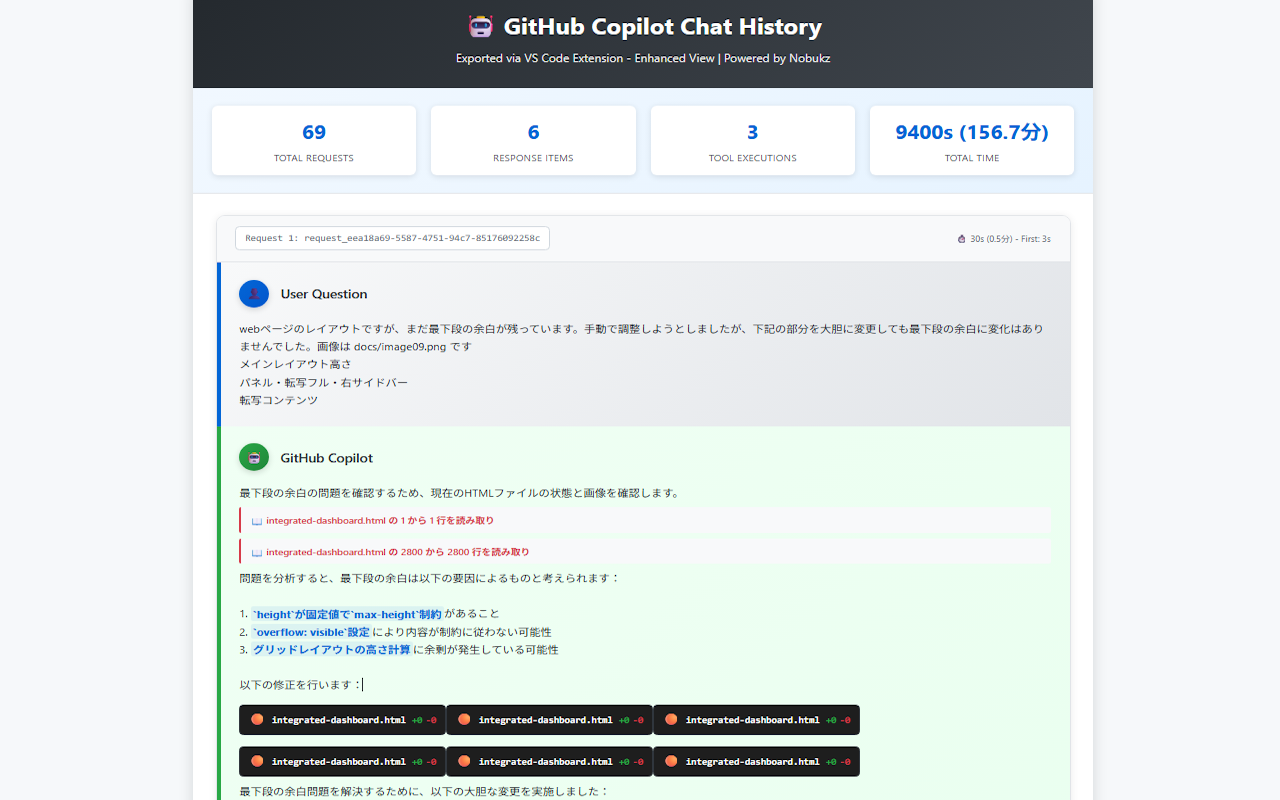
- Beautiful HTML Output: Professional styling with statistics and tool tracking
- Multi-Folder Monitoring: Configure multiple search folders
- Automatic Folder Creation: Creates and manages aichat folder for organized storage
- Real-Time Processing: Instant HTML generation and browser preview
📸 Screenshots
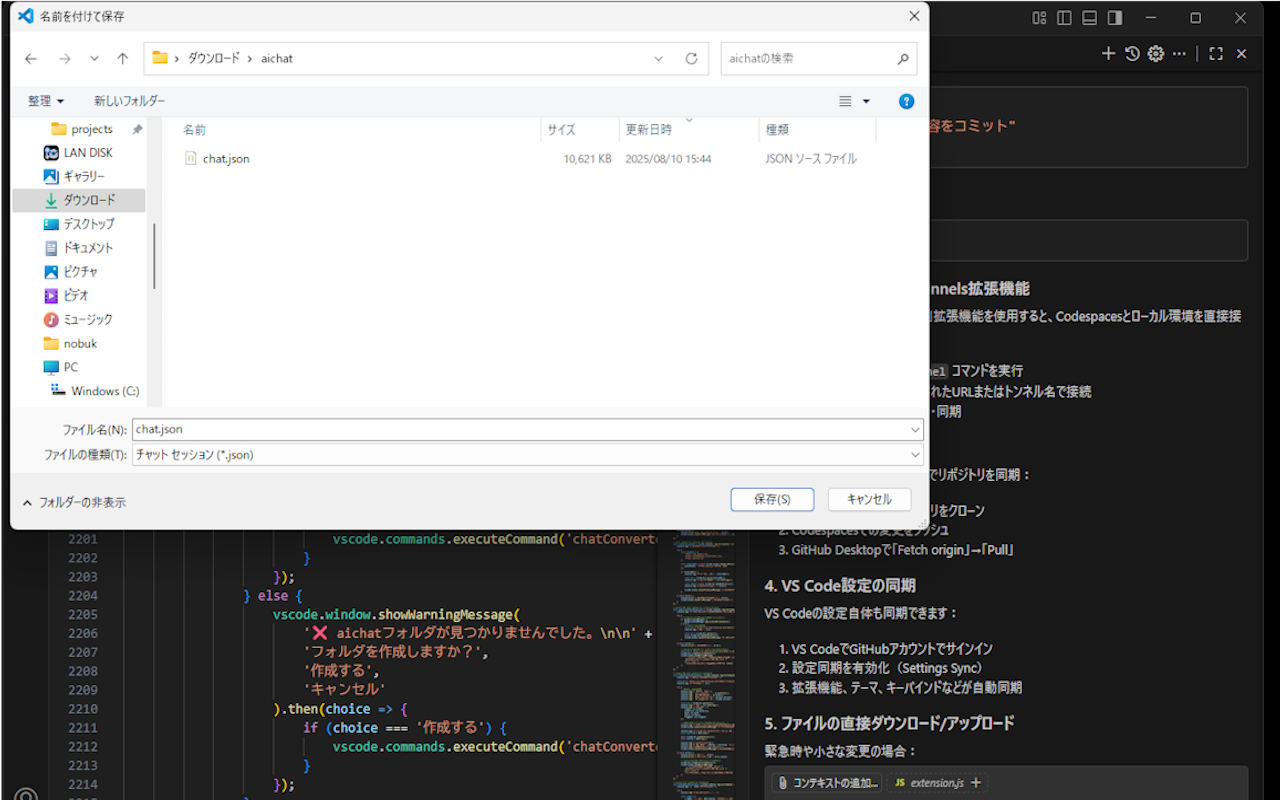
1. Main Extension Interface
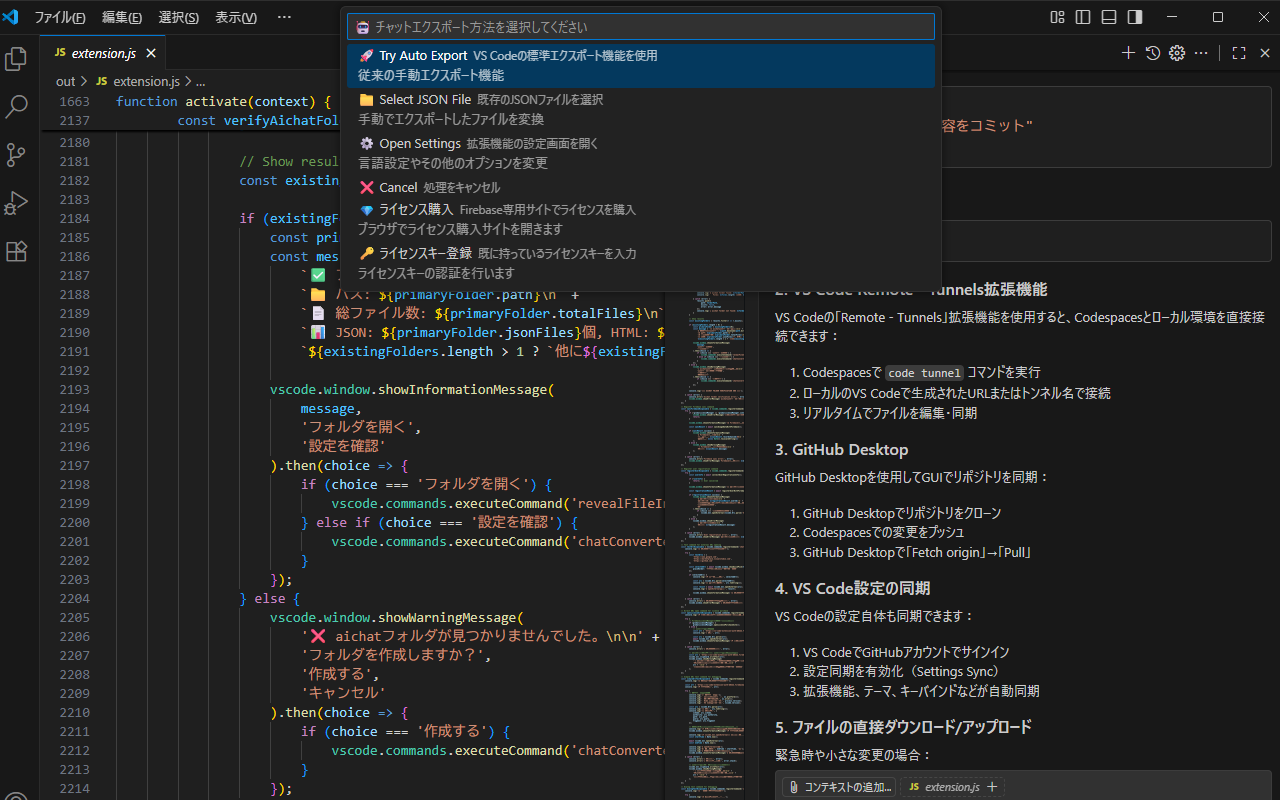 The main Antigravity IDE interface showing the Chat to HTML Converter extension in action
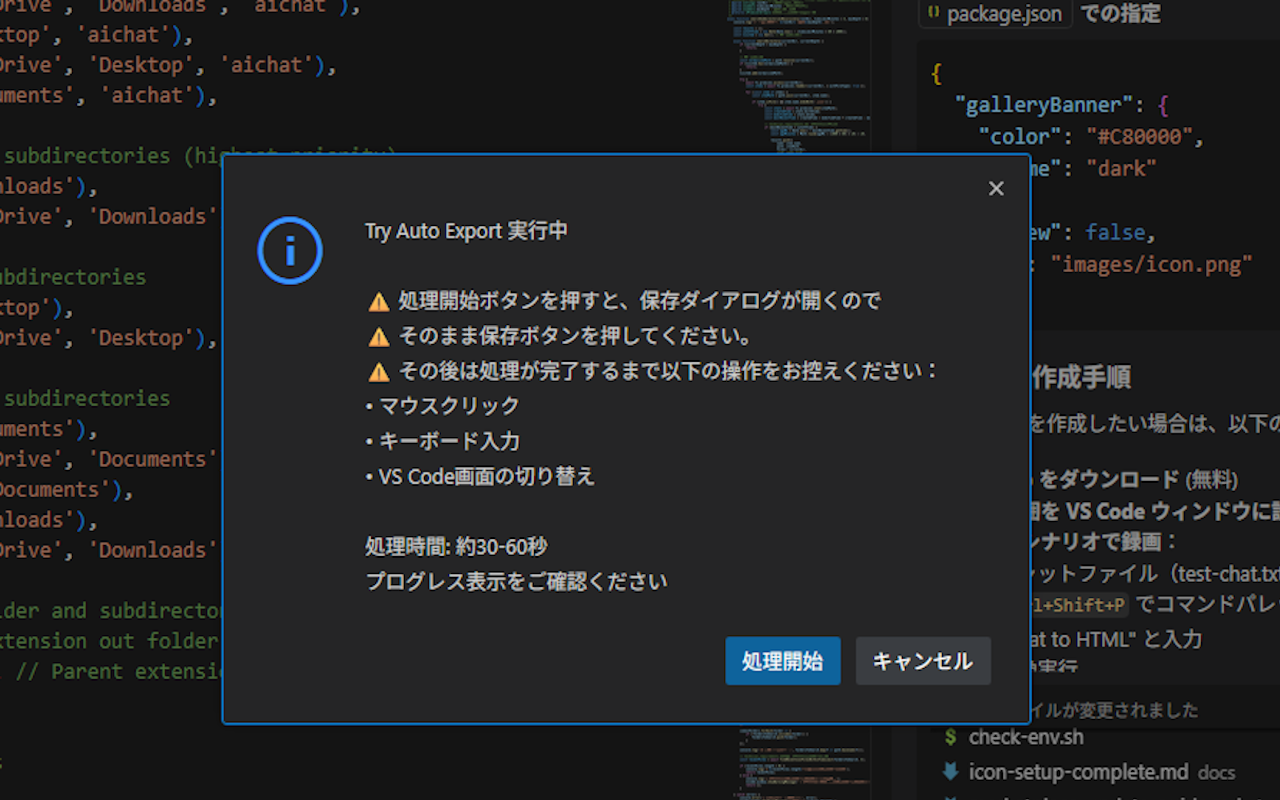 Example of a chat file ready for conversion to HTML format
3. Generated HTML Output
 The clean, well-formatted HTML code generated by the extension
4. Beautiful HTML Display
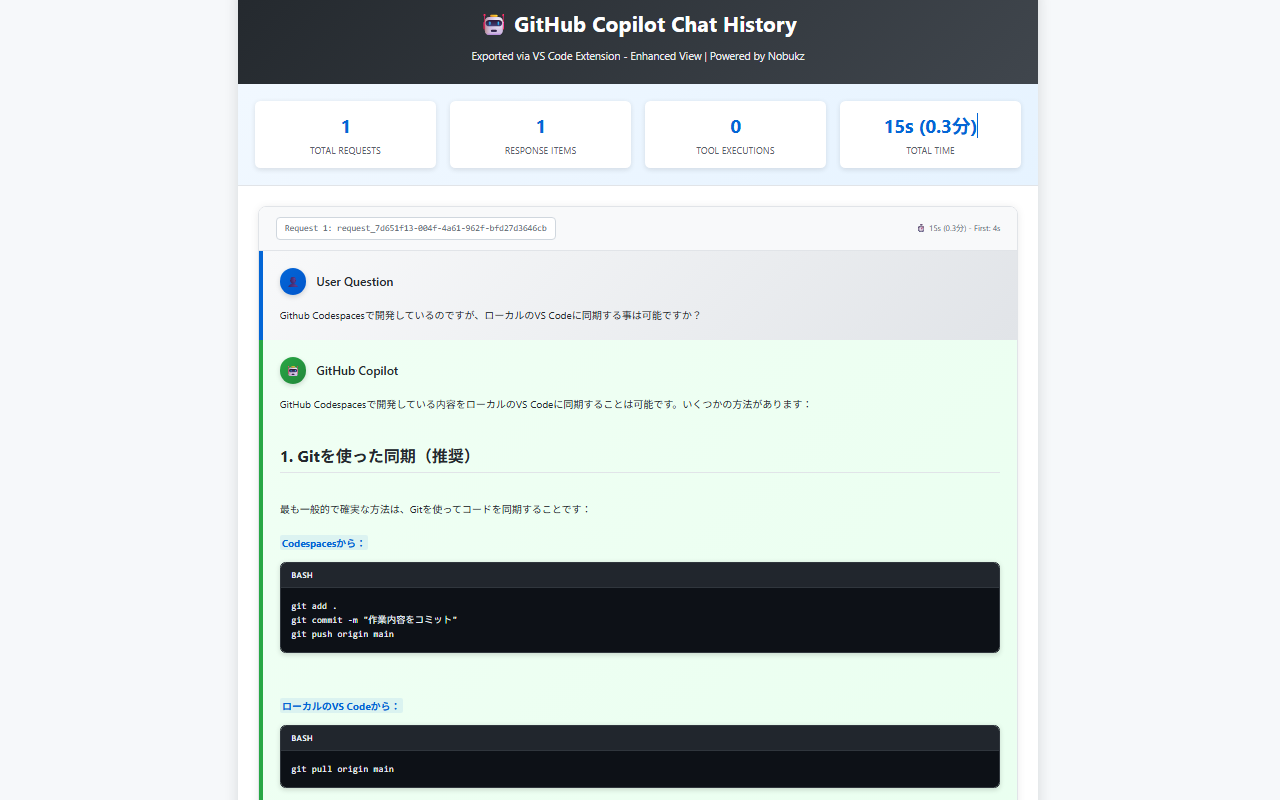 The final HTML output displayed in a web browser with professional styling
5. Extension Settings & Configuration
 Configuration options and settings panel for customizing the extension
🚀 Quick Start
Install the Extension
- Manually install the VSIX package in Antigravity IDE
- Reload Antigravity IDE after installation
Start Using
- Press
Ctrl+Shift+E or click the status bar button
- Select "🔍 Try Auto Export"
- Choose your export location
- Let the extension handle everything automatically!
License Management
- Start with 30-day trial (10 uses)
- Check license status:
Ctrl+Shift+P → "Chat Converter: Show License Status"
- Activate license:
Ctrl+Shift+P → "Chat Converter: Activate License"
📋 Available Commands
| Command |
Description |
Shortcut |
| Export Chat to HTML |
Main export function |
Ctrl+Shift+E |
| Show License Status |
Check current license status |
- |
| Activate License |
Enter license key |
- |
| Convert JSON to HTML |
Convert existing JSON files |
- |
| Open Settings |
Extension configuration |
- |
| Show Help |
Display help information |
- |
⚙️ Settings
🔔 Notification Settings
- Disable All Notifications: Turn off all extension notifications for distraction-free coding
- Show Startup Notification: Control the welcome message when extension activates
- Silent Mode: Perfect for presentations or focused development sessions
License Management
This extension includes a sophisticated Firebase-based license management system:
- Trial Period: 30 days with 10 export operations
- Usage Tracking: Automatic monitoring of export operations
- License Activation: Simple license key input process
- Offline Support: Basic functionality available without internet
📝 Version History
v1.0.2 (2026-06-20)
Marketplace Display Fix
- 🔧 FIX: Renamed document files to uppercase (
README.md and README_JP.md) to ensure proper README rendering updates on the Open VSX Marketplace.
v1.0.1 (2026-06-19)
Documentation Update & Optimization
- 📝 DOCS: Updated
readme.md (English) to match the latest content of readme_jp.md, ensuring multi-language consistency.
v1.0.0 (2026-06-19)
Initial Release for Antigravity IDE (Equivalent to VS Code v0.9.2)
This version is the first official release optimized for Antigravity IDE, based on the VS Code version of Chat to HTML Converter (v0.9.2).
- 🚀 NEW: Added a Save Dialog (with 'chat.json' pre-populated) when triggering "Try Auto Export". Users can choose where to save the exported JSON file. The extension then handles renaming, HTML/Markdown conversion, and browser auto-preview.
- 🐛 FIXED: Fixed
getLatestTranscriptPath logic to skip directories without transcript.jsonl files, resolving auto-export initialization issues.
- 🐛 FIXED: Resolved
ReferenceError during auto-export fallback paths where variables were referenced before initialization.
- 🎨 IMPROVED: Automatically rendering agent
[diff_block_start] ... [diff_block_end] tags as beautiful syntax-highlighted diff code blocks in HTML and Markdown outputs.
- 🎨 IMPROVED: Detect and format raw file-read logs (code snippets with line numbers starting with
Showing lines or <truncated>) into monospaced code blocks in HTML and Markdown.
- ✨ NEW: Markdown (.md) file output alongside HTML conversion
- Automatically generates a
.md file in the same folder as the HTML output
- Outputs user instructions, Copilot responses, work logs, and code blocks in chronological order
- Supports all response item types: plain text, code blocks, file references, file operations, and tool invocations
- ⚙️ NEW: Antigravity IDE settings for Markdown output control
chatConverter.outputMarkdown — Enable/disable Markdown file generation (default: ON)chatConverter.markdownShowReadLog — Show/hide copilot_readFile (file read log) entries in Markdown output (default: ON)
📄 License
MIT License - see LICENSE.txt for details.
🌐 Official Website
Visit our official website for more information: https://nobukz-official-website-ves6.vercel.app/
Made with ❤️ for the Antigravity IDE community

