Bash Escape Room — VS Code Extension
Learn Bash by solving 57 escape-room puzzles right inside VS Code.
No Docker. No browser. No workspace setup. Just install and start hacking.
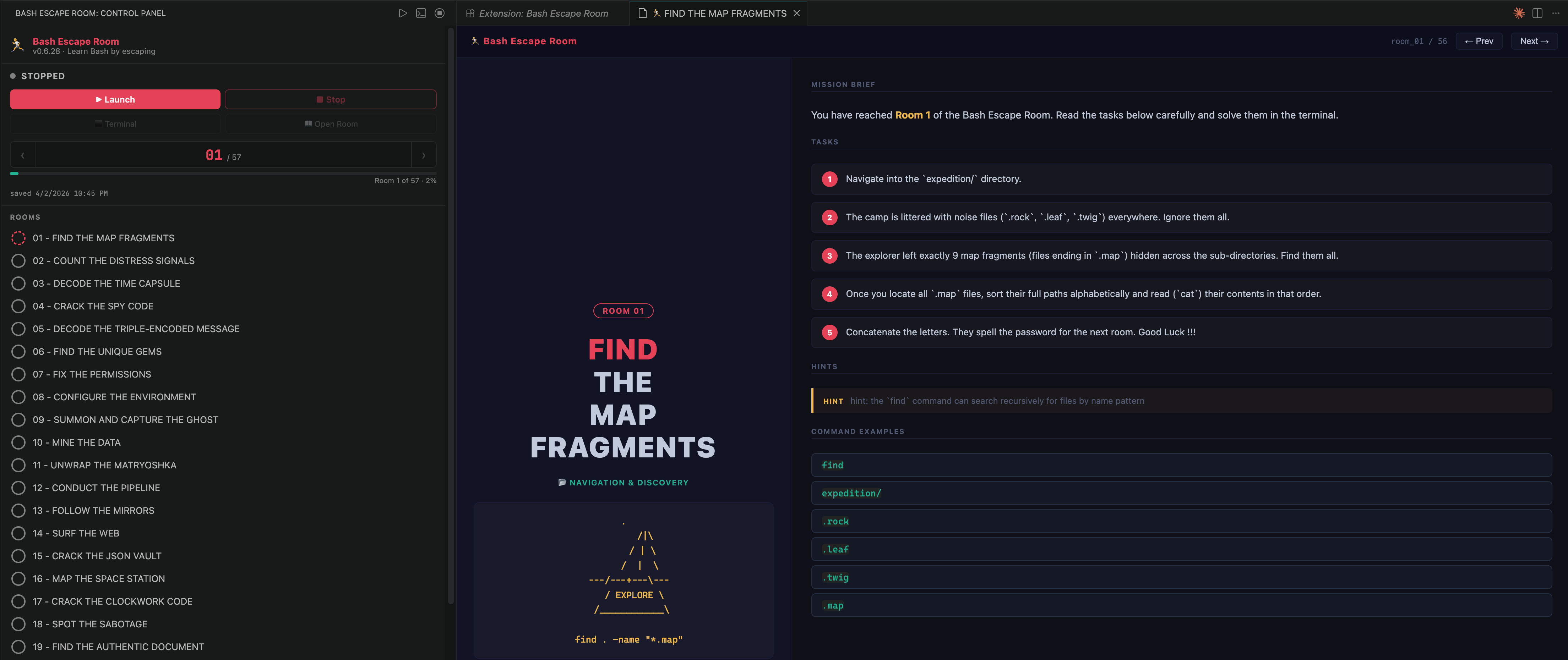
What You Get
- Sidebar panel — room list with titles, progress bar, navigation controls, auto-save
- Lesson panel — styled room card with tasks, hints, and command examples
- Integrated terminal — bash shell pre-loaded with
next, room, progress commands
- 57 rooms — fully bundled, no repo clone needed
Installation
From VS Code Marketplace
- Press
Cmd+Shift+X → search Bash Escape Room → Install
- Click the 🏃 icon in the Activity Bar
From VSIX
code --install-extension bash-escape-room-0.6.28.vsix
Or: Cmd+Shift+P → Extensions: Install from VSIX... → select the file → Reload.
Getting Started
1. Open the Panel
Click the 🏃 icon in the Activity Bar (left edge of VS Code).
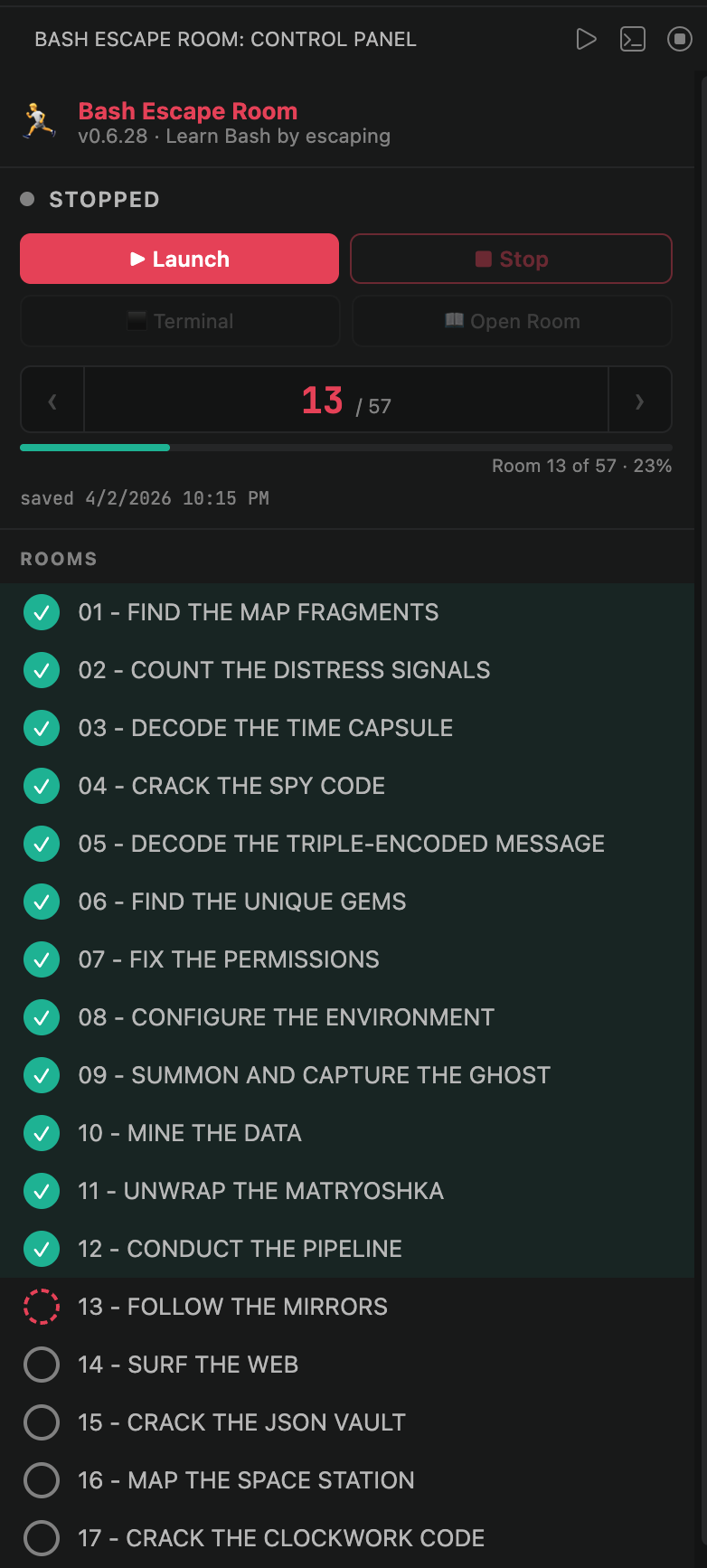
The sidebar shows:
- Status dot (stopped / starting / running)
- ▶ Launch and ■ Stop buttons
- ⬛ Terminal and 📖 Open Room quick links
- Room navigator
‹ 01 / 57 › with a progress bar
- Full room list — click any room to jump directly
2. Launch
Click ▶ Launch in the sidebar.
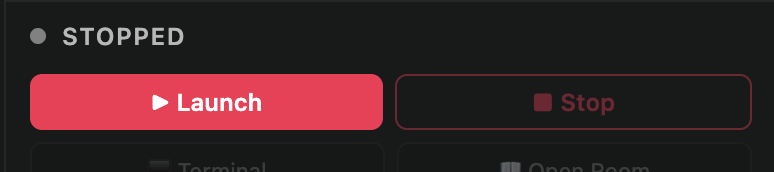
The embedded server starts and Room 01 opens automatically in the lesson panel.
3. Read the Room
The lesson panel shows everything you need to solve the room.
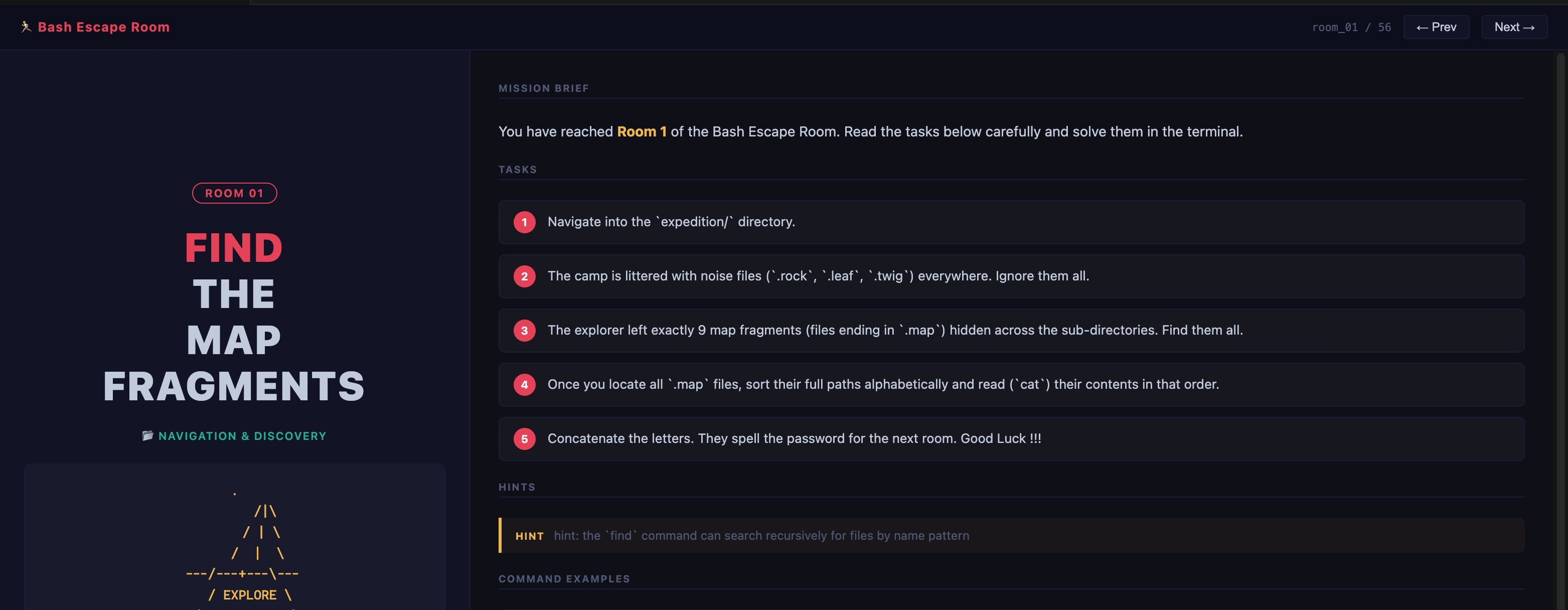
- Left column — room title, section tag, ASCII art visual
- Right column — mission brief, numbered tasks, hints, command examples
4. Open the Terminal
Click ⬛ Terminal in the sidebar.

A bash shell opens inside the current room's directory, with these commands available immediately:
| Command |
Description |
next |
Move to the next room |
room <N> |
Jump directly to room N |
progress |
Show saved progress |
resume |
Return to your last saved room |
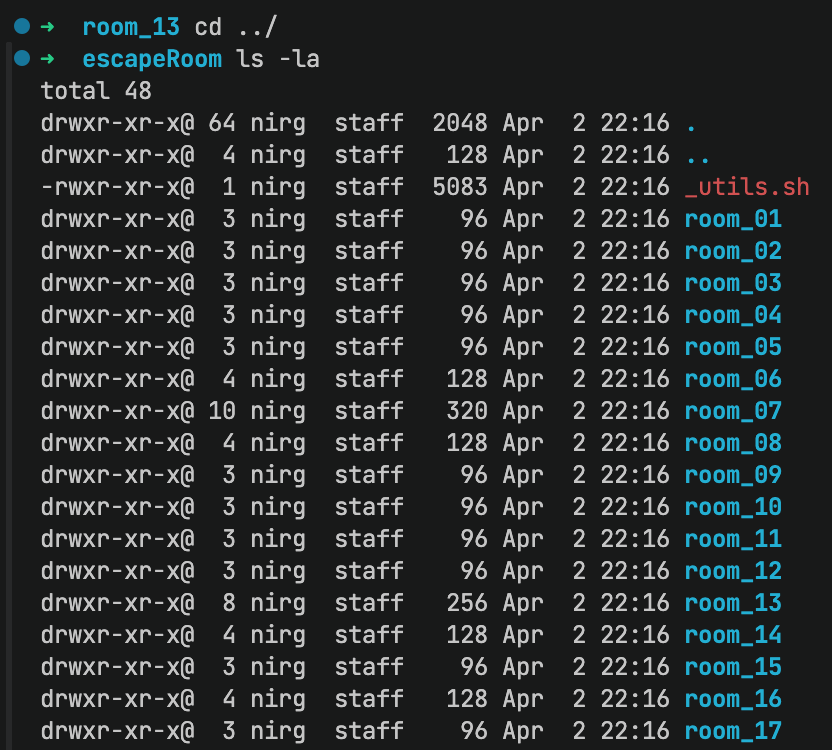
5. Solve & Advance
Work through the Tasks shown in the lesson panel.
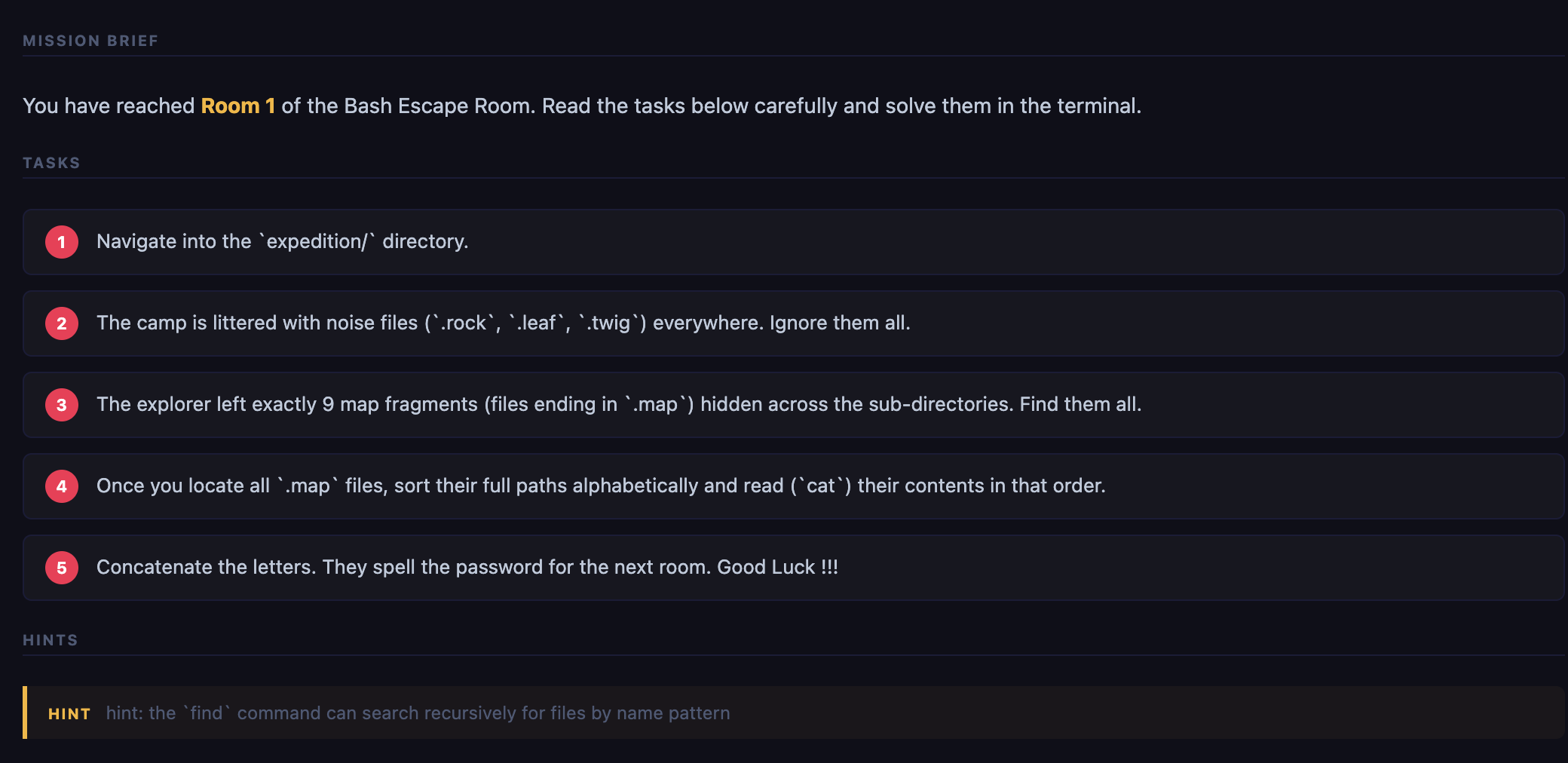
Once you find the password, run in the terminal:
next
Or jump to any room:
room 14
The sidebar updates automatically and the next lesson opens.
6. Track Progress
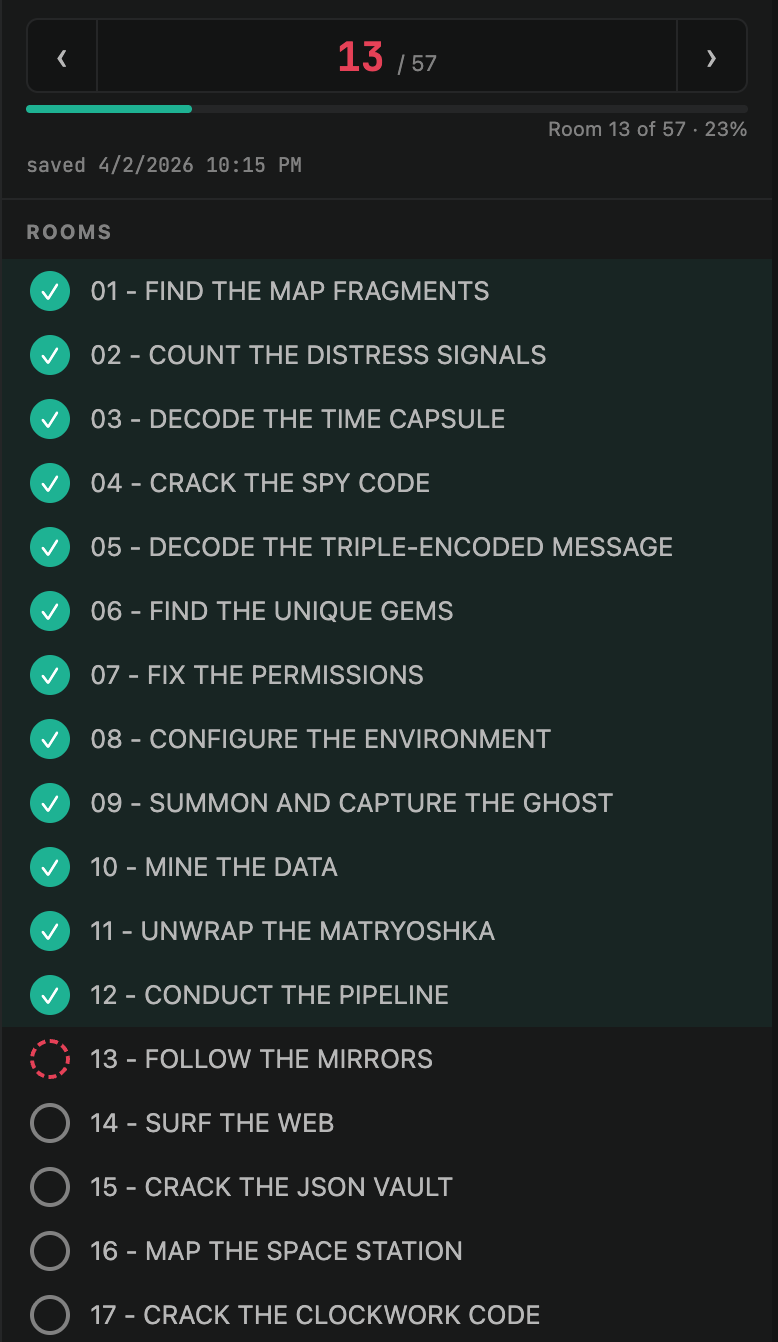
- Completed rooms show a green checkmark in the sidebar list
- Progress is saved automatically on every room switch
- The timestamp below the progress bar shows when it was last saved
- On next VS Code launch the extension resumes from your last room
Room List
| Rooms |
Topic |
| 01–06 |
find, grep, head/tail, sed, base64, sort/uniq |
| 07–09 |
chmod, env/export, ps/kill |
| 10–13 |
awk, tar/gzip, cut/pipes, ln |
| 14–16 |
curl/wget, jq, df/du |
| 17–25 |
crontab, diff/patch, hashing, xxd, strings, date |
| 26–32 |
Parameter expansion, arrays, for/while loops, functions |
| 33–38 |
getopts, heredocs, process substitution, trap, read |
| 39–43 |
ss/netstat, dig, netcat, lsof, strace |
| 44–56 |
rsync, openssl, vim, ssh, git, advanced pipelines |
Commands
Cmd+Shift+P:
| Command |
Description |
Bash Escape Room: Launch |
Start the server and open Room 1 |
Bash Escape Room: Stop |
Stop the server |
Bash Escape Room: Open Terminal Panel |
Open the bash terminal |
Bash Escape Room: Open Current Room |
Re-open the current room panel |
Settings
Settings → Extensions → Bash Escape Room:
| Setting |
Default |
Description |
bashEscapeRoom.port |
3000 |
Port the embedded server listens on |
bashEscapeRoom.autoOpen |
true |
Auto-open terminal when server is ready |
Requirements
| Requirement |
Notes |
| VS Code 1.85+ |
Any platform |
| Node.js 18+ |
Must be in PATH |
bash |
macOS/Linux built-in; Windows needs WSL or Git Bash |
All 57 rooms are bundled inside the extension — no Docker, no repo clone needed.
Troubleshooting
next / room not found
→ Close the terminal and click ⬛ Terminal again to open a fresh session.
Room panel blank after reload
→ Cmd+Shift+P → Developer: Reload Window
Port 3000 in use
→ Change bashEscapeRoom.port in Settings (e.g. 3001).
node-pty error on first install
→ npm install inside .vscode-extension/, then reinstall the VSIX.
Build from Source
git clone https://github.com/nirgeier/Bash-EscapeRoom
cd Bash-EscapeRoom/.vscode-extension
npm install
./reinstall.sh    # builds, packages, and installs in VS Code Insiders
License
MIT © nirgeier

