Type-safe diagrams and source code from one schema — live inside VS Code. Syntax highlighting and a live SVG preview for the typeDiagram DSL.
Features
Syntax highlighting for .td and .typediagram files
Light and dark themes tuned for TypeDiagram
Live SVG preview — edit the DSL, see the diagram update instantly
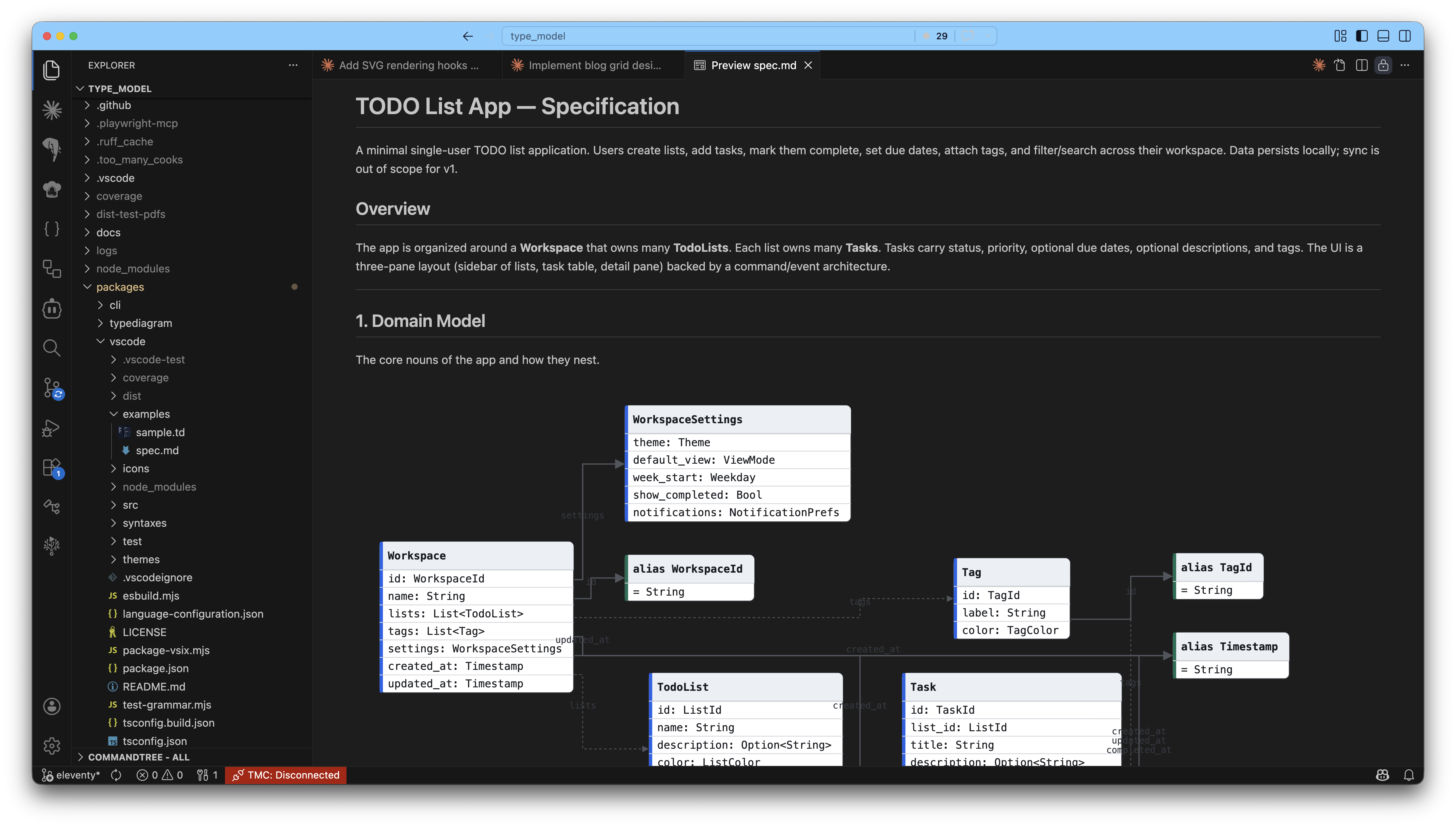
Markdown preview rendering — ```typediagram fences inside .md files render as SVG in the built-in markdown preview
Export markdown to PDF with diagrams embedded as vector paths (not rasterised screenshots)
Language configuration (comments, brackets, auto-close pairs)
Usage
Live preview for .td files
Open a .td or .typediagram file
Click the Open Preview icon in the editor title bar, or run TypeDiagram: Open Preview from the command palette
The preview updates live as you type
Export markdown to PDF
Author docs in markdown with inline ```typediagram fenced code blocks, then export to a printable PDF:
Right-click a .md file in the Explorer (or the editor tab) → Export to PDF with typeDiagrams
The PDF is written next to the source file. No save dialog, no prompts.
Every typeDiagram fence is rendered as an inline SVG in the PDF — zooming the PDF keeps paths crisp.
Command ID: typediagram.exportMarkdownPdf. Also available from the Command Palette when a markdown file is active.
Settings
typediagram.autoOpenPreview (default true) — auto-open the SVG preview when a .td file is opened.
typediagram.pdfExport.theme ("light" | "dark", default "light") — theme used for diagrams inside the generated PDF. The page background is always white for print.
The DSL
typeDiagram

type User {
  id:    UUID
  name:  String
  email: Option<Email>
}

union Option<T> {
  Some { value: T }
  None
}

alias Email = String
Three constructs: type (records), union (tagged sum types), alias (newtypes). Generics with <T>. Comments with #.