
Mobile QR Preview
Preview your local web project on a real phone directly from VS Code.
Start a preview session, scan the QR code, and test instantly on the same network with live reload.
Fast QR preview - Real phone testing - Live reload - SPA-friendly routing
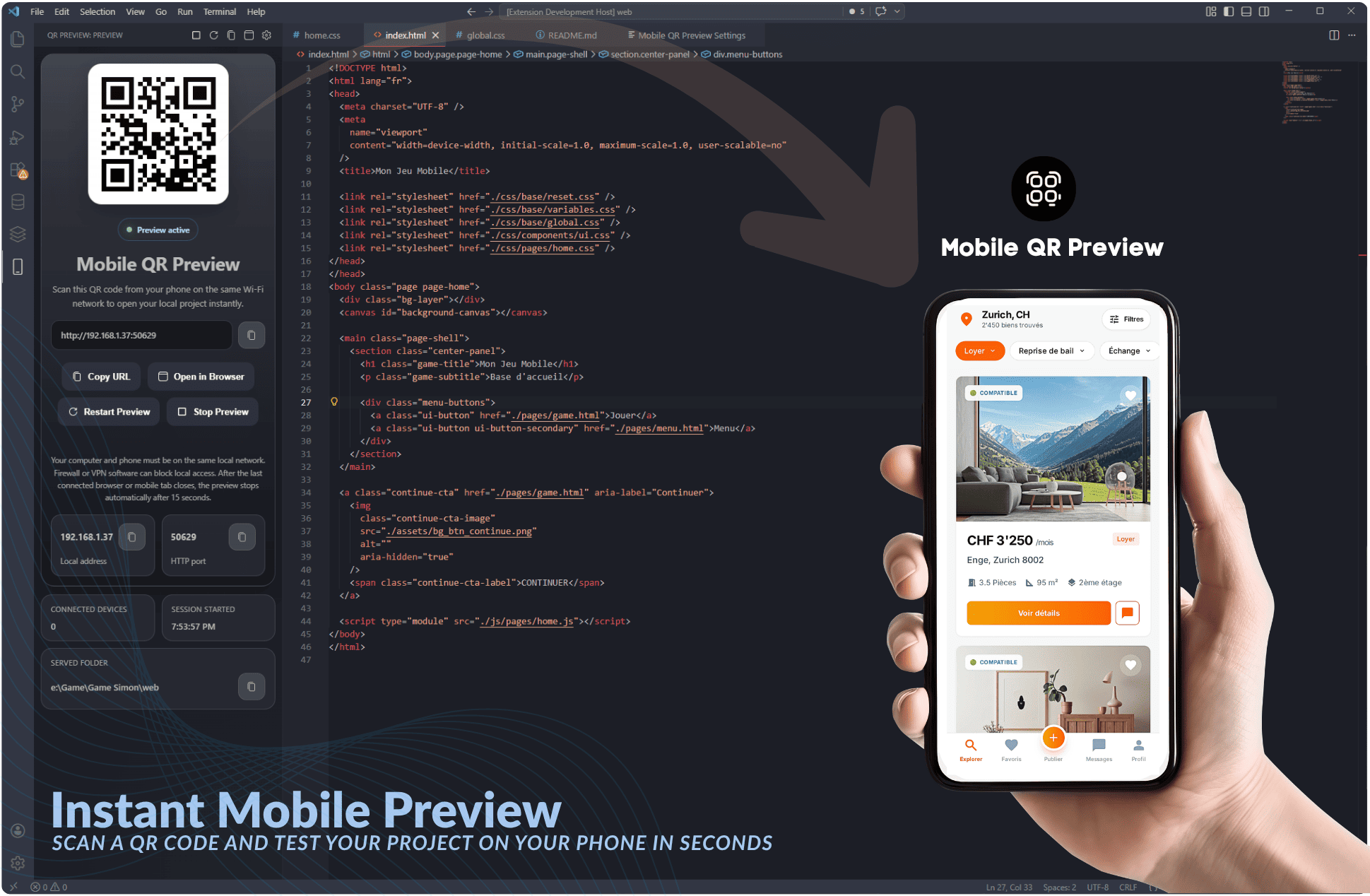
Why developers use it
- Open your local project on a real phone in seconds from inside VS Code.
- Generate a QR code automatically for the current preview URL.
- Refresh changes quickly with live reload.
- Keep SPA routes working with index fallback.
- Launch, stop, restart, copy, or open the preview URL from one focused panel.
Why Mobile QR Preview?
When you build mobile UIs, responsive websites, touch interactions, mini-games, or quick prototypes, desktop preview is never enough. You need to see the real result on a real phone.
Most local preview workflows are still too manual:
- start a local server
- find the correct local IP
- check the port
- type the URL on your phone
- retry when the network changes
Mobile QR Preview removes that friction.
See it in action
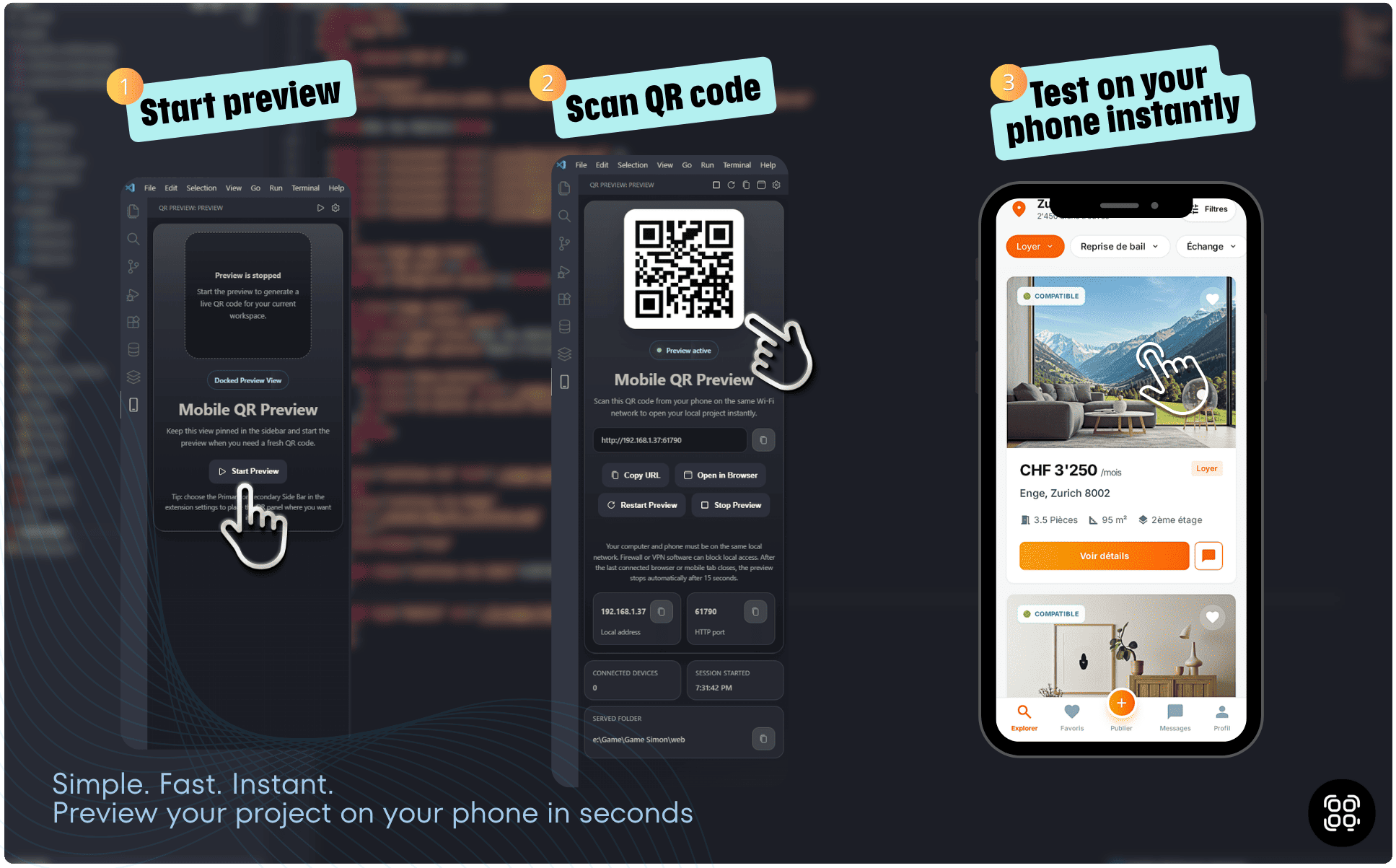
Open your local project on a real phone in seconds directly from VS Code.
Follow the core workflow: start the preview, scan the QR code, and test instantly on your phone.
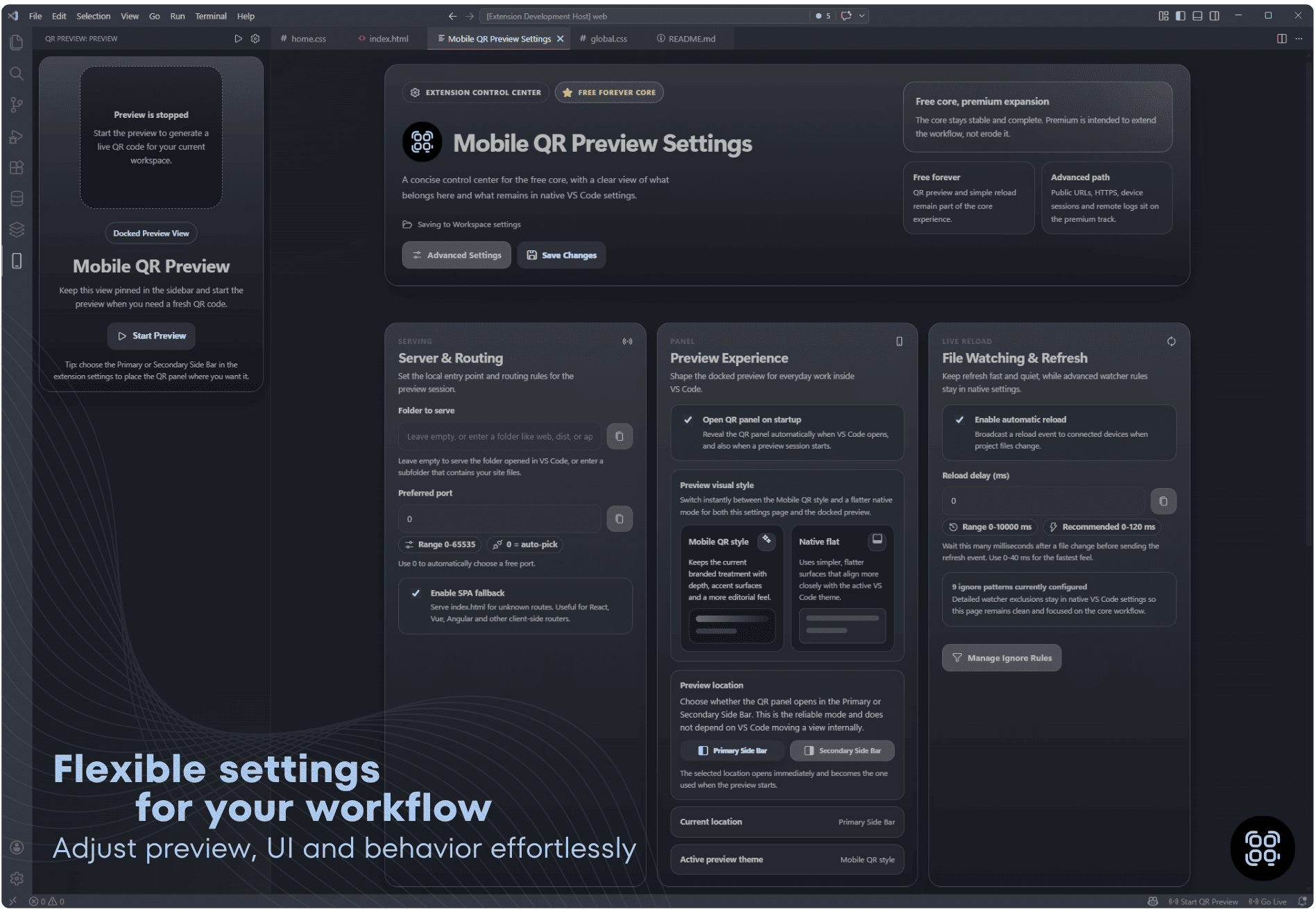
Adjust the served folder, routing, live reload behavior, and preview style from a focused settings panel.
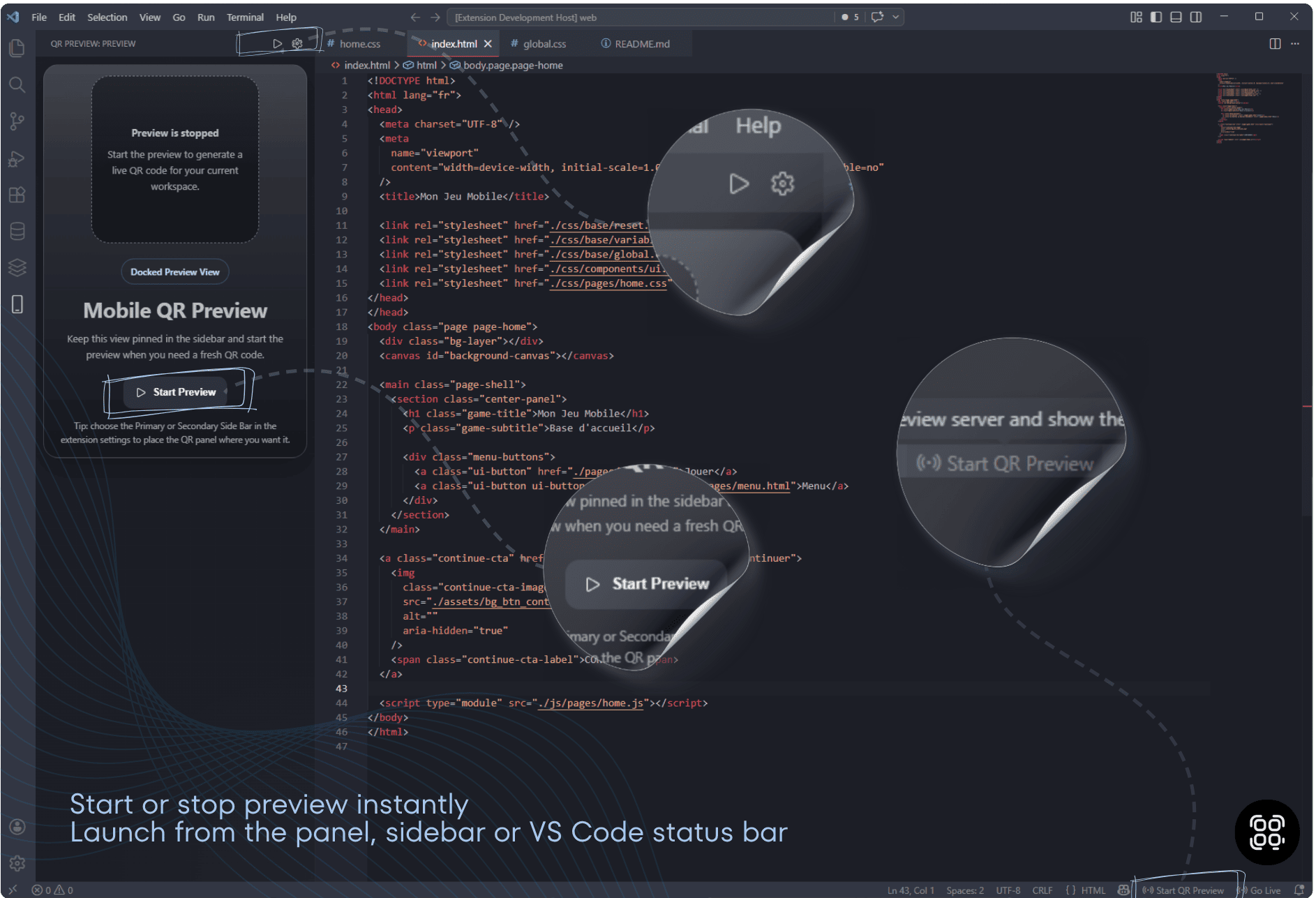
Launch or stop the preview from the panel, the sidebar, or the VS Code status bar.
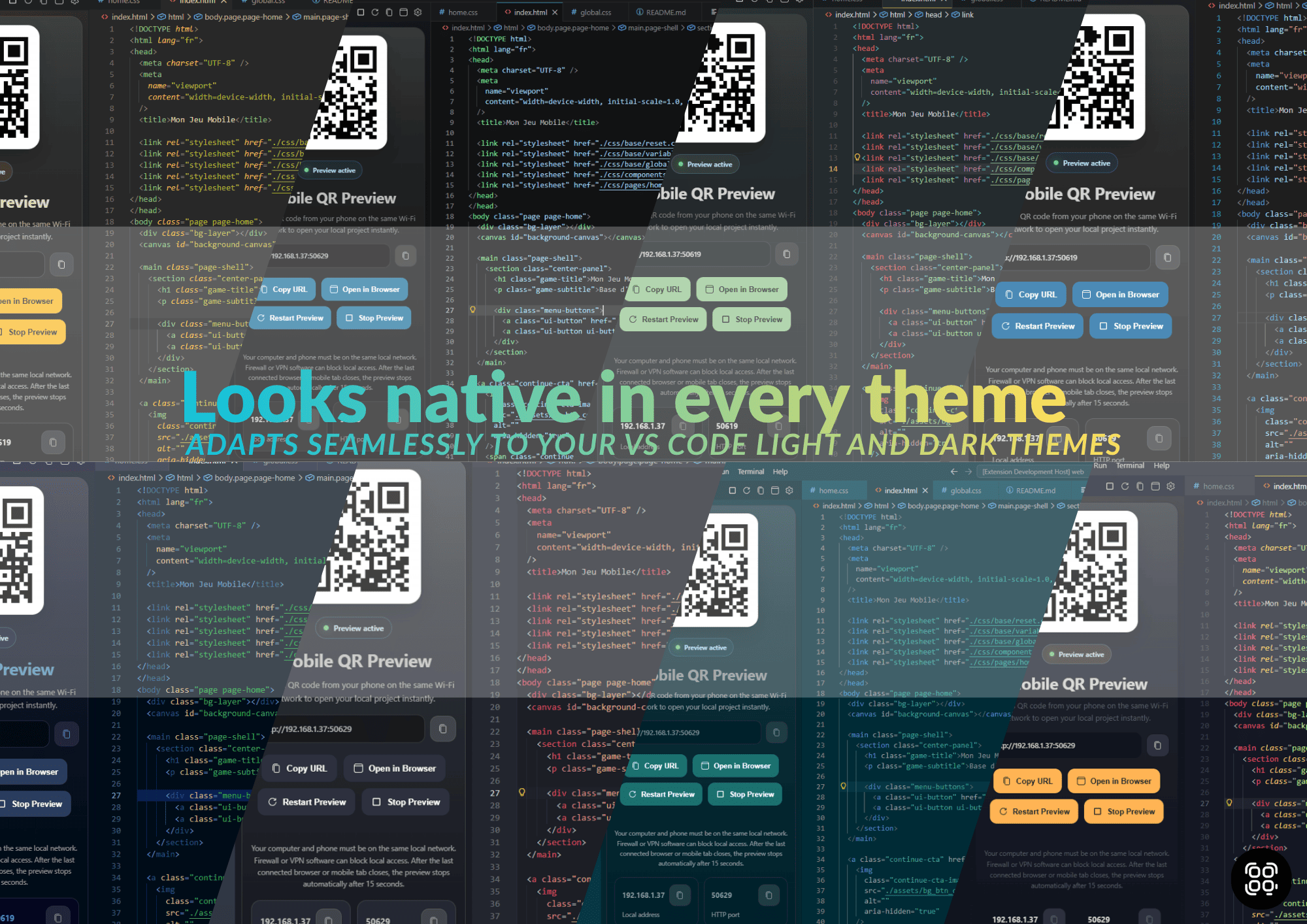
Keep the preview readable and polished across different VS Code themes.
Features
- instant mobile preview directly from VS Code
- built-in QR code for fast phone access
- automatic local network detection
- automatic detection of running Vite, React, Vue, Angular, Next.js, Nuxt, SvelteKit, Astro and similar development servers
- custom local server URL support, such as
http://localhost:5173
- HTTP and WebSocket/HMR proxying from localhost to your phone
- near-instant preview of unsaved HTML, CSS, and JavaScript changes in built-in static mode
- live reload when saved files change
- connected-device count in both static and framework-proxy modes
- SPA fallback support
- Primary Side Bar or Secondary Side Bar preview placement
- simple actions to start, stop, restart, copy the URL, and open in browser
- compact settings page for the core workflow
- output channel logging for diagnostics
Perfect for
- responsive websites
- mobile-first interfaces
- HTML, CSS, and JavaScript prototypes
- React, Vue, Angular, Svelte, Next.js static exports, and similar browser-based web apps
- HTML5 and canvas games
- touch UI testing
- PWA experiments
- quick client demos on a phone
How it works
- Open your project in VS Code.
- Start your normal framework development server when using Vite, React, Vue, Angular, Next.js, Nuxt, SvelteKit, Astro, or a similar tool.
- Run
Mobile QR Preview: Start.
- The extension uses a configured server URL first, then tries automatic development-server detection, and finally falls back to its built-in static server.
- Scan the QR code with your phone and keep using your framework HMR or the built-in live reload workflow.
Recommended: enable Auto Save in VS Code
Turn on File > Auto Save in VS Code so your edits are written to disk automatically. The built-in static preview can display unsaved editor changes while you type, but that memory preview does not save the file. Vite, React, Vue, and other external development servers also normally refresh after VS Code saves the source file.
Your computer and phone must be connected to the same local network.
In built-in static mode, the preview server stops automatically after 15 seconds when no client remains connected. After Start Preview, it also stops automatically if no client connects within 90 seconds (set mobileQrPreview.initialNoClientTimeout to 0 to disable). External development servers remain managed by their own framework process; stopping Mobile QR Preview closes only its LAN proxy.
Commands
Mobile QR Preview: StartMobile QR Preview: StopMobile QR Preview: RestartMobile QR Preview: Copy URLMobile QR Preview: Open in BrowserMobile QR Preview: Settings
Extension Settings
This extension contributes the following settings:
mobileQrPreview.root
Folder used by the built-in static fallback. Leave it empty to serve the folder opened in VS Code, or enter a subfolder such as web, dist, or apps/site/public.
mobileQrPreview.port
Preferred LAN preview port for the built-in server or development-server proxy. Use 0 to auto-pick a free port.
mobileQrPreview.serverUrl
Optional existing development server URL, for example http://localhost:5173 or http://localhost:3000/app. This setting takes priority over automatic detection.
mobileQrPreview.autoDetectDevServer
Detect a running framework development server automatically. Disable it to always use the built-in static fallback unless serverUrl is set.
mobileQrPreview.autoReload
Enable or disable automatic reload.
mobileQrPreview.instantUnsavedPreview
In built-in static mode, display unsaved text-editor changes directly from the VS Code buffer. This does not save the file; enable VS Code File > Auto Save to persist edits automatically.
mobileQrPreview.reloadDelay
Delay before sending a reload after file changes are detected. Lower values feel more real-time.
mobileQrPreview.initialNoClientTimeout
Auto-stop delay in seconds after startup if no client connects yet. Set 0 to disable.
mobileQrPreview.spaFallback
Serve index.html for unknown routes.
mobileQrPreview.autoOpenPanel
Open the QR panel when VS Code starts and when a preview session starts.
mobileQrPreview.previewTheme
Choose the branded or native preview style.
mobileQrPreview.ignored
File patterns ignored by the live reload watcher.
Quick Start
- Install Mobile QR Preview.
- Open a local web project in VS Code.
- Enable File > Auto Save so edits are persisted automatically.
- Start a preview session.
- Scan the QR code from your phone.
- Test on a real device instantly.
Notes
- This extension is designed for local network preview.
- It is ideal for browser-based web projects, responsive layouts, prototypes, PWAs, and mobile web experiences that can be served over HTTP.
- It is not a replacement for native iOS or Android build tooling, Electron desktop packaging, React Native native runtime, or Flutter mobile runtime.
Common Issues
My phone cannot open the preview
Make sure your phone and your computer are connected to the same Wi-Fi or local network.
The QR code opens but the page does not load
Your local firewall, VPN, or network settings may be blocking the connection.
The wrong IP is used
If multiple network interfaces are active, restarting the preview session may resolve the issue.
My framework development server is not detected
Make sure the server is already running before starting Mobile QR Preview. You can also enter its exact address in mobileQrPreview.serverUrl, for example http://localhost:5173.
My project does not reload properly
For an external development server, verify that its own HMR is working in the desktop browser and that the edited file has been saved. Enabling VS Code File > Auto Save is recommended. For the built-in static server, check your ignore patterns and confirm that auto reload is enabled.
The phone updates, but my file is still unsaved
The built-in static mode can preview the current in-memory editor buffer before it is written to disk. This is intentional and keeps the preview responsive while typing. Enable File > Auto Save to ensure those edits are also saved automatically.
Security
Mobile QR Preview is intended for local development on your LAN. By default, it should be used only inside your local network.
Do not expose local preview sessions publicly unless you explicitly understand the security implications.
Roadmap
Planned and possible improvements include:
- improved project root detection
- broader session and device visibility
- HTTPS local preview
- broader framework and monorepo detection
- deeper framework integration
- more advanced mobile debugging workflows
Feedback
Feedback, bug reports, and product ideas are welcome.
The source code is not publicly available. If you want to report a problem, share an idea, or get in touch about the extension, that is very welcome.
License
Proprietary. See LICENSE for details.
with love by Patrick

