Skip to content
| Marketplace
Sign in
Visual Studio Code>Themes>Gradianto Nature GreenNew to Visual Studio Code? Get it now.
Gradianto Nature Green

Gradianto Nature Green

Nikolay Malyshev

|
4 installs
| (0) | Free
A dark green nature-inspired theme for Visual Studio Code based on similar one for Jetbrains IDEs
Installation
Launch VS Code Quick Open (Ctrl+P), paste the following command, and press enter.
Copied to clipboard
More Info

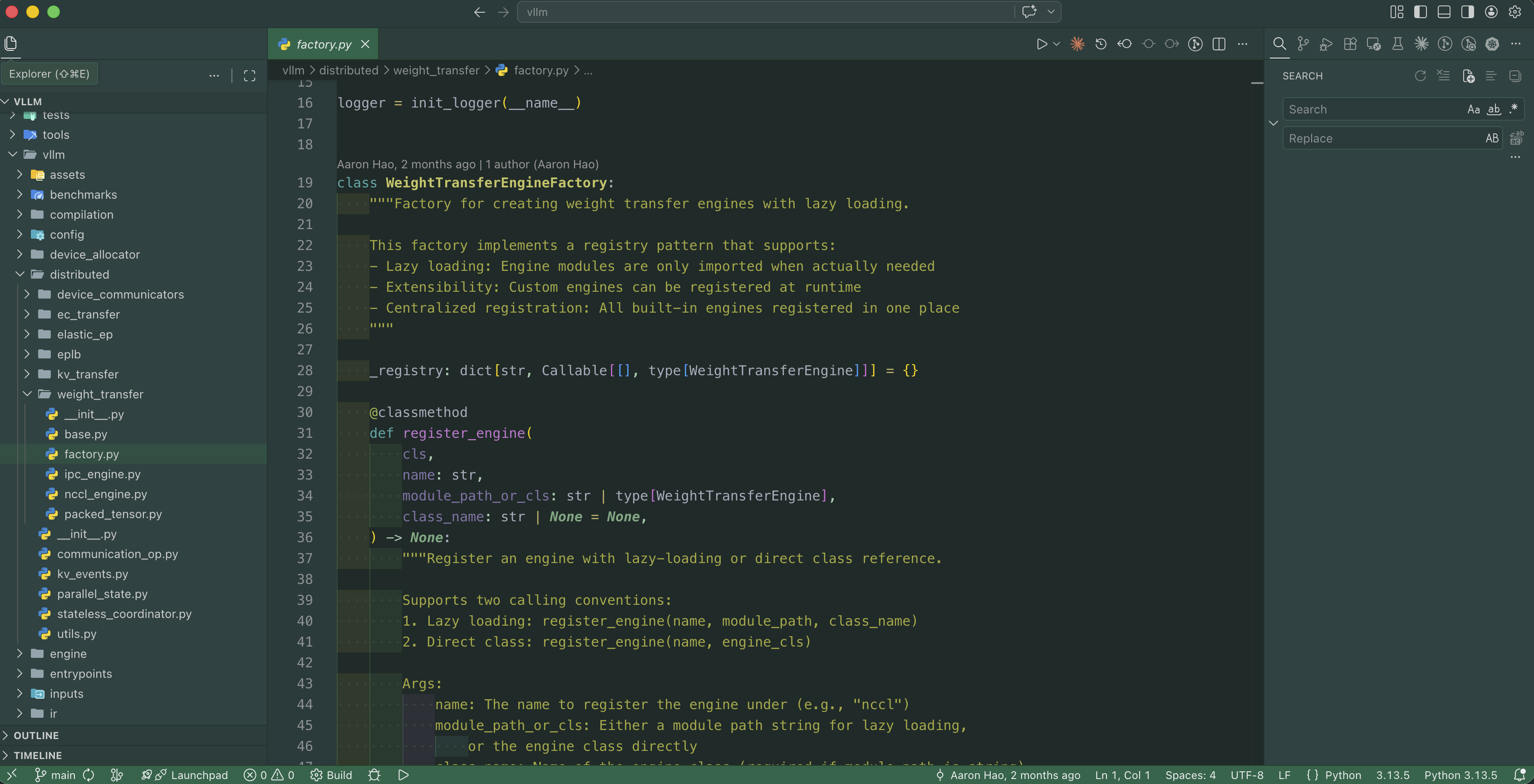
Gradianto Nature Green

A dark green, nature-inspired color theme for Visual Studio Code — ported from the popular Gradianto theme for JetBrains IDEs.

Theme preview

Variants

Variant Description
Gradianto Nature Green The classic dark green theme
Gradianto Nature Green Darker — Python Refined Darker variant with refined syntax colors for Python

Install

  1. Open the Extensions sidebar (Ctrl+Shift+X / Cmd+Shift+X)
  2. Search for Gradianto Nature Green
  3. Click Install
  4. Open the Command Palette (Ctrl+Shift+P / Cmd+Shift+P) → Preferences: Color Theme → select Gradianto Nature Green

Color Palette

Role Color
Background #132623
Editor gutter #1d3738
Selection #00695c
Accent / strings #45bc88
Foreground #a8afbe
Keywords warm amber
Errors #e91e63

Feedback & Issues

Found a color that looks off? Open an issue on GitHub.

License

MIT

  • Contact us
  • Jobs
  • Privacy
  • Manage cookies
  • Terms of use
  • Trademarks
© 2026 Microsoft