Skip to content
| Marketplace
Sign in
Visual Studio Code>Visualization>TramaNew to Visual Studio Code? Get it now.
Trama

Trama

Luca Soda

|
3 installs
| (0) | Free
See your System as a layered Model of state machines, review Proposals and Drifts, and steer your coding agent from one editor tab.
Installation
Launch VS Code Quick Open (Ctrl+P), paste the following command, and press enter.
Copied to clipboard
More Info

Trama

Your AI agent writes code fast. Trama makes sure it's the code you meant.

Windows (x64) is experimental. It is tested less than Linux and macOS, some parts may not work as described, and trama.exe is not signed, so SmartScreen or an antivirus may warn the first time it runs.

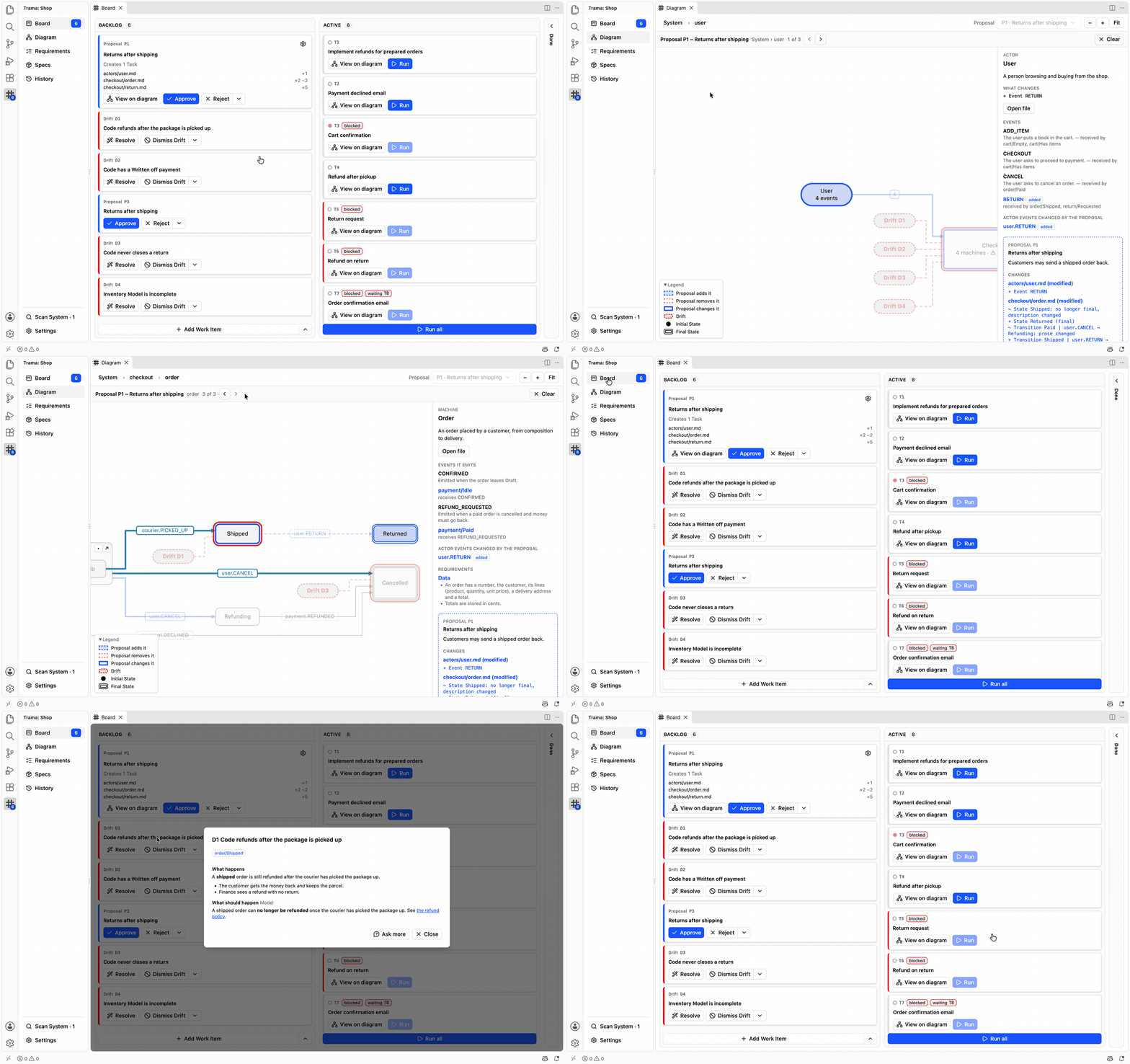
Trama in VS Code: the Board with a Proposal to approve, the Diagram of the app's states and a Drift to resolve

Read the guide

Trama keeps a map of your app next to your code, as plain Markdown in .trama/ drawn for you as a diagram. Your agent reads the map before it writes a line, and every change arrives as a Proposal you approve before any code exists.

How it works

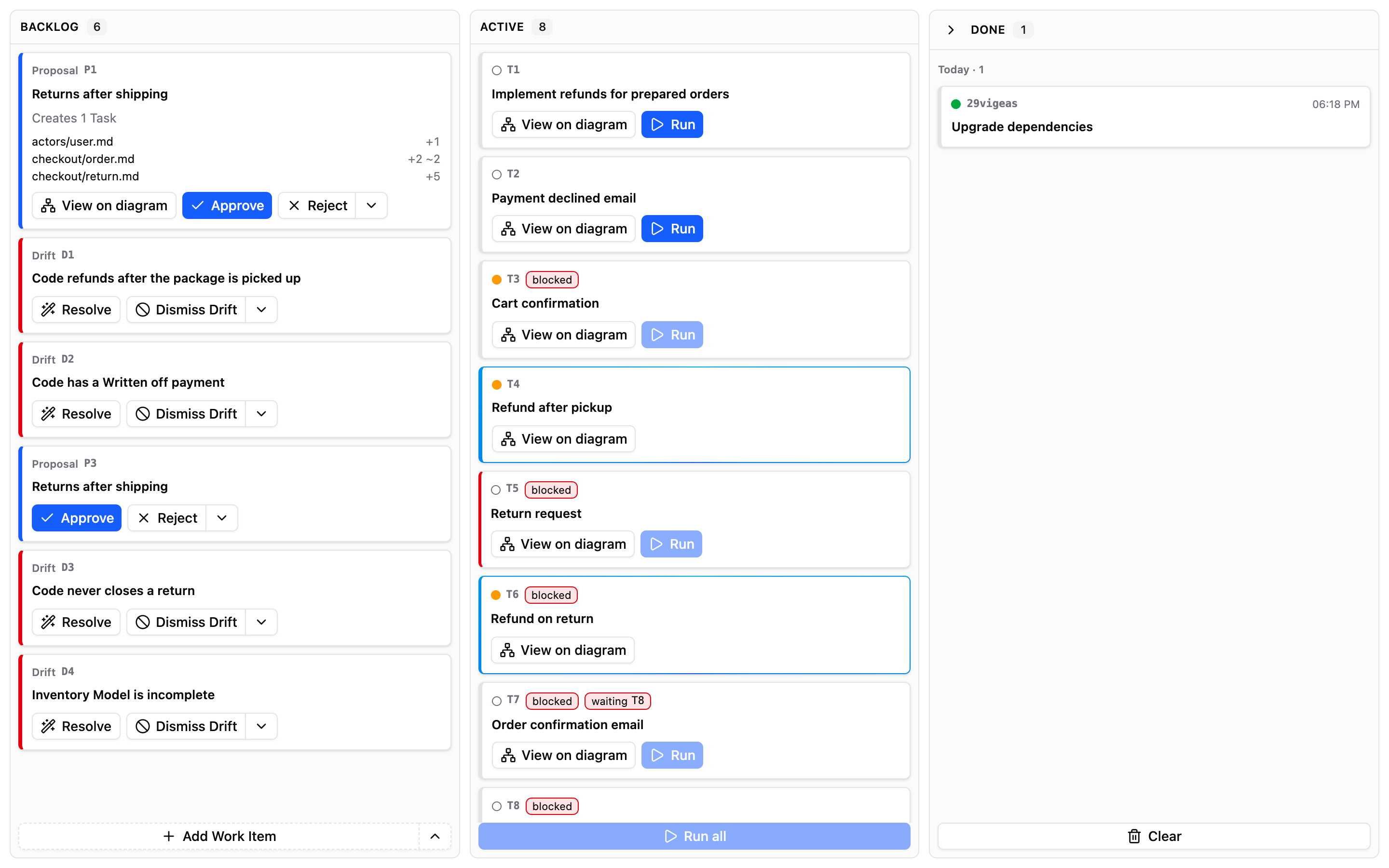
1. Describe a change

Say what you want in plain words, as you'd tell a colleague.

The Trama Board in VS Code, with the Backlog, the active Tasks and the Add Work Item button

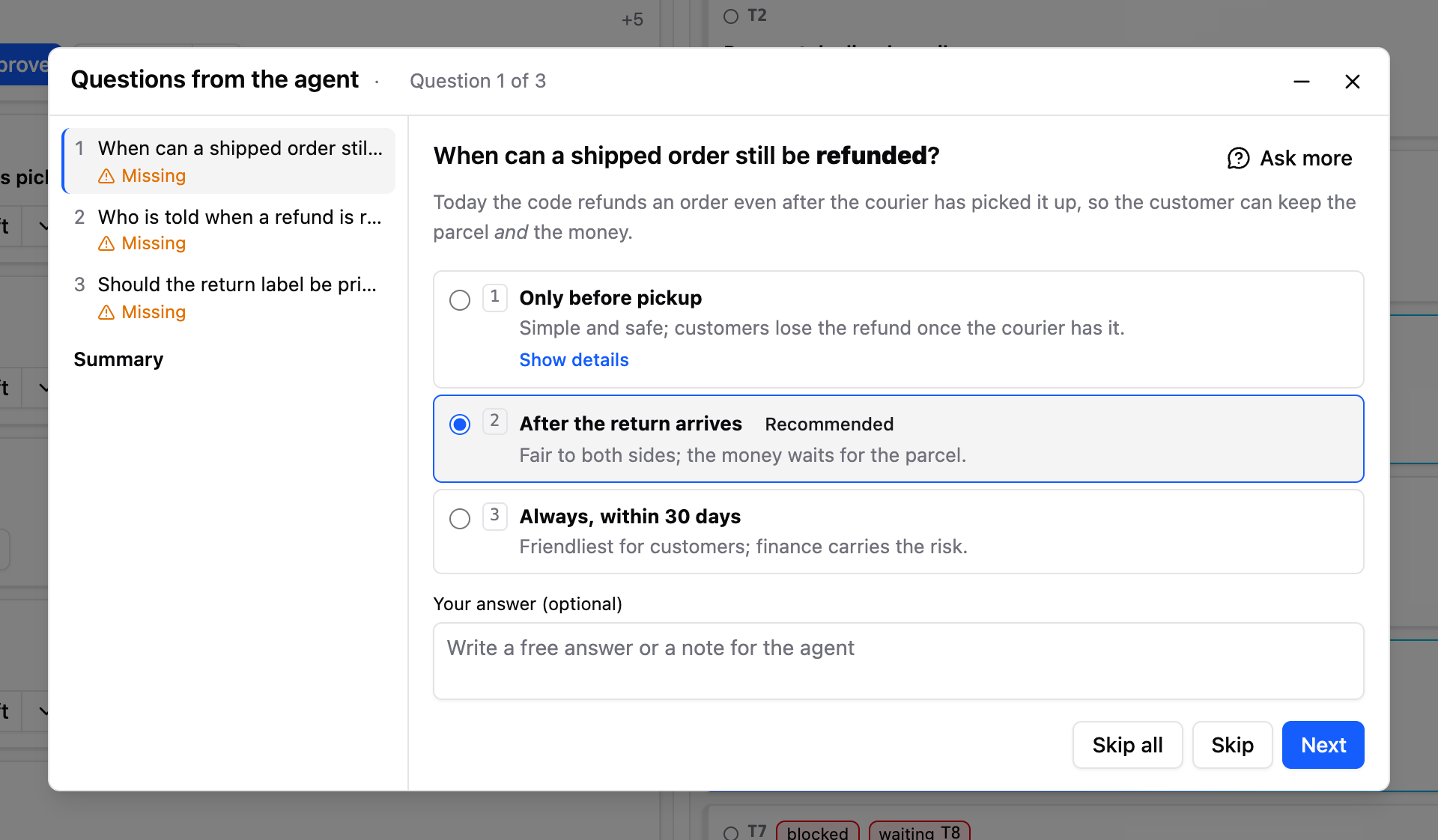
2. Answer the agent's questions

Only what it can't decide alone, with its recommendation already selected.

The Questions from the agent dialog: three options for one question, the recommended one selected

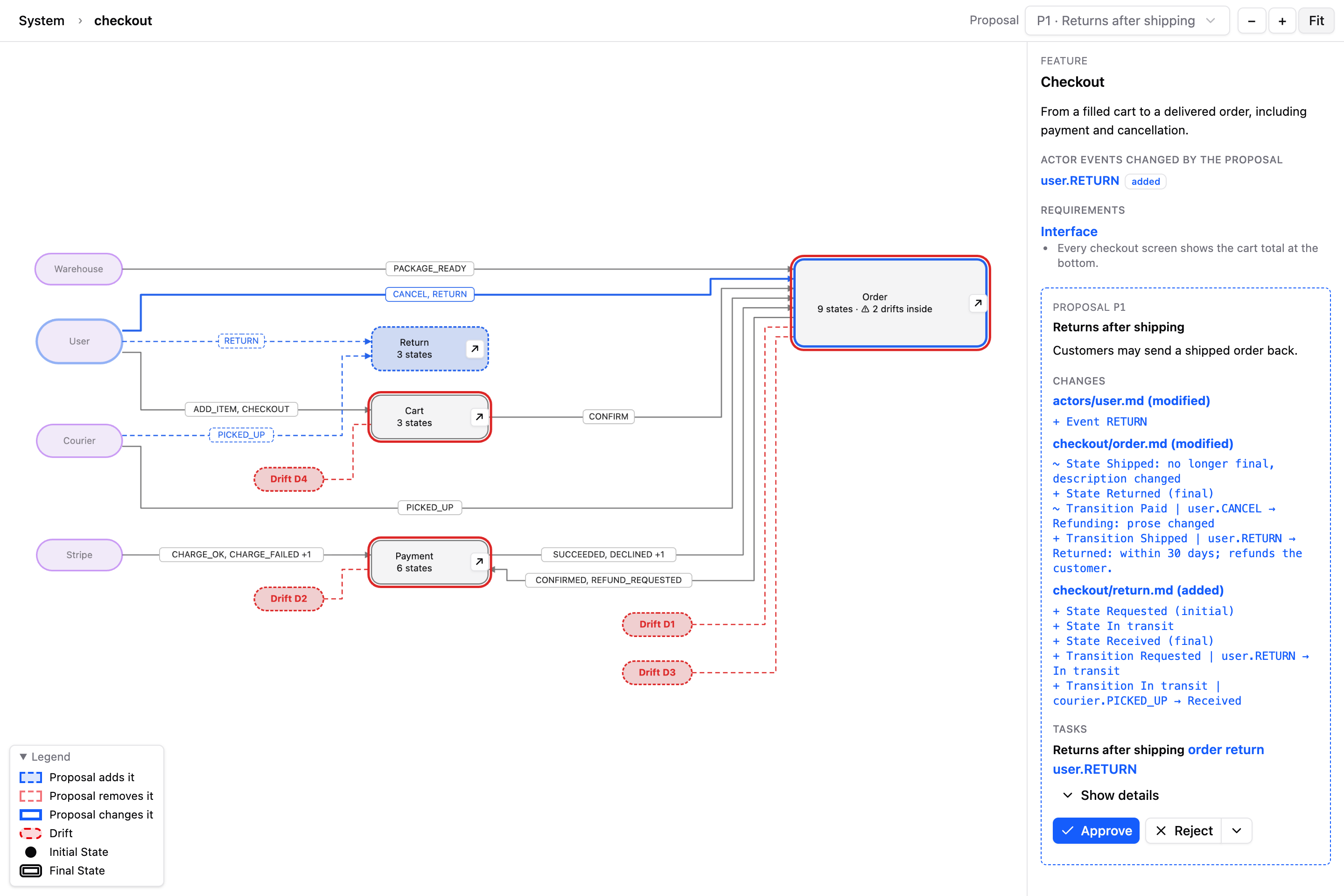
3. Approve the Proposal

The change drawn on the map, with every decision and assumption beside it.

A Proposal drawn on the diagram: the new and changed states in blue, and its list of changes in the side panel

4. Run the Tasks

The agent builds what you approved, one Task at a time or all together, while you follow along.

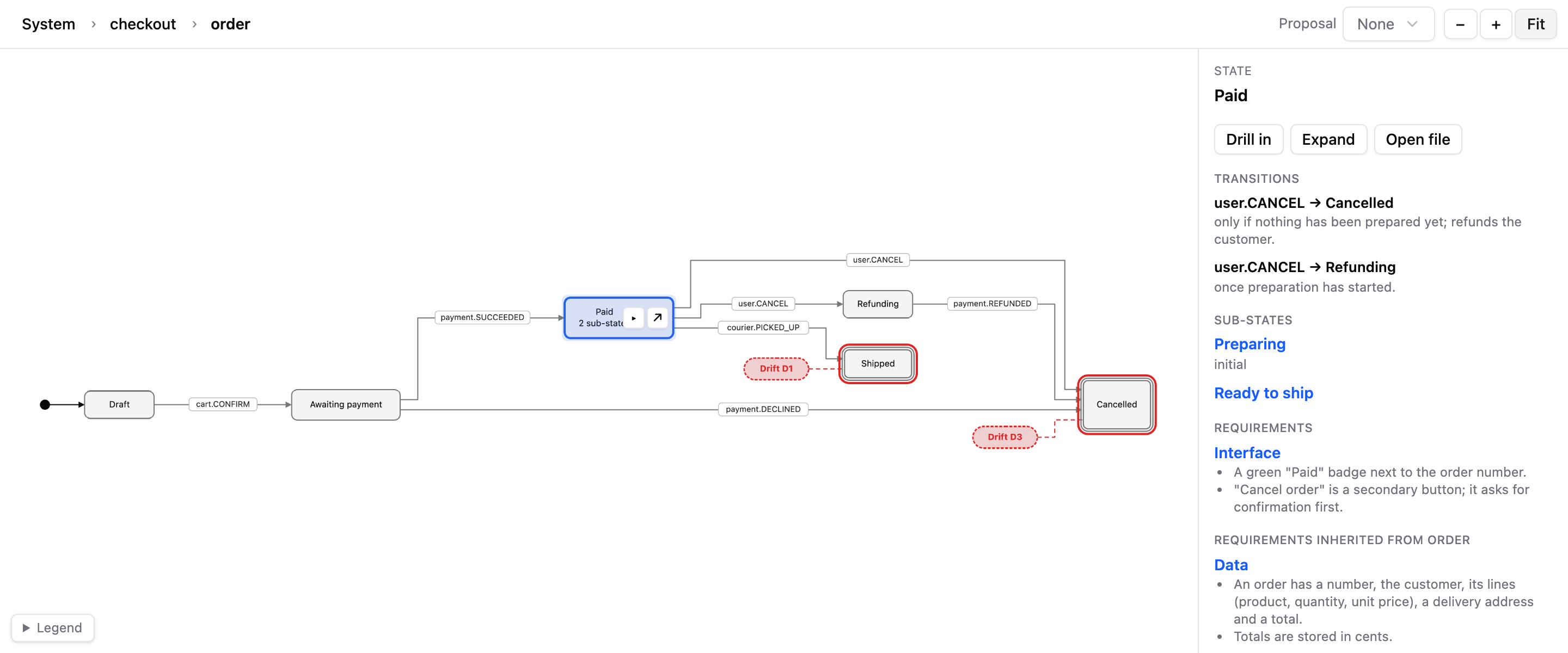
The diagram of one Feature: its states, the events between them and the details of the selected state

5. Resolve the Drifts

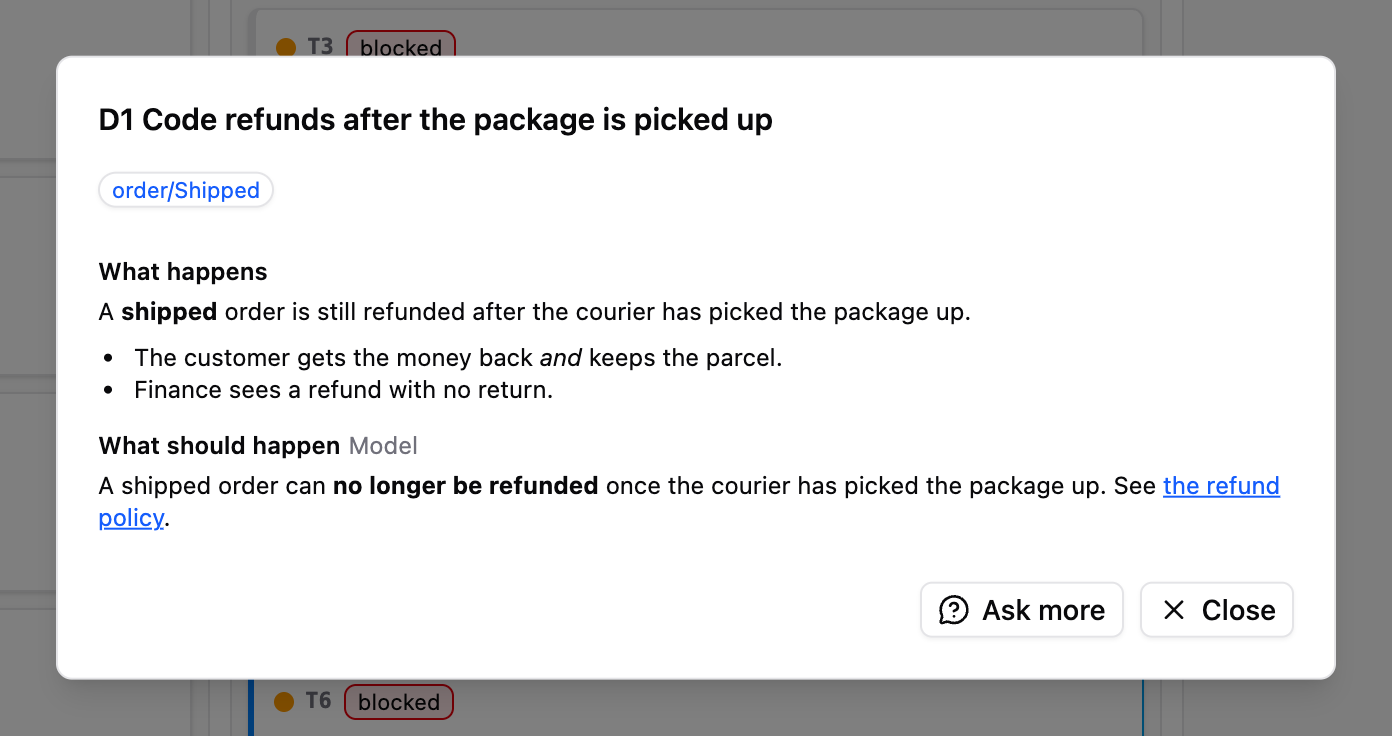
When the code and the map stop telling the same story, Trama raises a Drift. Fix the code, or keep it and update the map: you decide which one is right.

A Drift dialog: what happens in the code, what should happen according to the Model, and the Ask more and Close buttons

Requirements

  • VS Code 1.106 or later, the only editor Trama supports.
  • Linux (x64), macOS (Apple silicon) or Windows (x64, experimental).
  • omp, the only agent Trama supports.
  • The GitHub CLI (gh), only for Team.

Install

Download the .vsix for your platform from Releases, then run Extensions: Install from VSIX… from the command palette, or:

code --install-extension trama-<platform>-<version>.vsix

omp Chat runs every command without asking by default (approval yolo). To have it ask first, set trama.ompChatApproval to ask in your user settings.

Learn more

The details of the features live in the guide on the website, with the changelog, the command line reference and the description of each setting in the editor.

  • Website and guide
  • What the words mean
  • Model file format
  • Command line reference
  • Contributing

License

Trama is open source under the GNU AGPL v3: use it, change it and share it, as long as your changes stay open too. For a commercial license, get in touch.

Copyright © 2026 Luca Soda

  • Contact us
  • Jobs
  • Privacy
  • Manage cookies
  • Terms of use
  • Trademarks
  • Your Privacy Choices
  • Consumer Health Privacy
© 2026 Microsoft