Neon Storm Theme 🎨⚡
Ultra-vivid dark theme optimized for Angular and .NET development
Neon Storm is a vibrant, high-contrast VS Code theme designed specifically for Angular and .NET developers who want maximum color saturation and eye-catching syntax highlighting. Features electric cyan accents and neon-bright syntax colors.
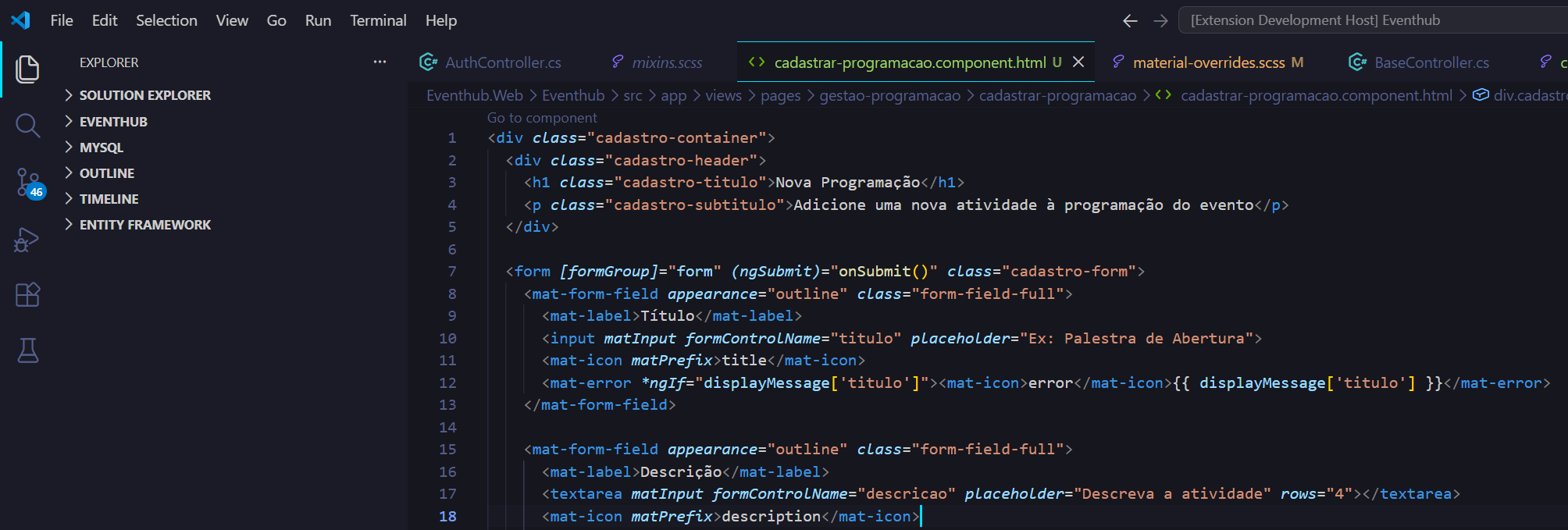
✨ Features
- 🔥 Ultra-Vivid Colors — Maximum saturation for high-impact syntax highlighting
- ⚡ Angular Optimized — Perfect for HTML templates, TypeScript, and SCSS
- 🎯 .NET Focused — Excellent C# support with clear attribute and type highlighting
- 💎 Neon Accents — Electric cyan active tab borders and selection highlights
- 🌈 High Contrast — Easy differentiation between keywords, types, functions, and variables
🎨 Color Palette
Syntax Highlighting
| Token Type |
Color |
Hex |
| Keywords (public, class, return, export) |
 |
#F7768E |
| Functions/Methods (loadEvents, CustomResponse) |
 |
#E0AF68 |
| Types/Classes (UserService, ActionResult) |
 |
#73DACA |
| Variables/Parameters |
 |
#7AA2F7 |
| Strings |
 |
#9ECE6A |
| Decorators/Attributes (@Injectable, [Route]) |
 |
#BB9AF7 |
| Numbers/Constants |
 |
#FF9E64 |
| Comments |
 |
#4A5F4A |
UI Colors
| Element |
Color |
Hex |
| Editor Background |
 |
#16161E |
| Sidebar Background |
 |
#1A1B26 |
| Terminal Background |
 |
#121217 |
| Active Tab Border |
 |
#00DFFF |
| Selection |
 |
#263545 |
| Cursor |
|
#00DFFF |
🚀 Installation
From Source (Development)
- Clone or download this repository
- Copy the folder to your VS Code extensions directory:
- Windows:
%USERPROFILE%\.vscode\extensions
- macOS/Linux:
~/.vscode/extensions
- Restart VS Code
- Go to:
File → Preferences → Theme → Color Theme
- Select Neon Storm
Testing the Theme
- Open the theme folder in VS Code
- Press
F5 to launch Extension Development Host
- In the new window, select the theme from the Command Palette (
Ctrl+Shift+P → "Preferences: Color Theme")
📁 Optimized For
This theme provides exceptional syntax highlighting for:
Angular
- ✅ HTML — Tags in pink (
#F7768E), attributes in purple (#BB9AF7)
- ✅ TypeScript — Decorators (
@Component, @Injectable) in purple, types in turquoise
- ✅ SCSS/CSS — Selectors in turquoise, properties in blue, values in gold
- ✅ Template Syntax —
*ngIf, *ngFor, [routerLink] highlighted as attributes
- ✅ Interpolation —
{{ }} expressions in blue
.NET (C#)
- ✅ Keywords —
public, class, using, return in pink
- ✅ Types —
ActionResult, CustomResponse, interfaces in turquoise
- ✅ Attributes —
[Route], [HttpGet], [ApiController] in purple
- ✅ Methods — Function names in gold with bold styling
- ✅ Generics —
List<T>, Task<TResult> properly highlighted
Configuration Files
- ✅ JSON — Keys in turquoise, strings in green, numbers in orange
- ✅ Markdown — Headings in pink, links in turquoise, code blocks in blue
🎯 Language Support
| Language |
Extension |
Support Level |
| HTML |
.html |
⭐⭐⭐⭐⭐ |
| TypeScript |
.ts |
⭐⭐⭐⭐⭐ |
| JavaScript |
.js |
⭐⭐⭐⭐⭐ |
| C# |
.cs |
⭐⭐⭐⭐⭐ |
| CSS |
.css |
⭐⭐⭐⭐⭐ |
| SCSS/SASS |
.scss, .sass |
⭐⭐⭐⭐⭐ |
| JSON |
.json |
⭐⭐⭐⭐⭐ |
| Markdown |
.md |
⭐⭐⭐⭐⭐ |
💡 Tips
- High Contrast Mode: Already optimized! All colors are vivid and saturated.
- Font Recommendations: Works great with Fira Code, JetBrains Mono, or Cascadia Code with ligatures enabled.
- Terminal Colors: Matches syntax highlighting for consistency (Info=Cyan, Warning=Yellow, Error=Pink).
🔧 Customization
If you want to tweak colors, add this to your settings.json:
{
  "workbench.colorCustomizations": {
    "[Neon Storm]": {
      "editor.background": "#16161E",
      "tab.activeBorder": "#00DFFF"
    }
  },
  "editor.tokenColorCustomizations": {
    "[Neon Storm]": {
      "comments": "#4A5F4A"
    }
  }
}
📸 Screenshots
Angular TypeScript Component
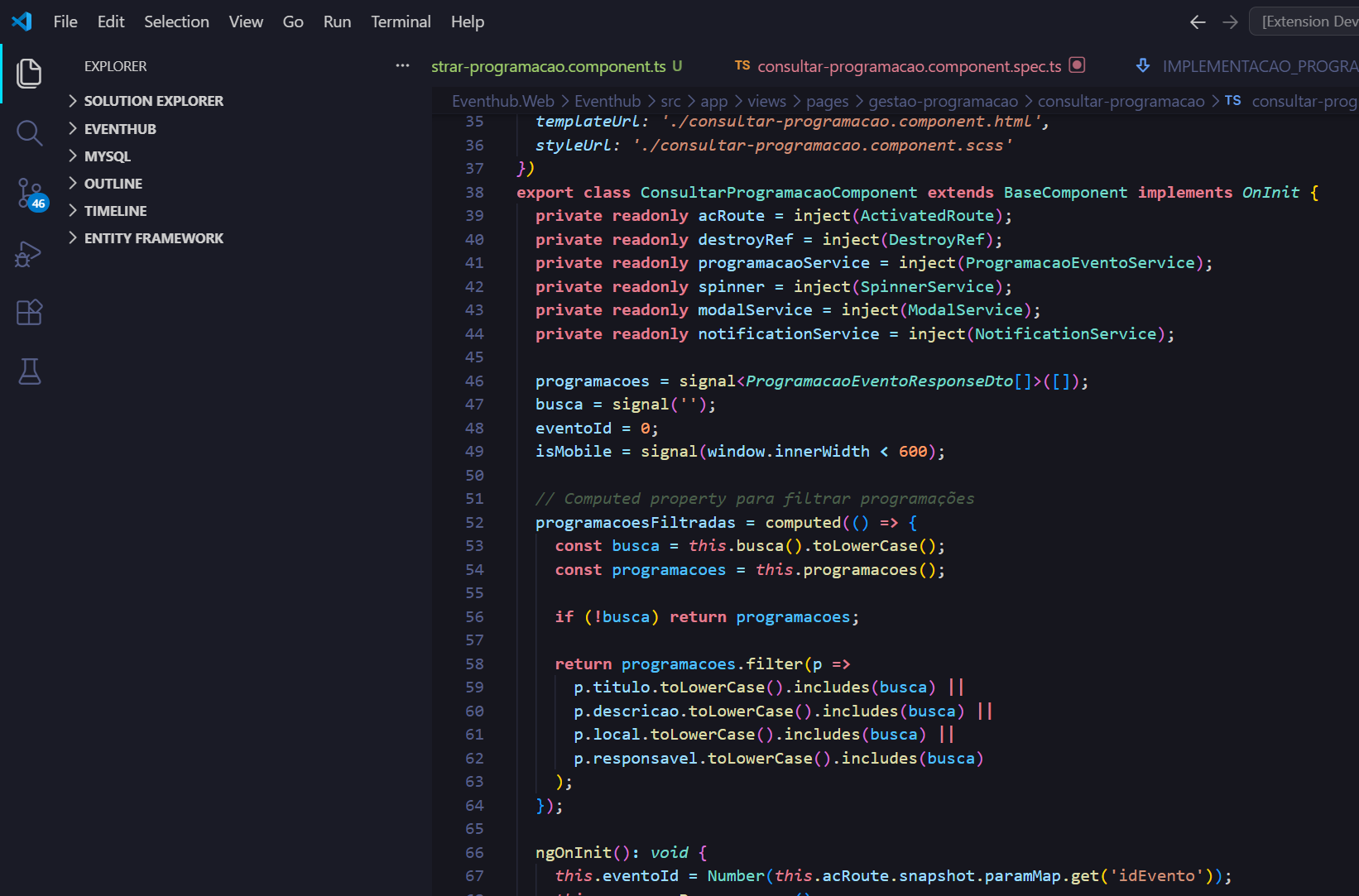 TypeScript com highlighting de decorators, tipos e methods em cores neon vivas
C# Web API Controller
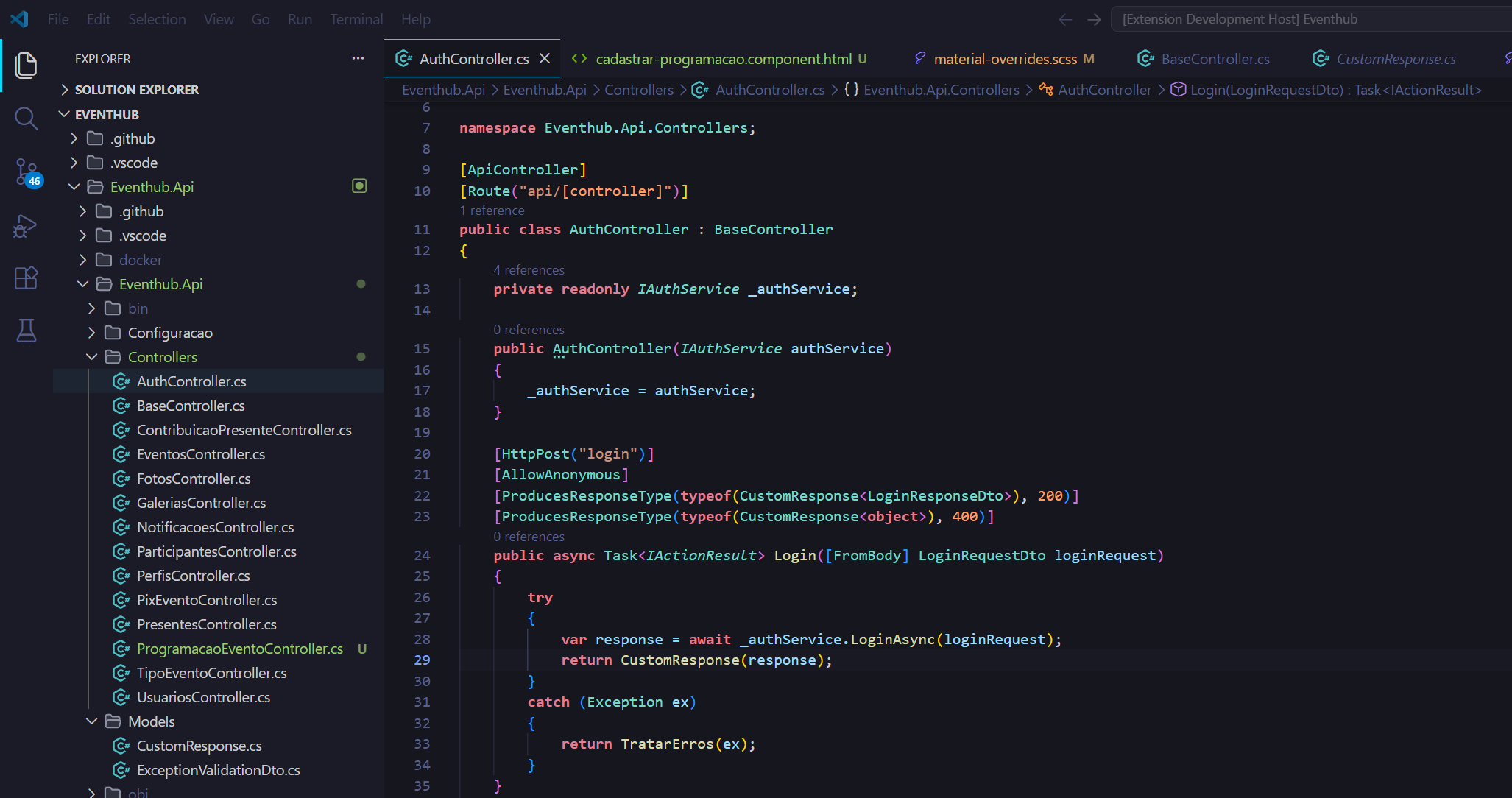 C# com attributes, keywords e types perfeitamente destacados
SCSS Styling
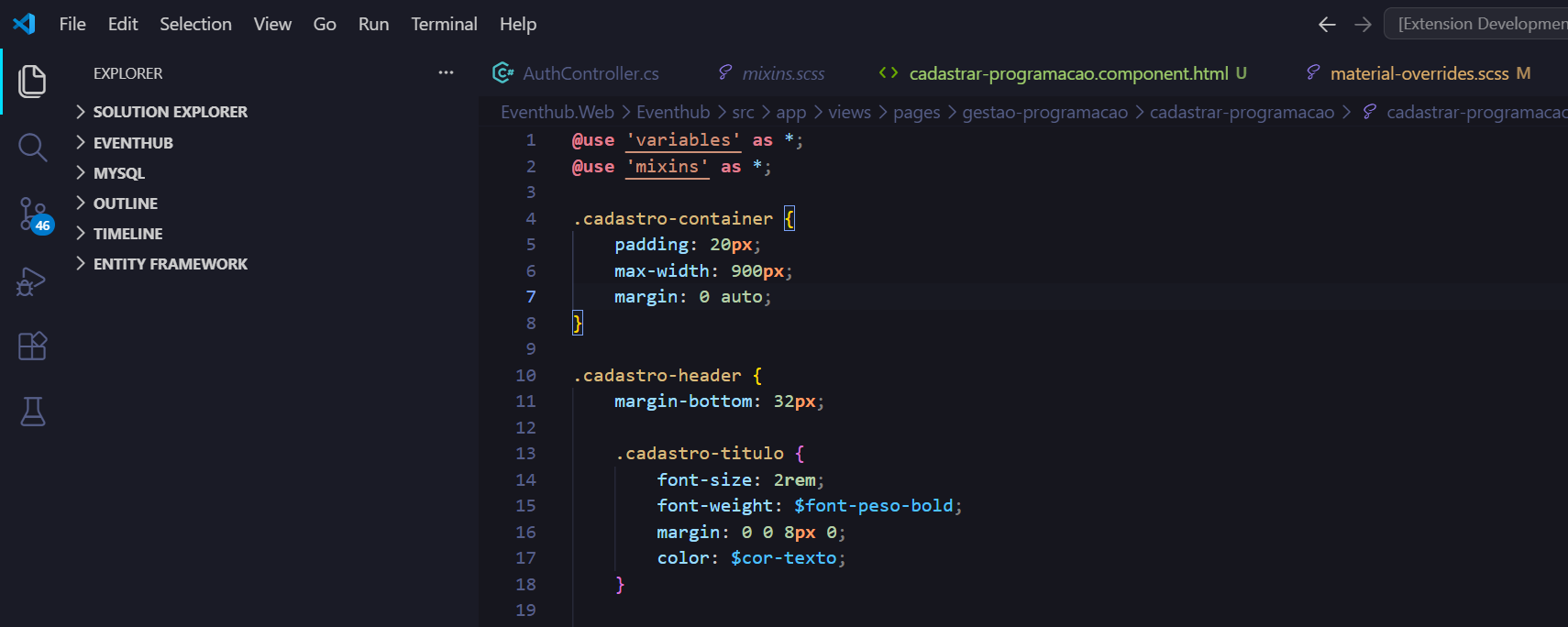 SCSS com selectors, properties e values em cores distintas
HTML Angular Template
HTML Angular com tags, attributes e diretivas claramente diferenciadas
🐛 Issues & Feedback
Found a bug or have a suggestion? Please open an issue on GitHub!
📝 License
MIT License - feel free to use and modify!
🙏 Acknowledgments
Inspired by:
- Tokyo Night Storm theme
- Neon color aesthetics
- Angular and .NET developer workflows
Enjoy coding with Neon Storm! 🚀✨⚡
Made with 💜 for Angular and .NET developers by Bruno Cavalcante

