Skip to content
| Marketplace
Sign in
Visual Studio Code>Other>Neo Better DevTrackerNew to Visual Studio Code? Get it now.
Neo Better DevTracker

Neo Better DevTracker

Neo Main

|
2 installs
| (1) | Free
A Neo Legacy blockchain explorer that is directly available within Vscode
Installation
Launch VS Code Quick Open (Ctrl+P), paste the following command, and press enter.
Copied to clipboard
More Info

Neo Visual DevTracker

Build Status

This is an updated version of the Visual Studio Code extension, Neo Visual DevTracker, enhancing the experience by supporting Neo Legacy instances and continuously receiving updates.

Note this version of Visual DevTracker supports Neo Legacy and is being developed further. You can download a preview of Visual DevTracker for Neo N3 from the Visual Studio Code Marketplace.

Features

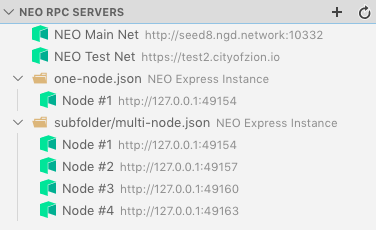
  • Automatic detection of Neo Express configuration files in the Visual Studio Code workspace

Neo Express config detection

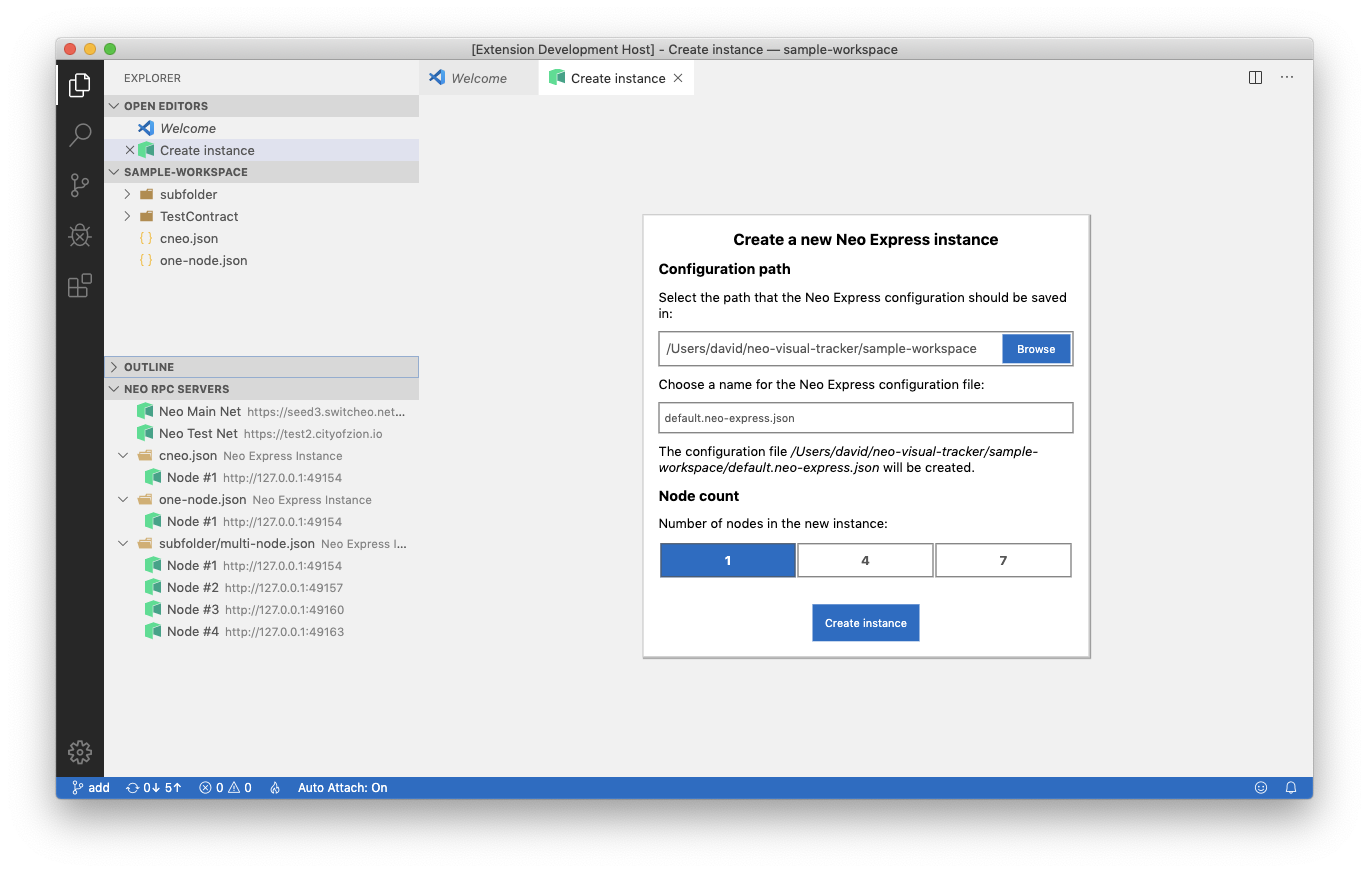
  • Create a new Neo Express instance

Create instance

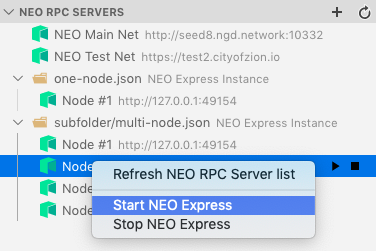
  • Start and stop Neo Express instances

Starting and stopping Neo Express instances

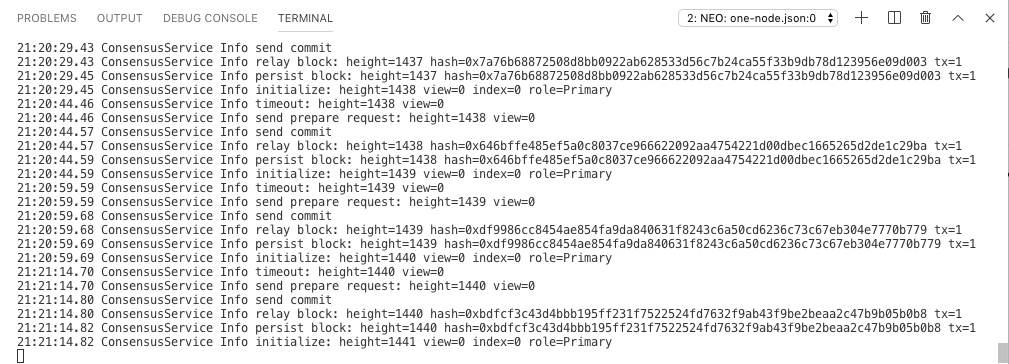
  • View Neo Express output

Neo Express output shown in Visual Studio Code terminal

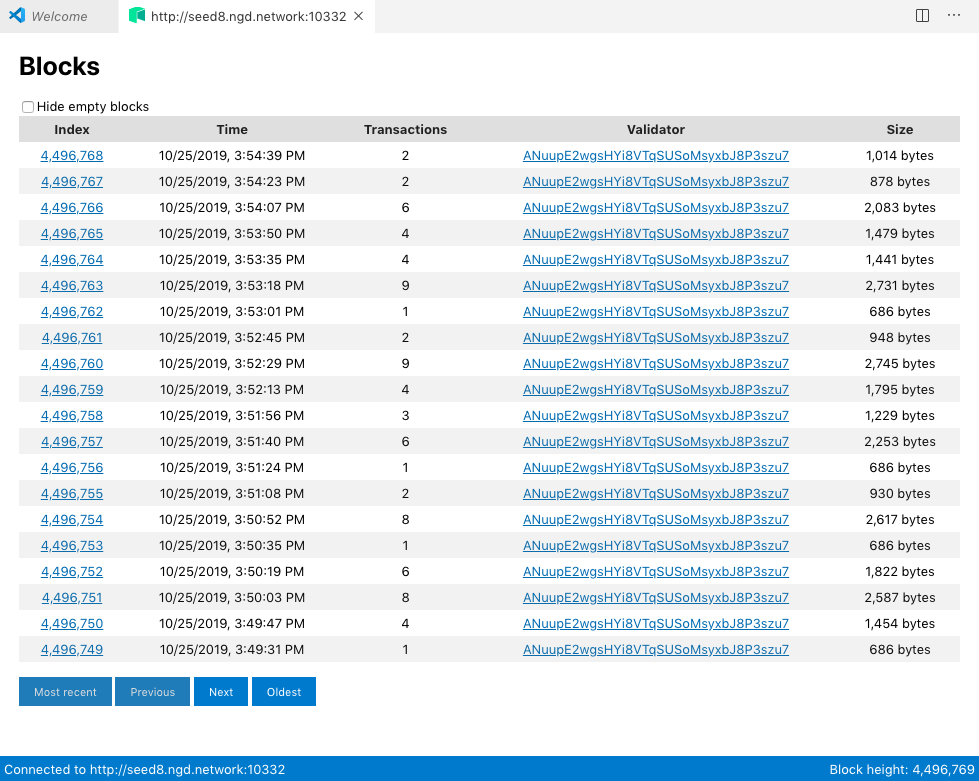
  • Explore the blockchain (works for Neo Express private blockchains and the public Neo blockchain)

Built-in blockchain explorer

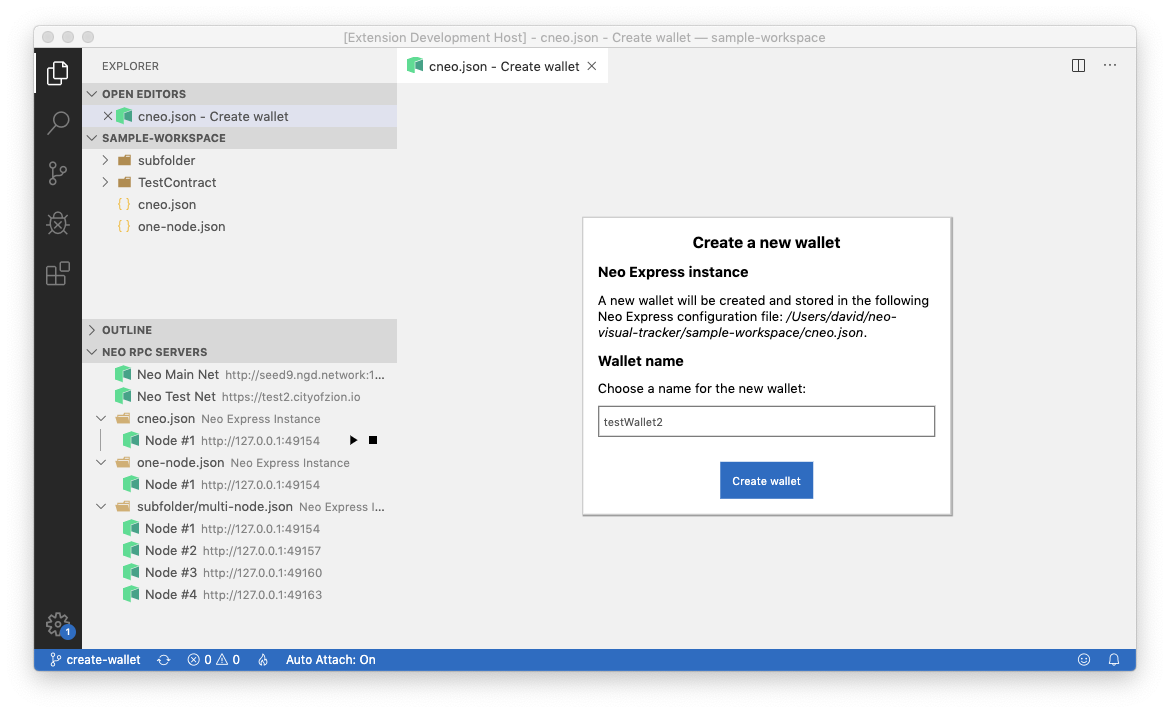
  • Create a Neo Express wallet

Neo Express wallet creation

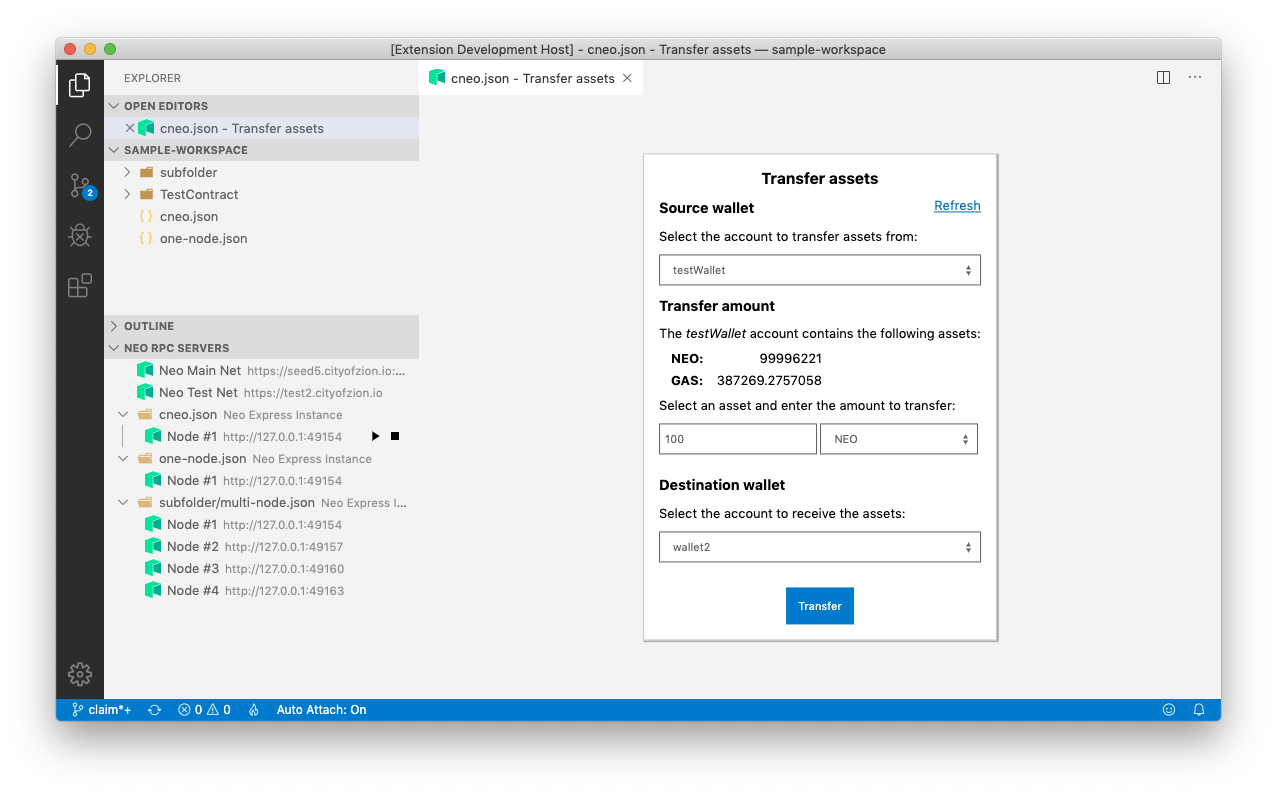
  • Transfer assets between Neo Express wallets

Transfer assets

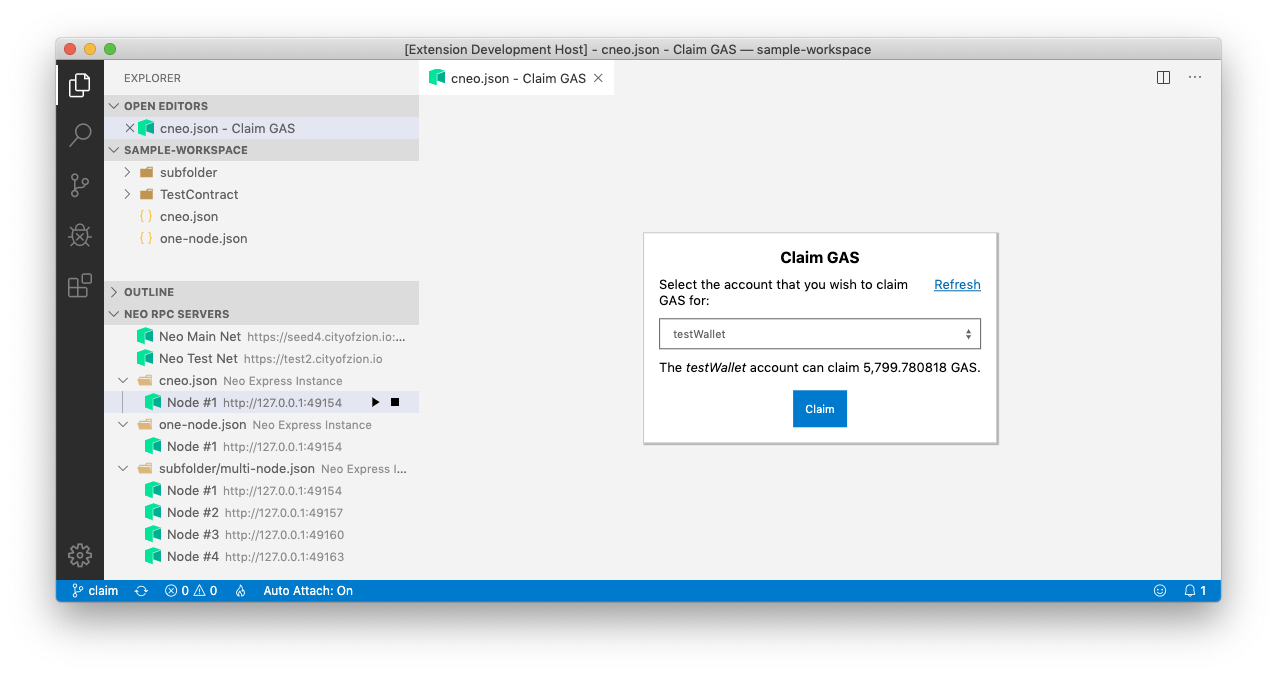
  • Claim GAS

Claiming GAS

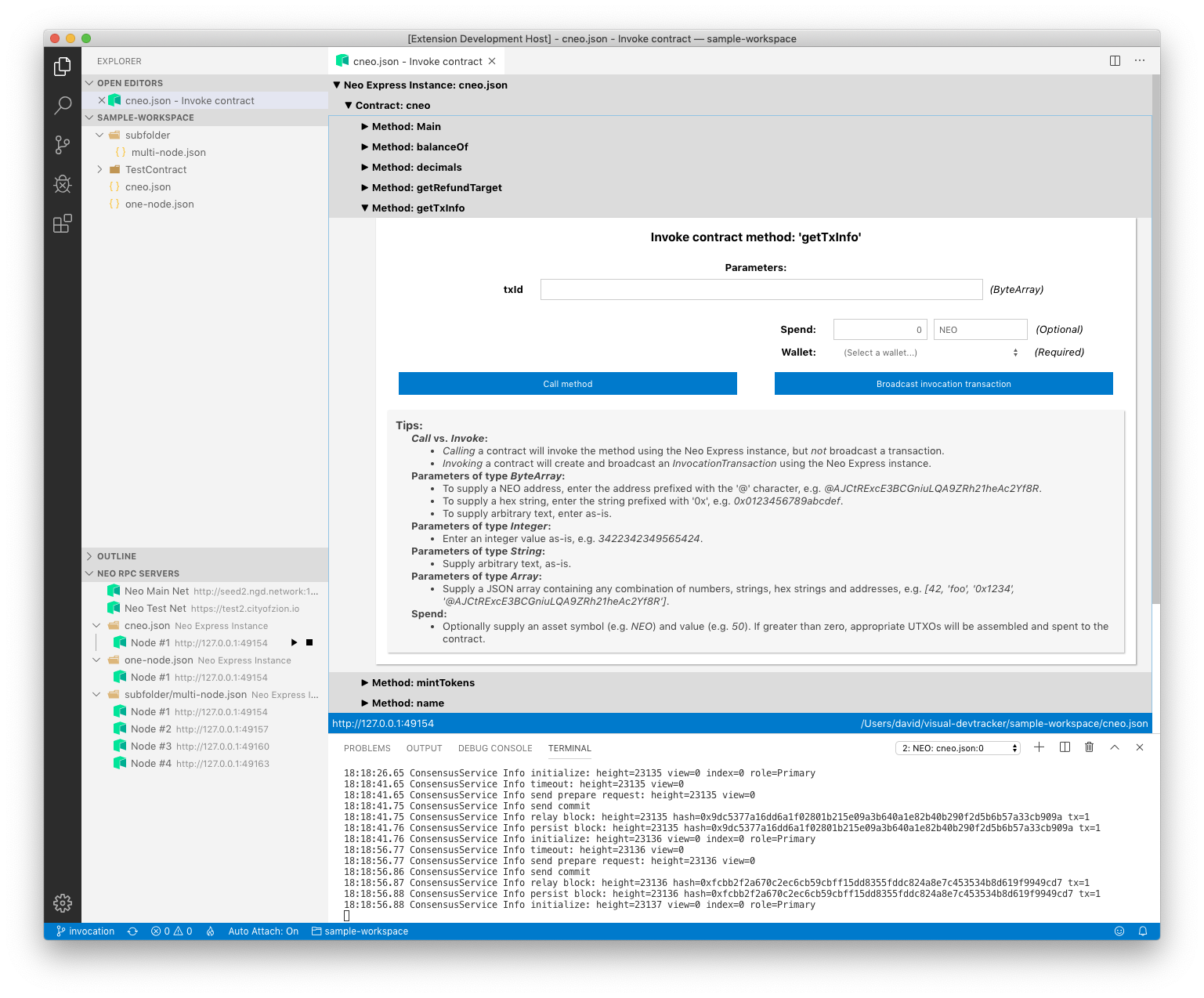
  • Invoke smart contracts on a Neo Express instance

Contract invocation

Installation

The latest released version of the Neo Visual DevTracker can be installed via the Visual Studio Code Marketplace. It can be installed by itself or as part of the Neo Blockchain Toolkit.

Please see the Neo Blockchain Toolkit Quickstart for instructions on installing Neo Express.

Install Preview Releases

The Neo Visual DevTracker has a public build server. You can install preview builds of the DevTracker by navigating to the build you wish to install, pressing the "Artifacts" button in the upper right-hand corner and downloading the VSIX-package artifact. The artifact is a zip file containing the DevTracker VSIX file, which can be installed manually. For more information on installing VSIX extensions in Visual Studio Code, please see the official Visual Studio Code docs.

  • Contact us
  • Jobs
  • Privacy
  • Manage cookies
  • Terms of use
  • Trademarks
© 2025 Microsoft