AgentvowCheck what a coding agent says it did against what is actually in your repository, before you approve. Installation Launch VS Code Quick Open ( Ctrl+P), paste the following command, and press enter.Copied to clipboard |

Agentvow for VS Code
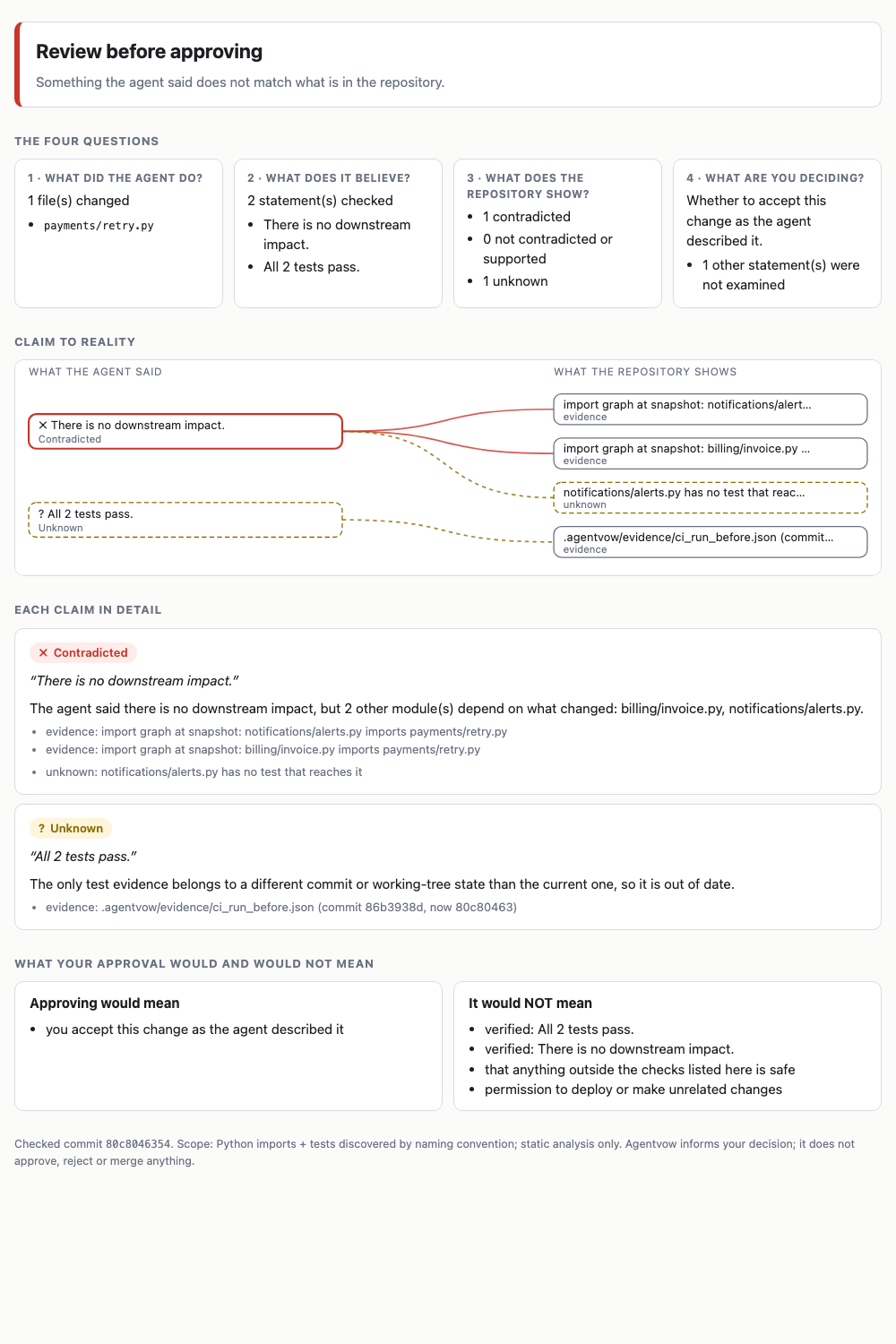
Shows, after any coding agent finishes, whether what it said matches what is in your repository: a verdict banner, a claim-to-reality map, and exactly what your approval would and would not mean. Works with any agent: paste its final message, use the clipboard or a selection, or point it at the latest Claude Code session. It calls the Commands (Command Palette): Check an agent's message, Check the message on the clipboard, Check the selected text, Check the latest Claude Code session in this workspace, Show the last report. A status-bar item shows the last result. Safety: by default the extension only runs the This is a prototype; it informs your decision and never approves, rejects or merges anything. |