Ainara Theme - Dark VS Code Theme

A premium, luxury-minimal dark theme for Visual Studio Code, inspired by the rich depth of petroleum green and slate hues. Painstakingly crafted for developers who value elegance, visual harmony, and uninterrupted focus.
Showcase
TypeScript / JavaScript
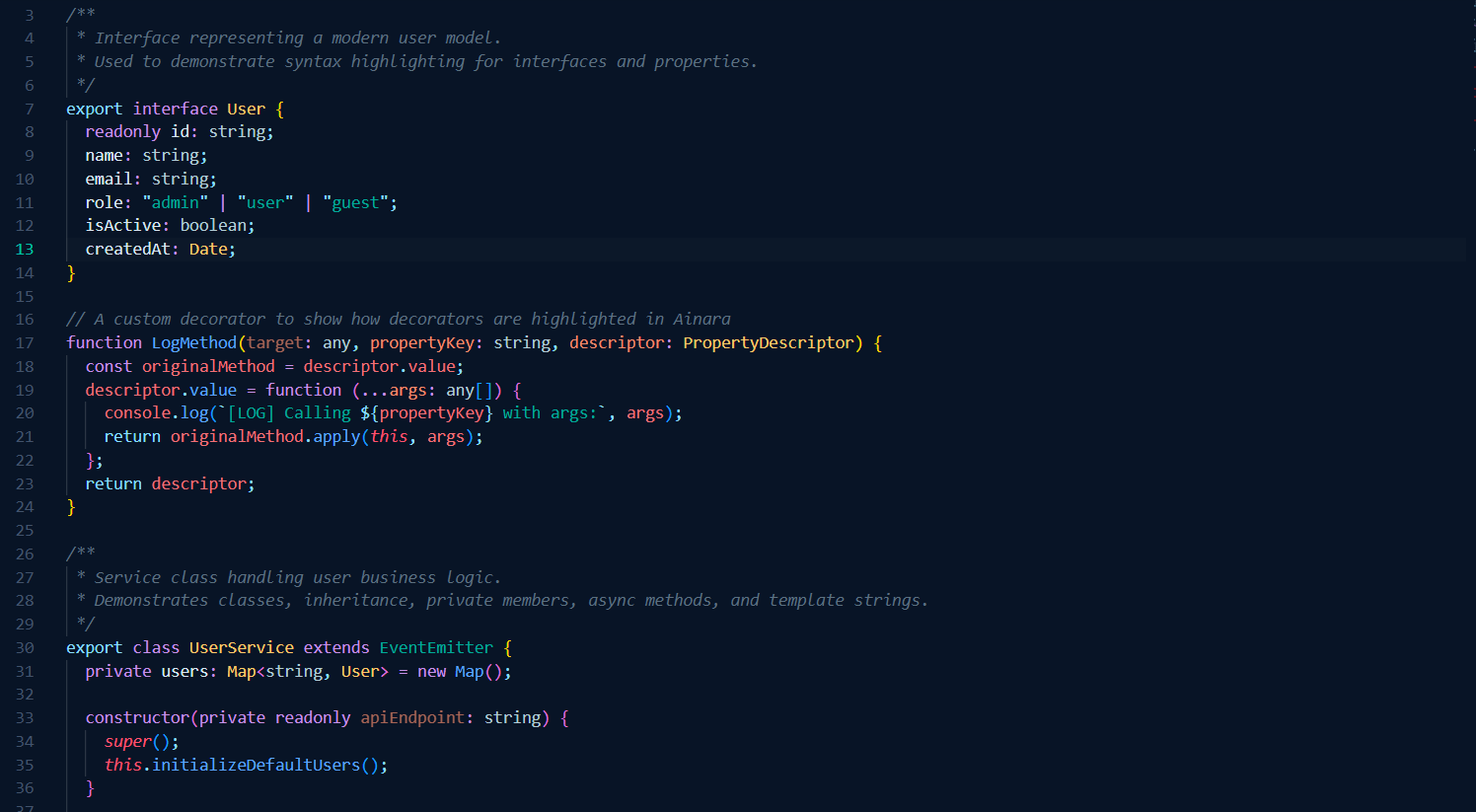 Modern class structure, decorators, async/await, and type annotations.
Python
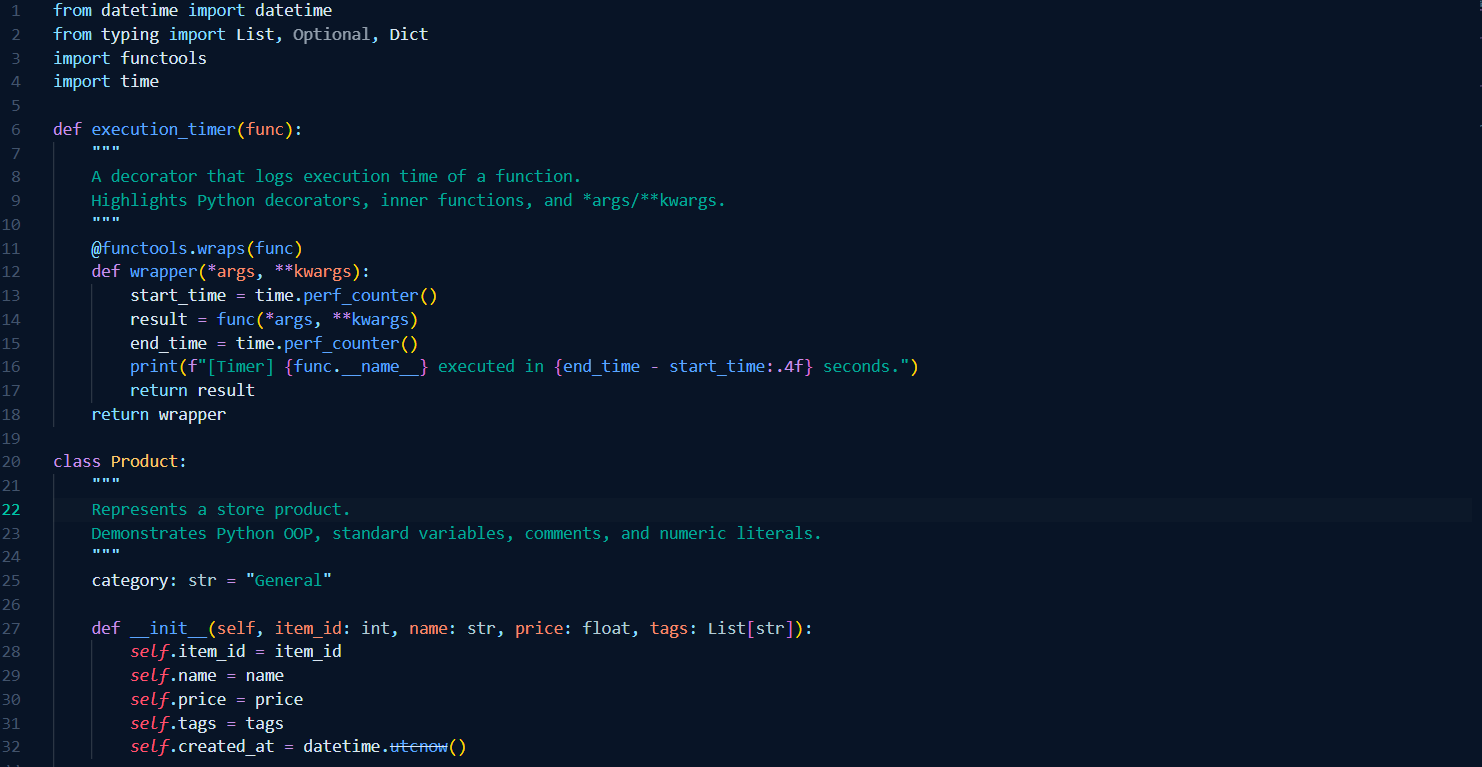 Functions, decorators, OOP, type hints, and list comprehensions.
HTML
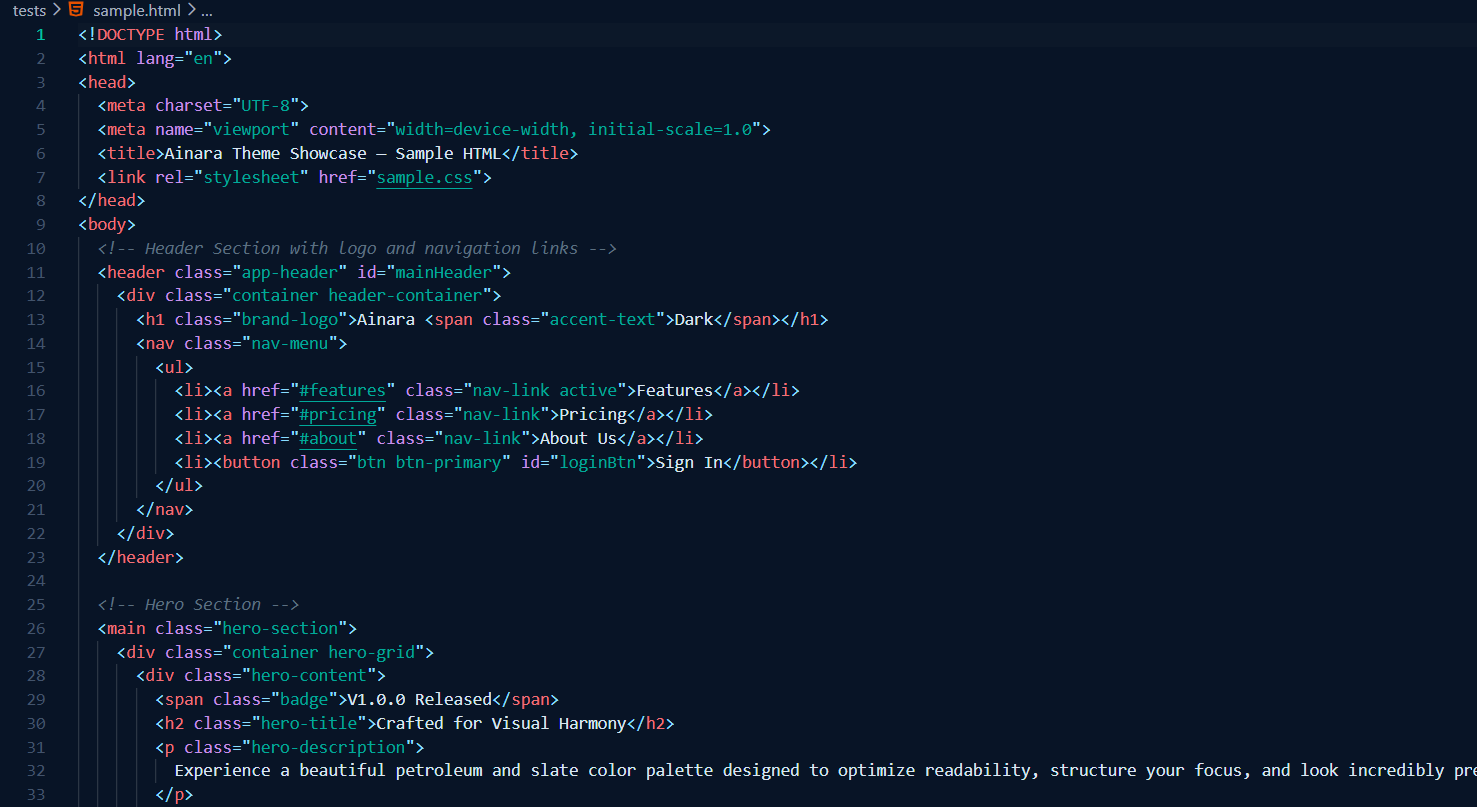 Semantic markup, attributes, classes, and tag nested hierarchies.
CSS
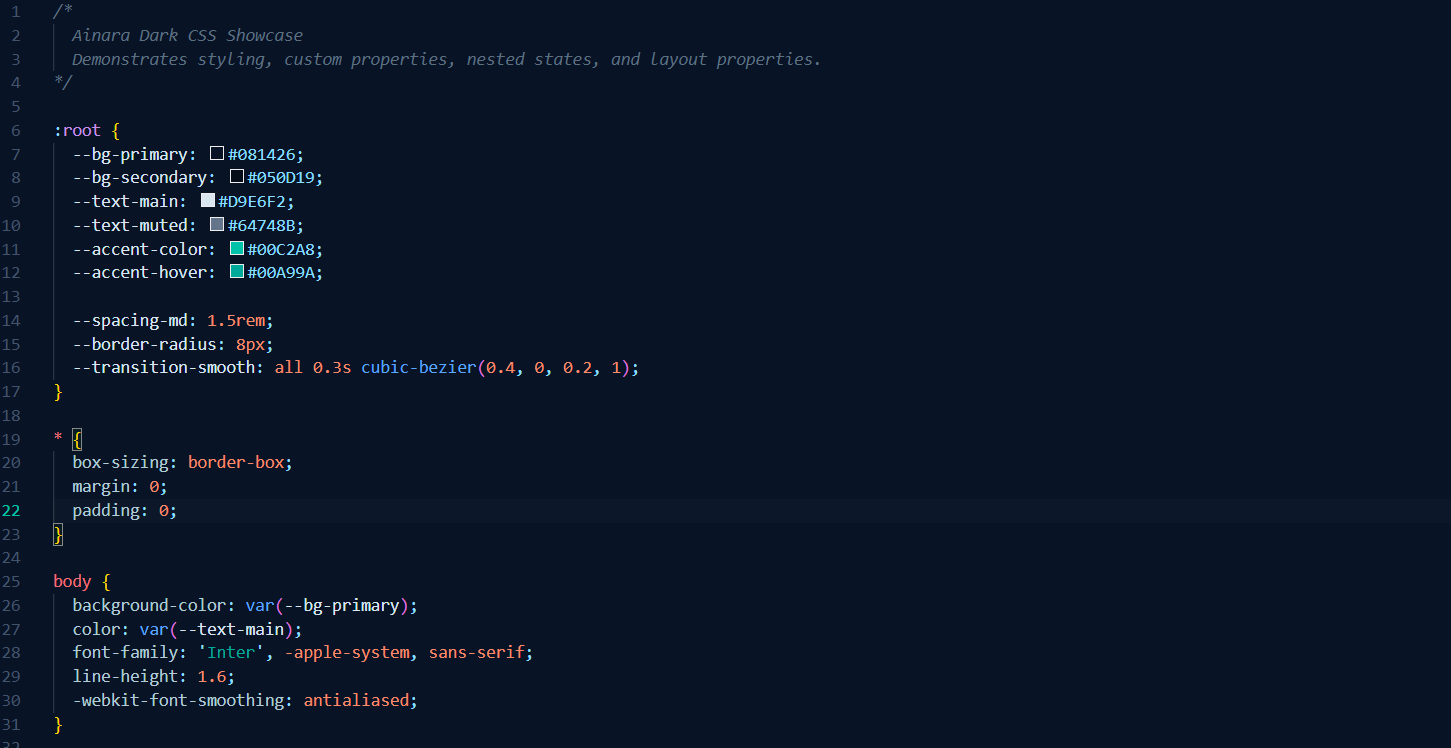 Variables, custom properties, pseudo-classes, and layout properties.
JSON
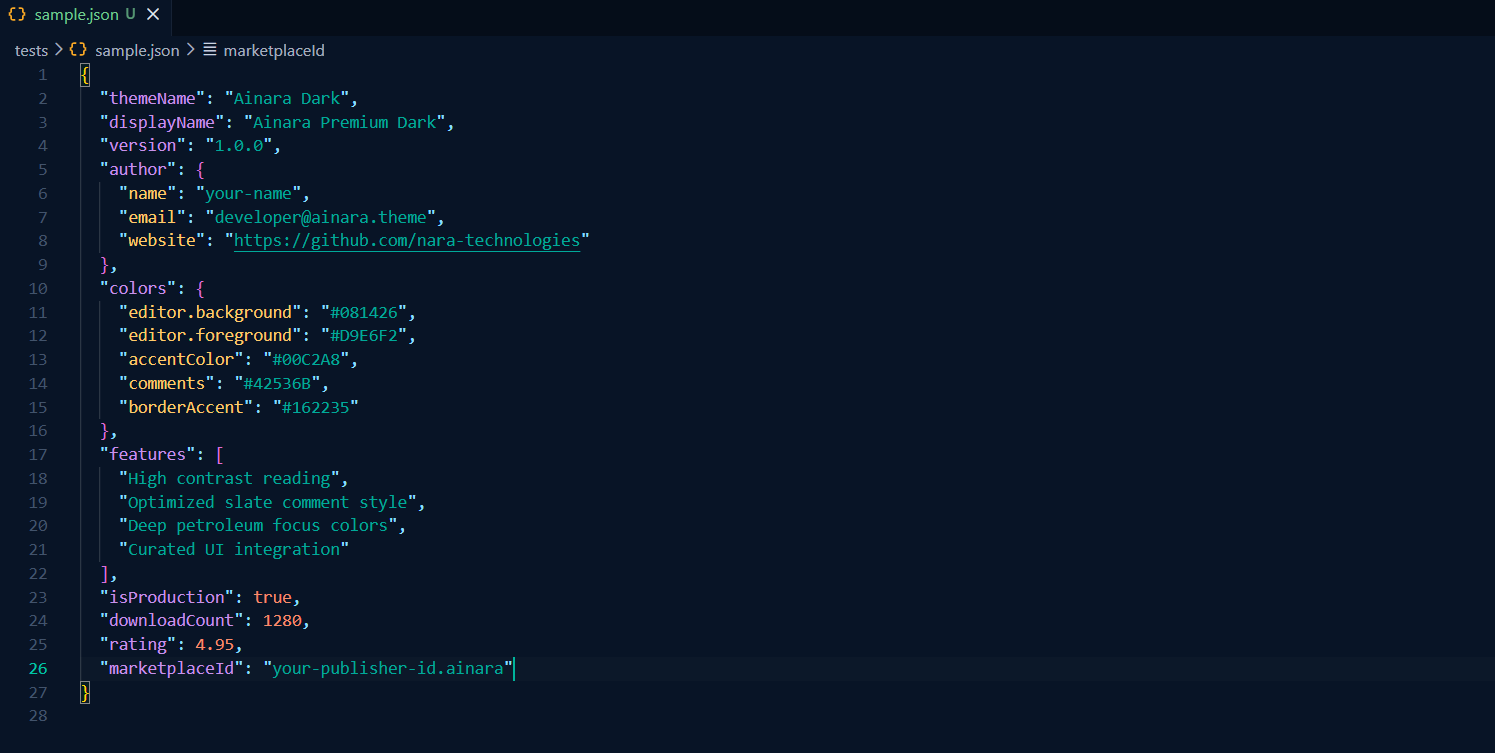 Structured settings, objects, lists, numbers, and boolean values.
Design Philosophy & Key Features
- Deep Petroleum Palette: The editor background (
#081426) uses a sophisticated dark navy-petroleum hue that minimizes eye fatigue during long sessions.
- Slate/Teal Accents: The UI is accented by a striking cyan-teal active line number and cursor (
#00C2A8), combined with slate blue UI borders.
- Premium Syntax Highlighting:
- Keywords & Storage: Deep lavender (
#C792EA) provides clean syntax separation.
- Strings & Numbers: High-contrast, vibrant values to keep your code legible.
-
- Comments: Refined slate gray (
#5C7080) in soft italics, ensuring they are perfectly legible when read but stay out of your active focus.
- Visual Hierarchy: Distinct visual boundaries between the Side Bar, Editor Tabs, and Activity Bar, styled in subtle shades of slate and deep petroleum (
#050D19 / #060F1D).
Installation
Via Visual Studio Code Marketplace
- Open VS Code.
- Go to the Extensions view (
Ctrl+Shift+X or Cmd+Shift+X).
- Search for Ainara.
- Click Install.
- Select Ainara Dark as your color theme.
Manual Installation
If you want to install the extension manually:
- Clone this repository into your
.vscode/extensions folder:
git clone https://github.com/nara-technologies/ainara-theme.git ~/.vscode/extensions/ainara
- Restart VS Code.
Recommended Settings
For the ultimate premium experience, we recommend pairing the theme with these settings in your settings.json:
{
  "editor.fontFamily": "JetBrains Mono, Fira Code, Operator Mono, Input, monospace",
  "editor.fontSize": 14,
  "editor.lineHeight": 22,
  "editor.fontLigatures": true,
  "editor.letterSpacing": 0.5,
  "editor.cursorBlinking": "smooth",
  "editor.cursorSmoothCaretAnimation": "on",
  "workbench.editor.showTabs": "multiple",
  "workbench.tree.indent": 16,
  "workbench.tree.renderIndentGuides": "always"
}
Customization
If you want to fine-tune the colors, you can easily override them in your VS Code settings.json:
"workbench.colorCustomizations": {
  "[Ainara Dark]": {
    "editor.background": "#081426", // Change the editor background color
    "statusBar.background": "#050D19" // Change the status bar background
  }
}
Contribution & Feedback
If you find a syntax highlighting issue, have suggestions, or want to contribute:
- File a bug report or feature request on the GitHub Issues page.
- Fork the repository and make your changes.
- Submit a Pull Request.
Made with ❤︎ by NARA Technologies

