Nagi.md
A simple, refined Markdown editor.
Edit directly in the preview.
Text, tables, and diagrams. Write without keeping source and preview side by side.
User guide · Features · Website · 日本語
Headings, bold text, and lists take shape as you type. Save your work as ordinary Markdown files.
Easy to read. Easy to write.
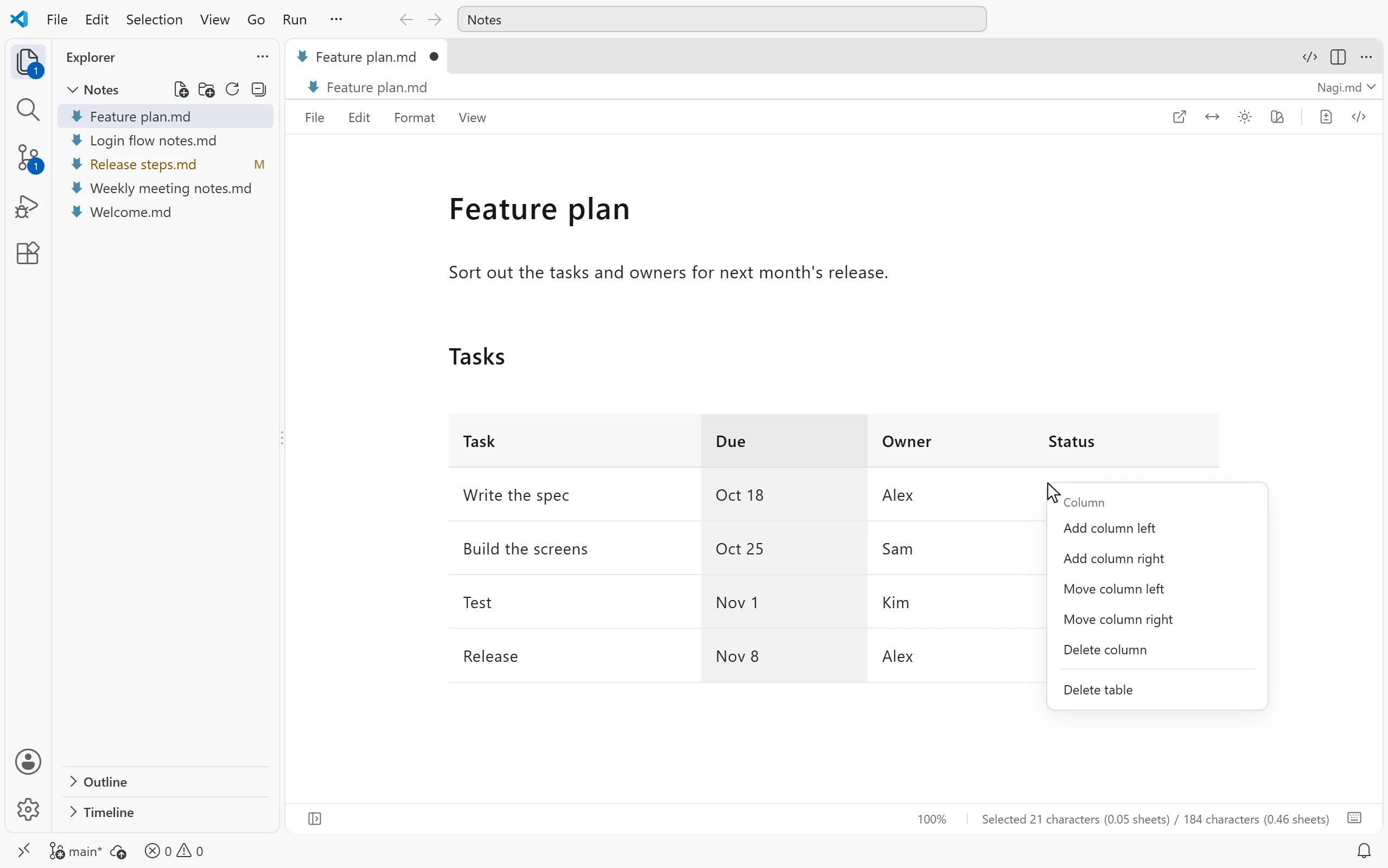
Edit tables in place
Type directly in cells and drag to reorder rows and columns. Press Tab to move to the next cell, or right-click to add and remove rows and columns. To insert a table, type / at the start of a paragraph.
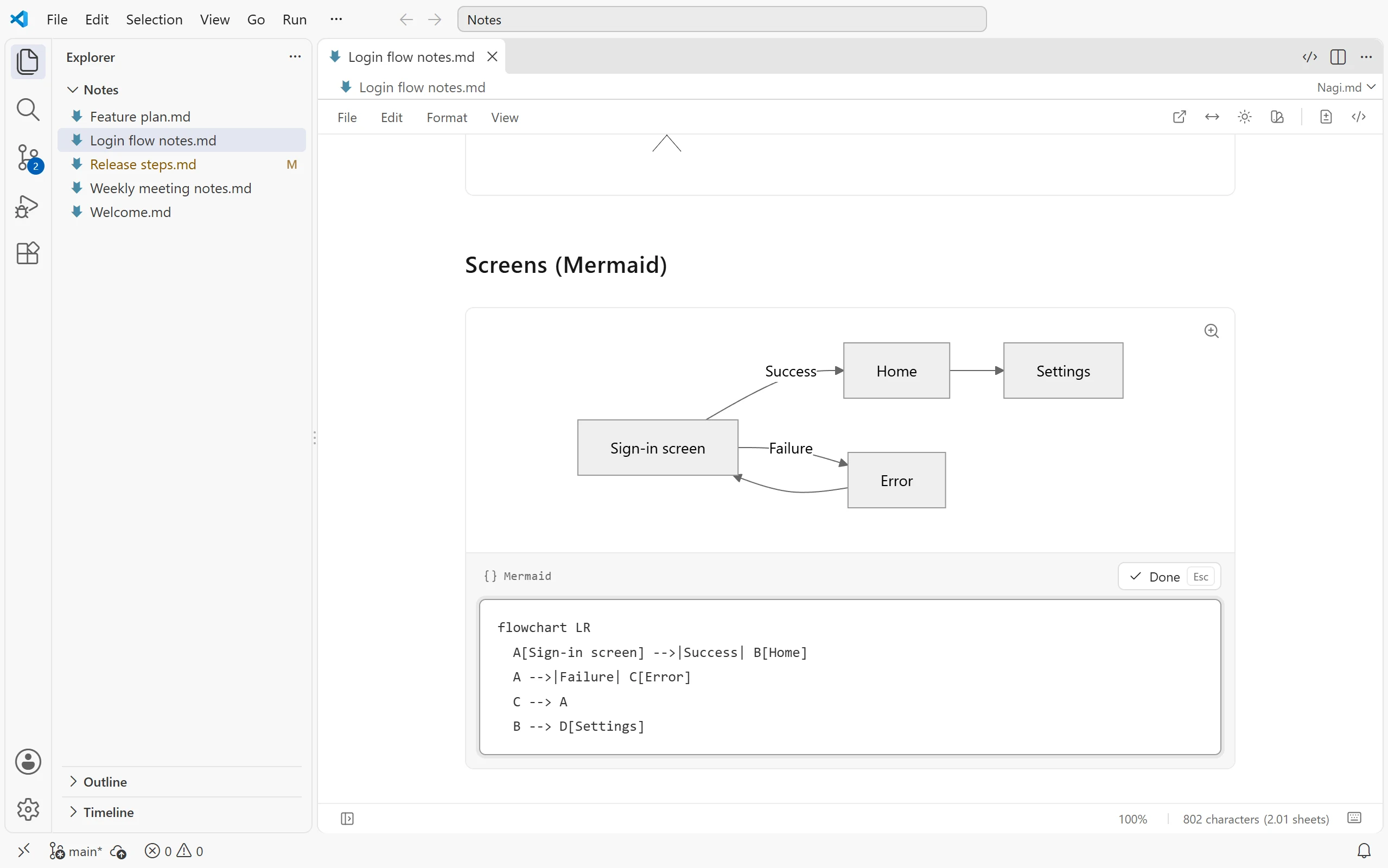
Mermaid and PlantUML, built in
Click a diagram to open its definition directly below it. Edit the definition and watch the diagram update. PlantUML renders locally, with no Java installation or external rendering server required.
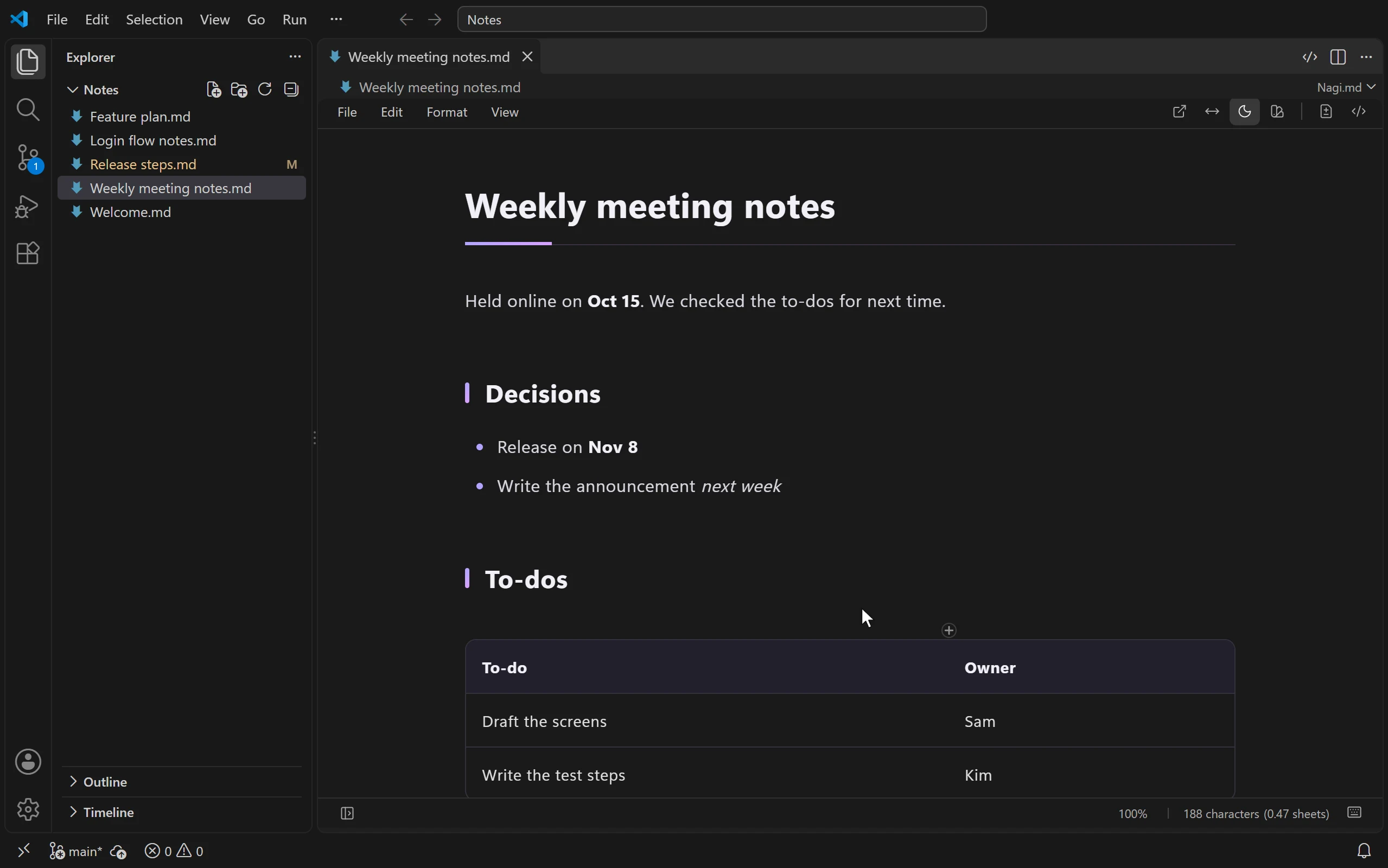
Make it your own
The editor follows your VS Code theme. Use the button in the top-right corner to switch between light and dark modes. Choose a built-in document theme or load custom CSS/LESS from Typora or Markdown Preview Enhanced.
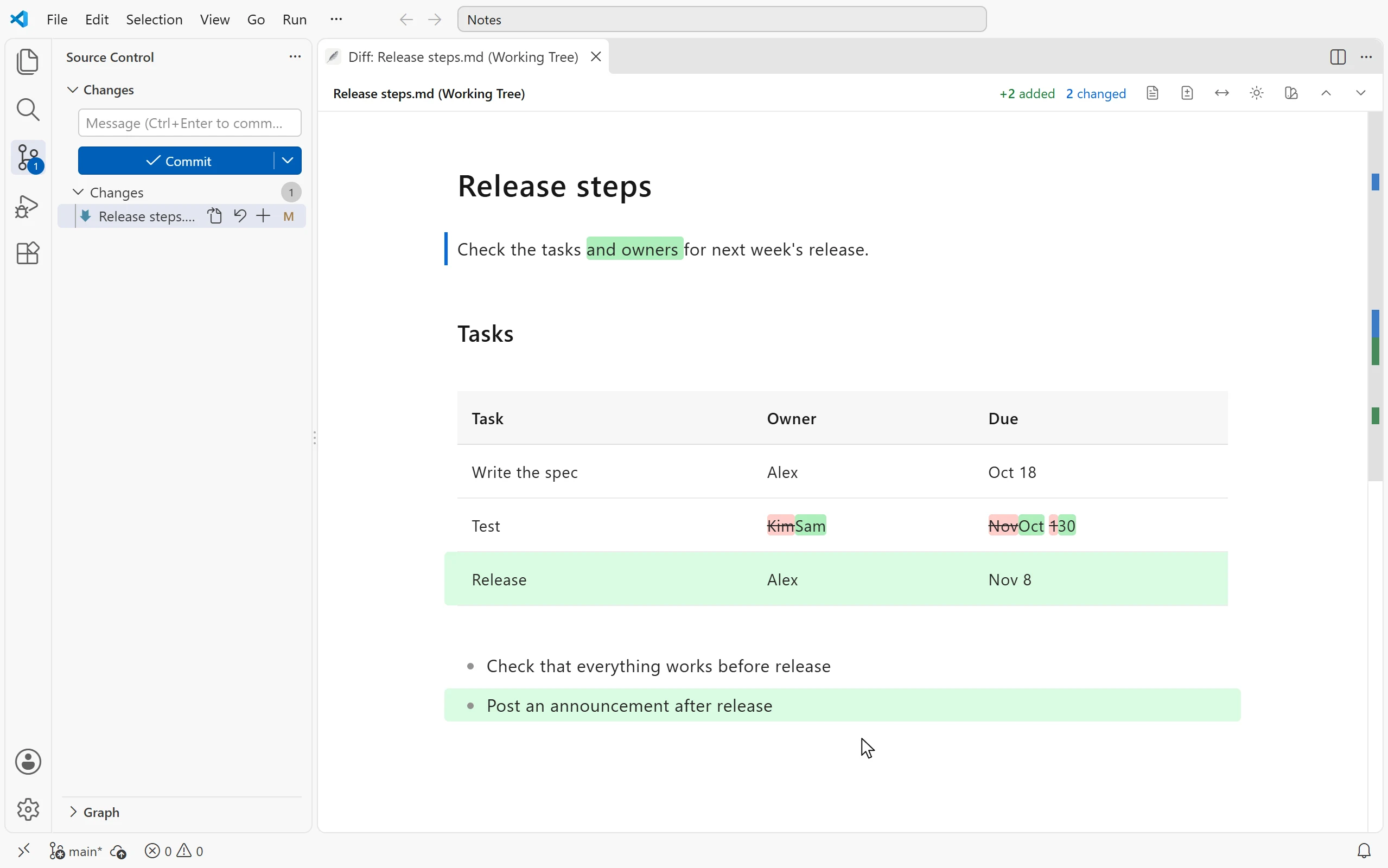
Review changes and handle conflicts in the preview
Keep writing while AI agents or other tools update your files.
- See Git changes in the rendered document: Opening a Markdown diff from Source Control shows a diff preview. Additions appear in green, deletions in red, and changed words are highlighted within edited blocks.
- Keep independent edits together: Changes from external tools merge automatically when they do not overlap with your edits. If they affect the same content, Nagi.md preserves your input and lets you know.
A simple interface with plenty inside
Just one menu row at the top. File operations and other controls already provided by VS Code stay in VS Code.
| Feature |
What it does |
| Syntax highlighting |
Add a language name to a code block to highlight it |
| Outline |
Select a heading to jump to that section |
| Find and replace |
Ctrl+F to find, Ctrl+H to replace, with match counts |
| Images |
Display relative-path images; choose where to copy dropped or pasted images |
| PDF export |
Save a PDF with document themes, images, and diagrams |
| Note links |
Display and follow [[note name]] links |
| YAML |
Display front matter as property names and values |
Move between the preview, source, and desktop app
- Switch to source with one button: Use the code button in the top-right corner to open the same document in the source editor. Hold Alt to open it beside the preview. Undo/Redo history is shared, and selections and scroll positions stay in sync.
- Open in the Windows app: On a local Windows workspace, use “Open in App” to open the document in Nagi.md for Windows. The Windows app must be installed separately.
Tested on Windows, both locally and in WSL remote workspaces. macOS, Linux, and SSH remotes should work the same way but have not been tested yet.
Get started
- Open a Markdown file (
.md or .markdown).
- From the source editor, use the preview button in the editor title bar or press
Ctrl+K V to open Nagi.md beside the source. Ctrl+Shift+V opens it in the current editor group.
- Start editing. Automatic saving follows VS Code's
files.autoSave setting.
On macOS, use ⌘ instead of Ctrl for the preview shortcuts. You can also right-click a file in Explorer and choose “Nagi.md: Open in Live Editor,” or use “Reopen Editor With.” Nagi.md does not change your default Markdown editor, so the standard preview remains available.
Settings
| Setting |
Description |
Default |
nagi.diffPreview.openAutomatically |
Open the diff preview automatically for Markdown diffs |
On |
nagi.diffPreview.replaceTextDiff |
Replace the text diff with the diff preview; turn off to open it beside the text diff |
On |
nagi.syncPosition |
Sync selections and scroll positions with the source editor |
On |
nagi.pdf.browserPath |
Browser executable for “Save PDF…” when automatic detection is unavailable |
Empty |
nagi.windowsAppPath |
Path to Nagi.exe for “Open in App” |
Empty |
See the VS Code user guide for detailed instructions.
Compatibility and limitations
- Supports basic Markdown (CommonMark), plus GFM tables, task lists, and strikethrough.
- Math, footnotes, and arbitrary HTML may be normalized when saved. Use the source editor when the exact original notation must be preserved.
- Cell merging, explicit column widths, and
![[...]] embeds are not supported.
- Very long documents or documents with many diagrams may take longer to render.
- Works in Restricted Mode without requiring workspace trust. No account is required to use the extension.
See supported environments and document protection for details.
Terms of use
Free for individuals and organizations, including business and commercial use, with no device limit. Organizations may distribute the unmodified VSIX internally. Public redistribution, selling the extension itself, or modifying or reusing its proprietary code requires prior permission.
See the terms of use, also included as LICENSE.en.txt in the extension. The Japanese original is included as LICENSE.txt. Back up important documents and check their contents after saving.
Nagi.md is an independently developed Markdown editor based in Japan.
The same editing interface is also available in the Web editor and the Windows app.

