Repovisor AI - Code Review

AI-powered Pull Request Reviews directly inside Visual Studio Code.
Review GitHub and GitLab Pull Requests with your preferred AI model — without leaving VS Code. RepoVisor helps you spot bugs, security issues, performance problems, and improvement opportunities in seconds.
Why RepoVisor?
- Open Source — Fully open source under the Apache License. Inspect the code, contribute, or fork it for your own workflow.
- Free to Use — The extension is completely free. You only pay for the AI API usage you choose.
- Bring Your Own Key — Connect your own API keys from OpenAI, Azure OpenAI, Anthropic Claude ,DeepSeek, Moonshot (Kimi) or any OpenAI-compatible provider.
- You Control the Model — Pick the model and provider that fits your quality, speed, and budget needs.
- Transparent Costs — RepoVisor never charges you. Any cost comes directly from your chosen AI provider based on the model and tokens used.
- No Data Trace — Review history and metadata are stored locally in a SQLite database on your machine. We do not collect, transmit, or store your code on any external server.
- Safe Token Storage — GitHub and GitLab Personal Access Tokens are saved only in your local VS Code settings and are never shared with third parties.
Review Modes
Control how you review code in three flexible ways:
| Mode |
How It Works |
| Pull Request Review |
Analyze an entire GitHub or GitLab PR with structured, actionable findings. |
| Current File Review |
Right-click any open file to review it instantly. |
| Selected Code Review |
Highlight a specific block of code and review only that selection. |
Screenshots
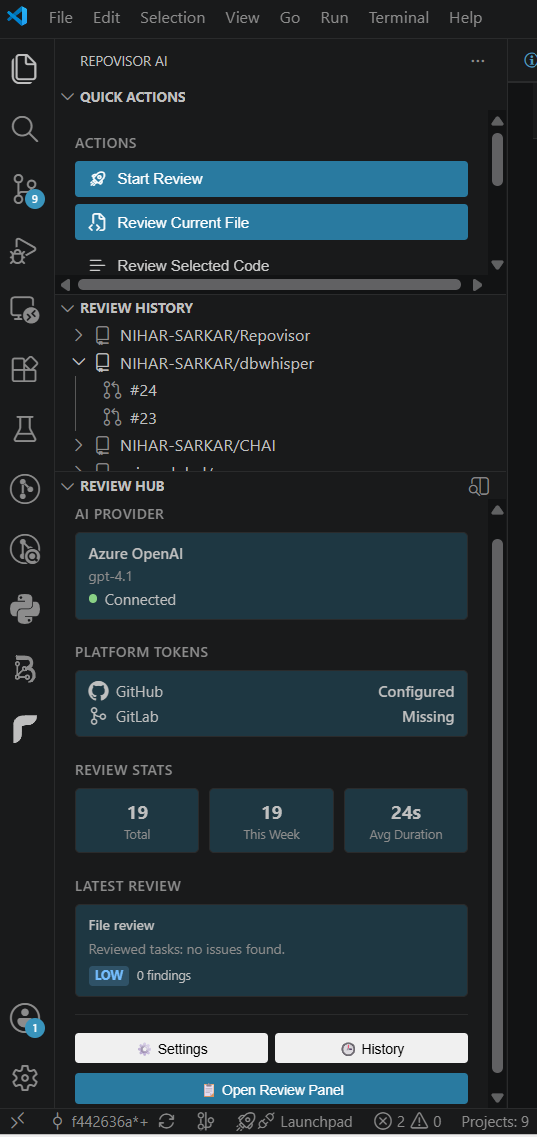

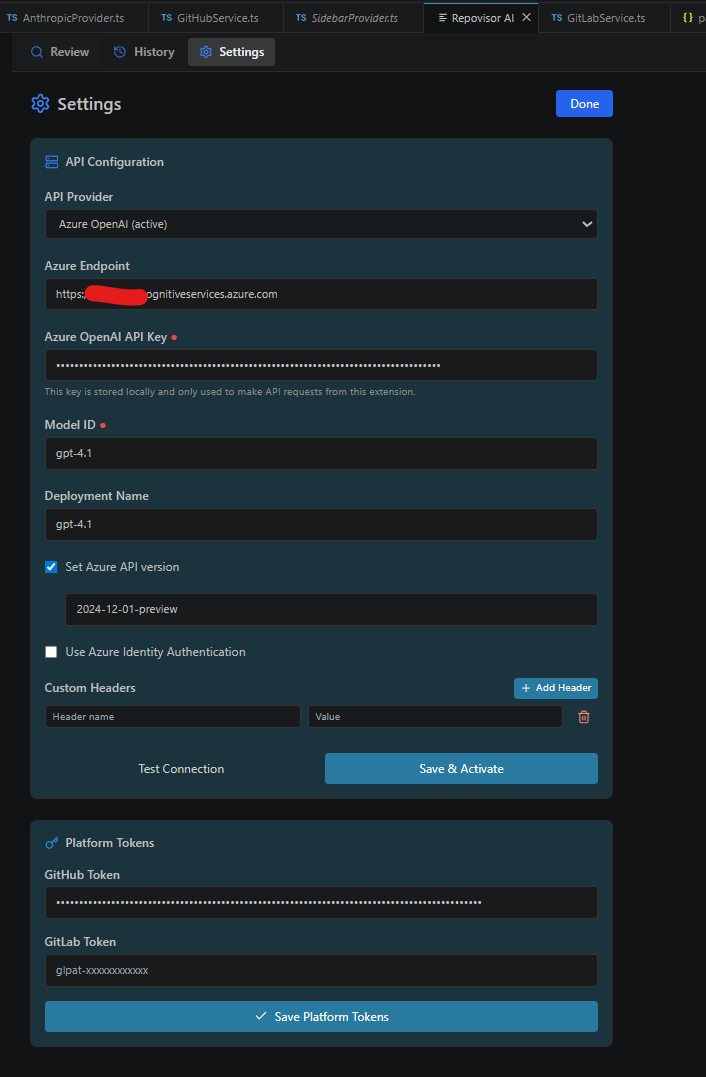
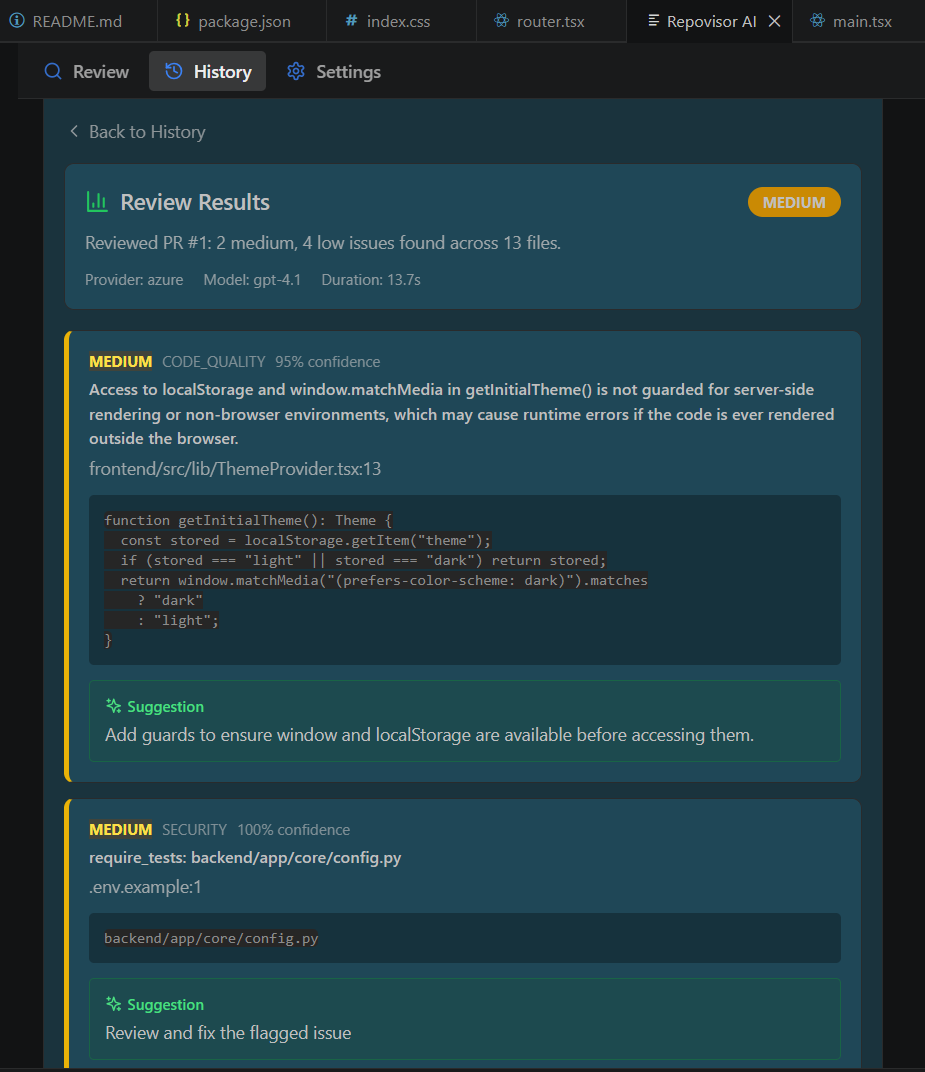

Supported AI Providers
Use your own API keys with any of these providers:
- Azure AI Service
- OpenAI
- Anthropic Claude
- Moonshot (Kimi)
- Any OpenAI-compatible API
Features
- AI-Powered Reviews — Analyze PRs, files, or selected code with structured feedback.
- Multi-Provider AI Support — Choose your own model and API keys.
- GitHub & GitLab Integration — Fetch PRs, diffs, and changes directly from your platform.
- Smart Code Analysis — Automatically checks for bugs, security issues, performance problems, code quality, best practices, readability, and edge cases.
- Professional Review Reports — Generate clean Markdown reports ready to copy into GitHub or GitLab comments.
- Local-Only History — Review history is stored in a local SQLite database, not in the cloud.
- Three Flexible Review Modes — Full PR review, current file review, or selected code review.
Example Review
Overall Score
★★★★☆

High Priority
• Possible SQL Injection

Medium Priority
• Missing null validation

Low Priority
• Improve variable naming

Suggestions

✓ Improve error handling
✓ Reduce duplicate logic
✓ Add edge case tests
Get Started
- Install Repovisor AI — Code Review from the Visual Studio Code Marketplace.
- Open VS Code Settings (
Ctrl+,) and add your preferred AI provider API key.
- Add your GitHub or GitLab Personal Access Token for PR and diff access.
- Open the Repovisor panel, or right-click a file or selection to start reviewing.
Open Source & Contributions
RepoVisor is open source and welcomes contributions. Report issues, suggest features, or contribute on GitHub:
https://github.com/NIHAR-SARKAR/Repovisor-VsCode-Extension
License
Apache License
⭐ Install RepoVisor today and review your Pull Requests faster using the AI model you already trust.
| |

