Opinionated OpenAPI 3.x validator and test generator with a 130-point checklist, right in your editor.
Swagger Sentinel brings the power of the 130-point OpenAPI checklist directly to VS Code. It provides real-time feedback, diagnostics, and automated test generation to help you build better APIs.
Features
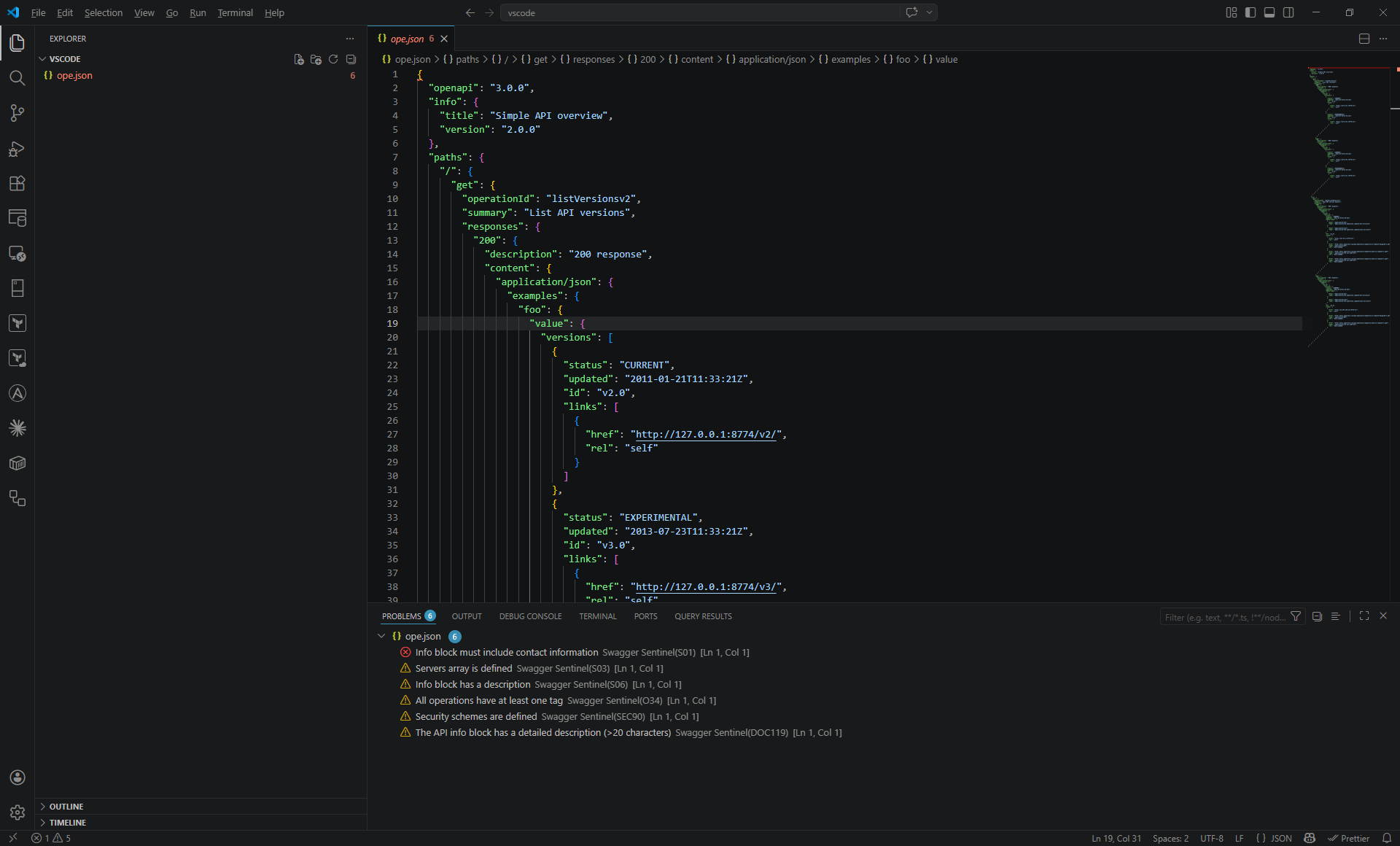
Real-time Linting: Automatically validates your OpenAPI spec (.yaml, .yml, .json) as you type.
Problem Highlighting: See errors, warnings, and suggestions directly in the VS Code "Problems" tab and highlighted in your code.
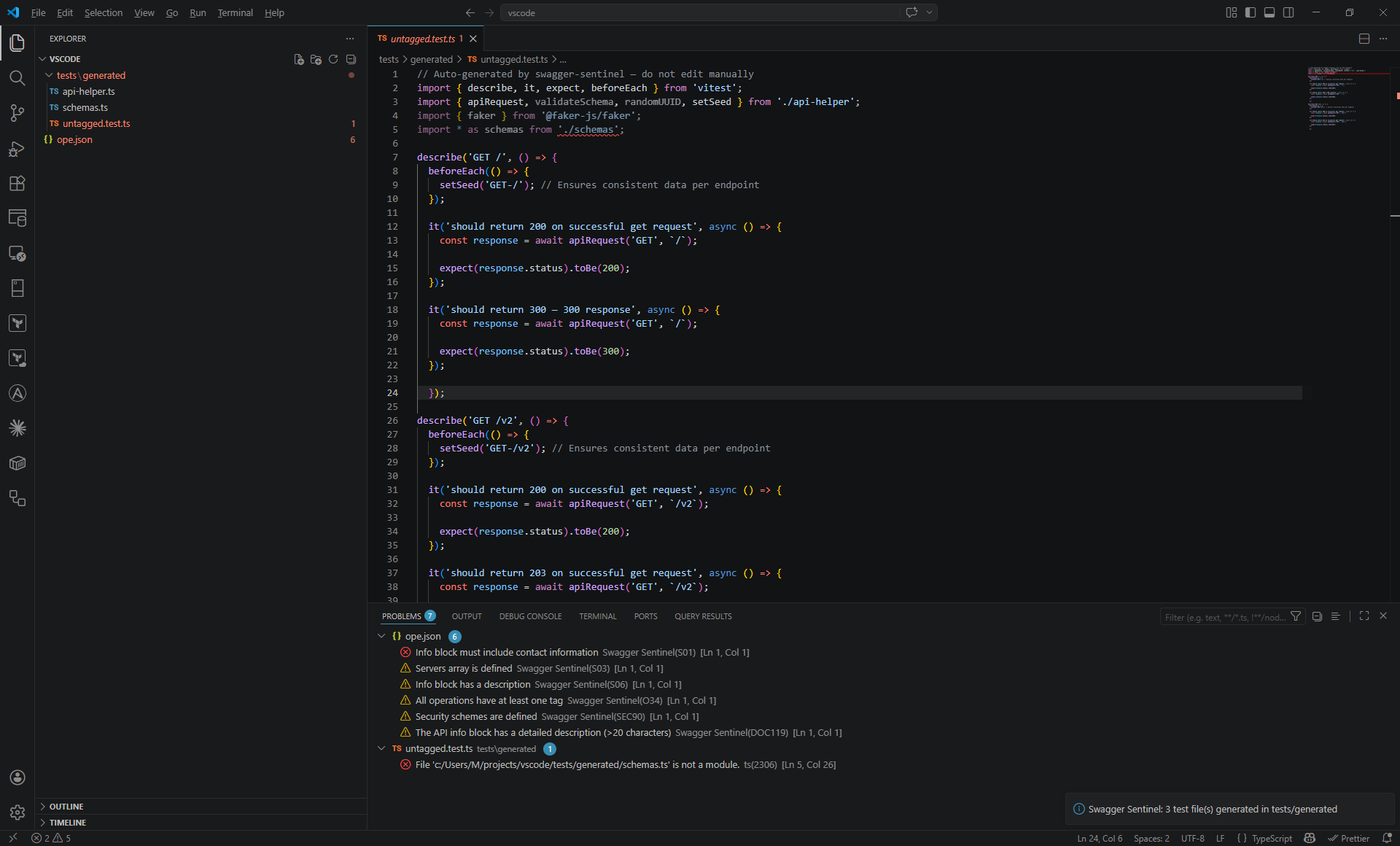
Smart Test Generation: Generate Vitest-compatible TypeScript tests with Faker.js integration directly from your spec via the context menu.
AI Documentation Enrichment: Automatically fill missing summaries and descriptions using Gemini or OpenAI.
Secure Storage: API keys are stored securely using VS Code's SecretStorage (not in plain text).
Custom Rules Support: Loads rules from your .sentinelrc or custom rules directory.
AI Documentation Enrichment
Stop writing boring descriptions! Swagger Sentinel can now use AI to analyze your API paths and models to generate high-quality summaries and descriptions in seconds.
Set your API provider in settings (gemini or openai).
Right-click in your YAML file and select Swagger Sentinel: AI Enrich Documentation.
Your spec is instantly updated with contextual documentation.
Getting Started
Install the extension from the VS Code Marketplace.
Open any OpenAPI 3.x specification file.
Errors and warnings will appear automatically in the editor.
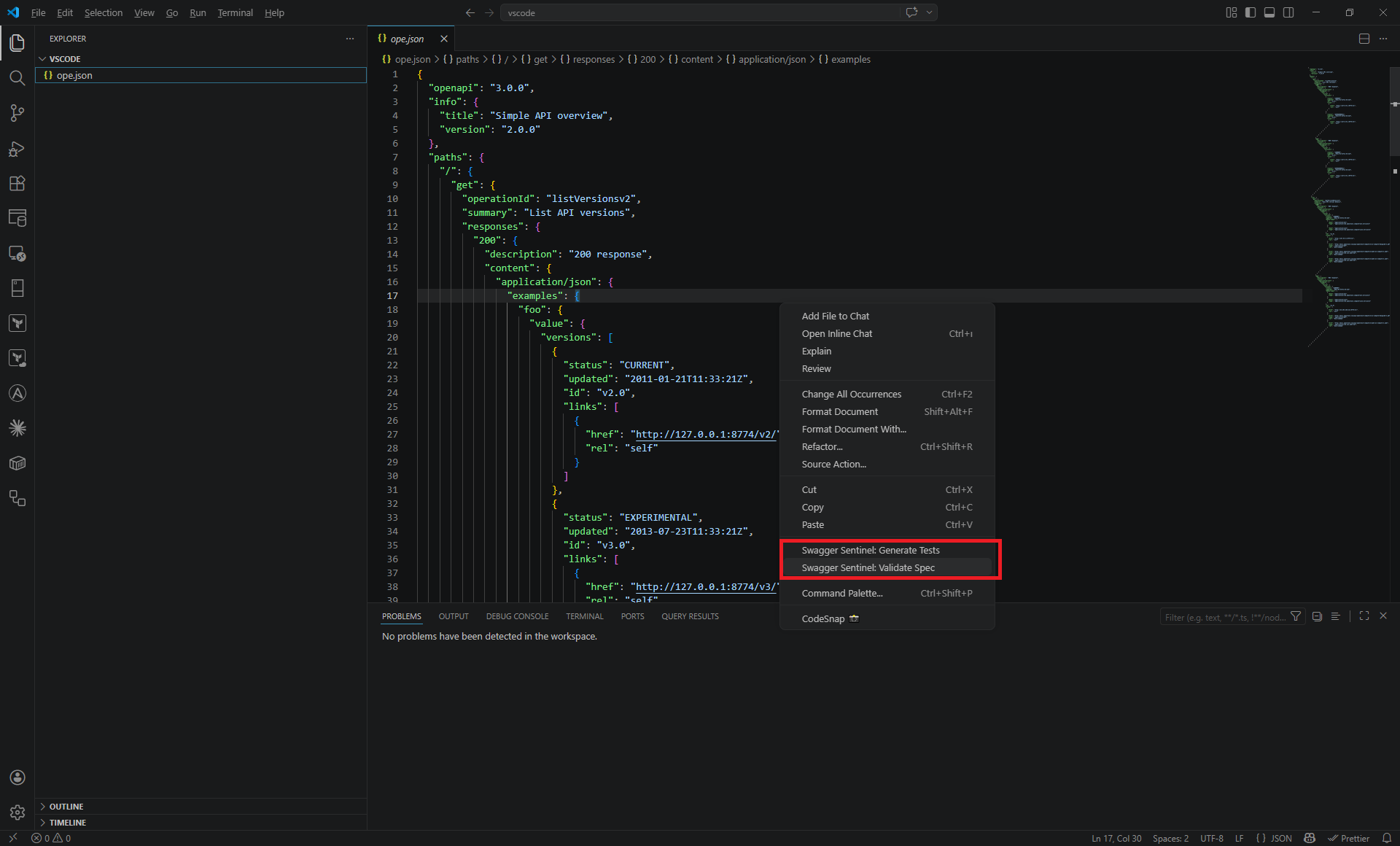
Right-click anywhere in the editor to:
Swagger Sentinel: Validate Spec: Force a full validation.
Swagger Sentinel: Generate Tests: Create test suites for your API.
Configuration
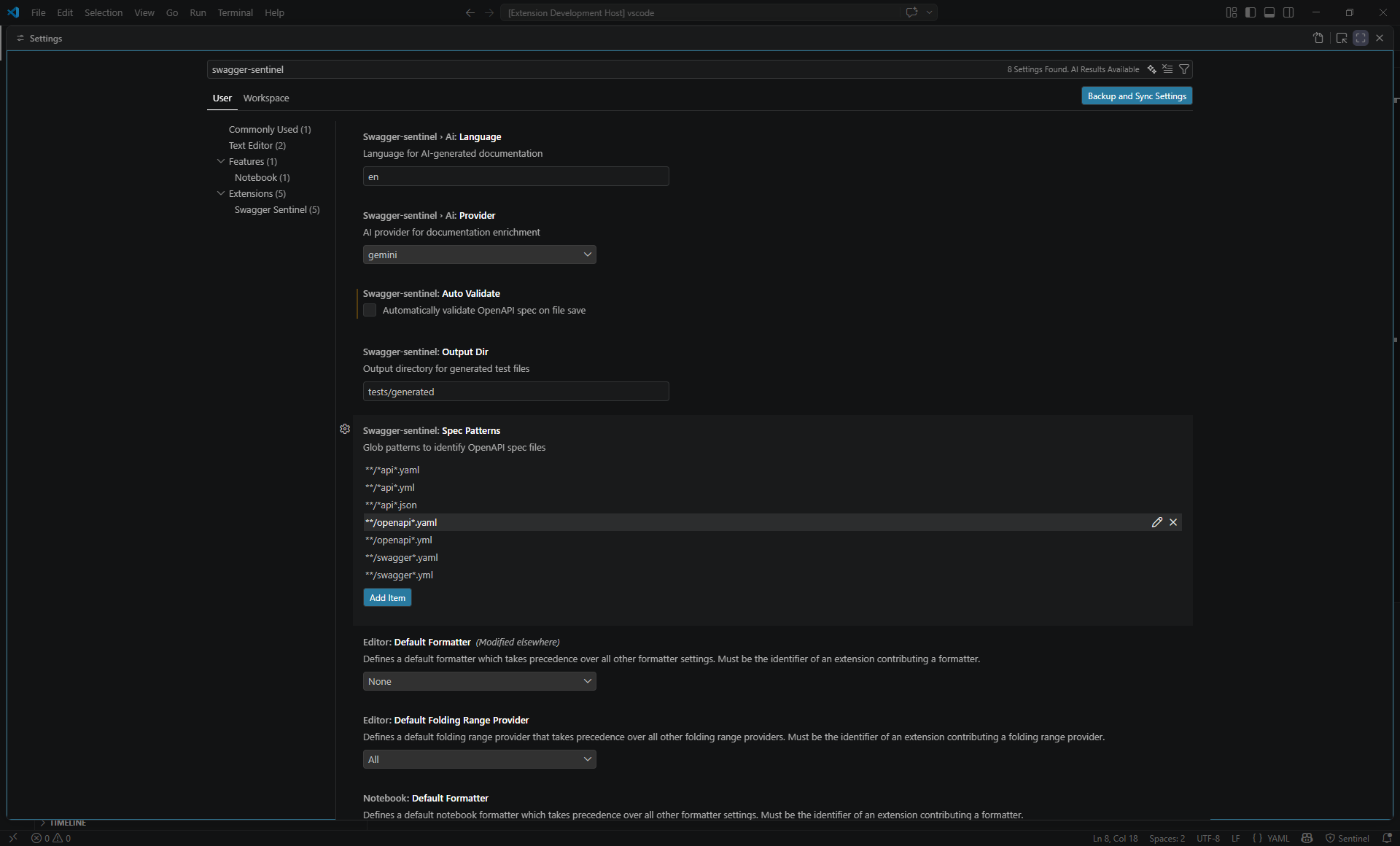
You can customize the extension via VS Code settings or a .sentinelrc file in your workspace root.
Extension Settings
swagger-sentinel.autoValidate: Enable/disable automatic validation on save (default: true).
swagger-sentinel.specPatterns: Customize glob patterns to identify OpenAPI files.
swagger-sentinel.outputDir: Set the default directory for generated tests (default: tests/generated).
.sentinelrc
Swagger Sentinel will respect your project's .sentinelrc configuration for ignoring rules or overriding severities.