Old Skool AICopy your project tree + selected files as a clean, AI-ready prompt in one click. Paste straight into ChatGPT, Claude, Gemini or Google AI Studio. Installation Launch VS Code Quick Open ( Ctrl+P), paste the following command, and press enter.Copied to clipboard |

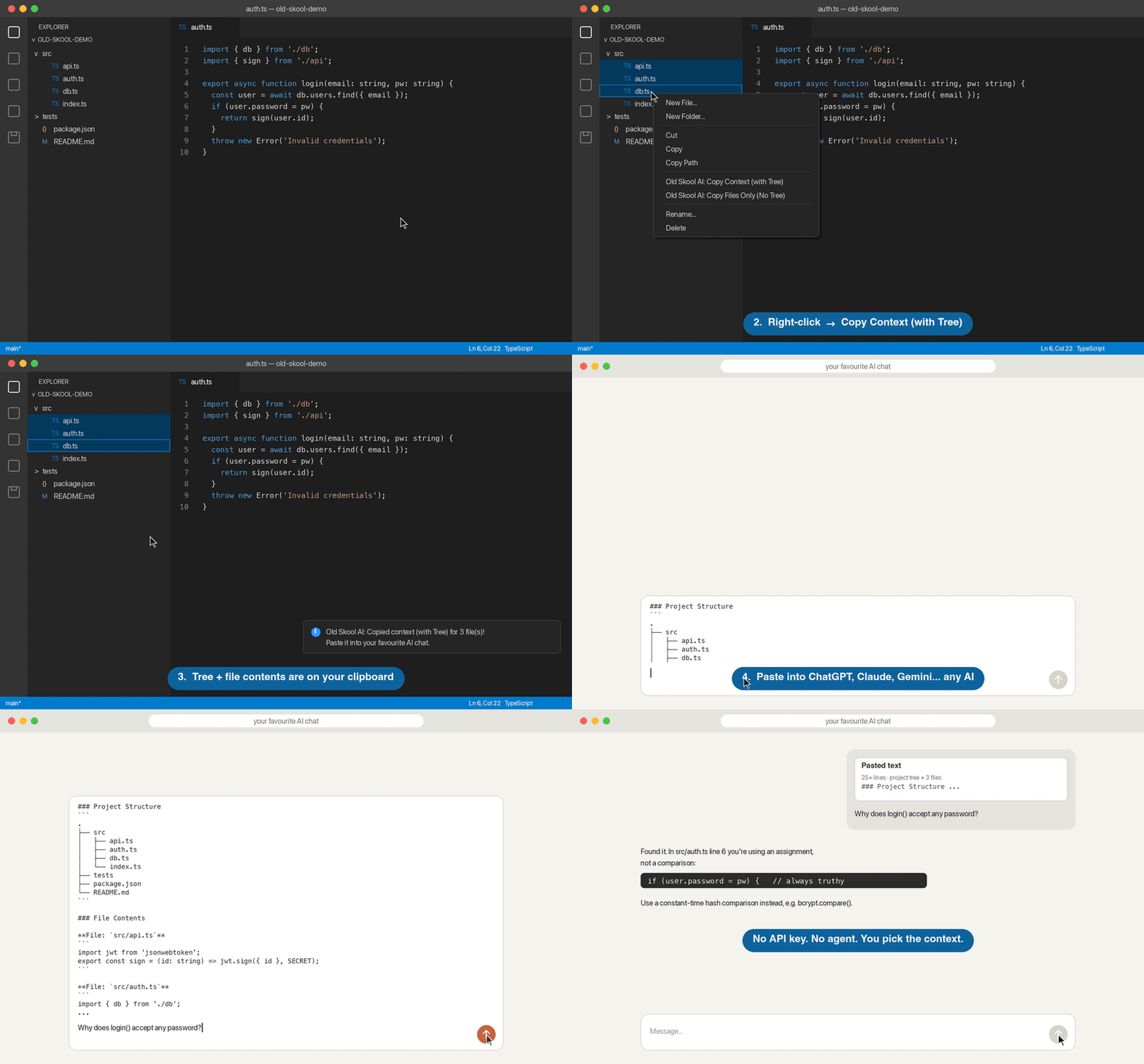
Old Skool AIStop copy-pasting files one by one into ChatGPT. Select your files, right-click, paste. Your AI gets your project tree and your code, already formatted as a clean prompt. Works with ChatGPT, Claude, Gemini, Google AI Studio, DeepSeek and any other chat that accepts Markdown.
Why "Old Skool"?AI agents and IDE plugins are great, until they read the wrong files, burn through your tokens, or lock you into a single model. Old Skool AI takes the simple approach: you choose the context, it formats it perfectly, and you paste it into whichever AI you like. You don't need an API key or an account, and nothing leaves your machine except what you paste. Features
There's also a sidebar in the Activity Bar for one-click access, without needing to remember any shortcuts. What gets copiedThe output is clean Markdown, which every major LLM understands. File paths are relative to your project root, so the AI knows exactly where everything lives. Prompt ideasPaste the context, then ask:
Settings
The tree shows up to 4 levels deep to keep prompts focused and token-friendly. InstallSearch for Old Skool AI in the VS Code Extensions view, or run: FeedbackFound a bug or have an idea? Open an issue. If Old Skool AI saves you time, a ⭐ on GitHub or a review on the Marketplace helps other developers find it. License |